TAGGED: ansys-electronics-desktop, update, windows-10
-
-
September 11, 2020 at 10:12 pm
Abdou1
SubscriberHellonwhen i made the update of windows 10 (KB4576478 and KB4571756 ) ANSYS Electronics Desktop stoped to working ! and when i deleted this two update, ANSYS Electronics Desktop start working again !nHow i can resolve thise probleme because i need the update of windows 10?nBests regardsn -
September 11, 2020 at 10:28 pm
ANSYS_MMadore
Forum ModeratorPlease set environment variable ANSYS_EM_DONOT_PRELOAD_3DDRIVER_DLL=1 to get around the problem.
Thank you
-
September 13, 2020 at 7:49 am
Sylvie
SubscriberHello Abdou1,
How did you delete update KB4571756? Since it says , the update is necessary for my system. Although I could delete the other update successfully. The problem did not resolve by deleting KB4576478.
Hello mmadore,
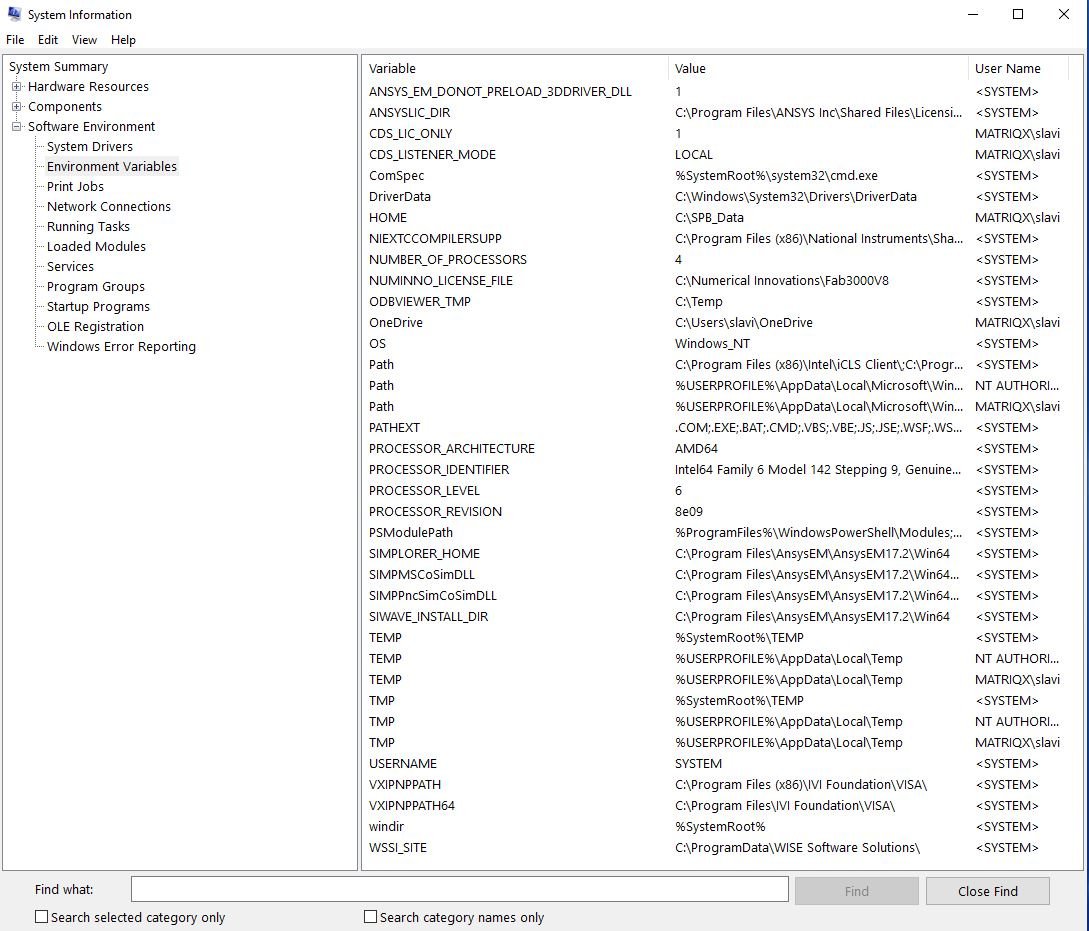
Before deleting KB4576478 or attempting to delete KB4571756, I tried setting environment variable as depicted. Still the problem persists. I added a new variable under "System Variables" as the follows:
Variable name: ANSYS_EM_DONOT_PRELOAD_3DDRIVER_DLL
Variable value: 1
Please let me know anything else I can do to resolve my issue.
Thank You.
-
September 13, 2020 at 12:09 pm
Abdou1
SubscriberHello Sylvie
I used the restore system, i choosed a date before the update, it worked with me. But i need the update, i still don't know how to resolve this issue.
-
September 14, 2020 at 10:52 am
Yurii
Subscriberprobles is single KB4571756
unistalling this single KB4571756 solves problem. other KB do not influence
-
September 14, 2020 at 10:59 am
Abdou1
SubscriberHello Yurii
But now we are looking for a solution without remove the KB4571756 because i need it in my computer.
-
September 14, 2020 at 11:28 am
ANSYS_MMadore
Forum ModeratorArray did you set ANSYS_EM_DONOT_PRELOAD_3DDRIVER_DLL=1Â as a system variable? Can you share a screenshot of the variable?
-
September 15, 2020 at 5:59 am
rosislav
Subscriber.Hi all,
I have the same issue after the latest Windows update but with Ansys Electronics Desktop 2016.2.
Tried the suggestion from mmadore but didn't work - nothing changed. I'm attaching a screenshot of the system variables. Also attaching the problem report generated at attemting to start the software.
Uninstalling the KB4571756 update is not a permanent solution as Windows requires it. A temporary solution is to uninstall it and pause updates for some period.
Need a permanent solution to this. Will appreciate your help!
Thanks,
Slavi
. -
September 18, 2020 at 8:30 am
Abdou1
SubscriberHello
i set ANSYS_EM_DONOT_PRELOAD_3DDRIVER_DLL=1Â as a system variable , on ANSYS Electronics Desktop 2019 R2.
It works.
thank you mmadore.
-
September 19, 2020 at 12:10 am
trimble
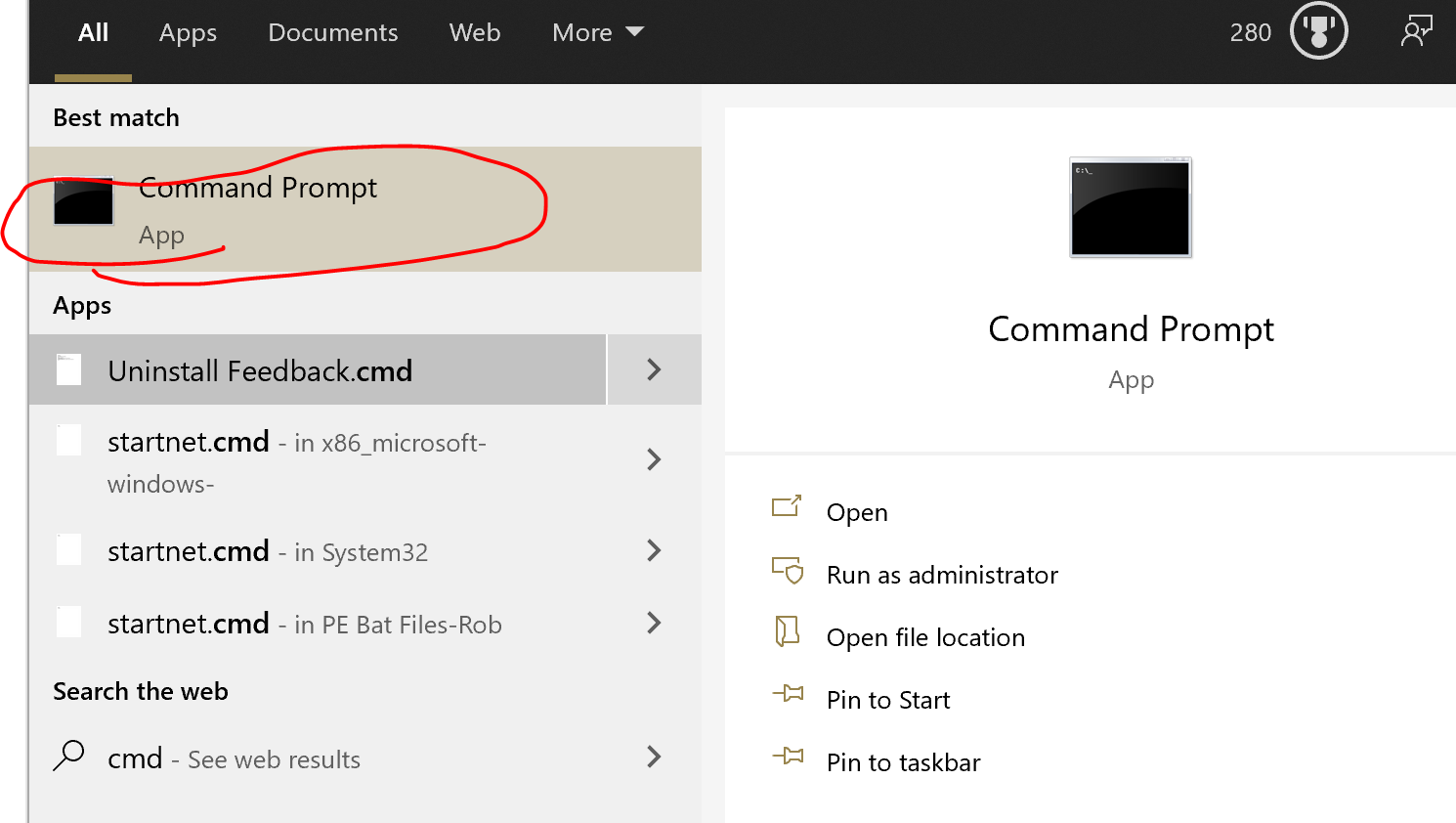
SubscriberSetting the Environment Variable seems to work on everything I have tested. The easiest way to set the variable is to run the command: setx /m ANSYS_EM_DONOT_PRELOAD_3DDRIVER_DLL 1
-
September 21, 2020 at 5:54 pm
zak720
SubscriberArray how do you actually do this? Thank you!
-
September 21, 2020 at 6:38 pm
zak720
SubscriberArray where do you run this command? I haven't done anything like this before.
-
September 22, 2020 at 7:20 am
-
October 1, 2020 at 7:48 am
rosislav
SubscriberHello Array,
as mentioned above the proposed solution with creating environmental variable did not help in our case.
Can you please advise how we can solve the problem for Ansys Electronics Desktop 2016.2?
Thank you!
Slavi
-
October 1, 2020 at 1:25 pm
ANSYS_MMadore
Forum ModeratorArray We don't have another option to provide for version 2016.2. I would recommend updating to version 2018 at minimum to be able to avoid this issue.
Thank you
-
October 1, 2020 at 2:57 pm
-
October 7, 2020 at 8:02 am
rosislav
SubscriberHi Array ,
can you please explain which command to paste in the Command prompt? And for which version of Ansys Electronics Desktop are you referring?
Just to clarify that I created the requested environmental variable advised by mmadore but still HFSS doesn't open.
Thanks,
Slavi
-
October 7, 2020 at 9:25 pm
tsiriaks
Ansys EmployeeHi Slavi,
The environment variable that you tried doesn't support that old version of AEDT. You have to either use newer version or uninstalled the Windows update.
Thanks,
Win
-
October 12, 2020 at 9:03 am
rosislav
SubscriberHi Win,
thanks for the feedback!
Slavi
-
November 2, 2020 at 1:02 pm
juanmatapavia
Subscriber.Hello
I have the 18.1 version and the suggested solution does not work. Uninstalling the windows updates is not an option since there are another 5 that should be previously uninstalled before we can uninstall the one giving problems. Attached I send you some screenshots of the results that I got after adding the environment variable. Can you pleas give me some support to this problem.
Thanks,
Juan
. -
November 2, 2020 at 1:08 pm
ANSYS_MMadore
Forum ModeratorArray This variable will only work for version 2018.0 (19.0) and newer. Your options are uninstalling the updates and preventing that particular update, or updating to a newer version of Electronics Desktop applications.
Thank you,
Matt
-
November 12, 2020 at 9:04 am
ant.lukyanov
SubscriberIs possibel to make special update form Ansys Electronic desktop 2017.1? We have license and our work stuck
Thank you
Anton
-
November 12, 2020 at 12:41 pm
ANSYS_MMadore
Forum ModeratorArray There is no plan for any updates for versions prior to 19.0/2018.0. The only option if you are stuck at that release is to uninstall the problematic Windows Update.
Thanks
Matt
-
November 18, 2020 at 6:39 pm
ant.lukyanov
SubscriberIt is very sad to hear that. We pay for license but cannot get support.
Anton
-
November 18, 2020 at 6:49 pm
ANSYS_MMadore
Forum ModeratorIf your license is off TECS this means it is no longer under support. If your license was current you could update to a newer version to avoid the issue. 2017.1 is several years old at this point and untested/unsupported with any current patches to current OS. The option available is to not install the Windows Update causing the problem.
Thanks,
Matt
-
May 5, 2022 at 6:23 pm
Yechi
Subscriber.You can use VMPLAYER with windows 7 and install HFSS there assuming you can migrate your license to it. VMplayer can support up to 64 GB of RAM which can be increased when changed directly in the .vmx file.
. -
May 5, 2022 at 6:25 pm
Yechi
Subscriber.I wonder what is the real cause of HFSS 2017.1 not running on the latest Windows 10 version. I mean, where is the collision???
.
-
- The topic ‘ANSYS Electronics Desktop 2019 R2 and the new update of windows 10’ is closed to new replies.

-
5249
-
1859
-
1393
-
1255
-
1021
© 2026 Copyright ANSYS, Inc. All rights reserved.