TAGGED: Ansys Discovery
-
-
September 10, 2020 at 3:43 am
cmiki
Subscriber
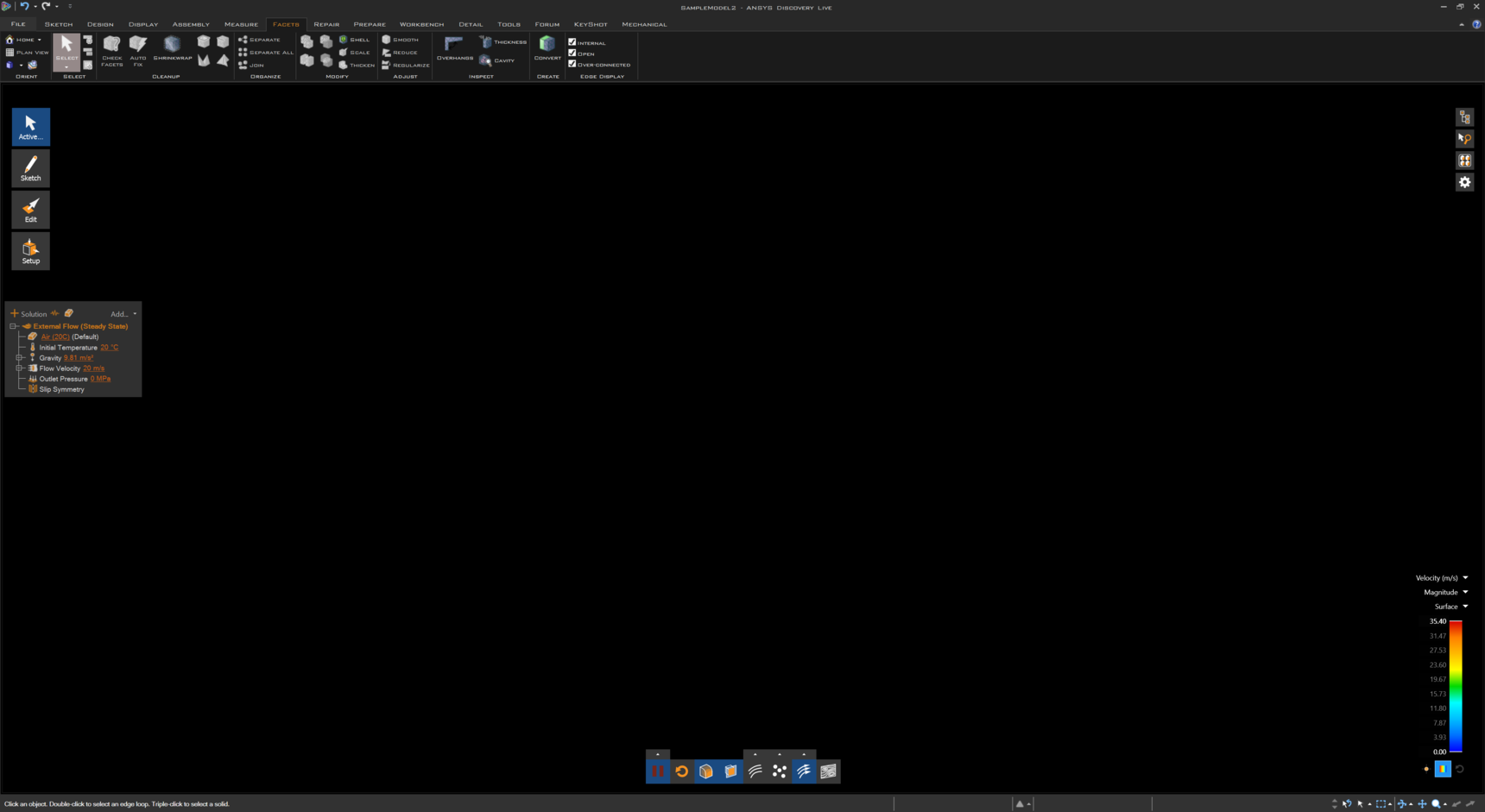
Main screen remains black on model import.
Loaded sample project from splash panel on program start, screen remains black, can't see the model, icons and HUD are visible, simulation playback seems to be running (velocity scale updates)
Â
Checked:
Uninstalled/reinstalled Discovery 2020 R2 as administrator
Graphics card support checked and confirmed
Model appears in SpaceClaim 2020 R2
Â
System:
Dual Intel Xeon E5-2620v3
64GB RAM
NVIDIA TITAN RTX
Windows 10 Pro 2004 19041.508
-
September 10, 2020 at 5:26 am
Charudatta Bandgar
SubscriberHello Christian ,
Can you please confirm if the graphic card drivers are updated?
You can refer to this post and general Discovery live troubleshooting, which says:
"Menu is visible, but a black screen is displayed instead of the model.
-
Try disabling anti-aliasing through File>Discovery Options>Popular>Anti-aliasing = Off"
If the issue still persists, please let me know, so that I can investigate further.
Regards.
-
-
September 10, 2020 at 7:46 pm
cmiki
SubscriberHello  Charudatta Bandgar ,
Â
I updated the graphics card driver yesterday to no avail, however, I tried your suggestion to switch anti-aliasing off when I got into the lab this morning and it did the trick! Genius!
Â
Thank you!
Christian
-
September 11, 2020 at 4:17 am
Charudatta Bandgar
SubscriberThat is good to hear, Christian !!
-
-
Viewing 2 reply threads
- The topic ‘ANSYS Discovery Live 2020 R2 SImulation Black Screen’ is closed to new replies.

Innovation Space
Trending discussions
Top Contributors
-
6625
-
1906
-
1469
-
1311
-
1022
Top Rated Tags
© 2026 Copyright ANSYS, Inc. All rights reserved.
Ansys does not support the usage of unauthorized Ansys software. Please visit www.ansys.com to obtain an official distribution.