Ansys Assistant will be unavailable on the Learning Forum starting January 30. An upgraded version is coming soon. We apologize for any inconvenience and appreciate your patience. Stay tuned for updates.
Ansys Free Student Software

Ansys Free Student Software

Topics cover installation and configuration of our free student products.

ANSYS APDL – Not Opening – Free Student Version

    • mdmech.mech
      Subscriber

      Hello Sirs,

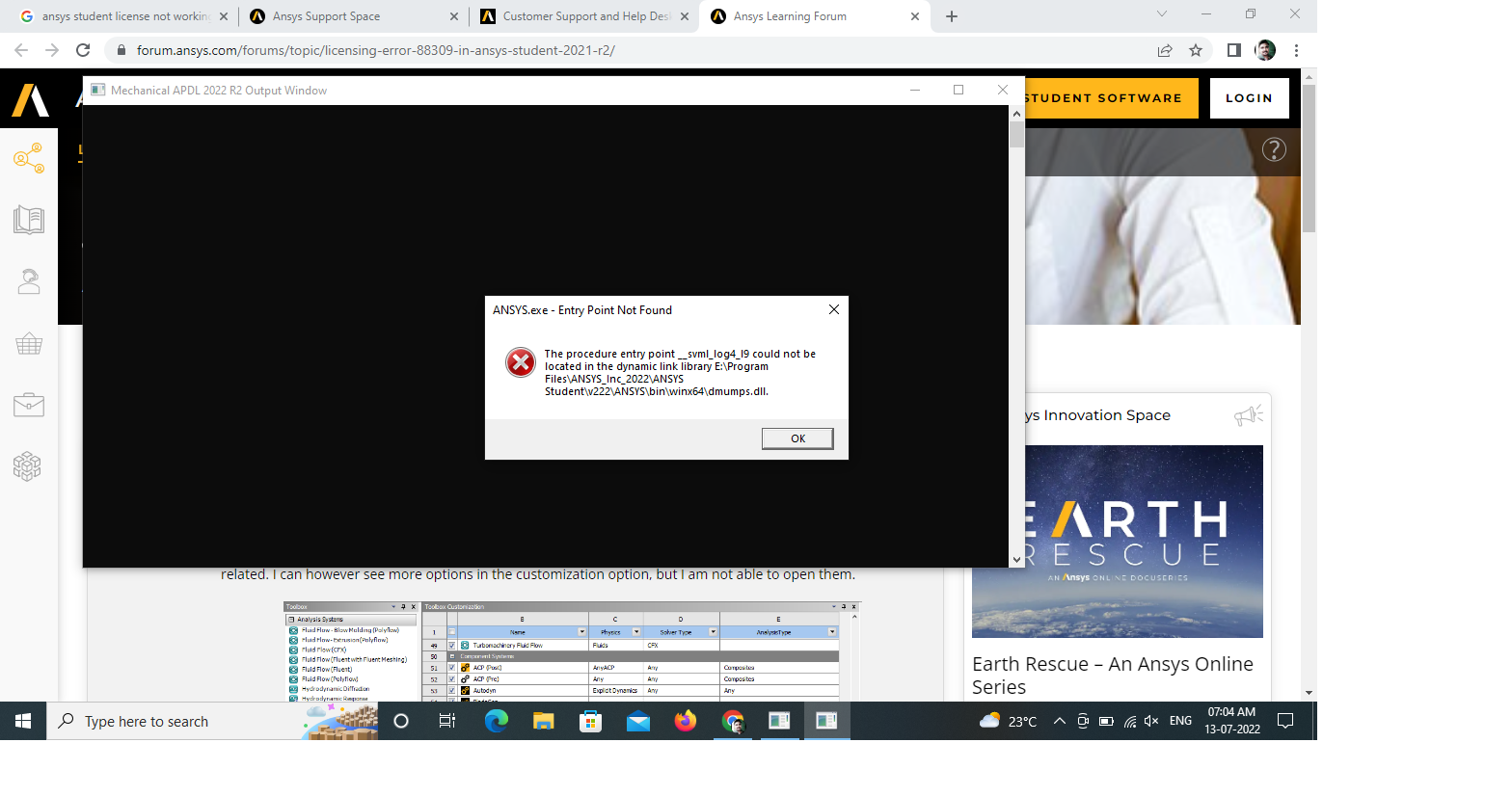
      I have downloaded ANSYS 2022 R2 student version from ANSYS. After installing it, when i trying to start ANSYS Mechanical APDL, it is showing a error "The procedure entry point_svml_hypot4_19 could not be located in the dynamic link library E:\Progem File\ANSYS Student\v222\ANSYS\bin\winx64\Cadoekernel.dll" when i click ok it started to show the similar error with "cadoe_algoriths.dll" , "Cadoelegacy.dll" and so on..... I could not able to start the Workbench solver module also.

      I have tried to reinstall with some other drive, Disable anti virus. But nothing helped me. Can any one please resolve this issue. Attaching screen shot.

      Thanks

    • Ashish Khemka
      Forum Moderator

      Hi,


      This is a duplicate post. You already have created one more query.


      Regards,

      Ashish Khemka

    • mdmech.mech
      Subscriber

      Ok Sir, Any solution from ANSYS, for this issue, please reply

    • mrife
      Ansys Employee

      Hi @mdmech.mech Well this is a new one.  Please open a dos command window; issue the command set; and copy paste the "a" listings i.e. any environment variable that starts with the letter a.  And the PATH environment variable.  

      Next search C:\Windows\System32 and C:\Windows\SysWOW64 for the dll mentioned in the error message.  If found try renaming by changing the dll extension to dllold.  Then try starting up MAPDL.


Viewing 3 reply threads
  • The topic ‘ANSYS APDL – Not Opening – Free Student Version’ is closed to new replies.

[bingo_chatbox]