

TAGGED: acp-pre, composite-analysis
-
-
November 23, 2021 at 7:56 pm
MahyarA
SubscriberHi
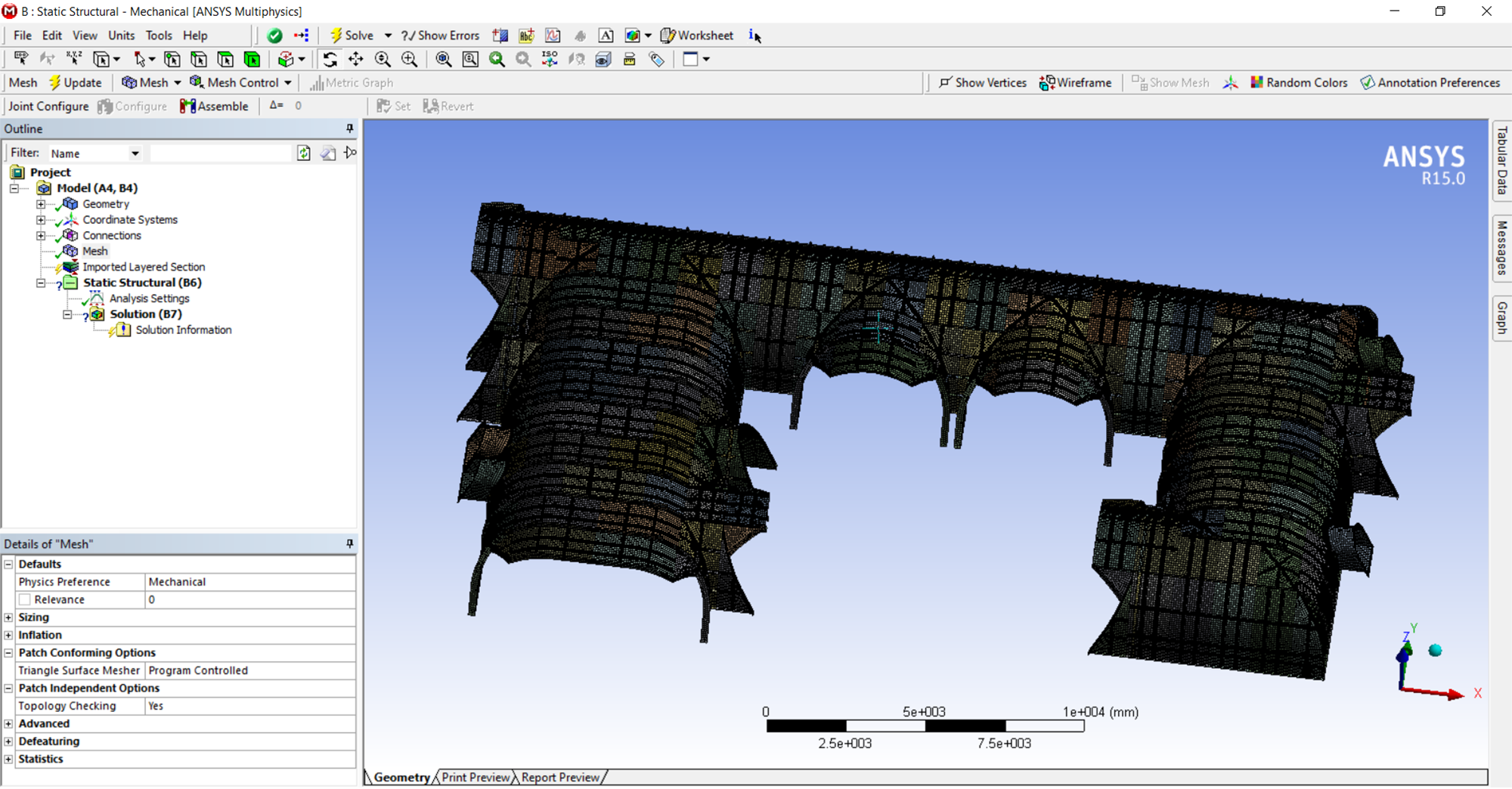
I am modeling a composite structure, structure is defined with surfaces (2D). I have done this procedure before. First I model and apply loads and then use ACP to model the composite laminate. Now my problem is that in ACP Pre when I want to define the oriented element set, I get this error:
Elements have several common nodes but no common edge. Check mesh!
While before going in ACP Pre I solved the model in Mechanical. Can anyone help me in finding the elements and nodes which are causing the problem. The structure consists of 800 parts and I removed some parts and then added the other parts, it works properly when I model each section of the structure but just as I mesh whole of the structure I get this error.
Thanks in advance
December 2, 2021 at 7:44 pmSean Harvey
Ansys EmployeeHello. I will check to see if there is a specific way to find which elements, but in the meantime, please try the following. It does seem it is related to the mesh connectivity.
To see the free element edges you can go to mesh in the tree, then pick mesh tab, the mesh edit. That display will show the free edges, so if you have parts that should be sharing edges and they are not, it may show up in this display. When you are done, you can right click and delete mesh edit.
I also suggest you to suppress the layered section in mechanical, and solve as a modal analysis (with just a single non-layered material) increasing the number of modes to see if you can find where the model may only be connected at nodes, and not an edge. You may need to increase the number of modes to capture high frequencies which can reveal what regions of the mesh are not properly connected. You could also go in a static analysis, turn on inertia relief in analysis settings. Turn on weak springs, and apply pressure B/C to all the surfaces to see if you can see visibility where you are getting discontinous displacements and any hot spots in stress/strain. You don't need to use inertia relief and weak springs, but could also pick places to constrain the model and apply some loads, but depending on where you support the model, you may be getting stresses concentrated and obscure any anomalies in the mesh.
Please let us know if this helps you get past the error.
Regards
Sean
December 3, 2021 at 5:54 pmAnsys EmployeeI wanted to also point out that since R15, there have been many improvements, especially related to mesh connectivity. It would be recommended if you can use a later release as well. There are methods to mesh even if the geometric connectivity is problematic, and this could also help your situation.
Thank you
Sean
Viewing 2 reply threads- The topic ‘Ansys ACP Error: Elements have several common nodes but no common edge. Check mesh!’ is closed to new replies.
Innovation Space Trending discussions
 Top Contributors
-
peteroznewman
 6395
6395 -
scabo
 1906
1906 -
Dennis Chen
 1457
1457 -
javat33489
 1308
1308 -
Shyam Prasad V Atri
1022
Top Rated Tags
© 2026 Copyright ANSYS, Inc. All rights reserved.
Ansys does not support the usage of unauthorized Ansys software. Please visit www.ansys.com to obtain an official distribution.
-


 You are navigating away from the AIS Discovery experience