-
-
June 13, 2020 at 3:28 am
GiteshGawande01
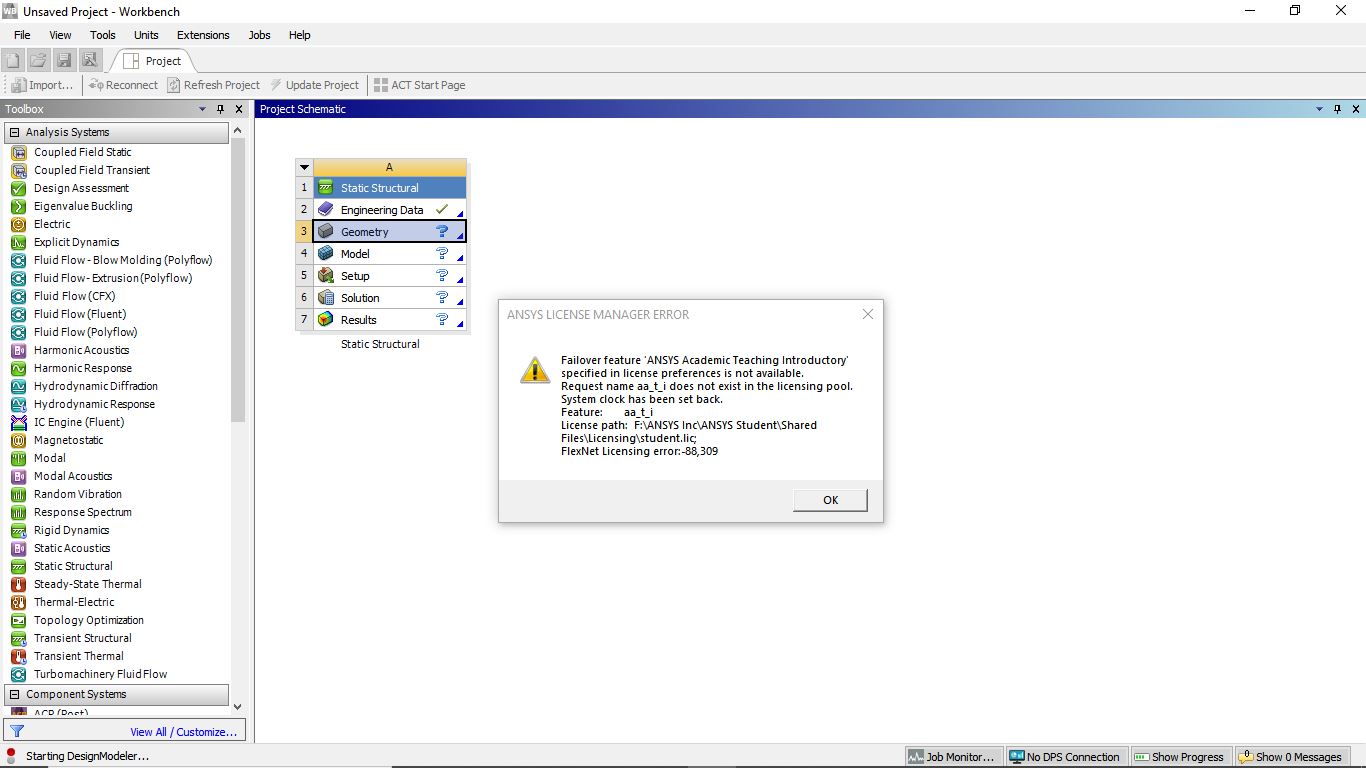
SubscriberReading the previous disscussions on ansys student community I have changed the dates of all the required files to the current timing of my time zone. Still after I try to open Design Modeller in Ansys 2020 R1 the error saying "System clock Set Back" shows up. It also has "Flexnet Licensing Error : -88,309" included in it. Can anyone please help with these error???
The first image is error before syncing the clock. The second image is wgile trying to use the Edit design Modeller and the third image is the error shown even after syncing the clock with correct time zone.
Â
Â
-
June 18, 2020 at 12:43 am
Karthik Remella
AdministratorMoving this question to the installation thread.
I hope you find some help there.
Thanks.
Karthik
-
June 19, 2020 at 6:10 pm
tsiriaks
Ansys EmployeeSee the info/resolution here
/forum/forums/topic/license-manager-error-aa_t_i/
Thanks,
Win
-
July 6, 2020 at 4:41 am
GiteshGawande01
SubscriberSir
The solution provided there is not working. I have tried changing the dates for license file according to path provided. Still it is showing the error of "System Clock has been set back"Â
-
July 7, 2020 at 12:30 am
tsiriaks
Ansys EmployeeThe date you need to check is not your systems clock or any particular file, you need to check every file on your machine and make sure there is no file with future date. I provided suggestions on how to check this on that post.
-
July 7, 2020 at 4:58 am
GiteshGawande01
SubscriberSir
Actually when I am done instaling the software all files must be "recent Dated" but many of the installed files are "Back Dated" and main problem is about the license File when searched the path shown in dialogue box that appears the License File is itself dated for 2019.
Could it be the reason for the errors??
Â
Â
-
July 9, 2020 at 8:04 pm
tsiriaks
Ansys EmployeeNo. That isn't the issue. The issue is still with some files in your machine have future date (relative to your machine system clock)
-
- The topic ‘Ansys 2020 R1 Student Version error 88309.’ is closed to new replies.
-
4818
-
1587
-
1386
-
1242
-
1021
© 2026 Copyright ANSYS, Inc. All rights reserved.