TAGGED: spaceclaim
-
-
December 6, 2018 at 9:43 am
Francois Fosse
SubscriberHi,
Is there a way to change the default black color of annotation text?
I'd like for example to set it red to highlight important notes in design sheet.
Rgds,
Francois
-
December 6, 2018 at 10:00 am
-
December 6, 2018 at 10:17 am
Francois Fosse
SubscriberThanks Naresh.
As far as I understand this is global default parameter. Can I have different colors on same sheet. Please confirm. My need is to have default color on some annotation then red color on another one. -
December 6, 2018 at 10:44 am
Naresh Patre
Ansys EmployeeHello Francois Fosse
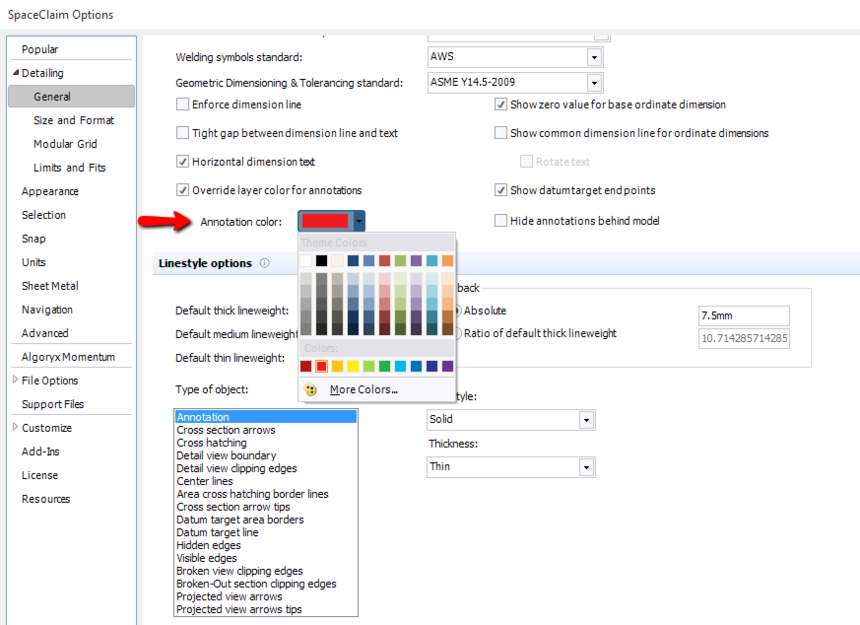
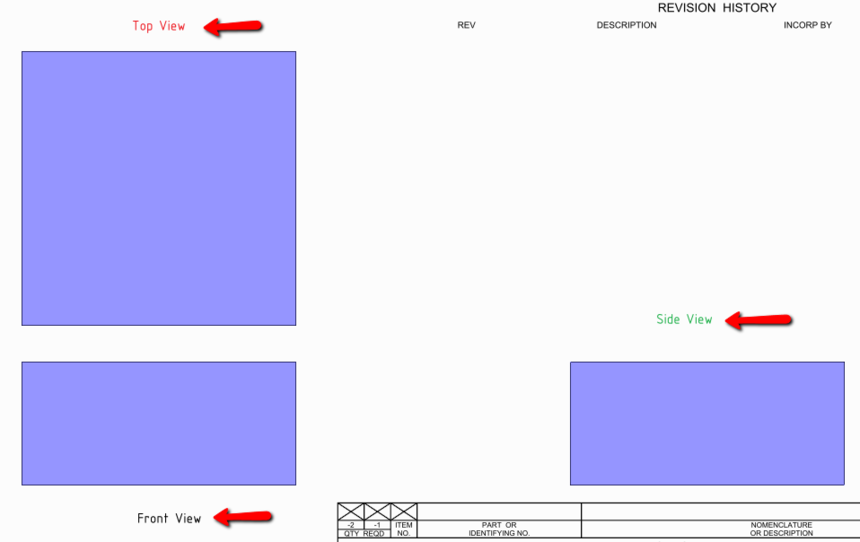
Though it is a global parameter, its not a default one. For example, if you create an annotation text with black color, then go to the options panel and change the color to red. Now any new annotation that you create will have red color. If you again change it to some other color, the next annotation will have that color. See below image which shows annotation texts in 3 different colors created on the same drawing sheet.
-
December 6, 2018 at 1:34 pm
Francois Fosse
SubscriberNaresh Patre
Naresh, although it's not user friendly, it does the job!
Thanks & Regards
Francois -
December 6, 2018 at 9:30 pm
Ethan Geometry Rabinowitz
Forum Moderator -
December 6, 2018 at 10:16 pm
Ethan Geometry Rabinowitz
Forum ModeratorFrancois Fosse Also, if you go into the text field, select the text and change the color in the same way, it will not change the leader color. This works on only 1 annotation at a time.
-
-
December 6, 2018 at 11:08 pm
Francois Fosse
SubscriberGuess it's better way to do. I did not catch the color usage so far. Seems to work with other objects also. Many thanks
-
August 4, 2020 at 3:03 pm
Devy van Dinteren
SubscriberDear Ethan Rabinowitz Ethan,
as reseller of SpaceClaim in the Netherlands we would like to ask you to mark this as an enhancement.
The ways described above are not workable if you design on a daily base. It should be configurable in the settings. Many of our customers are complaining about this.
Looking forward to hear if this will be add to the enhancements and when it will be released.
-
August 10, 2020 at 4:09 pm
Ethan Geometry Rabinowitz
Forum ModeratorHello Devy van Dinteren ,
I would be happy to assist you in creating the enhancement request. The original request was to be able to change the default annotation color and that is already configurable in options/settings. The followup question was to have a default color but be able to change the color of “some” random text and we provided solutions for that
Please provide additional details on what else should be configurable in settings. In this case the user wanted to change the color of specific (and user defined) “important” annotations so selection was necessary.
What if Annotation color could be driven by layers?
If you post your idea in the Forum Ideas section, your customers can vote on it: Annotation font color
Thank you
Ethan
-
-
August 24, 2020 at 9:37 am
dirk
SubscriberHi Ethan Rabinowitz ,
This reply is on behalf of Devy van Dinteren .
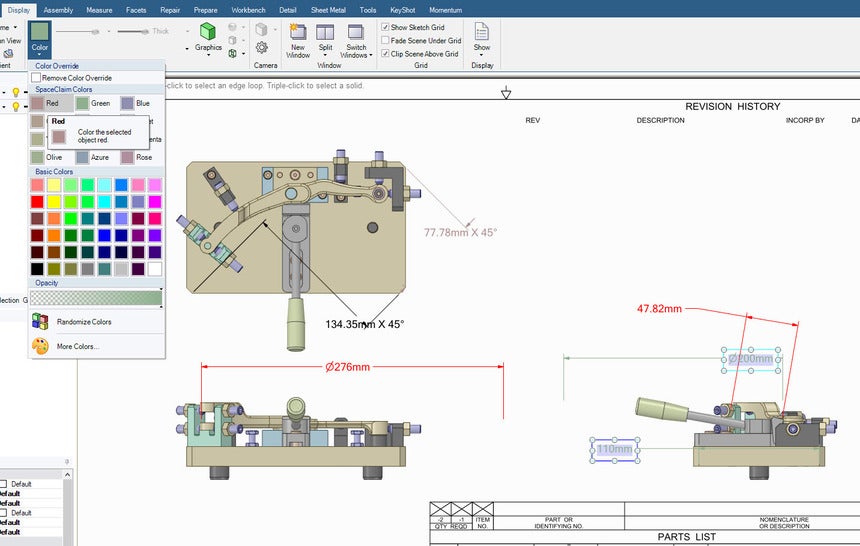
What we would like to see in SpaceClaim is an additional default color for the Dimensions.
See the example below, if the default annotation color is black and the default dimension annotation color is red, the resulting drawing sheet would look like this.I will add this in the forum Ideas section so people can vote.
Thanks,
Dirk
-
- The topic ‘Annotation font color’ is closed to new replies.
-
6039
-
1906
-
1425
-
1308
-
1021
© 2026 Copyright ANSYS, Inc. All rights reserved.


.png)