Ansys Assistant will be unavailable on the Learning Forum starting January 30. An upgraded version is coming soon. We apologize for any inconvenience and appreciate your patience. Stay tuned for updates.
General Mechanical

General Mechanical

Topics related to Mechanical Enterprise, Motion, Additive Print and more.

Animation for fatigue life and equivalent stress are different.

    • heidipeterson
      Subscriber

      I am using Mechanical Static Structural to analyze the equivalent stress and fatigue life of a prosthetic foot under both forefoot and heel loading. I have set up a contact between two different parts of the foot that touch under forefoot loading (part 1 deforms until it touches part 2, at which point part 2 starts to deform as well). I have set the interface treatment to "Adjust to Touch" so that part 2 doesn't move until it is touched by part 1. In the equivalent stress animation, the foot behaves as expected (part 2 doesn't move until touched by part 1). In the fatigue life animation, however, part 2 moves before it is touched by part 1 (similar to the stress animation when the interface treatment is set to “Add Offset"), and the two parts do not touch until the very end of the animation. Which animation is correct, the stress or fatigue life? Does the fatigue life animation accurately portray the loading that is applied to the foot? I am hoping that it simply distributes each individual deformation of the foot over the total animation time, regardless of sequential deformations.

    • peteroznewman
      Subscriber

      Welcome to the Community Heidi,


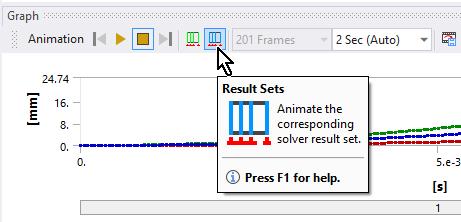
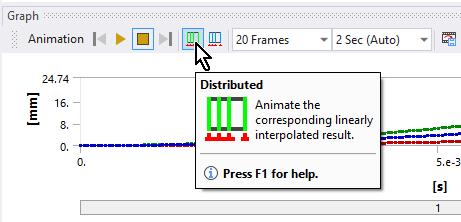
      I don't clearly understand your question. Please use the Insert Image button to add a screenshot of the two parts in relation to the ground. Please show a screenshot of a frame of each animation that shows the difference you ask about. The animation tool has two settings, Result Set and Distributed. Which one did you use?


      Please show a screenshot of the Details of the Fatigue tool since there are many possible settings.


      Adjust to Touch is useful when two surfaces are tangent in CAD, but after meshing the geometry there is a tiny gap from the node to the target surface, which Adjust to Touch closes.


      Regards,
      Peter

Viewing 1 reply thread
  • The topic ‘Animation for fatigue life and equivalent stress are different.’ is closed to new replies.

[bingo_chatbox]