


TAGGED: ansys-acp, mechanical-apdl
-
-
August 12, 2021 at 10:23 am
peter.greaves
SubscriberI’m considering using ACP PrepPost to make models of wind turbine blades using some of the scripting features, but there are a few things that would be required for this that aren’t really covered anywhere in the documentation. Currently I make blade models using a MATLAB script for APDL and direct meshing, but I’m getting to the point now where the terrible interface is driving me towards WorkBench (which is obviously what ANSYS want), so for my version 2.0 of the tool I’m considering using SpaceClaim to create Geometry, meshing it in Mechanical then using ACP PrepPost to apply laminates, all driven by Python scripting.
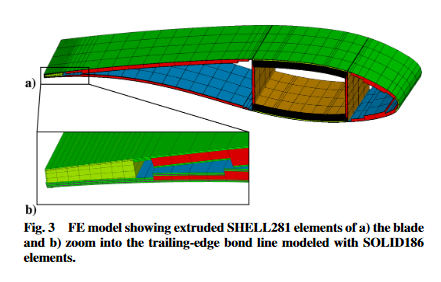
Blades typically have a few bondlines at the leading edge, trailing edge and between the spar box and shells. I want to create solid models from the inputs, which it looks like ACP PrepPost would be good at, but I can’t see how I’d achieve the bond at the trailing edge as shown below:
August 12, 2021 at 10:24 amSubscriberAlternatively, a workflow where I can create a model in APDL and view the results in ACP Post would work too.
August 25, 2021 at 12:04 amSean Harvey
Ansys EmployeeIf you match the mesh, you can use both VCCT and CZM.
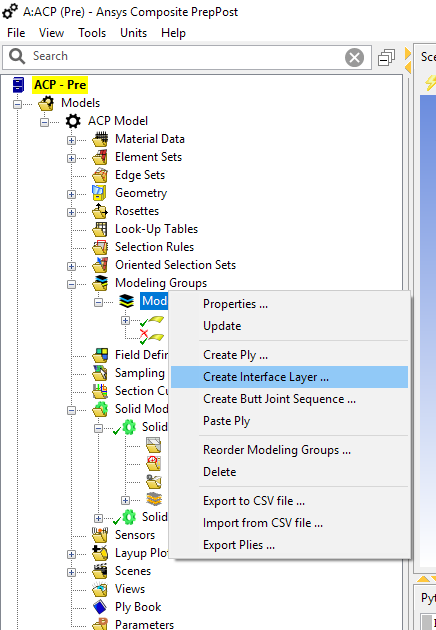
To match the mesh, since the mesh will be generated by ACP, you really need to do this via same size faces and same divisions. So this will give you closely matching nodes. Since ACP is generating the mesh, it is not going to match the nodes between regions of the mode. There is an exception. To model a delamination, you can create an interface layer between plies (so you can use this if you want to model the delamination using VCCT or CZM within a layup) see help section 2.1.9.5 2.1.9. Modeling Groups (ansys.com)
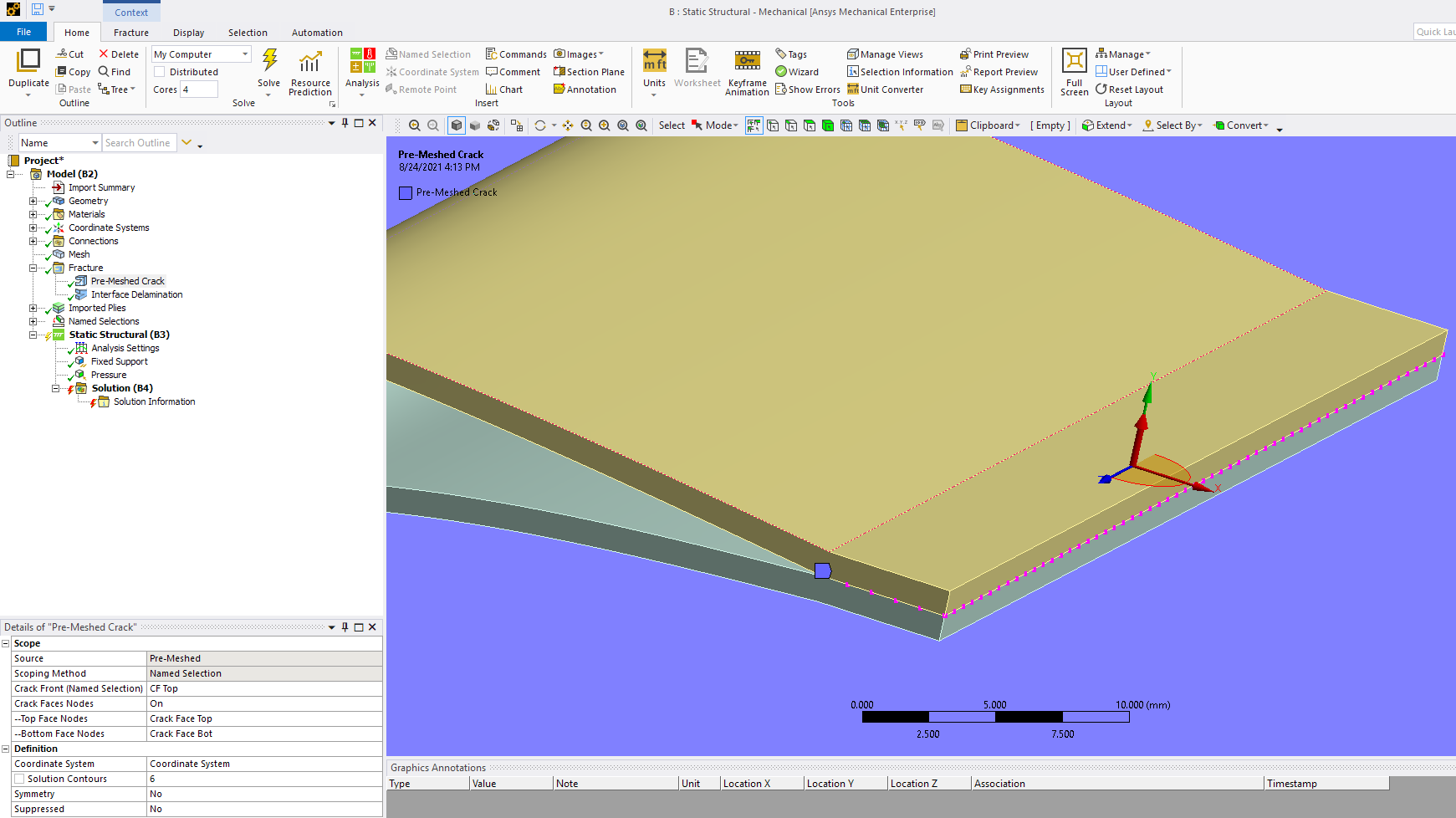
Now back to the trailing edge, You insert an pre-meshed crack to define the crack front and the top and bottom nodes and the coordinate system. You can find details on this in the Ansys help by searching for pre-meshed crack.
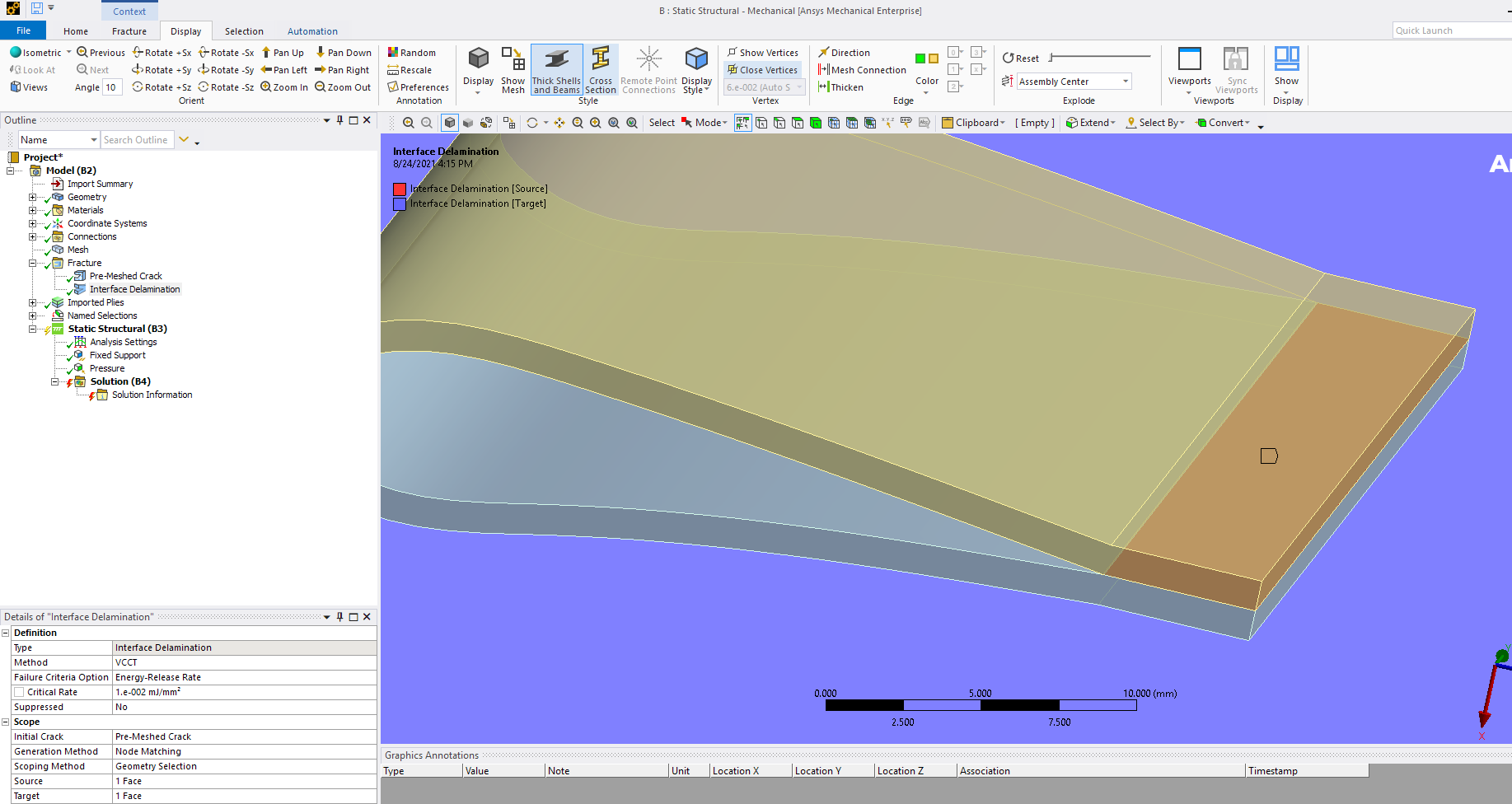
 You then insert an interface delamination and reference the pre-meshed crack object we created above for the initial crack. Here you set the generation method to node matching, and you pick a matching faces. You can also increase the node matching tolerance if necessary in the details.
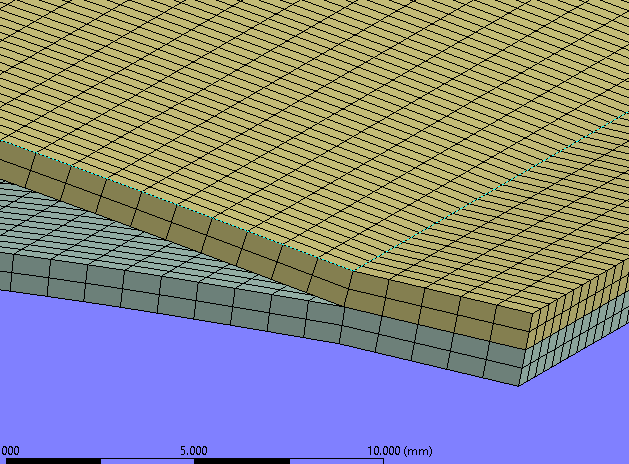
One limitation is that the VCCT does not work with the layered solid. Fracture mechanics calculations assume homogenous material, so layered elements are not supported in general. There are a few work arounds.
One workaround is to change those solid185 elements keyoption 3 to structural solid and then the element won't use the section with the layup definition. You would have to make sure the element has the proper material assigned and proper element coord system, esys if you script this. If by chance this material is an adhesive it would be isotropic so this would not be a concern.
Another easier option is to just use contact, then the mesh does not need to match and you can insert a contact debonding to include CZM (but not VCCT)
In the model shown above, I have a separate body for the top skin and the bottom skin, but it could be one piece wrap around too.
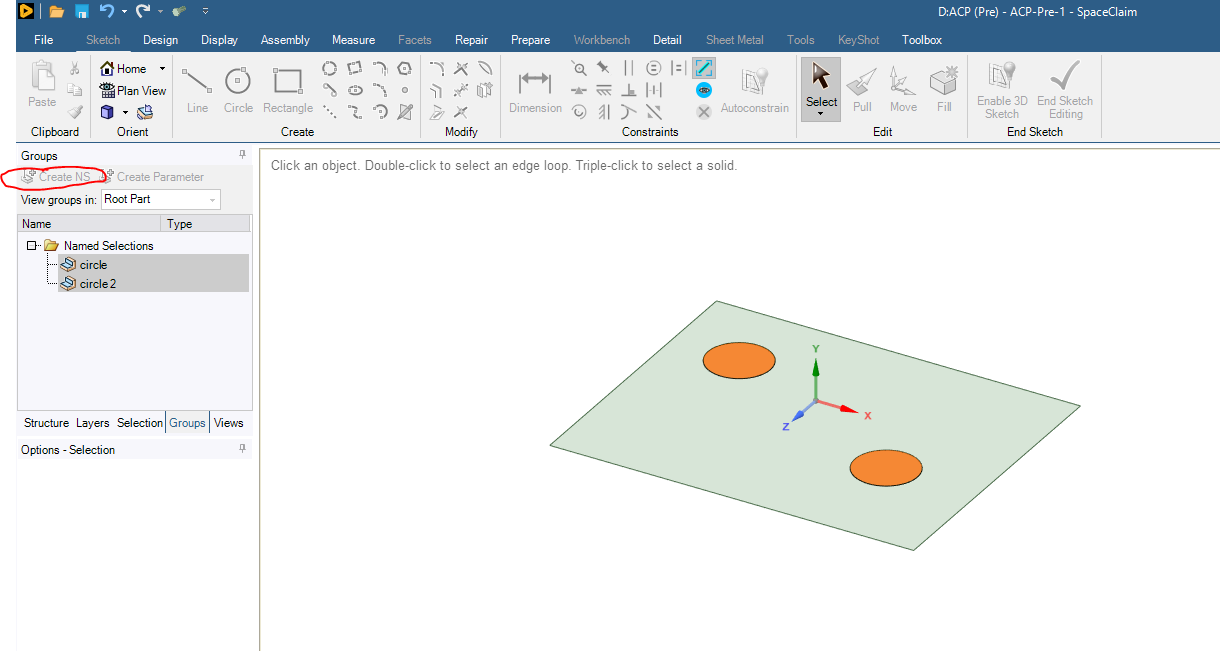
Regarding named selections, in SC, pick the Groups tab, then pick a region of the model and pick the Create NS icon. (see circled in red). This will create named selections that will pass to Mechanical.
This can indeed be used to create regions of the blade (ply shapes). Keep in mind that a more general capability in ACP is to use selection rules so elements that fall in a selection rule or boolean of selection rules can define a ply boundary and extents.
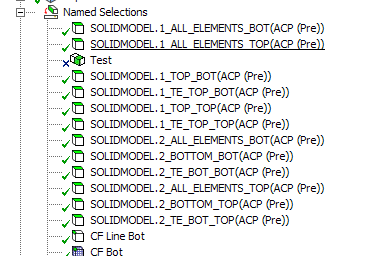
Finally, regarding scripting all this, much of the workflow should not need scripting. Possibly the fracture setup selections. The way workbench is designed is one can change rules, and parameterize features in SC, so that everything updates downstream. If you use contacts, they auto generate. Pay particular attention to the named selections that get generated in Mechanical when the solid model is passed. These can be useful to apply loads and B/C and even contacts
Hope this helps!
Regards Sean
Viewing 2 reply threads- The topic ‘ACP Composites Prep/Post with APDL model’ is closed to new replies.
Innovation Space Trending discussions
 Top Contributors
-
peteroznewman
 6515
6515 -
scabo
 1906
1906 -
Dennis Chen
 1463
1463 -
javat33489
 1308
1308 -
Shyam Prasad V Atri
1022
Top Rated Tags
© 2026 Copyright ANSYS, Inc. All rights reserved.
Ansys does not support the usage of unauthorized Ansys software. Please visit www.ansys.com to obtain an official distribution.
-


 You are navigating away from the AIS Discovery experience