TAGGED: inverse-design-of-grating-coupler, lumerical, python
-
-
March 30, 2025 at 12:56 pm
leroy.dok
SubscriberHi ,
I've been trying to run the simulation example of "Inverse Design of Grating Coupler (2D)" (https://optics.ansys.com/hc/en-us/articles/360042800573-Inverse-Design-of-Grating-Coupler-2D)
i ran through all the steps without changing parameters at all.
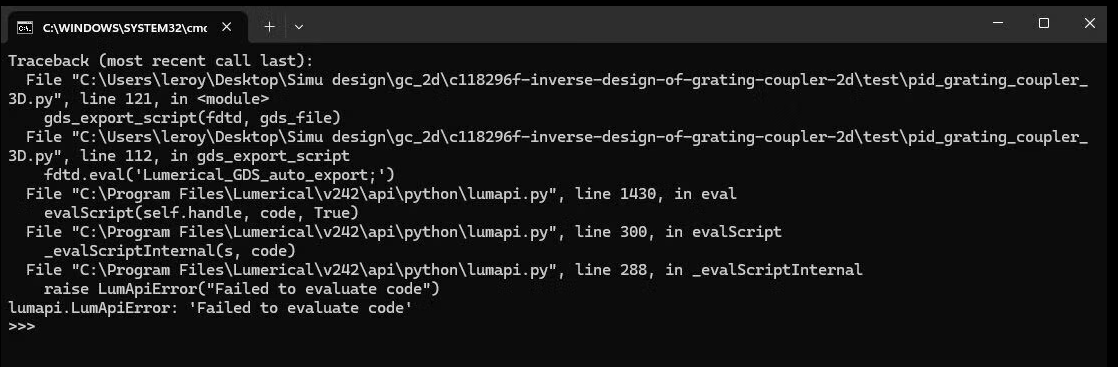
 But at step 3 (Step 3: Extract 3D design and GDS) im getting the following error :
 raise LumApiError("Failed to evaluate code")
lumapi.LumApiError: 'Failed to evaluate code' Â
(image with the error also attached to this post)Its seems like the script cannot execute gds extraction and save the file as gds file. i believe the problem is somewhere in the script  "pid_grating_coupler_3D.py"  at line 112 : fdtd.eval('Lumerical_GDS_auto_export;')
 (as suggested from the CMD prompt)Did someone encountered this error before? would be happy to get some help with this.
Thank you,
LeroyÂ
-
April 2, 2025 at 10:14 am
George Patsamanis
Ansys EmployeeDear Leroy,
thank for reaching out to us.
The specific GDS export script in this example is currently under repair.
For GDS exporting, you can look at this article:
GDSII Export Automation – Ansys Optics
The solution in this link reamains scripted and it is more universal. You can make the necessary changes to make it work for your case.Once the optimization is complete and you have your final geometry generated, you can use the GDS export automation scripts in combination with your final .fsp or .lms file.
You will need to make sure that the materials defined in the GDS export scripts correspond to the ones you used in your simulation, and that the z positions of the layers correspond to the correct material.I hope this is helpful to you.
Regards,
George

-
- You must be logged in to reply to this topic.
-
6149
-
1906
-
1442
-
1308
-
1022
© 2026 Copyright ANSYS, Inc. All rights reserved.