 Sheldon Imaoka
Ansys Employee
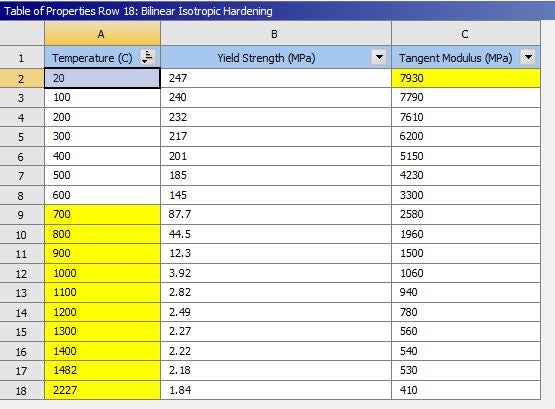
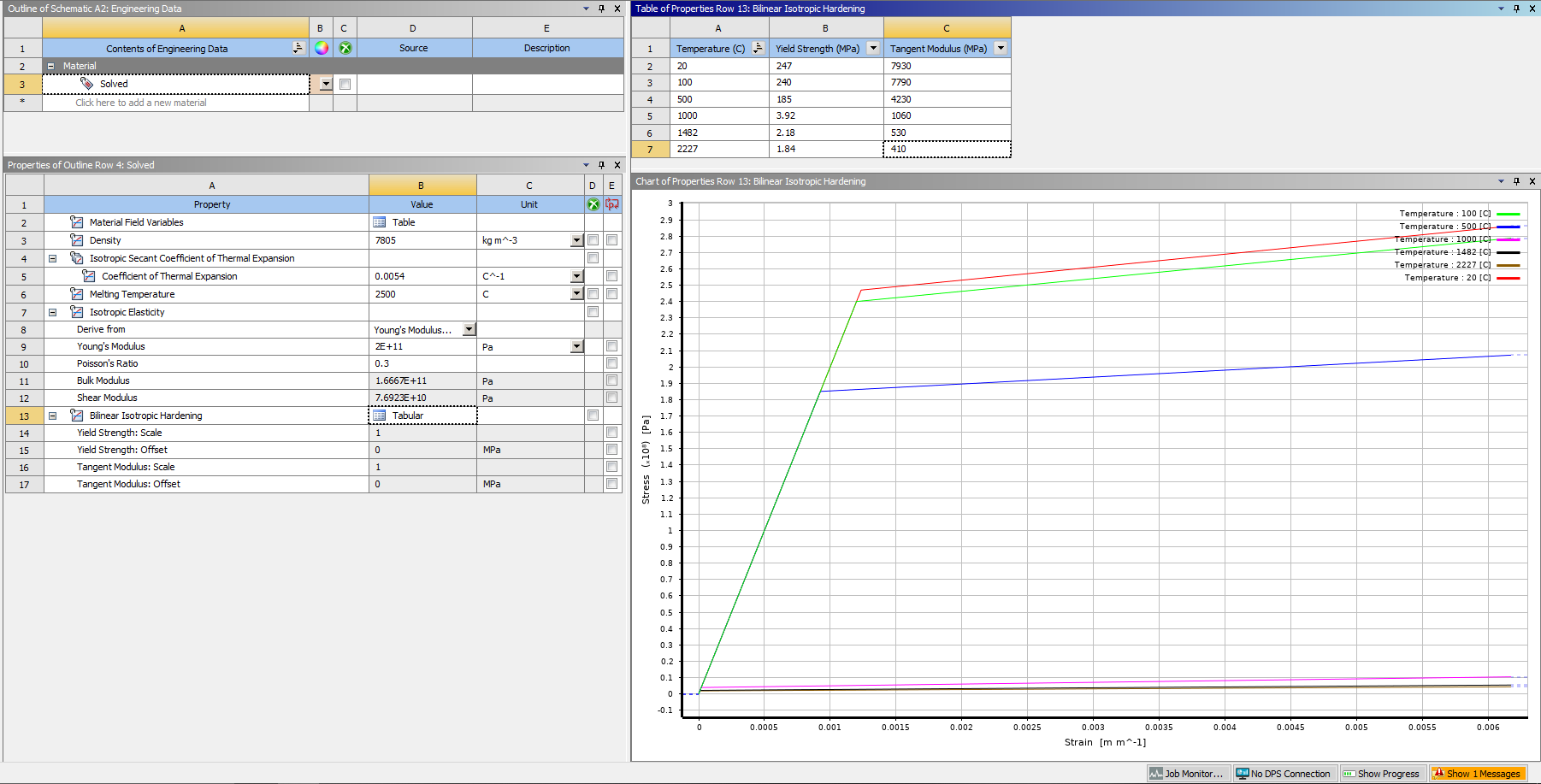
Hi ToanNguyen,In addition to the helpful comment provided by ram_gopisetti, I just wanted to add two additional points:If Tangent Modulus is highlighted in yellow, it may be that your tangent modulus entered at 20 degC is higher than your elastic modulus, which is not permitted since plasticity should cause softening of the material, not hardening of the material (compared to its elastic deformation).nAs ram_gopisetti noted, the bilinear isotropic hardening model is currently limited to 6 temperatures, so that is why the remaining temperature sets are highlighted in yellow. A workaround is to use the multilinear isotropic hardening model, which does not have such a limit. You will need to input 2 data points - the first is the yield point (with zero plastic strain). The second should be a 'large' value to provide the same effect as the tangent modulus specification in bilinear isotropic hardening, but note that you will input stress and plastic strain (not total strain).Regards,Sheldo


















 You are navigating away from the AIS Discovery experience