-
-
May 26, 2023 at 10:13 am
-
May 26, 2023 at 10:28 am
ErKo
Ansys EmployeeÂ
Hi
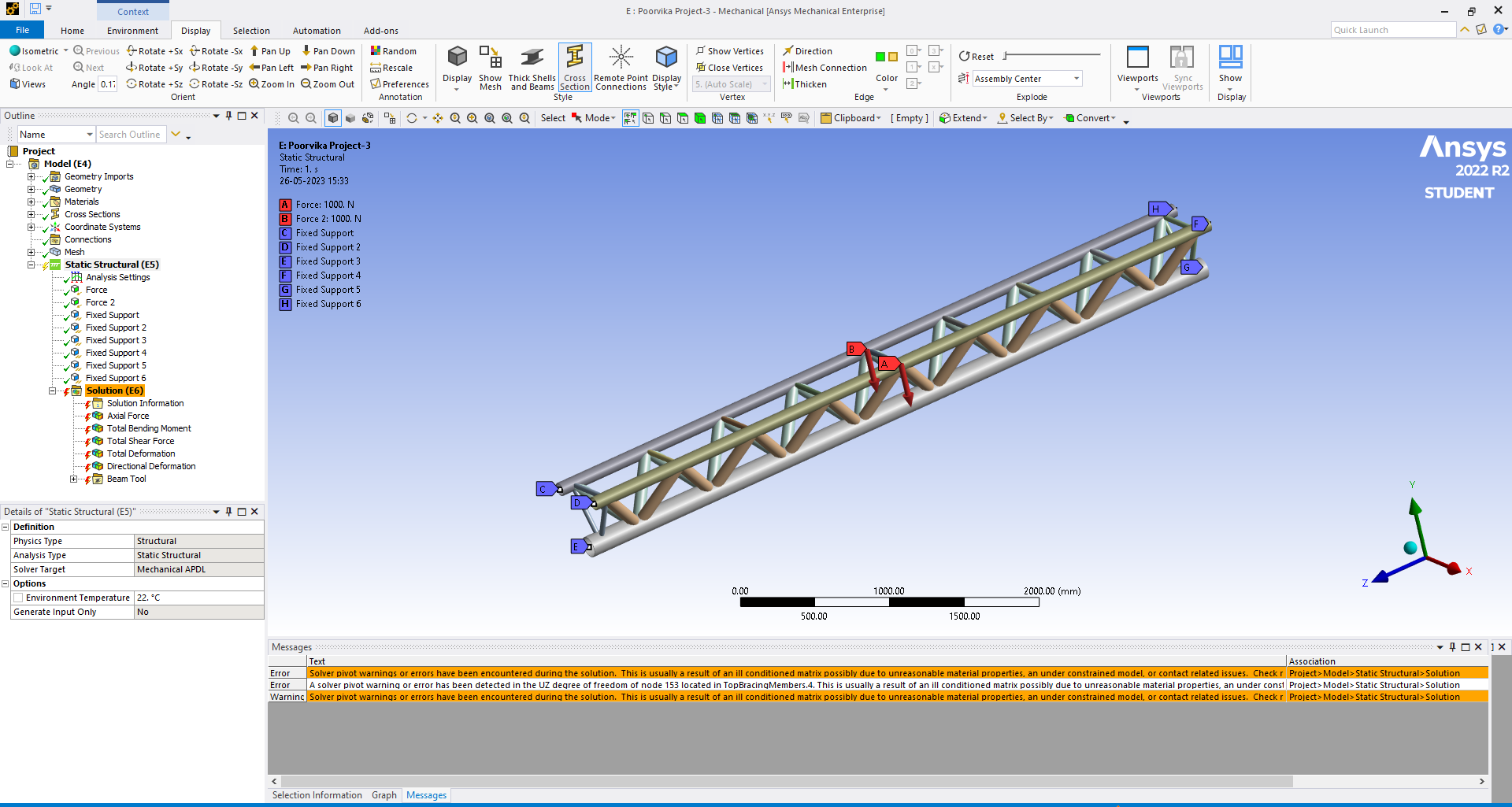
See the error (pivot and UZ ). SOmething is loose in the model. Are you using shared topology or contacts?
Can you show the modes and frequencies from the modal analysis (in there we can see the parts that are loose as they have rigid modes close to 0 Hz).
Thank you
Erik
Â
-
May 26, 2023 at 11:27 am
Anand V
SubscriberIn modal analysis I find that the frequencies at all modes are zero. I noticed it just now.
I can't make out anything being loose in the model. I have not used shared topology.
How do I check for a loose component if any in the model?
-
May 26, 2023 at 11:55 am
ErKo
Ansys EmployeeÂ
Â
Â
Hi
So the tube members are not connected to each other (very common issue).
See the mode shapes and they will be members that are loose so rigid body modes with 0 Hz will be visible.
Â
On how to model frames see this nice video on how to model and solve frame structure.
https://www.youtube.com/watch?v=3WsFm8NnHNo
Â
All the best
Erik
Â
Â
Â
-
May 27, 2023 at 9:15 am
Anand V
SubscriberThank you, Erik.
I used connect under shared topology and selected all the vertices. It worked !!!
-
- The topic ‘3D frame using line elements – error in solution’ is closed to new replies.

-
6379
-
1906
-
1457
-
1308
-
1022
© 2026 Copyright ANSYS, Inc. All rights reserved.