

-
-
May 12, 2022 at 4:43 pm
superpafitis
SubscriberMay 12, 2022 at 6:05 pmErKo
Ansys Employee
First use the contact tool to see the contacts are near or closed - set the contact setting for that to adjust to touch.
Add say 20 initial steps to gradually push it down
If this does not work attach the wbpz file and add it to your next post and perhaps some users will be able to look at it.
All the best
Erik
May 12, 2022 at 10:05 pmSubscriberHi Erik Thanks for your reply. I don't know where that is unfortunately, could you send me a screenshot of what to do maybe?
Many thanks Chris
May 12, 2022 at 10:52 pmSubscriberIt does not let me upload my file onto here either, says the file does not have an allowed extension. I watched a vid about the contact tool (https://www.youtube.com/watch?v=6AcHVLuL7Z8) and I followed what he said but I am still getting the same results. Please help.
May 13, 2022 at 5:51 amAnsys Employee
It should work to upload the wbpz file - see below (so press attachment button first and pick the wbpz file - the wbpz you create by archiving so File->archive from WB):
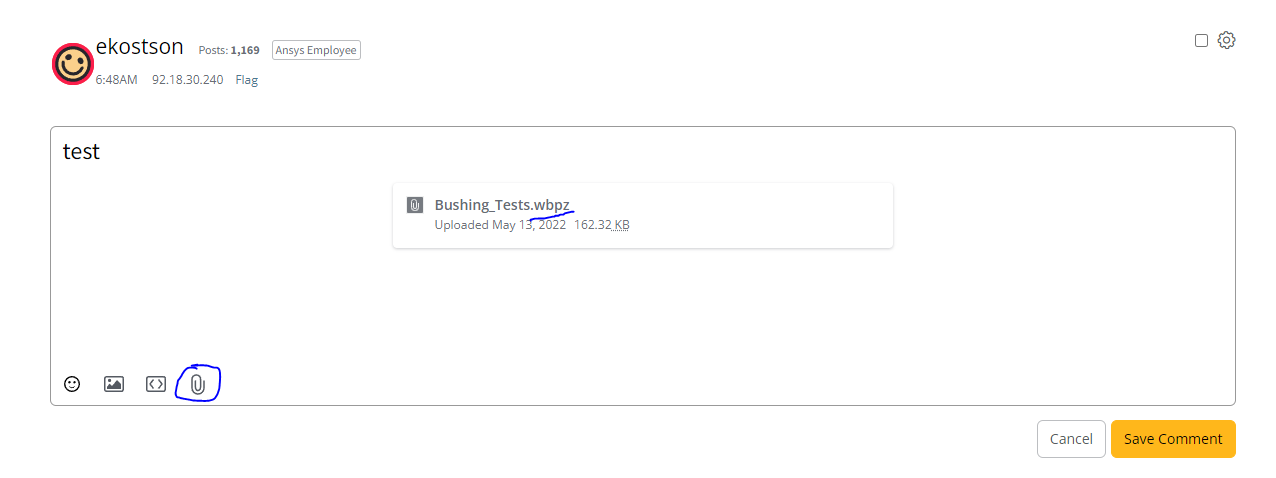 As for the contact tool see this:
Also make sure if you are using contacts with shell/surface bodies to use the correct top or bottom face.
May 13, 2022 at 8:22 amSubscriberI did watch that exact video and the file size is too large it's over 50Mb so I can't upload it, what else can I do?
May 13, 2022 at 9:49 amAnsys EmployeeSo what is the contact status - show an image? An all the contact settings.
Finally when archive clear the mesh and all the results data (do not save that) and attach again.
All the best
Erik
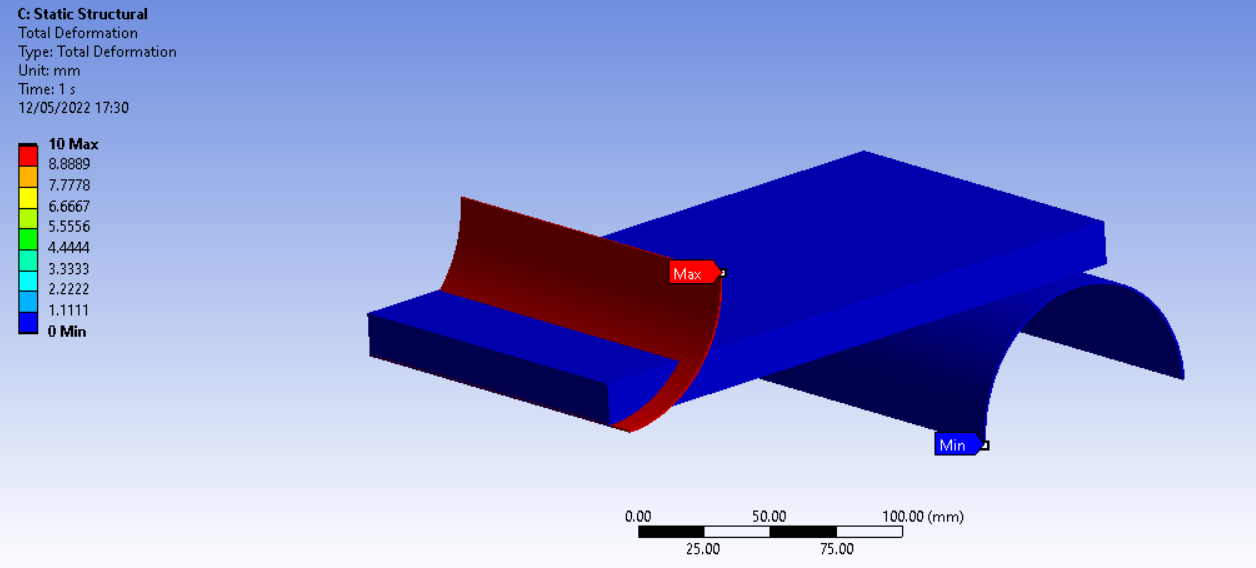
May 13, 2022 at 10:40 amSubscriberThe contact status is as shown below
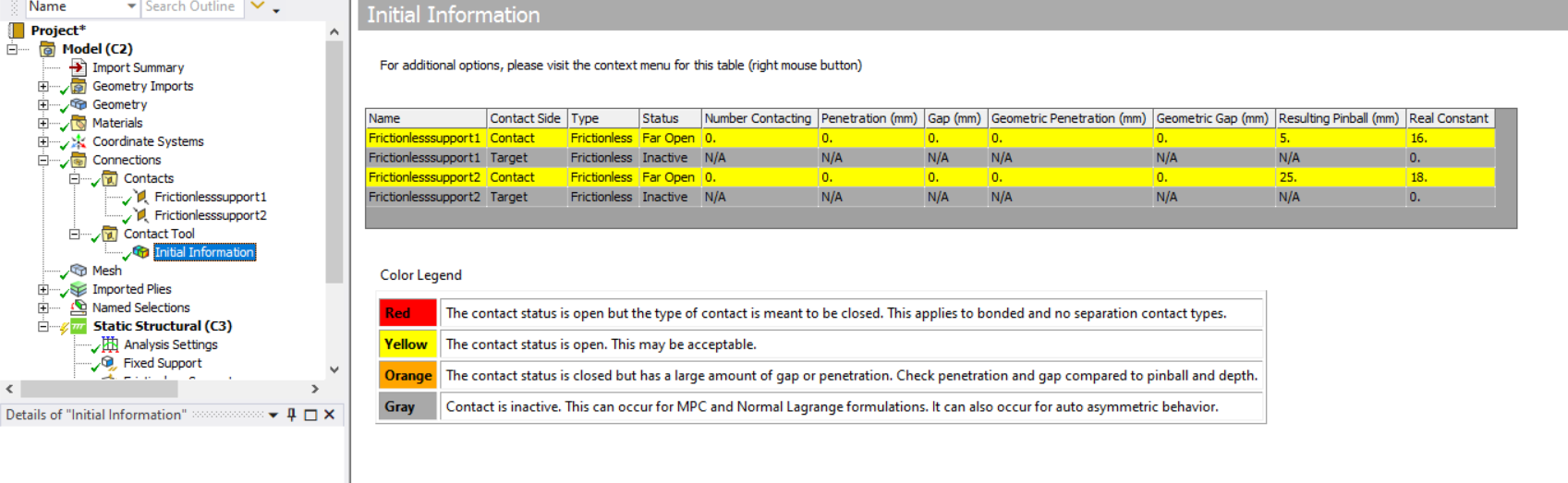
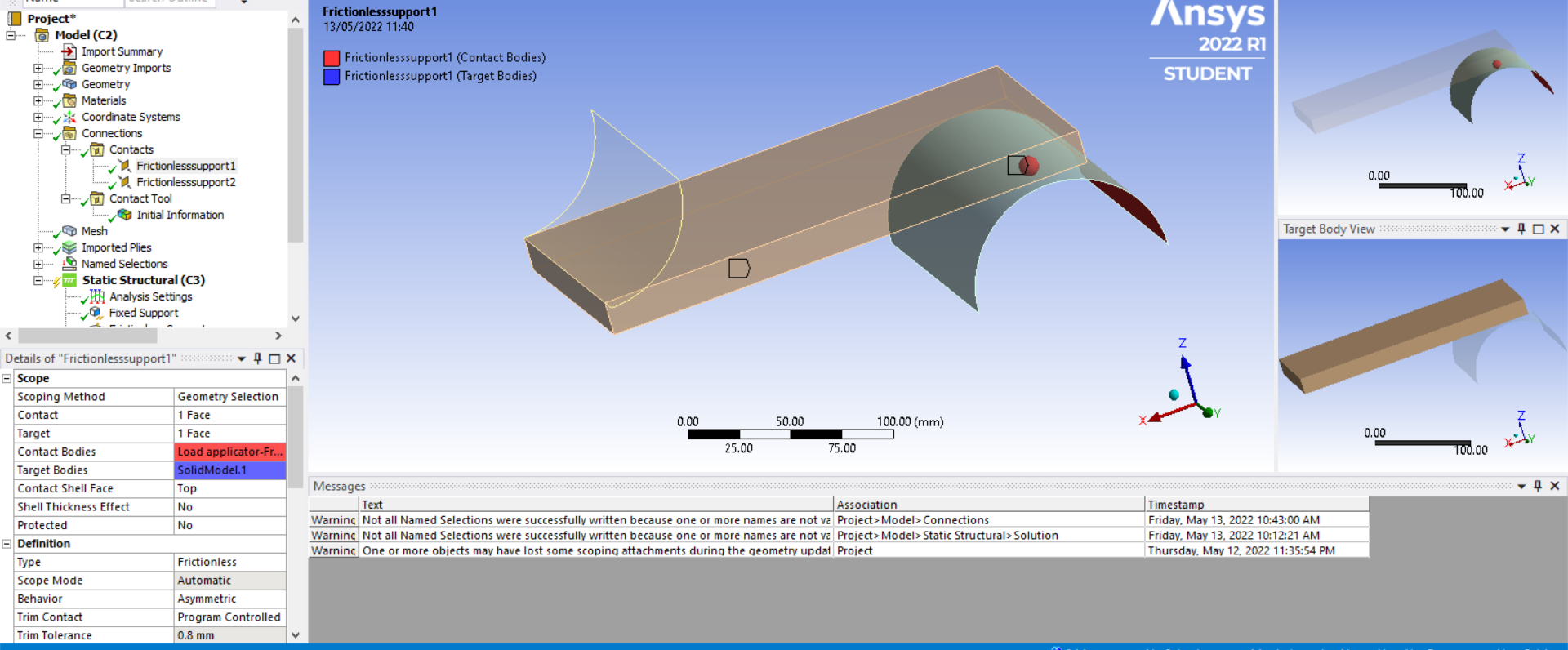
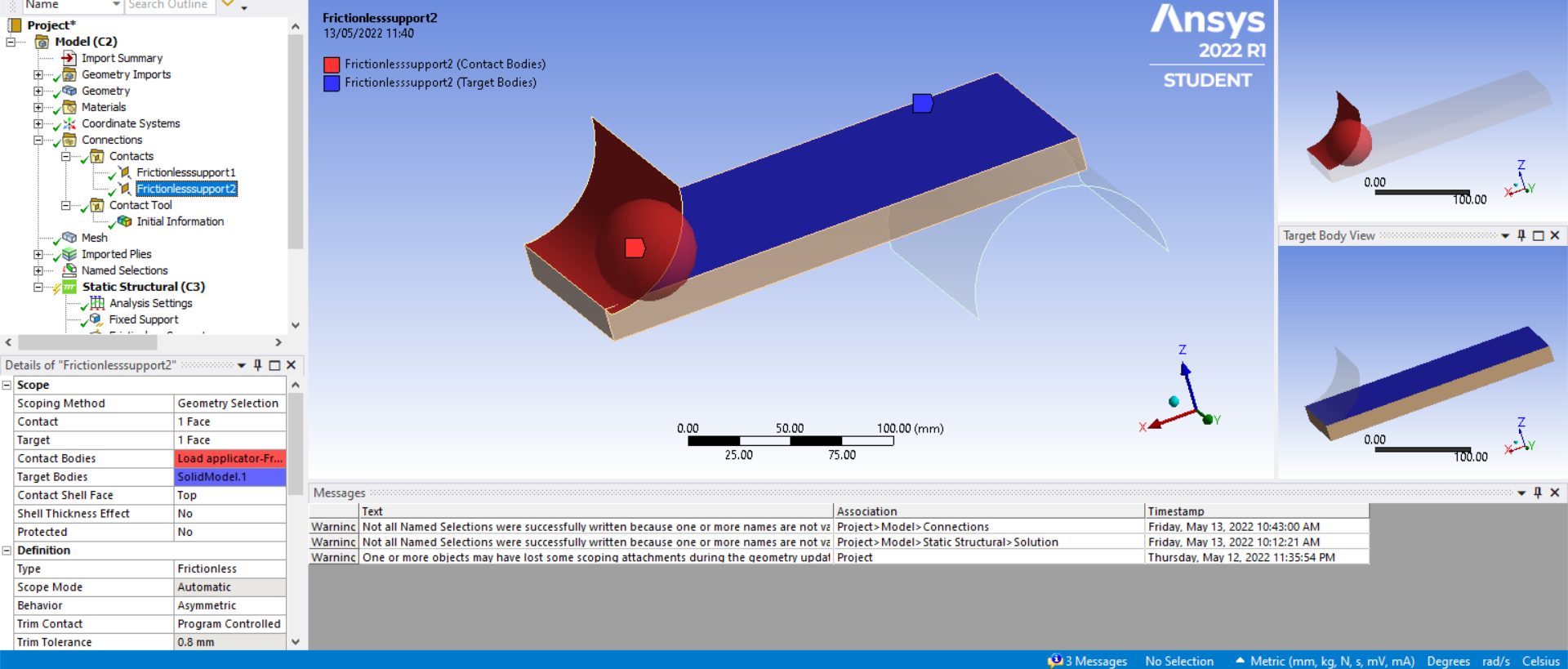
Also, I have no idea what you mean by 'clear the mesh and all the results data', you have to literally explicitly tell me what to do (with images if possible) as I've never used this product before
May 13, 2022 at 10:54 amAnsys Employee
'Also, I have no idea what you mean by 'clear the mesh and all the results data', you have to literally explicitly tell me what to do (with images if possible) as I've never used this product before'
I would then suggest to take a basic course. Also have in mind this is not a support forum (if you are entitled to technical support so if you use say an academic licence where you pay for tech. support, log a support request via our system - ansys customer portal), it is a forum where users share ideas, discuss and try and help each other.
So since you have not used the software then:
See our free course which I would strongly recommend - especially if you are student it is good to have some courses related to the use of FEA software (e.g., companies/universities/research institutes often look for some practical FEA software experience, so it is good to take some courses).
Also there is a MOOC course:
See also our contact course-
All the best of luck with your studies and project.
You might want to check as I said the contact definition and make sure they use correct shell face definition (top or bottom) - so change the setting contact shell face to bottom on both contacts, as it is set to top now and which is not correct.
May 13, 2022 at 11:48 amSubscriberOK, I will try to do that, I don't have time to do a full tutorial of the software but I appreciate your concerns. I have done FEA before but just not in this software, so all I want is for you to explain how to upload my file onto here so that I can hopefully solve this one, very specific issue I am having.
Many thanks Chris
May 13, 2022 at 12:02 pmAnsys EmployeeAs we said this is one of the main issues so go to both contacts and change :
so under the details of the contacts, change the settingContact shell facetoBottomon both contacts, as it is set to top now and which is not correct.
Finally in the contact settings set Interface treatment/Offset to adjust to touch:
https://www.padtinc.com/2020/06/04/a-simple-adjustment-to-fix-a-contact-convergence-problem-in-ansys-mechanical/
All the best
May 14, 2022 at 11:33 amSubscriberIt worked, thanks a lot!
Viewing 11 reply threads- The topic ‘3-point bend test error’ is closed to new replies.
Innovation Space Trending discussions
 Top Contributors
-
peteroznewman
 5844
5844 -
scabo
 1906
1906 -
Dennis Chen
 1420
1420 -
javat33489
 1305
1305 -
Shyam Prasad V Atri
1021
Top Rated Tags
© 2026 Copyright ANSYS, Inc. All rights reserved.
Ansys does not support the usage of unauthorized Ansys software. Please visit www.ansys.com to obtain an official distribution.
-


The Ansys Learning Forum is a public forum. You are prohibited from providing (i) information that is confidential to You, your employer, or any third party, (ii) Personal Data or individually identifiable health information, (iii) any information that is U.S. Government Classified, Controlled Unclassified Information, International Traffic in Arms Regulators (ITAR) or Export Administration Regulators (EAR) controlled or otherwise have been determined by the United States Government or by a foreign government to require protection against unauthorized disclosure for reasons of national security, or (iv) topics or information restricted by the People's Republic of China data protection and privacy laws.

 You are navigating away from the AIS Discovery experience