TAGGED: apdl, restart, static-structural, structural, structure
-
-
April 19, 2021 at 5:18 pm
arunchandbala
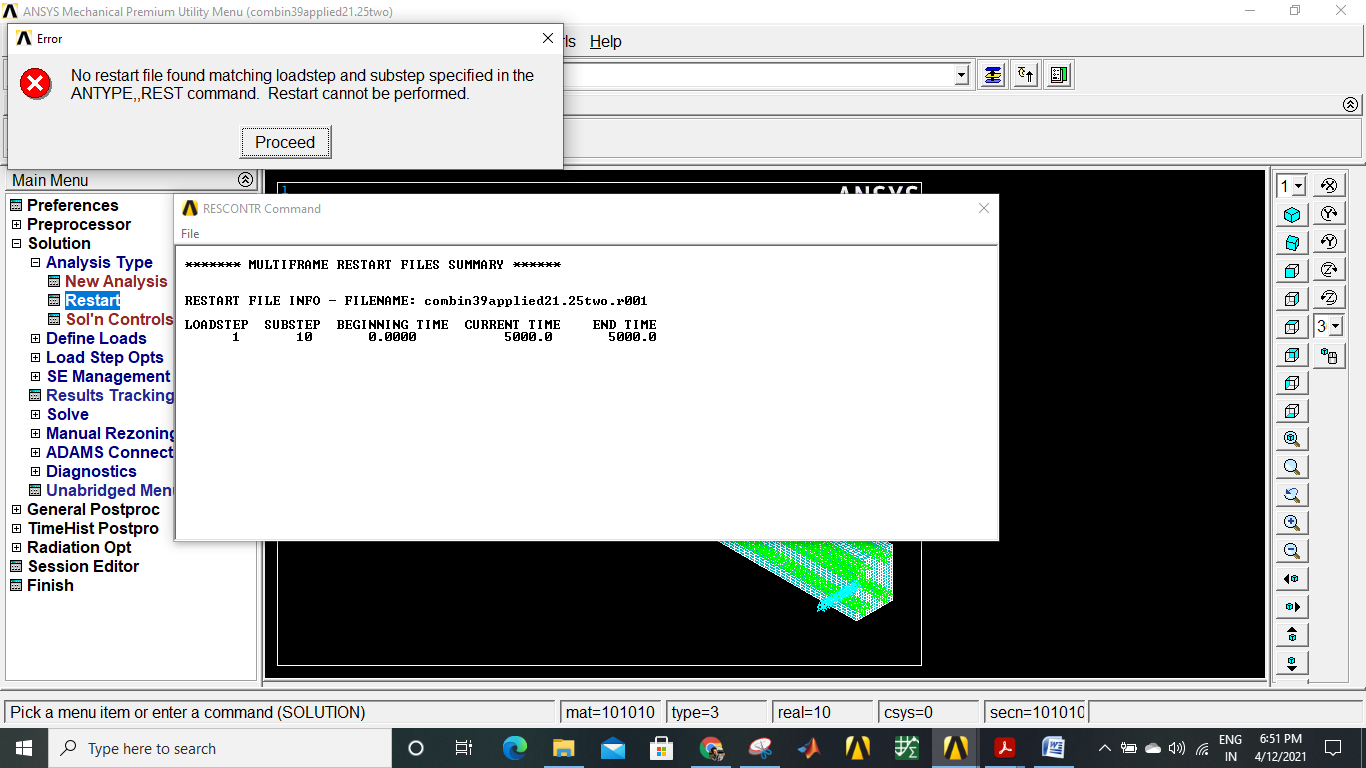
SubscriberHello all,nI need to apply my load in model increments up to failure for which i have to use RESTART option in Analysis Type .I have tried using RESTART after completing my initial run but it is showing me the error 'NO RESTART FILE FOUND MATCHING THE LOAD STEP'nCan Someone explain how to i proceed doing RESTART in GUIn
nn
-
April 20, 2021 at 12:00 am
BenjaminStarling
SubscriberYou will need to issue RESCONTROL, DEFINE, ALL before solving the base analysis. You may also want to control how often restart files are created by modifying the ALL command and/or adding values for other keywords in the command.nhttps://ansyshelp.ansys.com/account/secured?returnurl=/Views/Secured/corp/v211/en/ans_cmd/Hlp_C_RESCONTROL.htmln -
April 27, 2021 at 4:12 am
arunchandbala
SubscriberI tried do this but it is showing me error like no restart file found ,how do i create a restart file. Also how do i create .rnn filen -
April 28, 2021 at 1:22 am
BenjaminStarling
SubscribernCan you please provide more details of what you are trying to acheive? If there are no restart files available (.rnn is just a restart file coresponding to a substep in the base analsyis) check that your base analysis is solving correctly first.nThe error you have shown indicates that there are either no files available, which may indicate an error in your base analysis, or you are specifying the incorrect loadstep and substep from which to restart your analysis. Check the Ldstep keyword on the RESCONTROL command in the link I posted above. n
-
Viewing 3 reply threads
- The topic ‘Restart Analysis in ANSYS APDL’ is closed to new replies.
Innovation Space
Trending discussions
Top Contributors
-
6745
-
1906
-
1484
-
1324
-
1067
Top Rated Tags
© 2026 Copyright ANSYS, Inc. All rights reserved.
Ansys does not support the usage of unauthorized Ansys software. Please visit www.ansys.com to obtain an official distribution.