Ansys Assistant will be unavailable on the Learning Forum starting January 30. An upgraded version is coming soon. We apologize for any inconvenience and appreciate your patience. Stay tuned for updates.
Fluids

Fluids

Topics related to Fluent, CFX, Turbogrid and more.

Fluent MSMD – Nothing shows up in the Conductive zones

    • a.saeed.1
      Subscriber
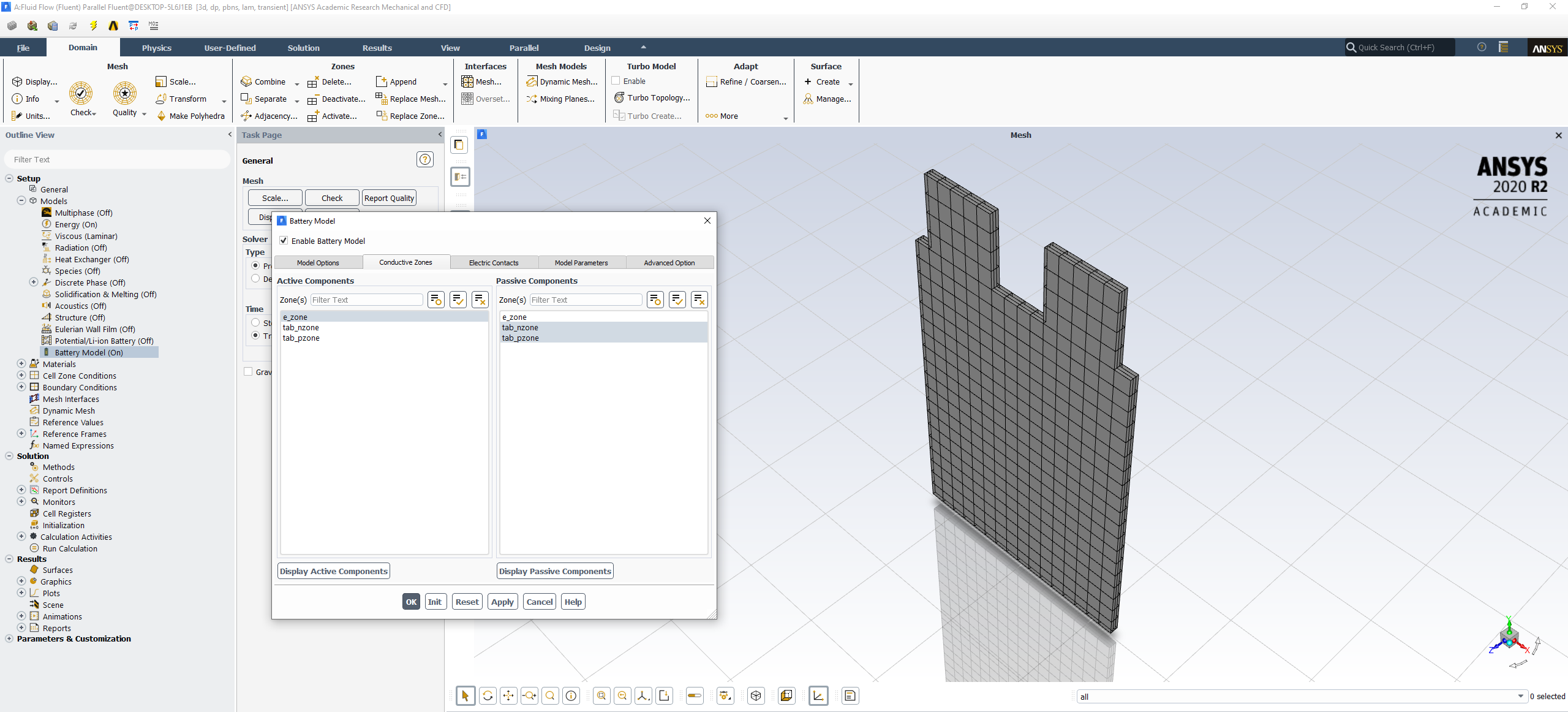
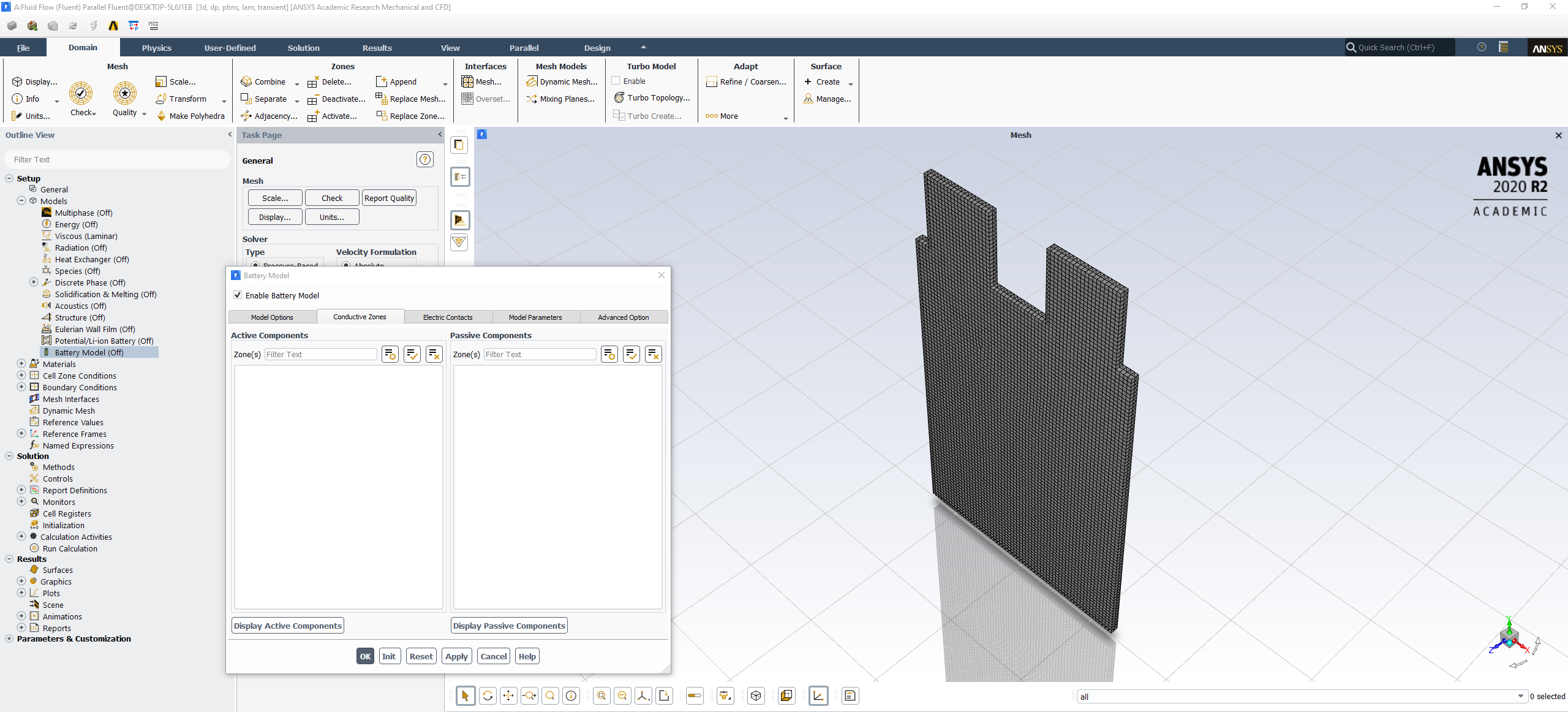
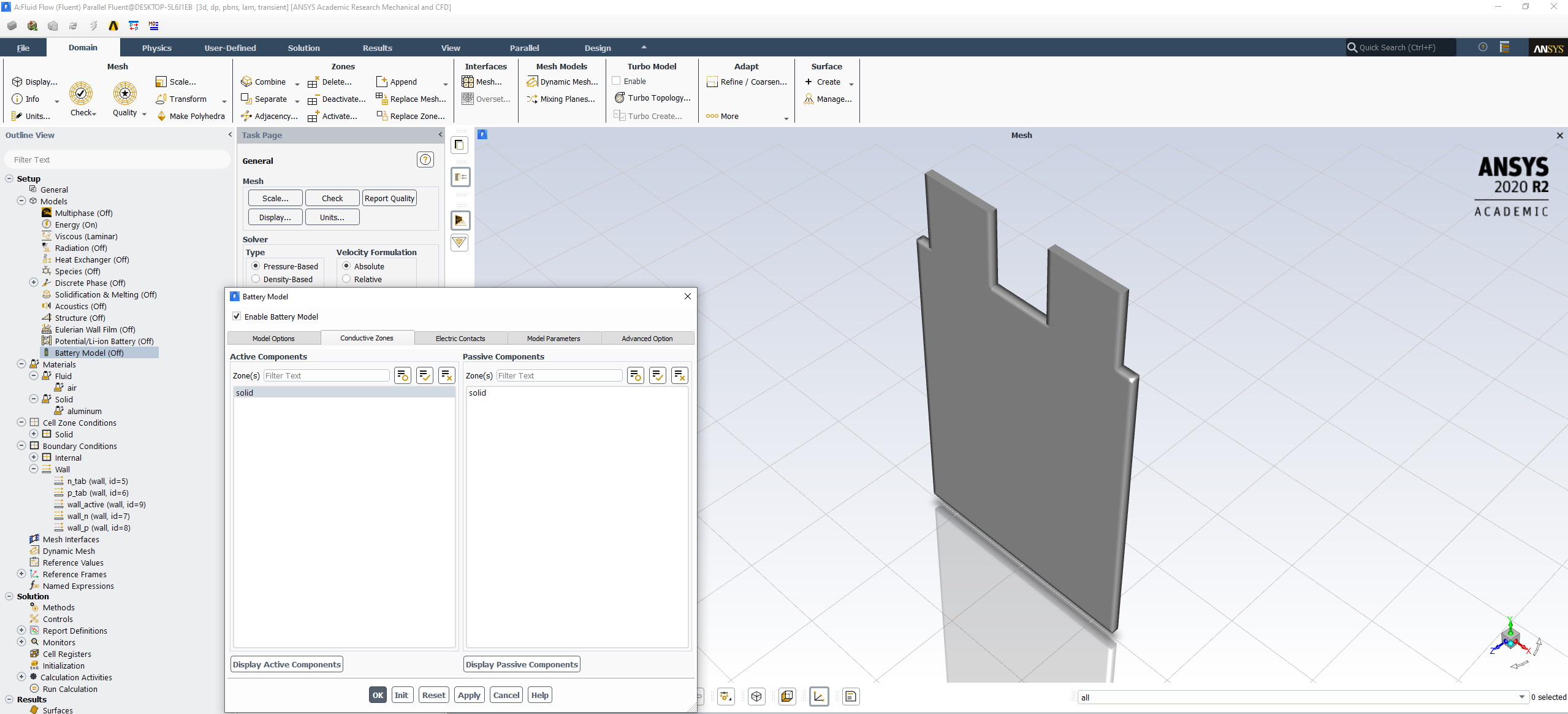
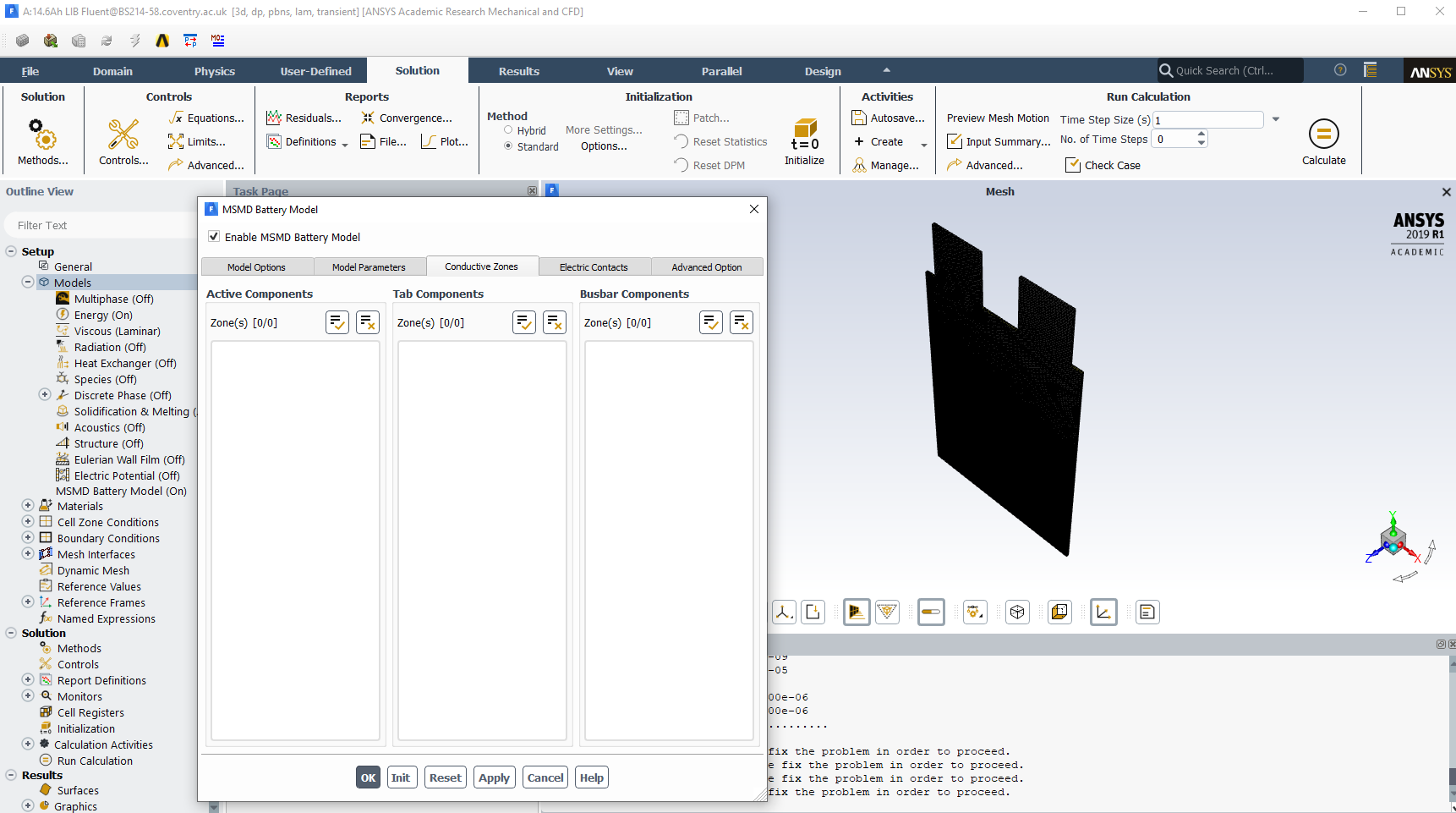
      Hi, I followed the tutorial given by Ansys for learning the MSMD model. Although there were a number of differences in the version I am using the parameter mentioned in the tutorial, I managed to get the tutorial done and was getting the same plots mentioned in the tutorial pdf. Below is the image of when setting up the conductive zones in the tutorial.nnI wanted to move on and create my own geometry and run the MSMD model again. However, in the tutorial you are given a .msh file which you load into fluent and start setting up the MSMD model parameters. When I create my own geometry, nothing shows up in the conductive zones (as seen in the image). Ive setup my own geometry and the given .msh file to be as similar as possible. I cannot open the .msh file in the fluent meshing software either and the tutorial makes no mention of how the mesh/geometry was setup. The image below is when I create my own geometry and try to setup the MSMD model parameters.nnI've searched on the Ansys forums (and other cfd forums) to see if anyone has faced a similar issue but I have come up with nothing. Does anyone know how I can fix this issue?n

    • RK
      Ansys Employee
      Hello, nYou have probably set the zones as fluid. Make sure you have set the zones as solid. You might have to close and start fluent again after the change. n
    • a.saeed.1
      Subscriber
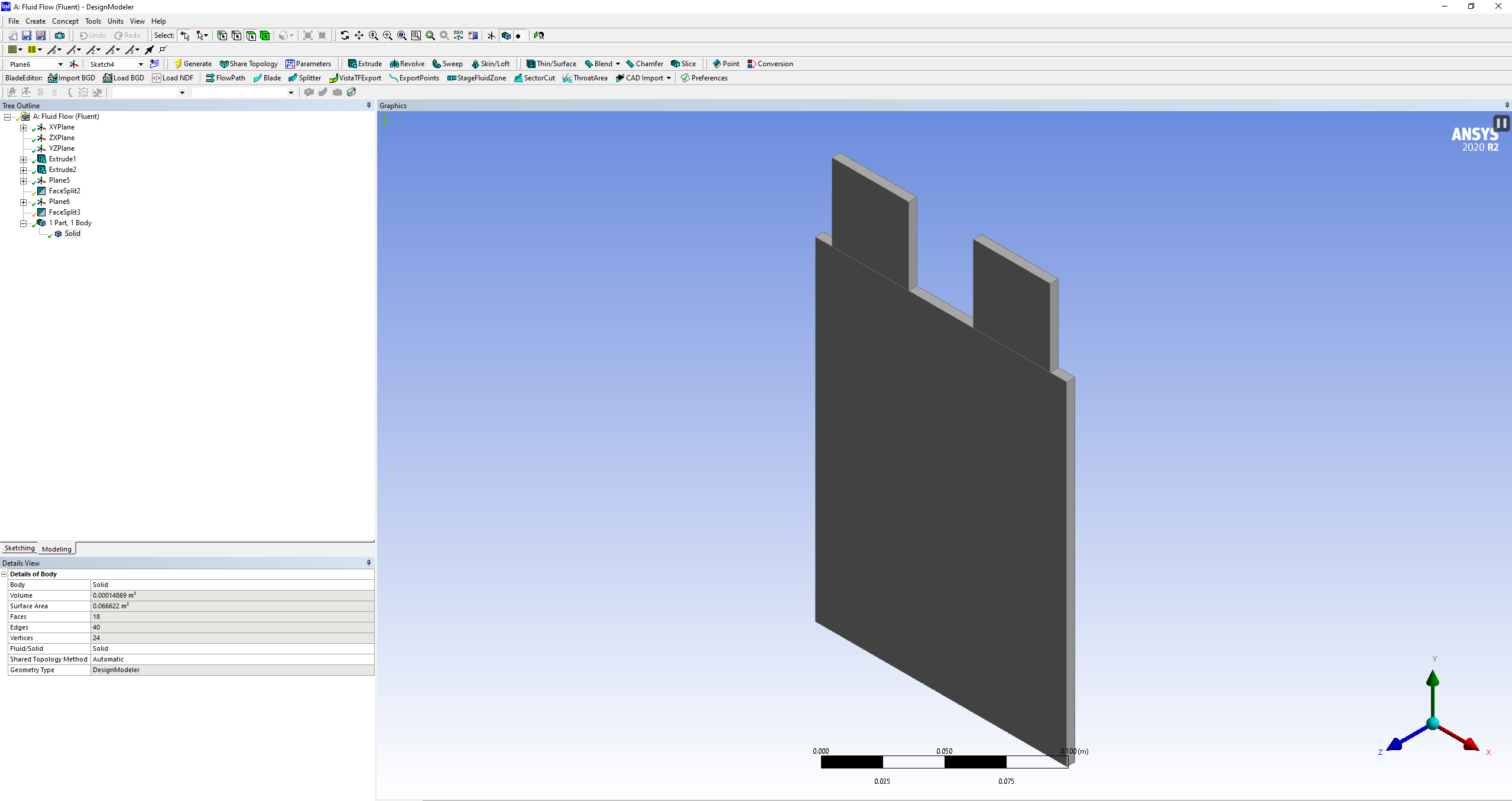
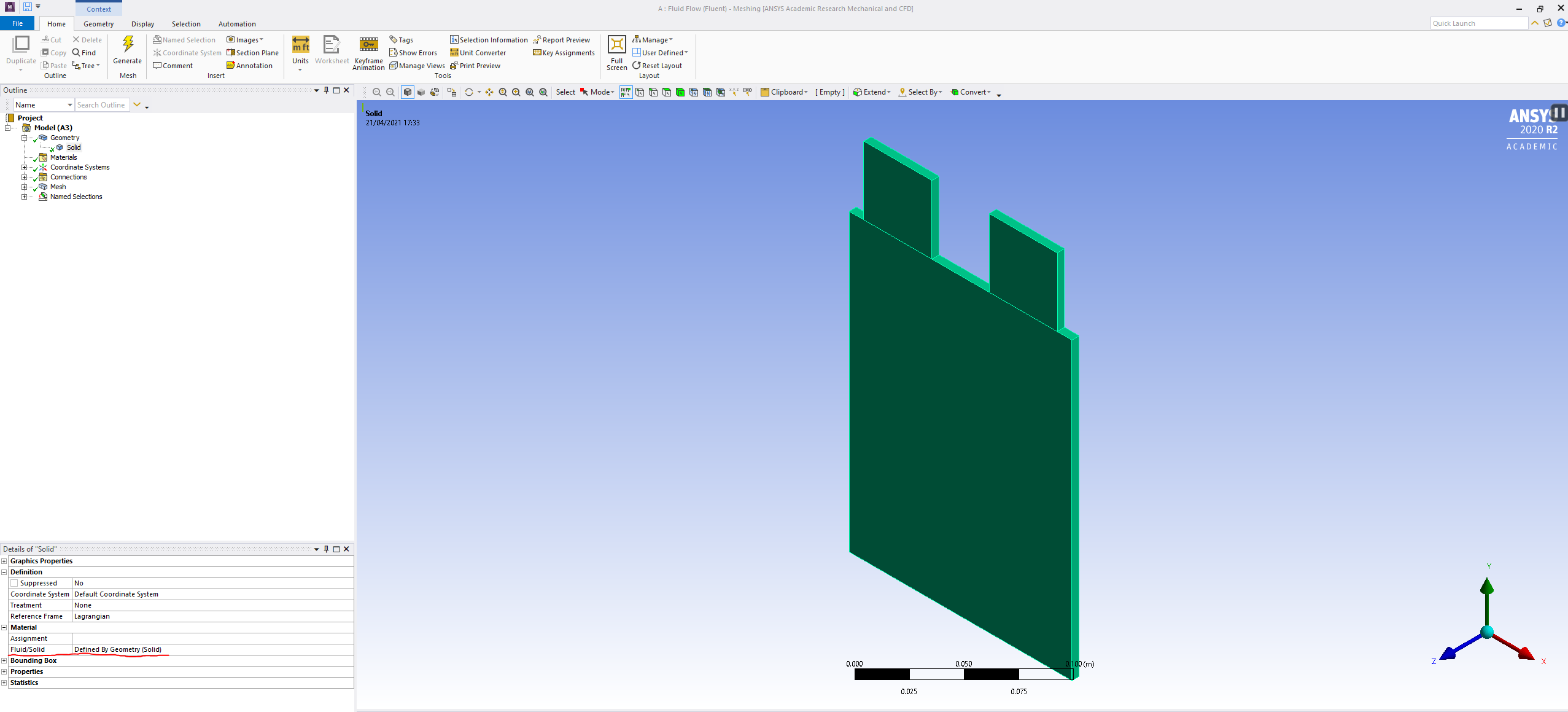
      Hi RK,nThank you for the reply.nI looked into design modeller again to see if my geometry was set as solid or not and it is set as a solid (as seen in the image below).nAnd the same is shown in the meshing software:nOr am I suppose to set this geometry as a solid elsewhere as well?n
    • RK
      Ansys Employee
      What about in Fluent?n
    • a.saeed.1
      Subscriber
      Hi RK,nChanging the Zone to solid in Fluent fixed an issue. An item does show up in the conductive zones but it does not show any walls which I have pre-defined in the mesher. The conductive zones just simply shows solid rather than something like wall_active, wall_n, etc. I have tried restarting fluent as suggested but that did not work.nIs there something else I still have to do?n
    • Rajan Gurung
      Subscriber

      2 years later... I have the same problem where no options come up on the conductive zone. I have ensured that all parts of my cell is solid. Did you find the solution?


    • J.L. Yadav
      Subscriber

      Go to the cell zone condition and converts fluid zone into solid

Viewing 6 reply threads
  • The topic ‘Fluent MSMD – Nothing shows up in the Conductive zones’ is closed to new replies.
[bingo_chatbox]