

-
-
March 18, 2021 at 11:02 am
Lukas8778
SubscriberHey there,
I'm new to ANSYS and currently configuring a PMSM using Rmxprt/ Maxwell 3D.
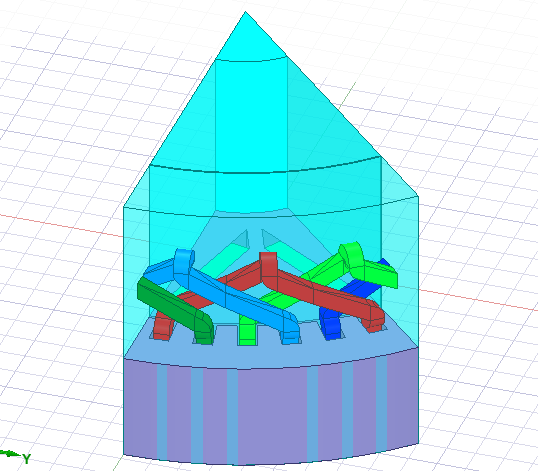
When I create the Maxwell 3D design the program only visualizes 1 pole of the motor as follows:
March 18, 2021 at 1:53 pmNavya Chode
Forum ModeratorHi @Lukas8778 nBefore you analyze the RMxprt model, go to RMxprt > Design settings > User-Defined Data > Check EnablenIn the text window type Fractions 1 without quotation marks (capital F).nThen Analyse the RMxprt model and create the Maxwell model nAfter creating the 3D Maxwell model select the design in the project manager window and in the properties window change halfAxial value to zero,nThis should generate the full machine Maxwell model.n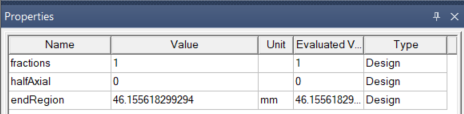 nRegardsnNavyan
Viewing 1 reply thread
nRegardsnNavyan
Viewing 1 reply thread- The topic ‘View of whole PMSM motor’ is closed to new replies.
Innovation Space Trending discussions
 Top Contributors
-
peteroznewman
 6625
6625 -
scabo
 1906
1906 -
Dennis Chen
 1469
1469 -
javat33489
 1311
1311 -
Shyam Prasad V Atri
1022
Top Rated Tags
© 2026 Copyright ANSYS, Inc. All rights reserved.
Ansys does not support the usage of unauthorized Ansys software. Please visit www.ansys.com to obtain an official distribution.
-


The Ansys Learning Forum is a public forum. You are prohibited from providing (i) information that is confidential to You, your employer, or any third party, (ii) Personal Data or individually identifiable health information, (iii) any information that is U.S. Government Classified, Controlled Unclassified Information, International Traffic in Arms Regulators (ITAR) or Export Administration Regulators (EAR) controlled or otherwise have been determined by the United States Government or by a foreign government to require protection against unauthorized disclosure for reasons of national security, or (iv) topics or information restricted by the People's Republic of China data protection and privacy laws.

 You are navigating away from the AIS Discovery experience