

-
-
February 23, 2021 at 4:40 am
as880
SubscriberHi guys,
I want to perform structure analysis on a spring that looks like this. The corrugated pattern is what is giving me trouble. I have left all mesh settings as default. the width of this corrugated pattern is around 0.4 mm and 3mm thick. I have tried using shell elements but am facing the same problem.. Any advice? Thank You
February 23, 2021 at 8:14 am1shan
Ansys EmployeeHello Array,nUnder sizing option set capture curvature and capture proximity to yes.nRegards,nIshan. nFebruary 24, 2021 at 1:50 ampeteroznewman
SubscribernSlice the inner and outer rings to separate them from the springs.nUse midsurfaces for the zig-zag springs and mesh with shell elements.nUse Bonded contact to connect the last edge of the spring to the face of each ring.nFebruary 24, 2021 at 3:08 amSubscriberHi 1shan and peter, nI have created the shell models of springs and then used that to generate the mesh but it is giving me this error messagesn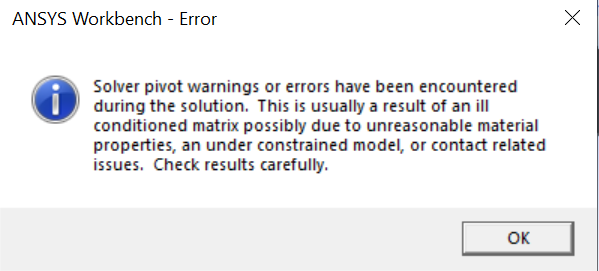

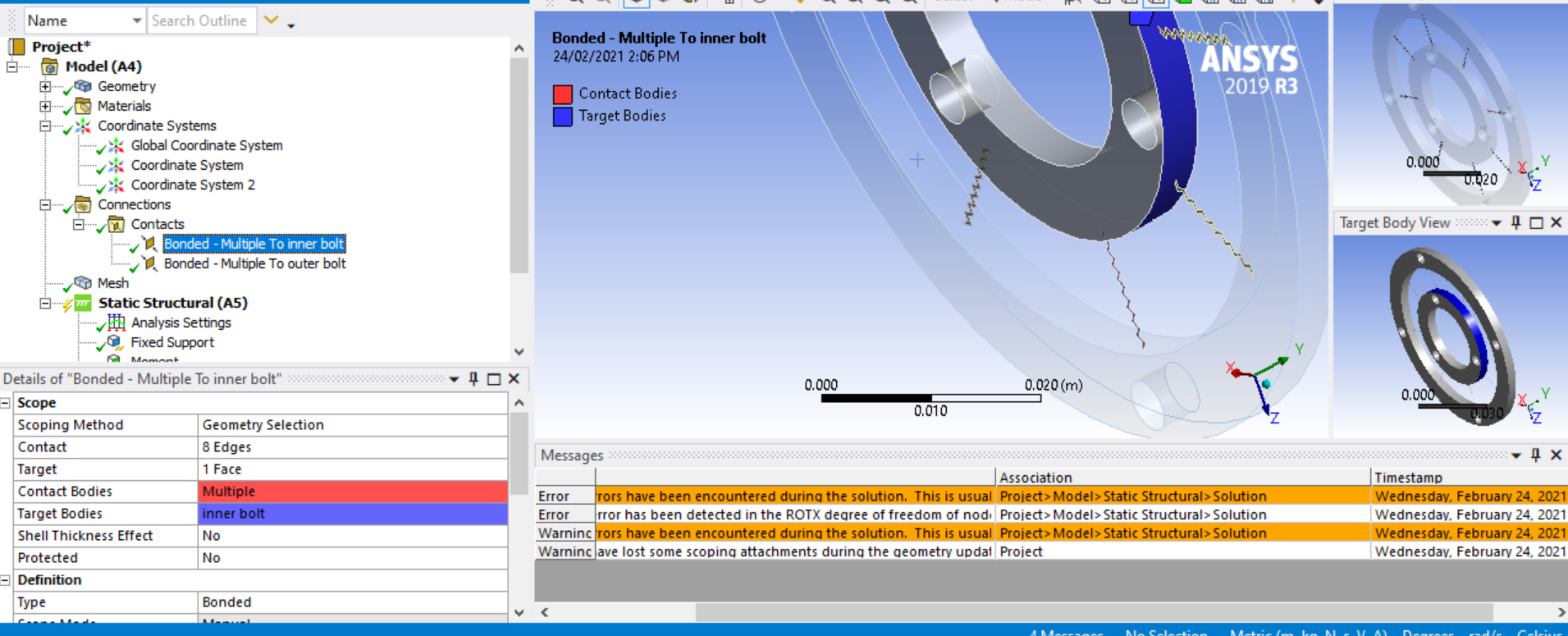

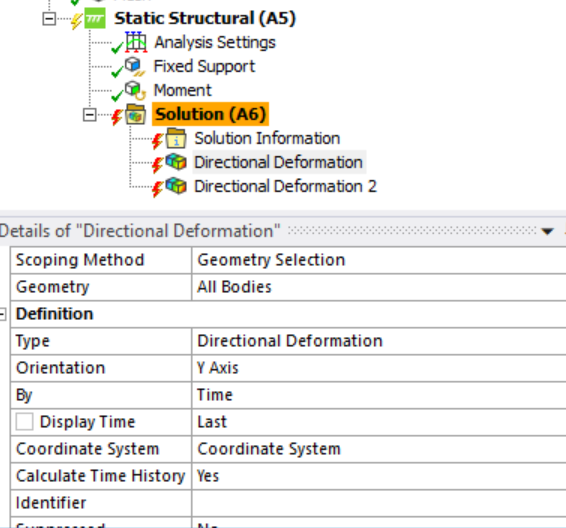
 I want to get a result of directional deformation in the y-axis of a cylindrical coordinate system to calculate the degree of deflection of the spring. Please Help. Thanks alotn
February 25, 2021 at 6:48 pm
I want to get a result of directional deformation in the y-axis of a cylindrical coordinate system to calculate the degree of deflection of the spring. Please Help. Thanks alotn
February 25, 2021 at 6:48 pmramgopisetti
Subscriberwhy dont you use Beam simplification, This way you are simplifiyign the problem and moreover it supports vertex to face as bonded as u need as follows.n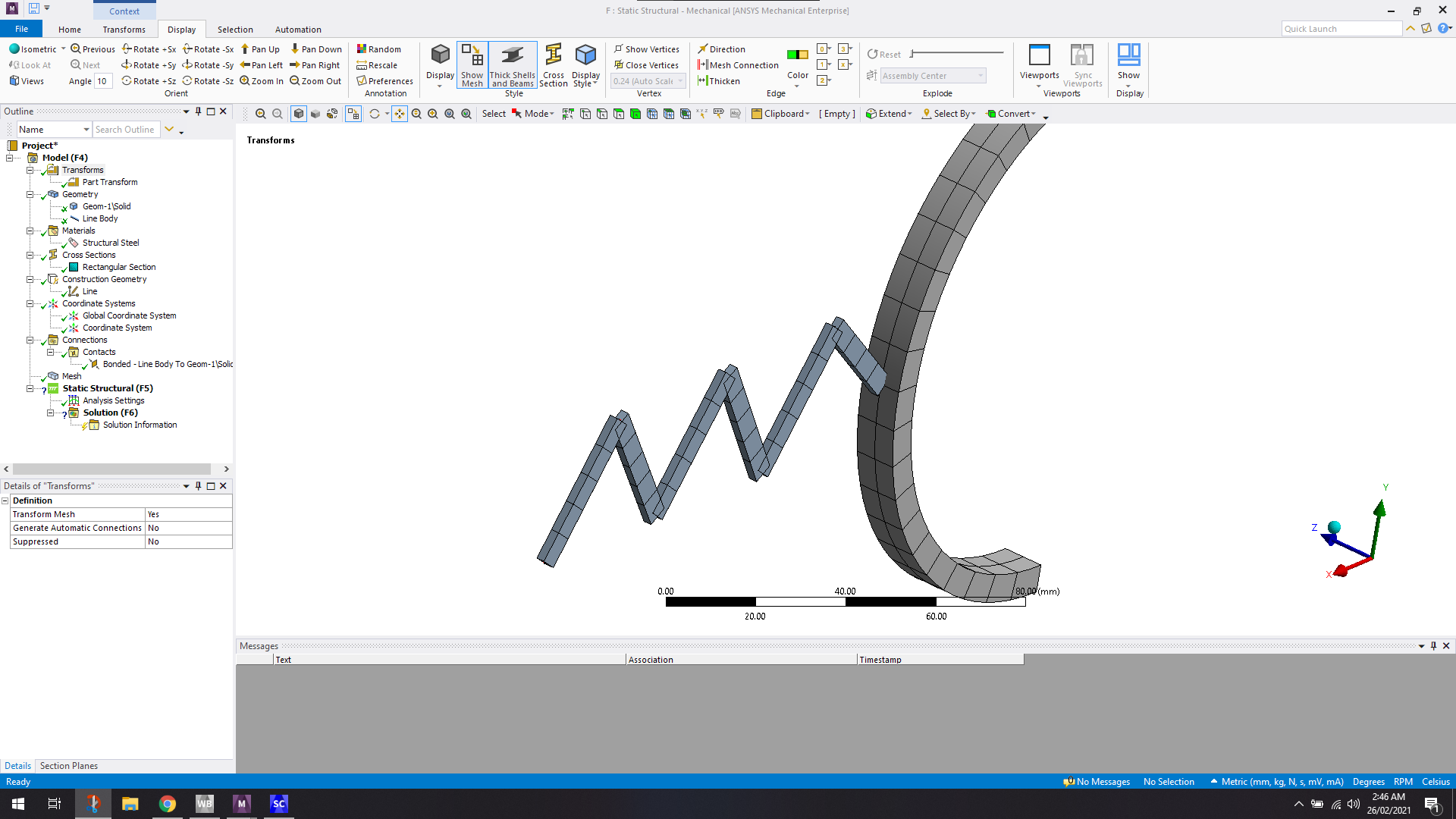 I know it is not upto your model properties, This way u can eliminate the small sized mesh,I hope this might solve and reduce DOF of your model. n
February 26, 2021 at 3:01 amSubscribernI see there are two interpretations of midsurface on your solid geometry. I was thinking that the midsurface would go in the other direction, but what you did is also valid. If you take the approach suggests, you can collapse the model down to a 1D elements instead of 2D elements, and that is also a good approach.nIn either case, you use bonded contact to connect the meshes together. You should insert a Contact Tool under the Connections folder and Generate Initial Contact Status. Check that the contacts are Closed. If they are not, you may need to input a Pinball Radius to make them close.nViewing 5 reply threads
I know it is not upto your model properties, This way u can eliminate the small sized mesh,I hope this might solve and reduce DOF of your model. n
February 26, 2021 at 3:01 amSubscribernI see there are two interpretations of midsurface on your solid geometry. I was thinking that the midsurface would go in the other direction, but what you did is also valid. If you take the approach suggests, you can collapse the model down to a 1D elements instead of 2D elements, and that is also a good approach.nIn either case, you use bonded contact to connect the meshes together. You should insert a Contact Tool under the Connections folder and Generate Initial Contact Status. Check that the contacts are Closed. If they are not, you may need to input a Pinball Radius to make them close.nViewing 5 reply threads- The topic ‘How to mesh very thin elements’ is closed to new replies.
Innovation Space Trending discussions
 Top Contributors
-
peteroznewman
 6379
6379 -
scabo
 1906
1906 -
Dennis Chen
 1457
1457 -
javat33489
 1308
1308 -
Shyam Prasad V Atri
1022
Top Rated Tags
© 2026 Copyright ANSYS, Inc. All rights reserved.
Ansys does not support the usage of unauthorized Ansys software. Please visit www.ansys.com to obtain an official distribution.
-


The Ansys Learning Forum is a public forum. You are prohibited from providing (i) information that is confidential to You, your employer, or any third party, (ii) Personal Data or individually identifiable health information, (iii) any information that is U.S. Government Classified, Controlled Unclassified Information, International Traffic in Arms Regulators (ITAR) or Export Administration Regulators (EAR) controlled or otherwise have been determined by the United States Government or by a foreign government to require protection against unauthorized disclosure for reasons of national security, or (iv) topics or information restricted by the People's Republic of China data protection and privacy laws.

 You are navigating away from the AIS Discovery experience