

TAGGED: lisence, wireless-power-transfer
-
-
February 10, 2021 at 4:43 pm
kitzo2
SubscriberHi Everyone,
I am getting these errors and I am confused on how to fix them. Any help or guidance on the situation would be greatly appreciated. Thank you!
February 11, 2021 at 6:55 amPraneeth
Ansys EmployeenPlease refer to the solution provided in the following thread and see whether it works for you. nLicense issue related to VPN ? Ansys Learning ForumnAll the best.nBest Regards,nFebruary 11, 2021 at 9:01 pmSubscribernThe thread you sent only applies for those who have v19. As you can see in the attached picture I already have v20 so the forum you sent is no use. Sorry for the confusion. Do you have any other suggestions? Thanks!n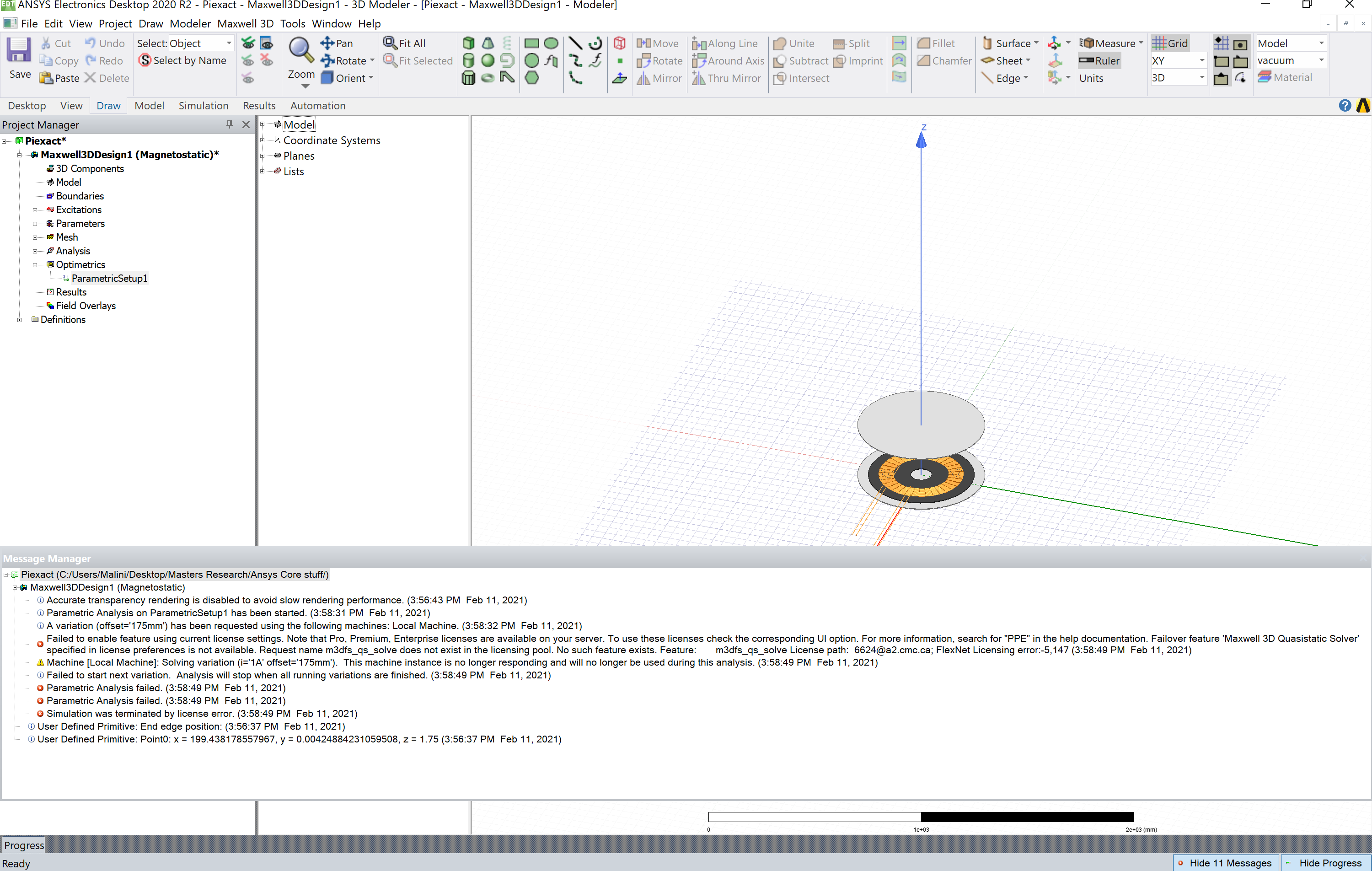 n
February 12, 2021 at 6:48 amAnsys EmployeeHi Array,nAs you are using v2020R2, please check this option - go to Tools -> Options -> General Options -> Desktop configuration, then check the first box for enabling PPE license mode and do let us know if that works for you or not. nAll the best.nBest Regards,nFebruary 12, 2021 at 4:51 pmSubscribernI no longer have access to the virtual computer and I am now trying to run the program on my personal computer. This is the error message I get when i try and run the program. Do you have any suggestions on how to fix this? Thank you!nn
n
February 12, 2021 at 6:48 amAnsys EmployeeHi Array,nAs you are using v2020R2, please check this option - go to Tools -> Options -> General Options -> Desktop configuration, then check the first box for enabling PPE license mode and do let us know if that works for you or not. nAll the best.nBest Regards,nFebruary 12, 2021 at 4:51 pmSubscribernI no longer have access to the virtual computer and I am now trying to run the program on my personal computer. This is the error message I get when i try and run the program. Do you have any suggestions on how to fix this? Thank you!nn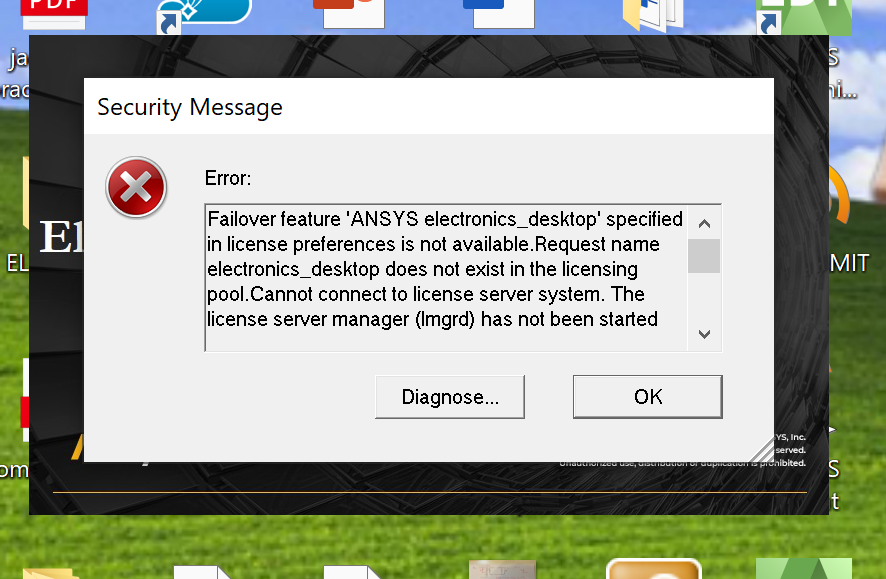 n
February 12, 2021 at 5:31 pm
n
February 12, 2021 at 5:31 pmANSYS_MMadore
Forum ModeratorDoes your personal computer have a connection to the license server machine on the network, through a VPN or other network connection?nFebruary 12, 2021 at 8:30 pmSubscribernI am not sure what you mean by this. I open CADpass R20 and APPgate before starting the program. How would I find out what you are referring to? Thank you.nFebruary 12, 2021 at 8:34 pmForum ModeratorYou must have some connection to the university license server to access the licenses. Can you share the entire text of the error message?nFebruary 12, 2021 at 8:36 pmSubscribernThank you for the quick response. Here is the full message:nFailover feature 'ANSYS electronics_desktop' specified in license preferences is not available.nRequest name electronics_desktop does not exist in the licensing pool.nCannot connect to license server system.n The license server manager (lmgrd) has not been started yet,n the wrong port@host or license file is being used, or then port or hostname in the license file has been changed.nFeaturenelectronics_desktopnServer namen130.15.52.141nLicense pathn6624@a2.cmc.ca;nFlexNet Licensing errorn-15,10032nnFebruary 12, 2021 at 8:49 pmForum ModeratorOpen a Windows command prompt and run ping a2.cmc.ca and provide the output.nFebruary 12, 2021 at 9:15 pmSubscribernPinging a2.cmc.ca [130.15.52.141] with 32 bytes of data:nRequest timed out.nFebruary 15, 2021 at 11:45 amForum ModeratorIf you are unable to ping the license server you will be unable to access the licenses. I recommend contacting the IT team who manage the license server to see if they are able to work with you to troubleshoot your connectivity.nViewing 11 reply threads- The topic ‘Simulation was terminated by license error’ is closed to new replies.
Innovation Space Trending discussions
 Top Contributors
-
peteroznewman
 6625
6625 -
scabo
 1906
1906 -
Dennis Chen
 1469
1469 -
javat33489
 1311
1311 -
Shyam Prasad V Atri
1022
Top Rated Tags
© 2026 Copyright ANSYS, Inc. All rights reserved.
Ansys does not support the usage of unauthorized Ansys software. Please visit www.ansys.com to obtain an official distribution.
-


The Ansys Learning Forum is a public forum. You are prohibited from providing (i) information that is confidential to You, your employer, or any third party, (ii) Personal Data or individually identifiable health information, (iii) any information that is U.S. Government Classified, Controlled Unclassified Information, International Traffic in Arms Regulators (ITAR) or Export Administration Regulators (EAR) controlled or otherwise have been determined by the United States Government or by a foreign government to require protection against unauthorized disclosure for reasons of national security, or (iv) topics or information restricted by the People's Republic of China data protection and privacy laws.

 You are navigating away from the AIS Discovery experience