Ansys Assistant will be unavailable on the Learning Forum starting January 30. An upgraded version is coming soon. We apologize for any inconvenience and appreciate your patience. Stay tuned for updates.
Electronics

Electronics

Topics related to HFSS, Maxwell, SIwave, Icepak, Electronics Enterprise and more.

How do I solve an error encountered in calculating conduction path?

    • BenFischer3180
      Subscriber
      I am learning how to use Discovery AIM for permanent magnet modeling. Whenever I try to solve the physics, I receive an error that says Error encountered in calculating conduction path under the message Conduction Paths 1 is conditionally up-to-date. This error happens regardless of the model or materials that I am using, and it is making it impossible to solve anything using the program. If anyone has any advice on how to fix this error, I would be extremely grateful.n
    • BenFischer3180
      Subscriber
      I feel like it's worth noting that I am using 2020 R2. I haven't used any prior version of the program, so I do not know whether or not this is a new problem people might be facing. Thanks for the help!n
    • Naresh Patre
      Ansys Employee
      Hello BenFischer3180 nCan you go to path  %UserSpecific%\ANSYS Inc\v202\Electronics\Win64 and try launching EletronicsDesktop (ansysedt.exe)? If it's failing to luanch, it could be possible that this exe is getting blocked due to Firewall, or there could be something wrong with the installation and you may need to uninstall and reinstall Discovery AIM.n
    • BenFischer3180
      Subscriber
      Hello,I am using the student version of AIM so I don't have Electronics Desktop installed. Additionally, I'm able to launch the program perfectly fine, but this Error encountered in calculating conduction path is preventing me from solving anything and finding results for the models I've been using. I've also tried uninstalling and reinstalling but it did nothing.n
    • Naresh Patre
      Ansys Employee
      Hello,nAIM uses ElectronicsDesktop for solving Electromagnetic problems. So when you install AIM, ElectronicsDesktop also gets installed within its installation directory. Did you encounter any error during installation?n
    • F_Prochnow
      Subscriber
      Hello,nI have the same problem. I tried to find the folder where the ansysedit.exe is located. I found more than one data which is called ansysedit.exe. Here are the locations:nD:\Programme\ANSYS Inc\ANSYS Student\v202\Electronics\Win64 It's a green sign labelled with EDTnC:\Users\Florian\AppData\Local\Microsoft\CLR_v4.0\UsageLogs It's a log file called ansysedit.exenThere are some AppCrash reports, too, but i can't open them.n
    • F_Prochnow
      Subscriber
      Hello,nI have the same problem. I found two files called ansysedt.exe:nD:\Programme\ANSYS Inc\ANSYS Student\v202\Electronics\Win64 It's a green sign labelled with EDTnC:\Users\Florian\AppData\Local\Microsoft\CLR_v4.0\UsageLogs It's a log file called ansysedt.exenI also found some AppCrashes, but I can't open them.n
    • AnnaSch
      Subscriber
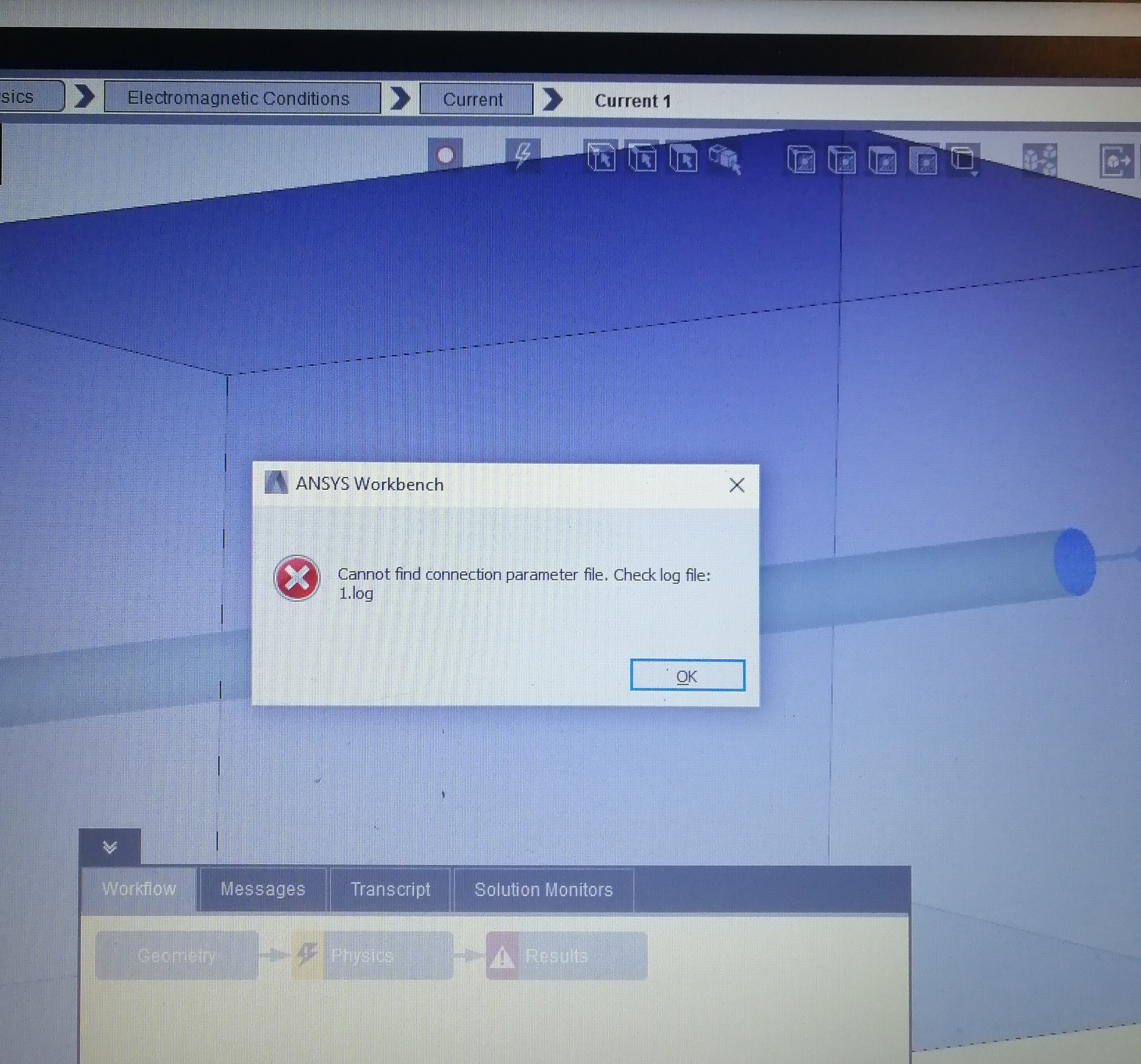
      Hello community,nWas anyone able to resolve this problem? nIn my case, ansysedt.exe was not launching so I implemented the suggestiontions of this thread:nANSYS Electronics Desktop 2019 R2 and the new update of windows 10 — Ansys Learning ForumnNow it launches, but outputs an license error before the application opens. When trying to generate the conduction path the following nerror occurs:nnAny help is very much much appriciated.
    • et_edu
      Subscriber
      Hello I think i´ve got the same problem....nI tried to simulate a coaxial cable but I could not get it working. It says attention required at the physics, but I get no warnings or specific tasks to repair.nThis model is surrounden by air, the body is just hidden.nsolid glas is used as dielctric material between the core and the outer conductornI tried a few different settings with the current:corss connection, source and return at both sides of the core, source and return with the core and the shell, and I also tried with a connection between the shell and the core at the end to close the circuit.nTwo Screenshots are added, I would appreciate your help very much.nI have read the topic above and also tried to reinstall AIM Discovery but it didn´t work.nOr is the problem, that Electronics Desktop is not included in the AIM student license?n
    • et_edu
      Subscriber
      UPDATE:nI did another reinstallation. No errors occurred. I also installed ANSYS Student, no errors occurred. When I try to start ANSYS Electronics (ansysedt.exe) the following error occurs :nFailover feature 'ANSYS electronics_desktop' specified in license preferences is not available.nDer angefragte Name electronics_desktop existiert nicht im Lizenzpool.nNo such feature exists.nFeature electronics_desktopnLicense pathnC\Program Files\ANSYS Inc\ANSYS Student\Shared Files\Licensing\student.lic;nFlexNet Licensing errorn-5,357nI would appreciate your help very much.nPS: I work with WIndows 7 Professional 6.1.7601n
    • ET_StUd_121
      Subscriber
      SOLUTION!nI?ve managed to solve my problem. First of all I removed the 2020 R2 release from Ansys Discovery AIM. Then I installed the prior release 2020 R1 an it worked with an other model pretty well.nThen I also tried my own modell again, the Error code with the conduction path was still there.....nThe problem was, my enclosure had to be on the same plane as the part where I apply my current. After this was fixed, the model showed me the expected results!nnPS: I am et_edunn
Viewing 10 reply threads
  • The topic ‘How do I solve an error encountered in calculating conduction path?’ is closed to new replies.
[bingo_chatbox]