Ansys Assistant will be unavailable on the Learning Forum starting January 30. An upgraded version is coming soon. We apologize for any inconvenience and appreciate your patience. Stay tuned for updates.
Fluids

Fluids

Topics related to Fluent, CFX, Turbogrid and more.

Defining an inlet from an opening – Fluent

    • megm07
      Subscriber

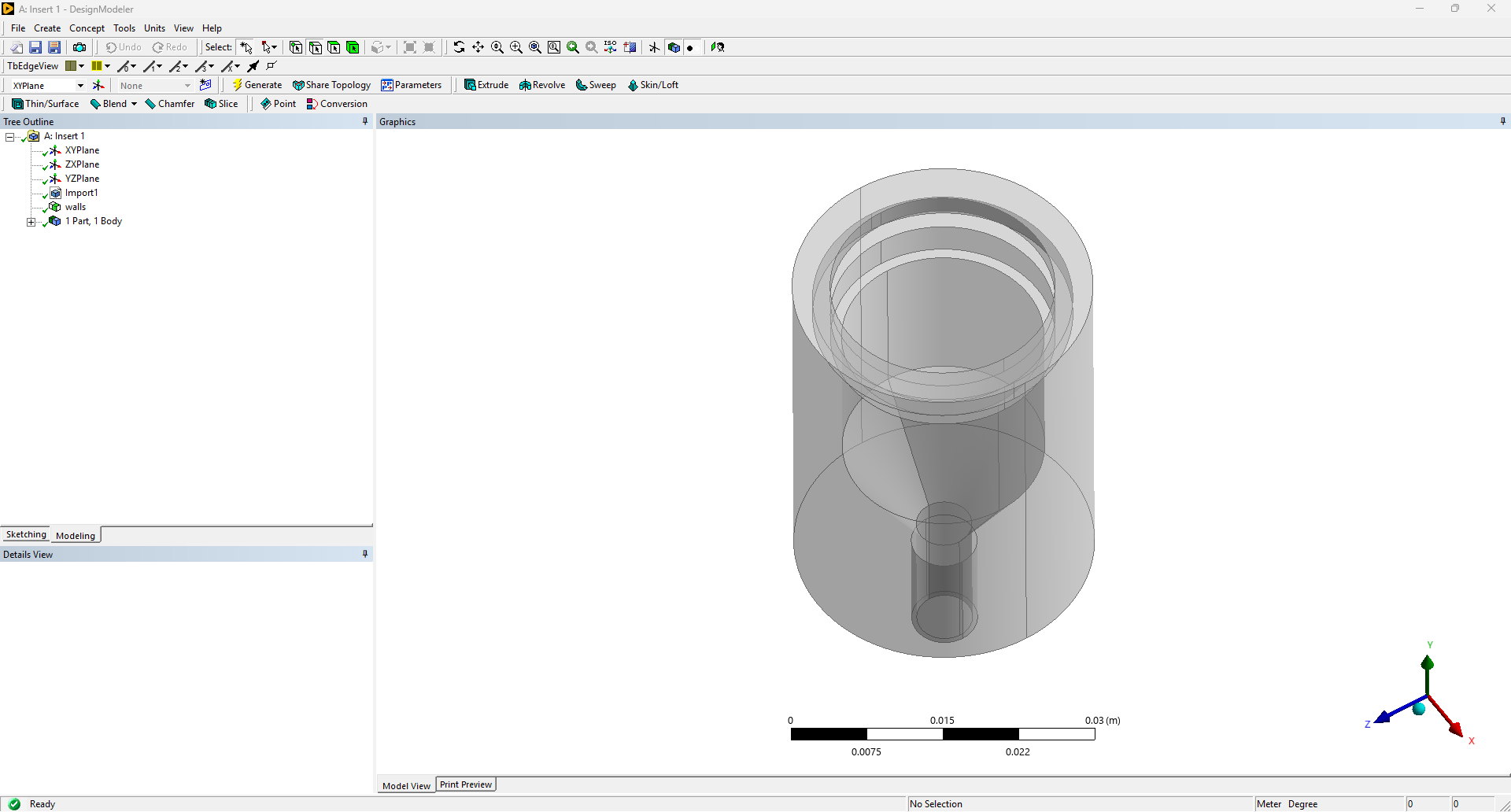
      Hello! I'm looking to set up a particle deposition simulation in Fluent. The CAD (image below) has an opening at the top and bottom where the inlet and outlet are supposed to be, but I'm having trouble moving past the meshing step because it won't recognize the top opening as an inlet. Both openings are made of two edges. When I use the two edges to make named selections of "inlet" and "outlet", meshing doesn't recognize them as inlet & outlet to then set up the fluid zone (which would be the empty space in the middle). When I created a surface using the edges and then defined the faces as inlet and outlet, Fluent meshing ran into an error when capping the enclosed fluid region saying 

      "A cap could not be created using the specified zone/label. Ensure your zone/label encloses the whole opening.

      Error Object: #f"

      Any help would be much appreciated! I can also provide more info about the system as necessary.

    • NickFL
      Subscriber

      There are several ways of doing this. Let us try by creating capping surfaces and then using the fill to get the fluid volume. Only then can we define the inlet and outlet.


      11) Grab the one or two lines that are at the circumference of the inner circle. Then under the Concept pull-down menu select “Surfaces from Edges” and click Apply and Generate. This should create a surface body across the top.

      2)      Do the same thing on the bottom, covering the outlet.

      3)      Now from the Tools pull-down menu select “Fill”. Here in the Details panel you will want to change the “Extraction type” from “By Cavity” to “By Caps”. Click Generate and it should create your fluid volume.


      • megm07
        Subscriber

        Thanks so much! The fill tool was able to create a fluid body in between. If I've done this step, do I still have to define the geometry in Fluent Meshing as having a void / needing to enclose a fluid region, or can I just proceed without extracting a fluid region again?

Viewing 1 reply thread
  • You must be logged in to reply to this topic.
[bingo_chatbox]