TAGGED: mechanical
-
-
June 4, 2026 at 2:48 pm
lewisliu
SubscriberHi, In my setup I have body A with a vertical displacement and makes frictionless contact with body B. Body B will go through non-linear deformation and I would like know the reaction force caused by this deformation. The setup is similar to a solid block connected to a load cell pressing on a cantilever beam, and I would like to find the readings on the load cell.
Â
My question is about whether I should use:Â
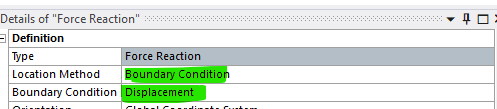
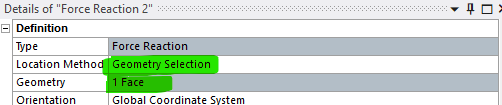
- Geometry Selection - The face that makes the contact
- Boundary Condition - The "Displacement"
- Contact Region - The "Frictionless"
The all give me different values and the differences are quite significant.
Â
-
June 4, 2026 at 4:12 pm
peteroznewman
SubscriberHere is the image from your other post, which is helpful to visualize your question in this post.
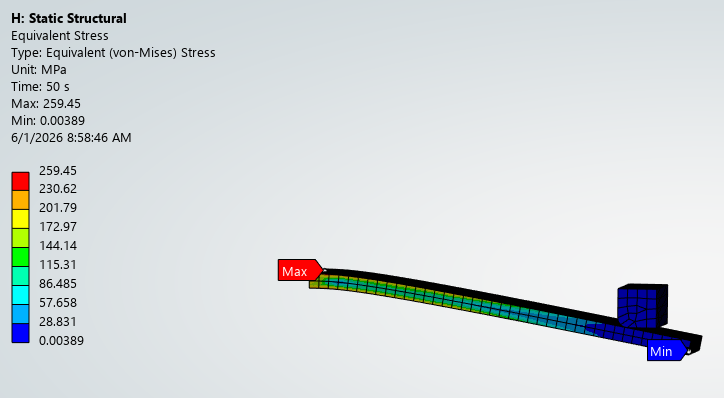
My reply a few days ago to your other post mentioned that your mesh is too coarse to get accurate results. The same comment is relevant to this post.
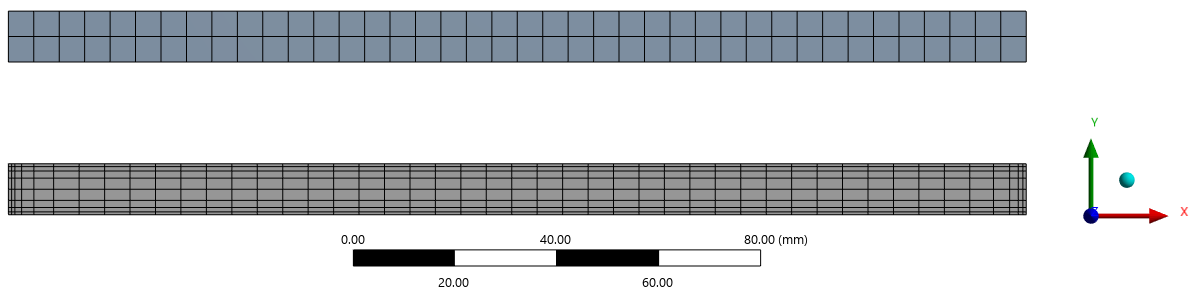
In a Static Structural analysis, the sum of the forces in the Y direction should be zero or very close to zero. In my model, I used a Remote Displacement to pull the end of the beam down using displacement in the Y direction only. I used two Probes on the Force Reaction: one for the Remote Displacement and one for the Fixed Support.
Here are the results for the coarse mesh:
- Force Reaction, Remote Disp., Y axis = -593.16 N
- Force Reaction, Fixed Support, Y axis = 593.15 N
Here are the results for the fine mesh:Â
- Force Reaction, Remote Disp., Y axis = -587.81 N
- Force Reaction, Fixed Support, Y axis = 587.81 N
As you can see, there is a significant difference depending on the size of the elements in the mesh but an insignificant difference for the same mesh on where the Force Reaction is extracted.

-
June 5, 2026 at 2:29 pm
-
June 5, 2026 at 5:57 pm
peteroznewman
SubscriberIt is better to use Boundary Condition because that will give you are result.
When you select Geometry Selection and pick a face, you will get this error message: Probe result needs Nodal Forces to be requested in the Output Controls of Analysis Settings.
That means you have to go to Analysis Settings and under Output Controls, change Nodal Forces from No to Yes and then solve the model again before you can get a Force Reaction Probe on a Face. Once you do all that, you will get the exact same value for Force Reaction as you did from the Boundary Condition.
-
- You must be logged in to reply to this topic.
-
6625
-
1906
-
1469
-
1311
-
1022
© 2026 Copyright ANSYS, Inc. All rights reserved.