Ansys Assistant will be unavailable on the Learning Forum starting January 30. An upgraded version is coming soon. We apologize for any inconvenience and appreciate your patience. Stay tuned for updates.
Fluids

Fluids

Topics related to Fluent, CFX, Turbogrid and more.

Buoyant Object Moved by Water

    • rnegrete
      Subscriber

      Hi

      I've been trying to make a buoyant object move by interacting with water, but it either stays static or it just drops like by the action of gravity alone. I have tried many things I've seen in different posts and tutorials without success and I would like to know exactly which configurations are necessary to produce the movement resulting from the solid interacting with the water.

      For all sims in Design Modeler I have 1 import for the domain and 1 for the buoy. I have subtracted the buoy from the domain and preserved both bodies. Also, I always use Dynamic Mesh Methods Based Remeshing and 6DOF. All relevant parts and surfaces have Boundary Conditions set as Walls except for an interior part related to the domain which is always created by default.

      These are the variations I've tried:

      • In Design Modeler I've created a new part made out of the 2 existing parts (domain and buoy) and kept as two bodies without making the new part.
      • I've suppressed the buoy part in Design Modeler, and in Meshing.
      • Using Fluent Watertight Meshing and Regular Meshing.  
      • Setting the buoy part, when it exists, as fluid and solid in the Cell Zone Conditions.
      • Using Dynamic Mesh Smoothing Spring/Laplace/Boundary Layer and Diffusion.
      • Creating 1 Dynamic Mesh Zone setting:
        • The buoy part as Rigid Body with the 6DOF Properties.
        • A named selection with the buoy's faces as Rigid Body and Deforming with the 6DOF Properties.
        • A named selection with the buoy's faces as Rigid Body and the domain (can`t remember if the body or the faces) as Deforming with the 6DOF Properties.

      I don't know if I should change anything in the Mesh Interfaces, but I suspect that somehow what I need is to "link" the mesh from the buoy with the one from the domain so they can "move" together and produce the interaction between the solid and the water that produces the movement that their natural interaction would.

      I would really appreciate if you could tell me of all the settings that I tried which ones are the right ones and what it is that I'm missing.

      Many thanks!

    • Mark O
      Ansys Employee

      A rigid body is composed of all the dynamic mesh surface objects that refer to the same rigid body properties object in their settings. The 6dof solver will move the rigid body based on the forces on those surfaces. You need to turn on gravity in both the flow solver and the dynamic mesh settings. The operating density should be zero though if you set it to air or the minimum phase averaged (if multiphase) you will only be ignoring the much smaller buoyancy effect of the air. A buoyancy force requires that there be a vertical pressure gradient in the pressure solution. You should initialize by patching in some volume fraction of water (if multiphase) and initialize the pressure by patching in an expression as the pressure will be increasing with depth although you can run for one very small time step initially and the pressure solution should quickly adjust. As a test you can turn off the dynamic mesh and check that you are getting a good hydrostatic pressure solution for the case. If your case is single phase and you have set the operating density to the density of the fluid then you will have eliminated the pressure gradient from the pressure solution and there will be no buoyancy force.

    • rnegrete
      Subscriber

      Could you please confirm the following:

      Do I need to form a part with the domain and buoy in Design Modeler or not? I saw a video saying this creates a mesh interface which is more efficient than creating one by hand. Is that neccesary for my case or only for thermal coupling?

      Do I need to to leave the solid body in the simulation or just the domain?

      On the Dynamic Mesh Zones window, to which zone(s) should I assign the 6dof properties? Exactly which settings should I set for each?

      In the Dynamic Mesh Zones screen, there's a center of gravity location option. Should I set the center of gravity from the solid body (buoy) in here or is it better to use a udf including the center of gravity?

      What do you mean by operating density? I have Operating Conditions - Pressure of 101325 Pa as the default. That's the atmospheric pressure at sea level which seam fine for my case. Is that what you mean? I have 2 phases, air and water, each one has the right density and that hasn't been a problem. 

      I'm using Open Channel with waves. Waves work fine and if I see a total pressure contour I can see the free surface moving as expected and that the pressure increases with depth. 

      Many thanks!

    • Mark O
      Ansys Employee

      You do not need the solid for the buoy in the model unless you want to do heat transfer inside the solid which I doubt you want for this case. You can cut the solid for the buoy out of the model. If you keep the solid for the buoy in the geometry then in Design Modeler if you put both solids into the same part the mesh will be fully conformal and connected. If they are in separate parts then the mesher will create disconnected meshes with contact regions and when read into Fluent, Fluent will detect the contact regions and automatically create a mesh interface between the two meshes. But you can delete the contact regions in the mesh tool and create your own mesh interface if you want. Either will be unnecessary if you delete the solid for the buoy from the geometry. All of the above are optional choices. It just depends on how you want to do it. You can alternatively, if you want, create an overset mesh as two separate overlapping meshes. 

      I recommend you take a look at the help video in the fluent tutorials section of the Fluent help called "Fluent: Lifebout Launch - Overset & Dynamic Meshes with Volume of Fluid". It uses an overset mesh but that is not relevant for the required solver and dynamic mesh settings.

      On the dynamic mesh zones setting you add the surfaces of the buoy and set each to be of type rigid body with some selected rigid body properties. The dynamic mesh zone panel sets the initial center of gravity location and orientation of the rigid body. That is the only place you can set it. The 6dof solver then updates that location and orientation based on the forces on the surfaces you setup in the dynamic zones panel. You should see it changing over time. The rigid body properties (mass, inertia tensor, constraints, etc) can either be set in the user interface or with the UDF macro DEFINE_SDOF_PROPERTIES.

      The operating density is set under Physics->Operating Conditions->Specified Operating Density. It should really be zero though setting it to minimum-phase-averaged will also be sufficient.

      Using open channels should  do the correct initialization for you in respect of the pressure.

    • rnegrete
      Subscriber


      The buoy is moving, however, it seems like the buoy acts on the water because the free surface is disturbed by it, but the buoy drops like water isn’t there, it even drops faster that free fall with no air friction.

      Here are my exact settings:


      DesignModeler:

      • Boolean subtraction of buoy from domain. Buoy solid part supressed


      Fluent Meshing:

      • All defaults, no contacts exist


      Fluent Setup:

      • General: Transient on, pressure based,, gravity on Y:-9.8066m/s^2. Y is “up” and “down”
      • Water density = 1028 kg/m^3,
      • VOF:
        • Models: Open Channel BC on, Open Channel Wave BC on, Implicit Body Force on. 
        • Phases: air primary, water secondary.
        • Phase Interaction: Surface Tension Modeling on, Continuum Surface Forces selected, Wall Adhesion on, Surface Tension Coefficient constant 0.075 N/m.
      • Viscous: defaults sst k-omega
      • Cell Zone Conditions: Domain: fluid. Nume5rical Beach computed from inlet with defaults
      • Boundary Conditions: Domain side walls and bottom wall type. Inlet: velocity inlet, Open Channel Wave BC on, 5th order stokes waves, Free Surface -0.75m, Bottom Level -15m (Domain extends to -15m from origin point). Domain outlet front and top: Open Channel Wave BC on, pressure outlet with same free surface and bottom levels.
      • Mesh interfaces: none
      • Overset interfaces: none
      • Dynamic Mesh on:
        • Mesh Methods:
          • Smoothing: Spring/Laplace/Boundary Layer. Defaults
          • Remeshing: Methods Mased Remeshing. Local Cell on, Local Face on, Minimum and Maximum Scale Length copied and pasted from Mesh Scale Info, Max Cell Skewness 0.9, Mac Face Skewness 0.7. Size Resemesh Interval 1.
        • Options:
          • 6DOF on, properties mass 75638Kg (Buoy: volume = 141.37m^3, mass = 75,638kg, resulting density = 535 kg/m^3), 1 DOF Translation on, x=0, y=1, z=0). Gravity y -9.8066m/s^2
        • Dynamic Mesh Zones: Created 1 zone with buoy faces, Rigid Body, selecting the created 6DOF properties craeted above, 6DOF on, the rest defaults which are all zeros.
      • Operating conditions: defaults: Pressure of 101325 Pa (atmospheric), Specified Operating Density minimum-phase-averaged
      • Initialization: compute from inlet, open channel initialization method wavy.
      • Calculation: timestep size 0.001s, max iterations per timestep 80, number of timesteps 25000.


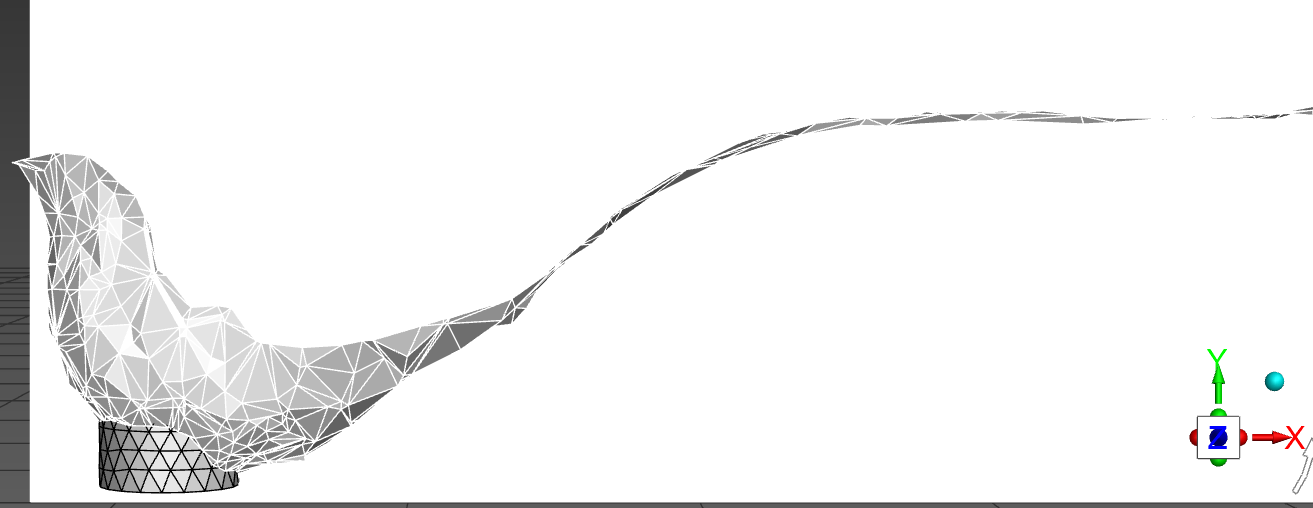
      The picture was taken at 0.605 seconds.  The buoy dropped 12.5m. In free fall with no air friction it would take about 3 times that to travel that distance.

      Please let me know what I'm doing wrong.


      Thanks again!


    • rnegrete
      Subscriber

      I tried with all the settings above but with Specified Operating Density = 0 and the simulation still fails.

      Can anyone think of what might be wrong? I really don't know how to move forward.

      Many thanks


    • Mark O
      Ansys Employee

      It seems like you have done everything you should do. In order to check what is happening you need to turn some things off. That is what we would do if the case got sent in under a support ticket. Turn off the numerical beach and wave and see if you can get a hydrostatic flat surface solution with buoy resting on the surface. Also turn of surface tension. That is going to be insignificant in this case. Run for just a few time steps and plot the pressure in a vertical plane. The pressure should be increasing with depth. That is where the buoyancy comes from. For the dynamic mesh object for the walls of the buoy make sure passive is ticked off. Otherwise there will be no forces computed. The rigid body forces are those on only the active (non-passive) surfaces. You can move any other object with passive turned on, which causes that object to move the same as the active object with no computation of any forces. For example, if the buoy was part of an overset mesh you would move the walls with passive turned off and then also move the whole cell zone of the overset mesh with passive turned on.

Viewing 6 reply threads
  • You must be logged in to reply to this topic.
[bingo_chatbox]