Ansys Assistant will be unavailable on the Learning Forum starting January 30. An upgraded version is coming soon. We apologize for any inconvenience and appreciate your patience. Stay tuned for updates.
LS Dyna

LS Dyna

Topics related to LS-DYNA, Autodyn, Explicit STR and more.

Cohesive zone model – traction separation (MAT_COHESIVE_MIXED_MODE)

    • daehan.sung
      Subscriber

      Hi, I am learning LY-DYNA for my debonding model. I have watched some tutorial videos with a simple geometry (two metal strips boneded with adhesive) under Mode I fracture.
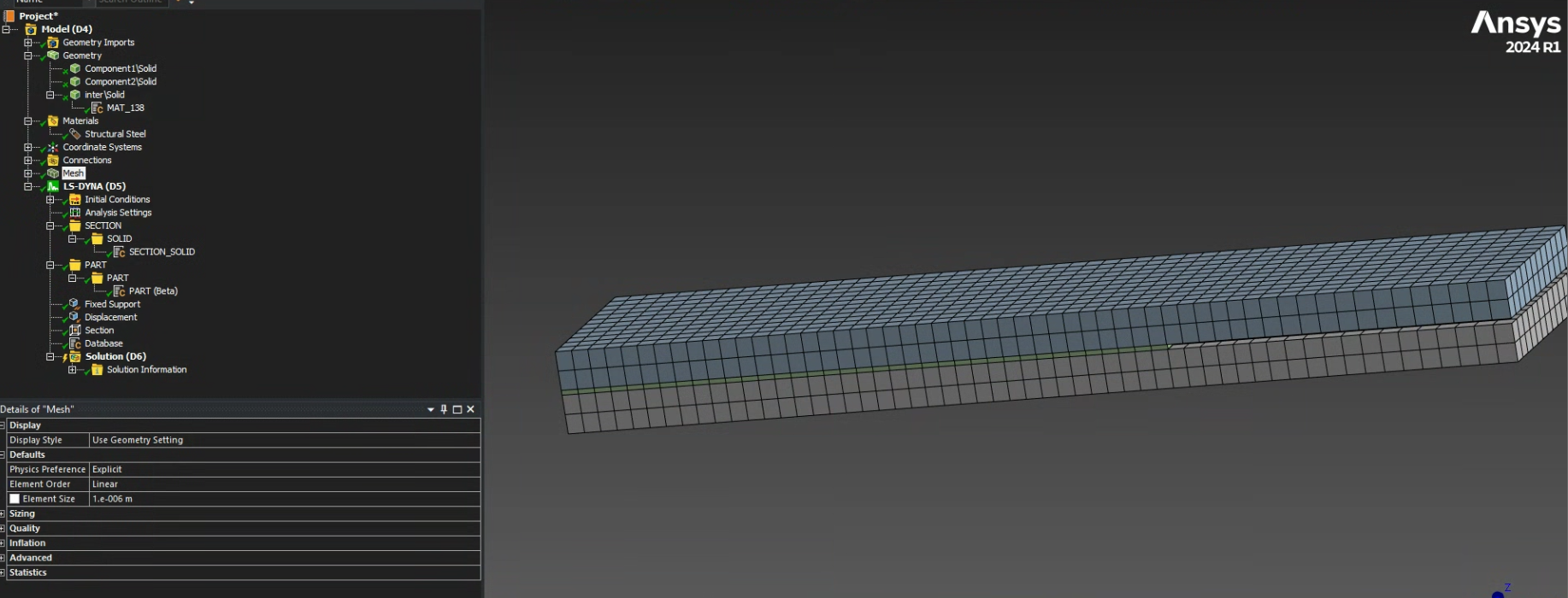
      Here is what I did. 

      1. 3 Geometry: two metal blocks and a layer of adhesive.
      2. Using 'Commands', MAT_138 (renamed) was added. 
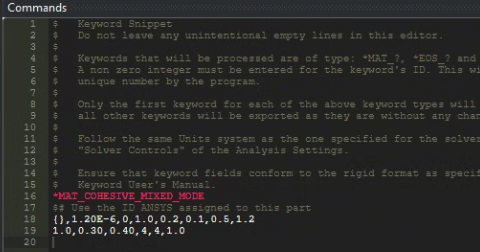
      3. After meshing, I added PART (Beta) and SECTION_SOLID under LS-DYNA (D5) tree. PART geometry was the adhesive layer selected. I selected '8-noded, 4 point cohesive element' as 'Element formulation option' under SECTION_SOLID.

      When I checked the error message in 'messag' file, it shows

      " *** Error 40310 (SOL+310)
           Part ID 3 specified material type 1
           is not available for the cohesive element"

      Can anyone help me with this? 

    • Vijay
      Ansys Employee

      Hello Daehan,

      You have already assigned MAT_138 to the adhesive part through the keyword snippet. Could you try suppressing the part Beta and running the simulation again?

      For additional guidance, you can refer to several tutorials available on YouTube. You should be able to find them easily using simple search terms such as “Cohesive Elements”, “MAT_138”, or similar keywords.

      Regards, 

      Vijay 

      Introducing Ansys Assistant a 24/7 AI-powered virtual assistant for active Ansys academic customers. 

      Have a look at our public help documentation website: Ansys Help 

      For more exciting courses and certifications, hit this link: Ansys Innovation Courses | ANSYS Innovation Space 

    • ErKo
      Ansys Employee


      Hi

      I do not think this will work easily (it is beta) at least in 2024 – on the other hand in 2025 R2 seems to work OK, but with MPP (IntelMPI) and double precision solver.

      If you can not use 2025 R2, so best is to just generate the input.k file and look for the coh. part (say part 3 below) and change the elform ->19, and add the material instead of mat elastic – see below where this is done for part=3 sec=3 and mat=3 -:

      then submit this via LS-Run and finall post-proces. in LS-Prepost.

      *SECTION_SOLID
      $ ID elform aet unused1
      3 19 0


      *MAT_COHESIVE_MIXED_MODE
      3 1000 0.0 1.0 1.0E8 1.0E8 100.0 100.0
      1.0 1.0E5 1.0E5 0.001 0.001 1.0

      All the best


Viewing 2 reply threads
  • You must be logged in to reply to this topic.
[bingo_chatbox]








