3D Design

3D Design

Topics related to Ansys Discovery and Ansys SpaceClaim.

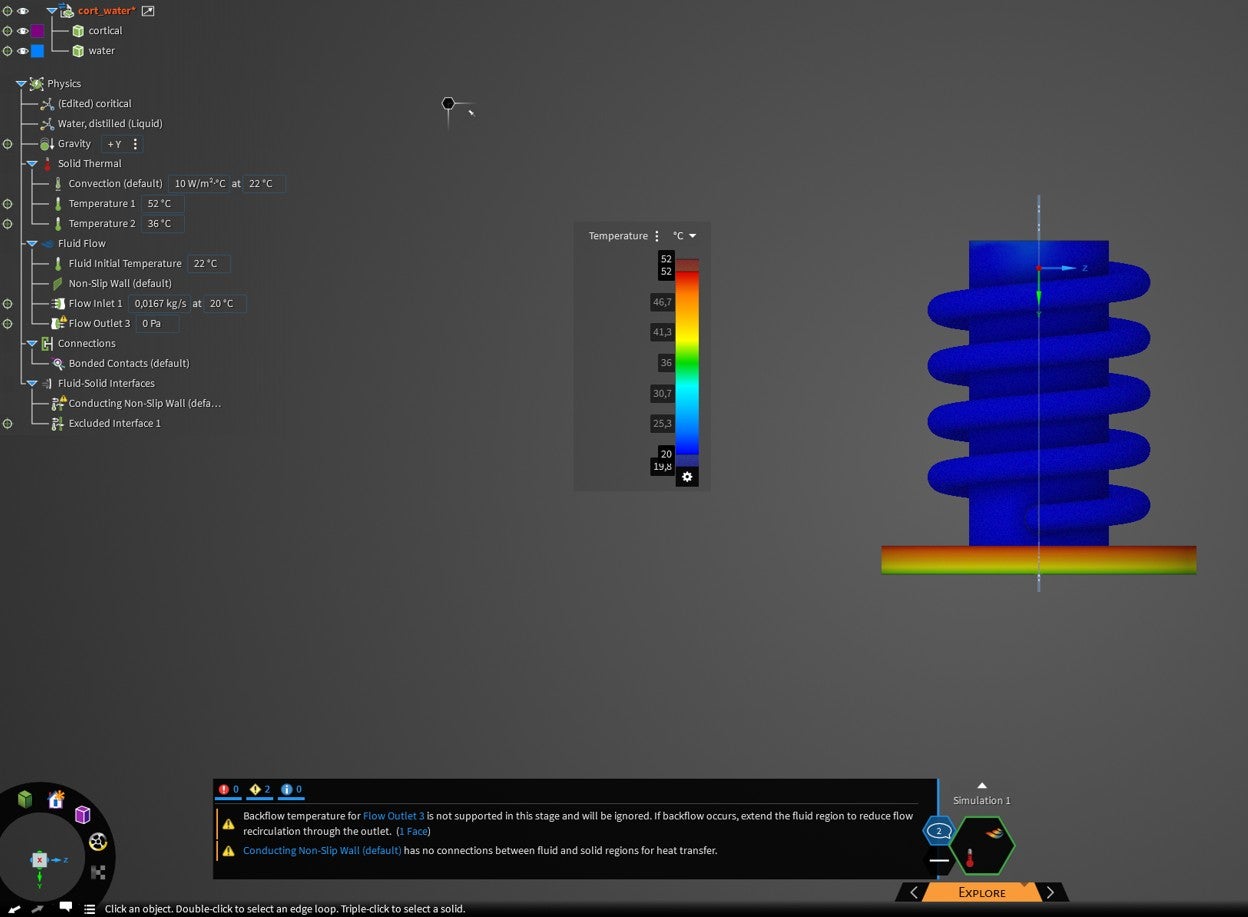
no connection fluid and solid region for heat transfer

    • mehmet.yoladi
      Subscriber

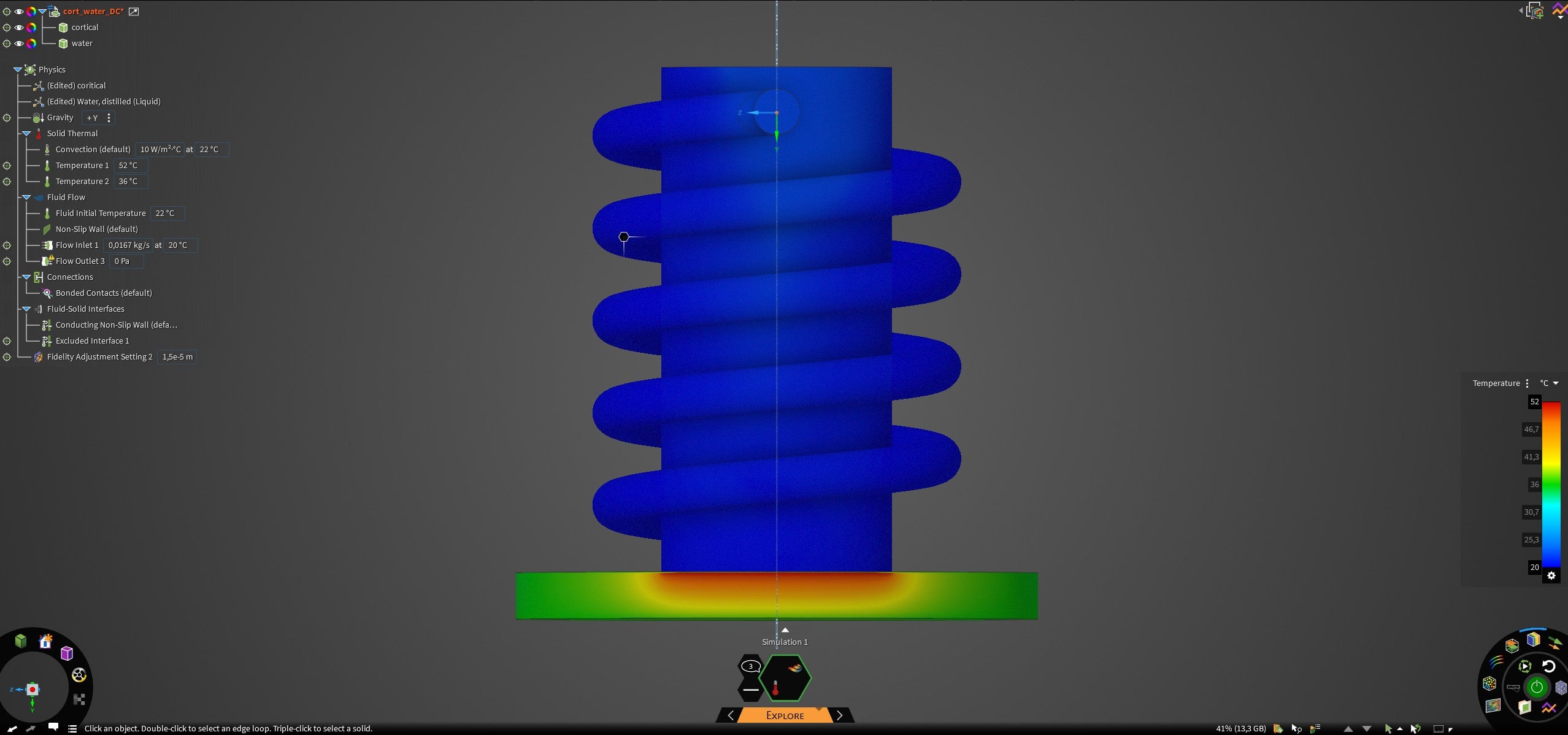
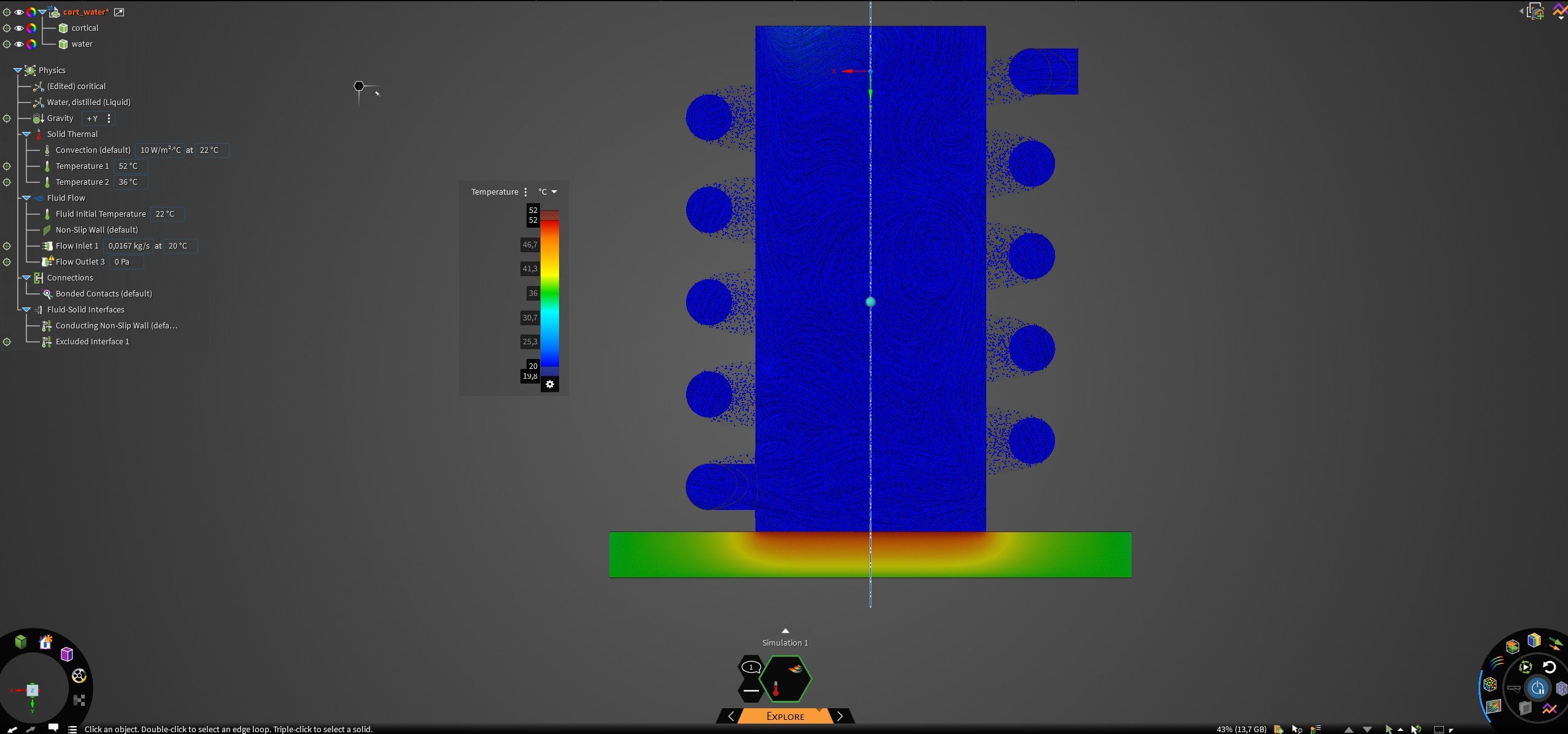
      Hello, I hope you're doing well. I want to perform a CHT (Conjugate Heat Transfer) analysis. I've defined the solid and liquid regions. I've entered the inlet and outlet conditions and surface temperatures. However, I'm receiving the following warning. How can I fix this? Heat transfer cannot occur between the fluid and the solid with a hot surface.

    • mehmet.yoladi
      Subscriber

      I managed to send the warning using the Prepare-imprint command. However, heat transfer is still not occurring.


    • Devendra Badgujar
      Forum Moderator

      Hello, 

      Are you able to capture the geoemtry correctly? Make sure the fidelity is set correctly to capture the thin features if there are any in the geometry? 

      Fluids Simulation, Local fidelity|Ansys Course you can refer to this course. Let me know if this helps. 

      Regards,

      Devendra 

    • atharvsa07
      Subscriber

      In ANSYS (especially Fluent), this warning appears when the fluid and solid are not thermally coupled, even though both regions exist in the model. In a proper conjugate heat transfer (CHT) setup, heat should conduct through the solid and then convect into the fluid automatically, but this can only happen if the energy equation is enabled and the fluid–solid interface is defined as a coupled wall. First, make sure the Energy model is turned ON under Models → Energy. Next, check that the solid region has a material assigned with non-zero thermal conductivity and that the fluid also has valid thermal properties. The most critical step is at the fluid–solid interface: in Boundary Conditions, the interface walls on both the fluid and solid sides must have their thermal condition set to “Coupled”. You should not apply a fixed temperature or heat flux at this interface; Fluent must calculate the interface temperature on its own. Any prescribed temperature or adiabatic condition at the interface will block heat transfer and trigger this warning. Apply temperature or heat flux only on the outer surface of the solid and temperature at the fluid inlet, not at the interface. Finally, ensure that the fluid and solid meshes are actually in contact (shared topology or a proper interface). Once the energy equation is active, materials are correctly defined, and the interface is set to “Coupled,” the warning will disappear and true conjugate heat transfer will occur.


    • mehmet.yoladi
      Subscriber

      I defined a local mesh between the fluid and solid surfaces. It had some effect; the heat transfer increased slightly. However, even with an RTX 5090 graphics card, I wasn't allowed to go down to very small values. I received a "GPU memory exceed..." warning. I realized it couldn't solve the problem because the geometry was too small. It seems like continuing with Fluent would be a better option.


    • mehmet.yoladi
      Subscriber

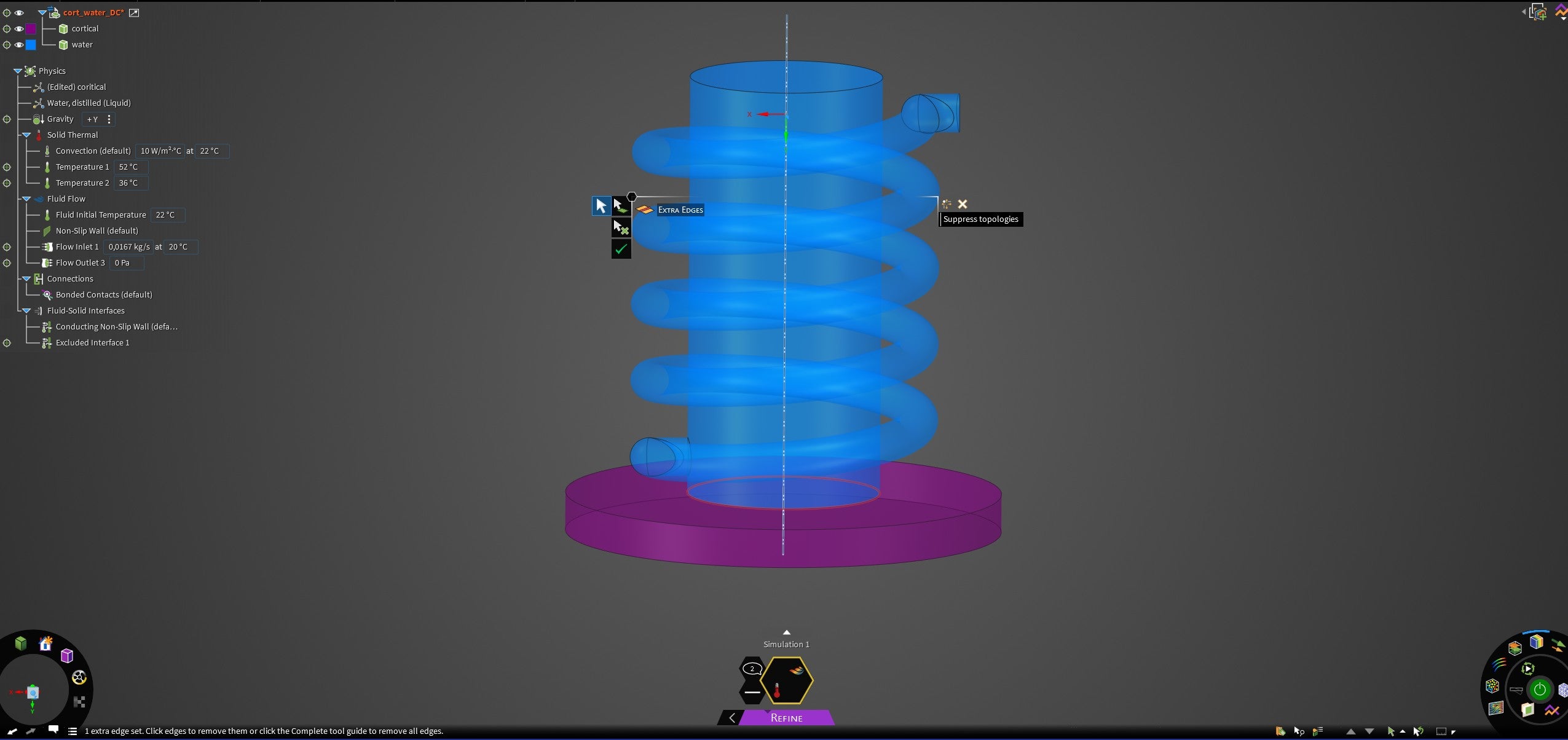
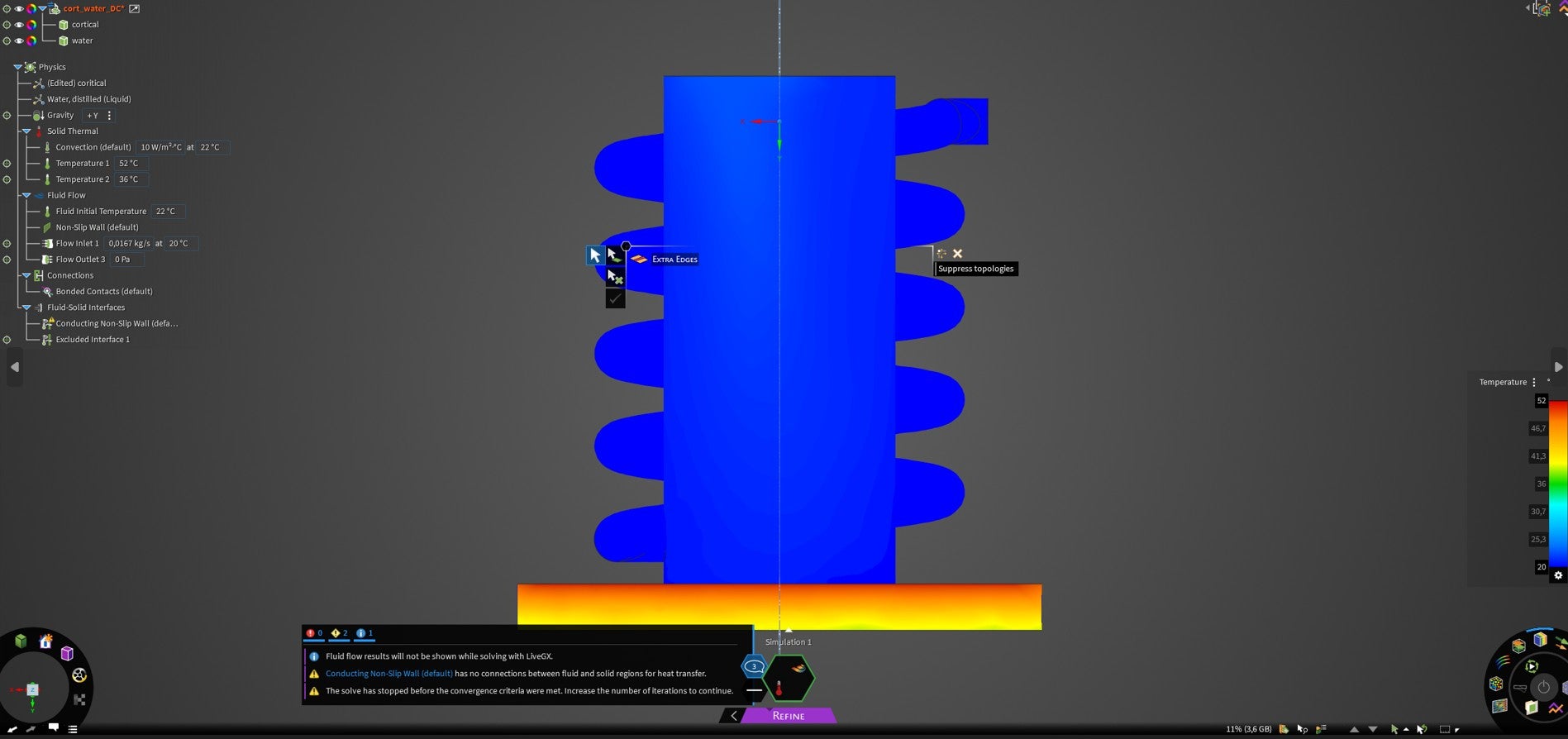
      I tried to solve it using Refine. However, this time it gave this error because of the surface I was imprinting on. After editing in the "extra Edges" section, the "solve" option became active. But when I solved it, I got the errors shown in the last image.

    • Devendra Badgujar
      Forum Moderator

      From what I can see the warning says there is no fluid solid interface. That can result in inaccuracy if not desired. You can check if the connections and interfaces are proper. 

      Also there is one excluded interface, can you try removing that and see if that helps. 

      Regards,

      Devendra

Viewing 6 reply threads
  • You must be logged in to reply to this topic.