-
-
January 12, 2026 at 3:33 am
akarz029
SubscriberHello friends,
I modeled a postensioned concrete column where I used hollow solid part to represent prestressing sheat/duct and I also used a T-shell element to create the same. For prestressing strand I used a beam/cable material then I applied beam in solid penalty contraint and also tried different contact types like autmatic surface to surface, single surface, and beam to surface. However, I could not prevent the penetration of cable through the duct wall when the column is loaded in lateral direction. At the same when I am looking at the contact between cable and column or duct and column it seems working because when both come in contact with the column they move and not penetrate into each other. Please give me your feedback how to make this contact between cable and hollow solid part.
Thanks
-
January 12, 2026 at 9:18 am
ErKo
Ansys EmployeeHi
Please post a picture so I can see the contact (not sure if it is a standard rebar inside RC column say, or a cable going inside a hole/hollow section of RC slab, say like in post tens. bridges perhaps).
In any case here is some general guidlines on the contact to use:Contact Type Automatic Thickness Offset Recommended Usage *CONTACT_AUTOMATIC_SINGLE_SURFACE Yes General solid-beam contact *CONTACT_AUTOMATIC_GENERAL Yes Flexible control, solid-beam contact Key Considerations
- Thickness Offsets: LS-DYNA automatically offsets the contact surface for beam elements by the equivalent radius of the beam cross-section, and for solids by half the element edge length. Ensure your geometry accounts for these offsets to avoid initial penetrations and nonphysical contact behavior.
- Contact Thickness Parameters: You can adjust the contact thickness using parameters such as SST and SFST in the contact definition. If not specified, LS-DYNA uses default values based on element dimensions and section properties.
- Mesh Refinement: For accurate contact detection, especially at beam ends when contacting solids, refine the beam mesh to increase the number of contact detection points.
Typical Workflow
- Include both beam and solid parts in the contact definition, typically on the slave side for single surface contact types.
- Check and adjust the initial geometry to avoid unintended initial penetrations due to thickness offsets.
- Set contact parameters as needed to match your physical scenario and improve contact behavior.
One example of global card that works with a beam inside a solid part with hole (beam inside the void of the solid structure):
*CONTACT_AUTOMATIC_GENERAL
$# cid title
34Body Interaction
$ ssid msid sstyp mstyp sboxid mboxid spr mpr
$# surfa surfb surfatyp surfbtyp saboxid sbboxid sapr sbpr
0 0 5 0 0 0 0 0
$ fs fd dc vc vdc penchk bt dt
$# fs fd dc vc vdc penchk bt dt
0.0 0.0 0.0 0.0 10.0 0 0.0 0.0
$ sfs sfm sst mst sfst sfmt fsf vsf
$# sfsa sfsb sast sbst sfsat sfsbt fsf vsf
1.0 1.0 0.0 0.0 0.0 0.0 0.0 0.0
$ soft softscl lcidab maxpar sbopt depth bsort frcfrq
$# soft sofscl lcidab maxpar sbopt depth bsort frcfrq
2 0.1 0 0.0 3 5 0 0
$ penmax tkhopt shlthk snlog isym i2d3d sldthk sldstf
$# penmax thkopt shlthk snlog isym i2d3d sldthk sldstf
0.0 0 0 0 0 0 0.0 0.0
All the best
Erik -

January 13, 2026 at 2:43 am
akarz029
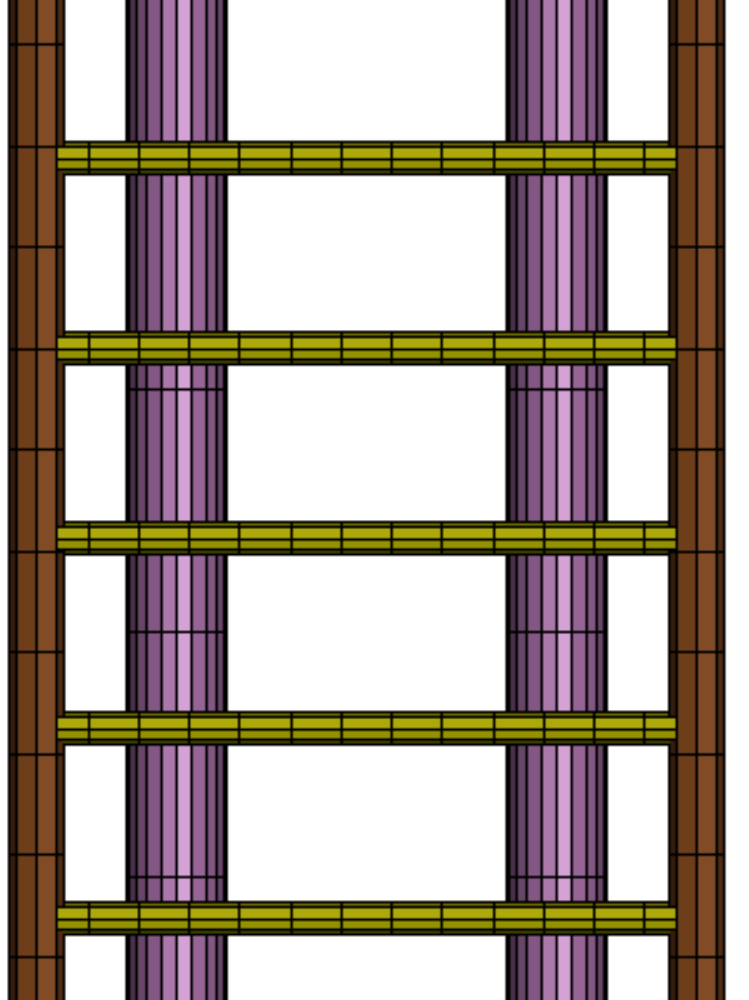
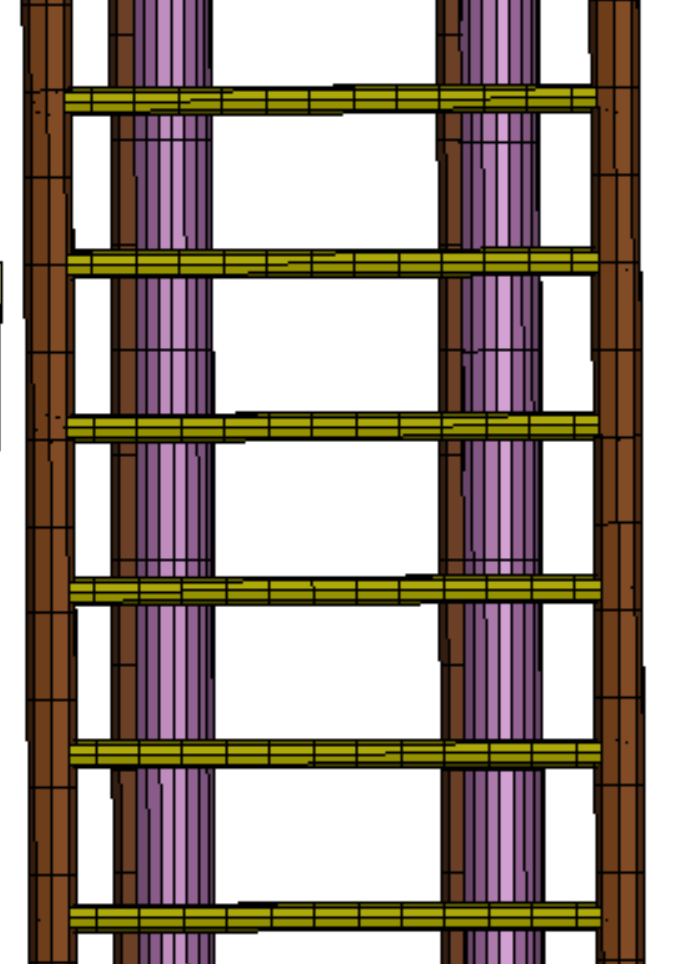
SubscriberThank you for your detailed answer. I am sharing a couple of image before the load is applied from the left and during the loading condition. The brown color part is the cable/strand and the purple is the duct which is a solid hollow part. As you can see they are not overlapping but once the load hits, the duct is dislocated but strand is still in its place until it comes in contact with the column inner wall of the main longitudinal hole
-
January 13, 2026 at 3:41 am
mjmiddle
Ansys EmployeeElements seem too long on the duct (purple part) in the vertical direction.
-
January 13, 2026 at 8:35 am
ErKo
Ansys EmployeeHi
I agree with mjmiddle – when done, add this card that looks for contacts on all parts.
*CONTACT_AUTOMATIC_GENERAL
$# cid title
34Body Interaction
$ ssid msid sstyp mstyp sboxid mboxid spr mpr
$# surfa surfb surfatyp surfbtyp saboxid sbboxid sapr sbpr
0 0 5 0 0 0 0 0etc….
Also a picture from above so to see inside the hole with the beams would have benn good.
Erik
-
January 14, 2026 at 12:40 am
akarz029
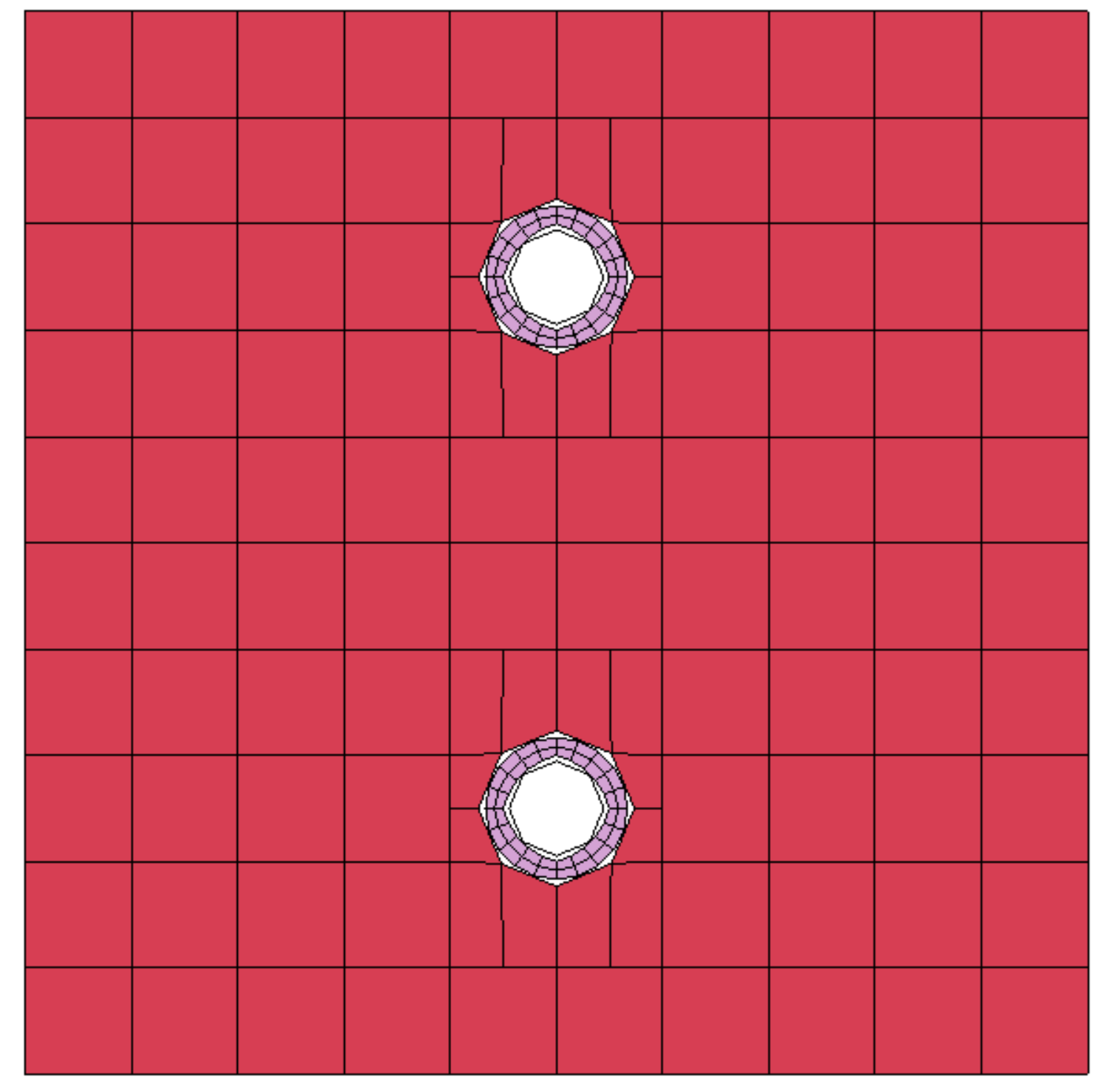
SubscriberThanks for your help. You are right I rememberd to attached the top view of cross section after submitting my querry. However, I am sharing it this time. the beam element is only shown with 8 edges.
I did made the duct elements smaller and run the model, it did not help in preventing the penetration but the over all dislplacement was a bit larger than the model with twice bigger duct elements.
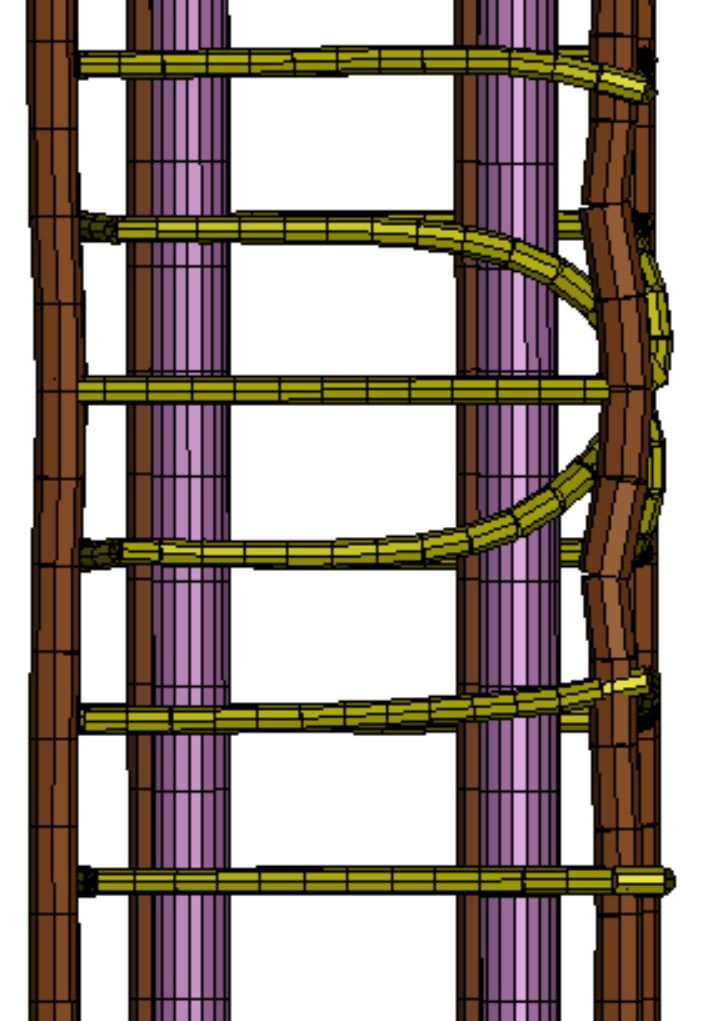
Second run I used the automatic general contact but I think the model became unstable as the image shows the stirrups are skewed unrealistically. Also the penetration was still there between duct and the strand.
-
January 24, 2026 at 10:03 am
DamionLedner99
SubscriberThe information you shared is very helpful, thank you.
-
- You must be logged in to reply to this topic.
-
4969
-
1645
-
1386
-
1242
-
1021
© 2026 Copyright ANSYS, Inc. All rights reserved.