TAGGED: #fluent-#ansys, #fsi-#transient, 2-fsi, 2-way-coupled-fsi, 2-way-fsi, ansys-fluent, ANSYS-Transient, ansysfluent, coupling, fluent, fluent-ansys, fluent-coupling, fluent-mechanical, fluent-setup, fluid-flow-fluent, fsi, fsi-2-way, fsi-simulation, fsi-transient, system-coupling, system-coupling-error, systemcoupling, transient, transient-analysis, transient-structural, two-way-coupling, two-way-coupling-fluent, two-way-fsi
-
-
December 1, 2025 at 6:04 am
andres.baeza
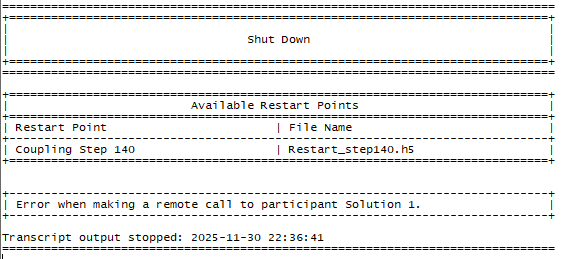
SubscriberHello everyone, I was running an FSI simulation in Ansys with Fluid Flow (Fluent) and Transient Structural using System Coupling. It completed up to the last Coupling Step in the Solution Information for System Coupling; however, I received the following error: "Update failed for the Solution component in System Coupling. The coupled update for system Fluid Flow (Fluent) threw an exception. Exception of type Ansys.Fluent.Cortex.CortexNotAvailableException' was thrown." This appears to be due to insufficient disk space (it's not displaying the results in the "Solution" cell for either Fluid Flow (Fluent) or Transient Structural).ÂAdditionally, the following information (see figure) appeared in the Solution Information for Fluid Flow (Fluent).ÂÂCan I use this file to continue the simulation or recover the information for Fluid Flow (Fluent) and then for Transient Structural? Note that the Solution Information for Transient Structural is blank. Is there another way? -
December 1, 2025 at 9:19 am
Rahul
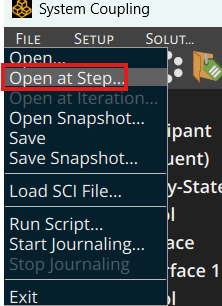
Ansys EmployeeYes, you can restart the simulation from the last saved files by reading 'Restart_step140.h5'.Â
* Select File > Open at step
* In the dialog that opens, select the Restart file from which you want to restart the analysis and click Open.Â
To know the exact reason for the error, please refer to the transcripts of the respective participant solvers.ÂÂ
Â
-
December 1, 2025 at 1:22 pm
andres.baeza
Subscriber-
December 1, 2025 at 1:31 pm
Rahul
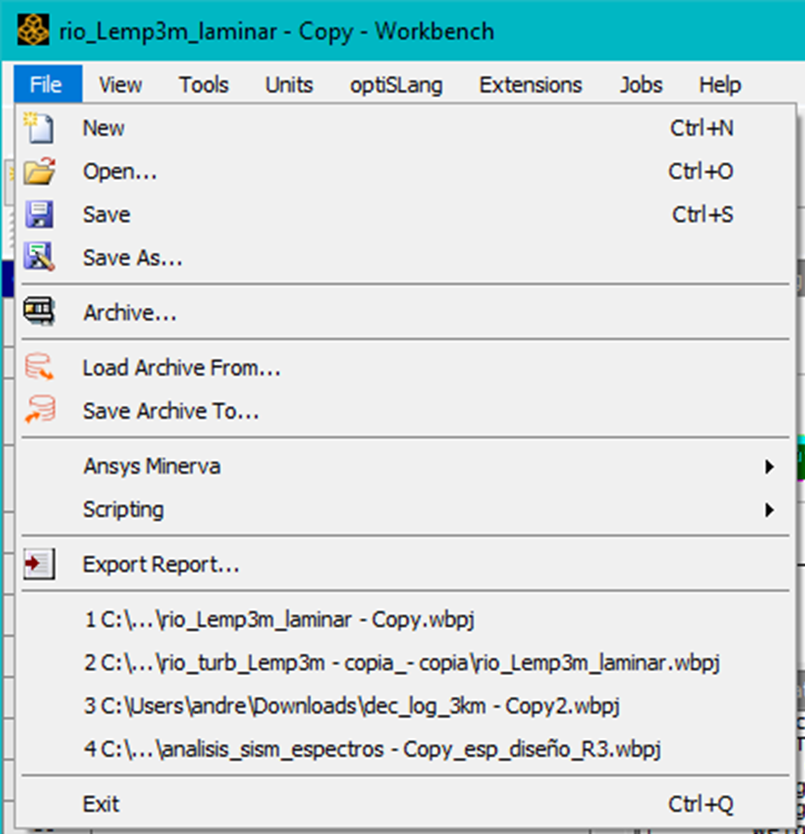
Ansys EmployeeOkay. To restart in the workbench, refer following resources:
Restarting a Coupled Analysis in Workbench
Restarting a Coupled Analysis in Fluent and Mechanical - YouTube
-
-
-
December 1, 2025 at 9:36 am
RS
Ansys EmployeeLast step re-start can be an issue if it's not written correctly. If you have other restart files, you can choose another previous step in system coupling. Just open system coupling and see what step it loads. if the files don't exist, it's not going to start from the last time-step.
-
December 1, 2025 at 1:32 pm
andres.baeza
Subscriber1) So, if there are no files associated with steps prior to the last one, it's not possible to load the last step? What would be recommended in that case?Â2) How do I find a previous step? and how do I load a step in System Coupling (2023)?
-
- You must be logged in to reply to this topic.
-
4502
-
1494
-
1376
-
1209
-
1021
© 2025 Copyright ANSYS, Inc. All rights reserved.