Ansys Assistant will be unavailable on the Learning Forum starting January 30. An upgraded version is coming soon. We apologize for any inconvenience and appreciate your patience. Stay tuned for updates.
Ansys Free Student Software

Ansys Free Student Software

Topics cover installation and configuration of our free student products.

Missing Task_Bar in ansys Fluent

    • rounakadhikari7
      Subscriber

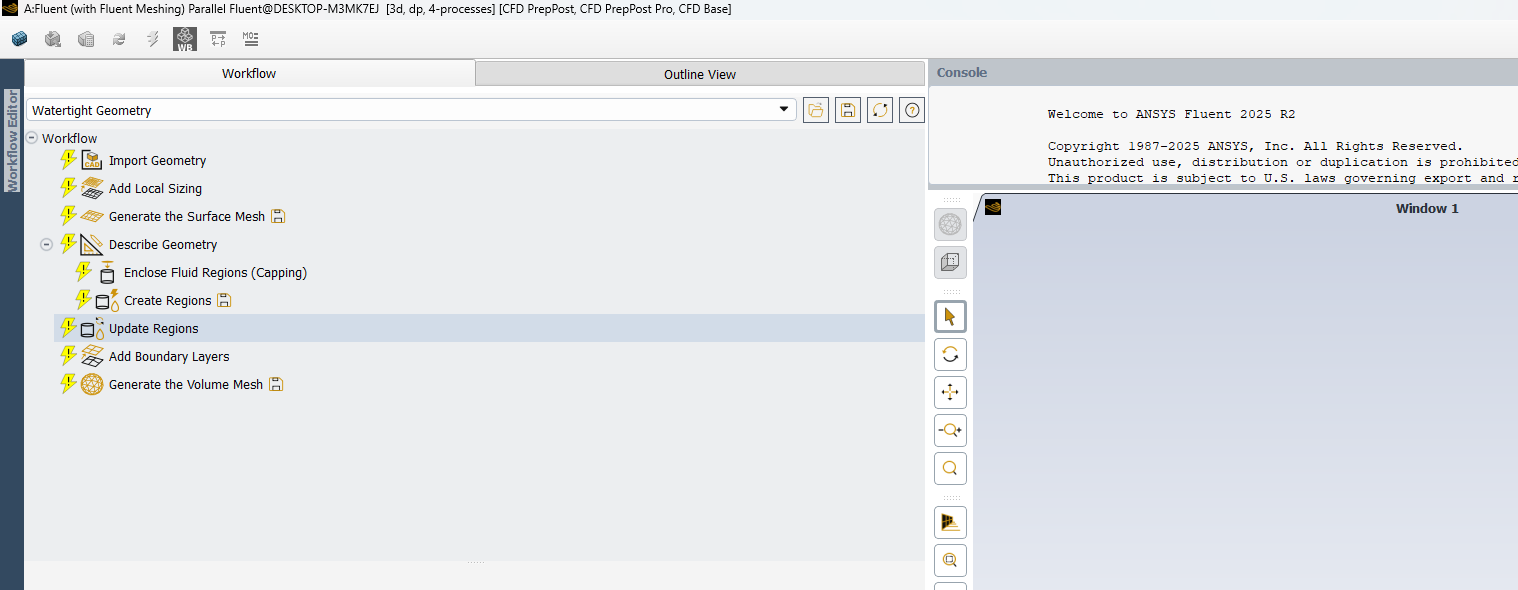
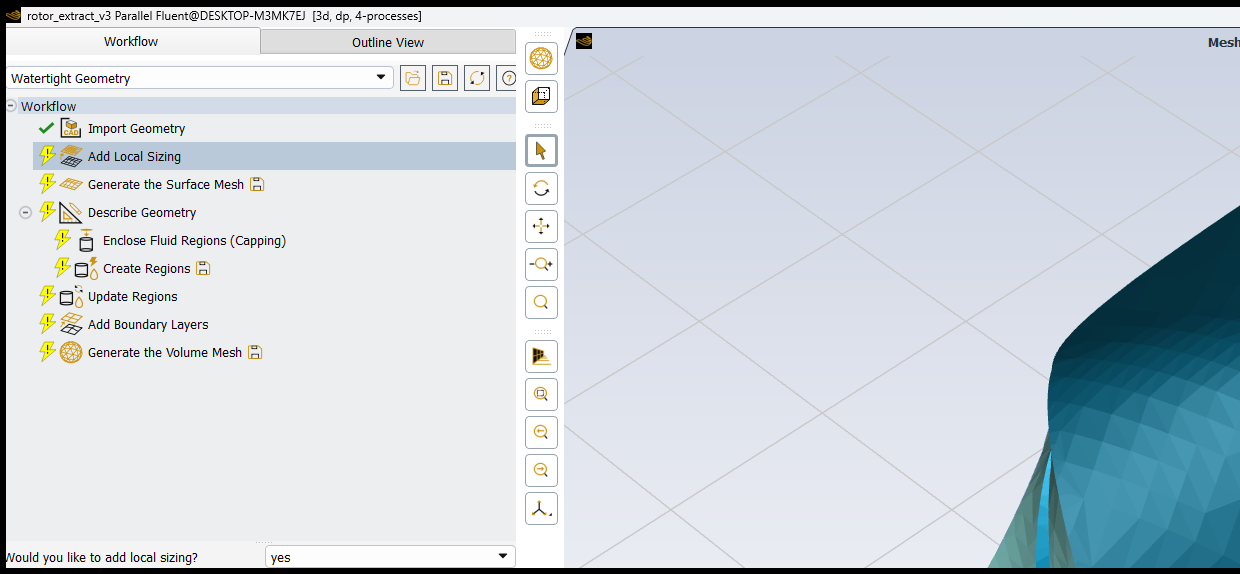
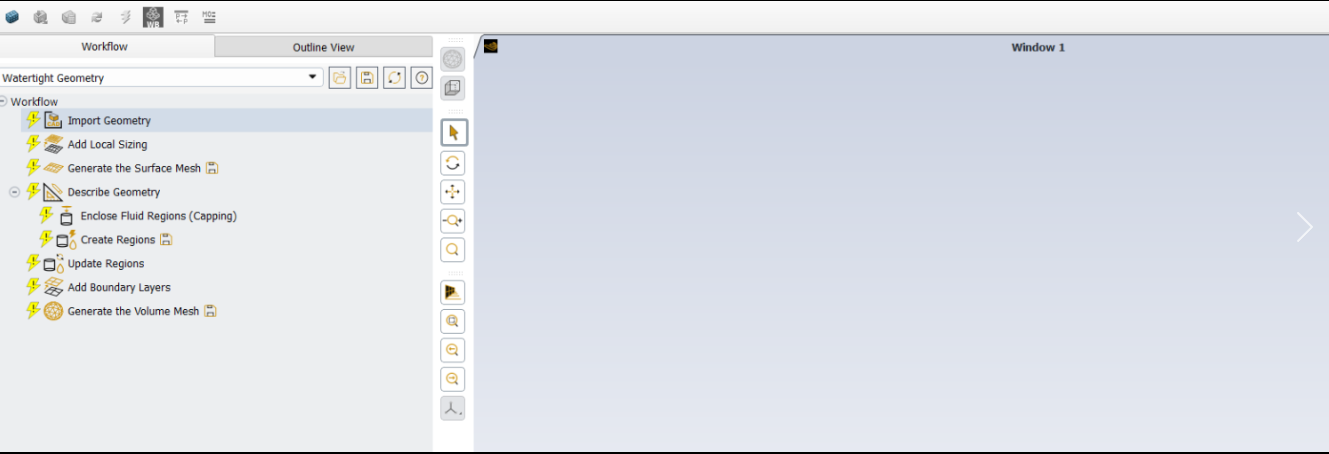
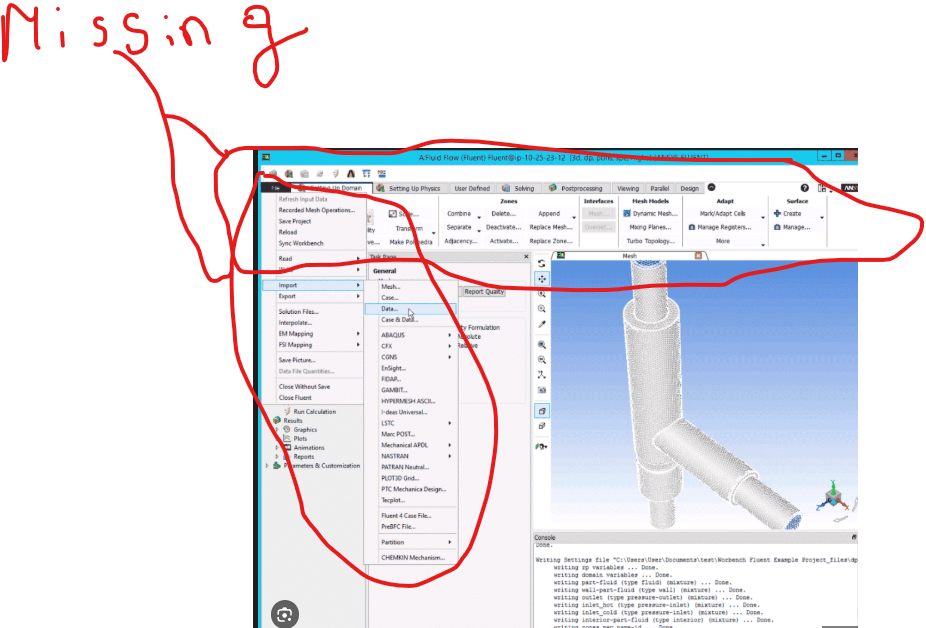
      Hello there is a problem with my ansys Fluent the task bar is missing I am not able to save the mesh or anything?

      Please help how should I reset it.I have also attached the Screen shot below.

    • Rob
      Forum Moderator

      https://innovationspace.ansys.com/forum/forums/topic/fluent-only-loading-task-page-missing-nav-tree-top-ribbon-console-window/

    • rounakadhikari7
      Subscriber

      hello The problem still yet not solved what to do?

    • Rob
      Forum Moderator

      The TUI command didn't fix it? What are you seeing now?

    • rounakadhikari7
      Subscriber

    • rounakadhikari7
      Subscriber

      the same problem what is the exact reason?

    • Rob
      Forum Moderator

      Where is the rest of the screen? Ie have you resized? 

    • rounakadhikari7
      Subscriber

      No no I just took a screen shot to show you that the task bar includng every command is missing not able to save the mesh or import export.I will share the full picture

    • Rob
      Forum Moderator

      Which is also lacking the normal Windows bits   hence me wondering what's going on. 

    • rounakadhikari7
      Subscriber

      no no everything is there just tell me how to fix it to the origial UI as it was.

      I have attached a picture below what exactly is missing.

    • Rob
      Forum Moderator

      And /display/set/reset-graphics isn't changing anything? 

    • rounakadhikari7
      Subscriber

       /display/set/reset-graphics where should I exactly write this?

    • Rob
      Forum Moderator

      In the TUI console. 

    • rounakadhikari7
      Subscriber

      No sir its not what should be done?

    • Rob
      Forum Moderator

      If you try the command what happens? That should return the GUI to default and undo whatever you altered. 

    • rounakadhikari7
      Subscriber

      nothing happens.Its stays as it is.I Tried uninstalling and again Installing the Software but still the same problem persists.

    • Rob
      Forum Moderator

      And what about the appdata? Are you running in Workbench or standalone mode?

    • rounakadhikari7
      Subscriber

      And what about the appdata? Are you running in Workbench or standalone mode? Can you elaborate a more I didnt quite understood all this terms.

    • Rob
      Forum Moderator

      There is a settings folder %appdata% on Windows that holds some Ansys options. You may need to find and rename those. 

      Workbench is one of the Ansys tools and is used for workflows (mostly) and those may contain Fluent. Standalone means Fluent is launched from the Start menu, or whatever it's called in Windows now. 

    • rounakadhikari7
      Subscriber

      Can you exactly tell me what I need to rename? In the %appdata% and then step wise

    • Rob
      Forum Moderator

      Have a look on here - resetting appdata has been discussed several times. I'd look at the Ansys related folders in there. 

    • rounakadhikari7
      Subscriber

      can you send me link to do that discussed section.Thank you

    • Rob
      Forum Moderator

    • rounakadhikari7
      Subscriber

      hey thanks the problem got solved.

    • anumchallaraghu
      Subscriber

      hi sir i am also facing same problem can you send me link to do that discussed section.Thank you


    • Rob
      Forum Moderator

      Please read my previous comment, and then look at the top of the page. 

    • anumchallaraghu
      Subscriber

      hi sir i read your comment


    • Rob
      Forum Moderator

      Good, what you're looking for should now be on your screen, you may need to scroll down. 

Viewing 27 reply threads
  • You must be logged in to reply to this topic.
[bingo_chatbox]