-
-
September 28, 2025 at 4:16 am
Sreelakshmi_m240589ce
SubscriberI have seen below sentences from a reference paper "In this study, to calculate the wave transmission coef-
ficient, the AQWA-GS module of ANSYS-AQWA is used. In
this module, the results of calculations are displayed in
different ways. After applying the wave load with determined
characteristics, the wave amplitude can be calculated for
different points of the domain. )en, by calculating the ratio
of the amplitude of the incident wave to the amplitude of the
wave behind the rear FBW, the wave transmission coefficient
is obtained." How to get this transmitted wave height, pls help
. I'm using 2025r1 version -

September 29, 2025 at 11:02 am
Mike Pettit
Ansys EmployeeHello,
You can retrieve the disturbed wave surface elevation from the Aqwa frequency-domain analysis (Hydrodynamic Diffraction/Aqwa-Line solver) in a couple of ways.
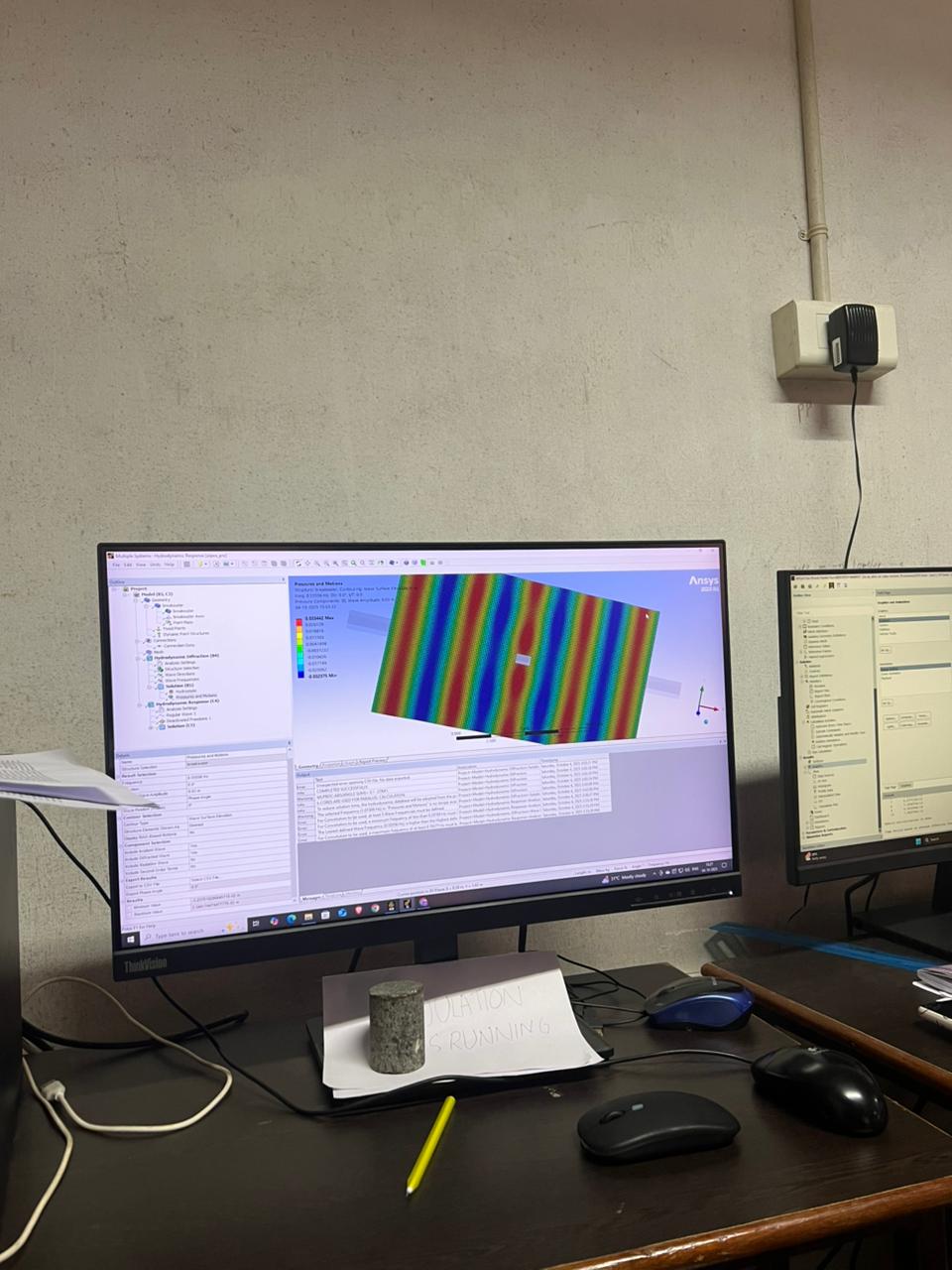
If you are using the Ansys Aqwa Workbench editor, there is a Pressures and Motions result available under the Hydrodynamic Diffraction solution. Set the Wave Frequency and Wave Direction as needed; leave the Wave Amplitude as 1 m; set the Result Type to Maximum; and set the Contour Type to Wave Surface Elevation. Then right-click and Evaluate the result. This shows you the maximum disturbed wave surface (i.e. incident + diffracted + radiated wave, plus a second-order term) around the structure, which can also be considered as the wave transmission coefficient (i.e. ratio of the transmitted wave to the incident wave). You can use the Export to CSV File option in the result details panel to export the data across the entire wave grid.
Alternatively, you can use the AqwaFlow command line utility to post-process the Aqwa output files. This allows you to retrieve the disturbed wave surface amplitude at one or more specific locations in the radiation-diffraction analysis.
I hope this helps.
Mike
-
October 1, 2025 at 1:27 pm
Sreelakshmi_m240589ce
SubscriberThanku for ur response .may I know is there any option to increase the wave grid size ? It's showing 1mĂ—1m ..if I want results within 3Ă—3m how to get that
-
October 1, 2025 at 2:42 pm
Mike Pettit
Ansys EmployeeHello,
There are some options in the Hydrodynamic Diffraction Analysis Settings for this. While 'Generate Wave Grid Pressures' is set to 'Yes', you can switch the 'Wave Grid Resolution' between 'Standard (81 x 51)' and 'Fine (161 x 101)' to change the grid resolution, or you can adjust the 'Wave Grid Size Factor' to change the overall size of the grid. The default wave grid size is determined from the bounding box of the structure.
Mike
-
-
October 1, 2025 at 5:23 pm
Sreelakshmi_m240589ce
SubscriberOk thankuÂ
-
October 5, 2025 at 1:14 pm
-
October 6, 2025 at 9:15 am
Mike Pettit
Ansys EmployeeHello,
In this case the scale of the diffracted and/or radiated wave is small compared to the incident wave amplitude. In other words, the diffracting/radiating effect of the structure is relatively small, because the structure dimensions are small compared to the wavelength of the incoming wave.
You can use the Component Selection in the Pressures and Motions details to choose which wave components to include in the wave surface plot. For example, you could turn off the 'Include Incident Wave' option to make the wave disturbance more visible.
Mike
-
October 6, 2025 at 9:34 am
Sreelakshmi_m240589ce
SubscriberThanku
-
October 7, 2025 at 11:34 am
Sreelakshmi_m240589ce
SubscriberIs there any option to find out reflection coefficient in ansys aqwa
-
October 7, 2025 at 4:59 pm
Mike Pettit
Ansys EmployeeHello,
I guess the reflection coefficient can be found by setting the Pressures and Motions wave surface elevation result's Component Selection to Include Diffracted Wave (only, i.e. turn the other components off).
Mike
-
- You must be logged in to reply to this topic.
-
5874
-
1906
-
1420
-
1306
-
1021
© 2026 Copyright ANSYS, Inc. All rights reserved.