Ansys Assistant will be unavailable on the Learning Forum starting January 30. An upgraded version is coming soon. We apologize for any inconvenience and appreciate your patience. Stay tuned for updates.
Fluids

Fluids

Topics related to Fluent, CFX, Turbogrid and more.

Fluent only loading task page (missing nav. tree, top ribbon, console window)

    • connorbrucehurst
      Subscriber

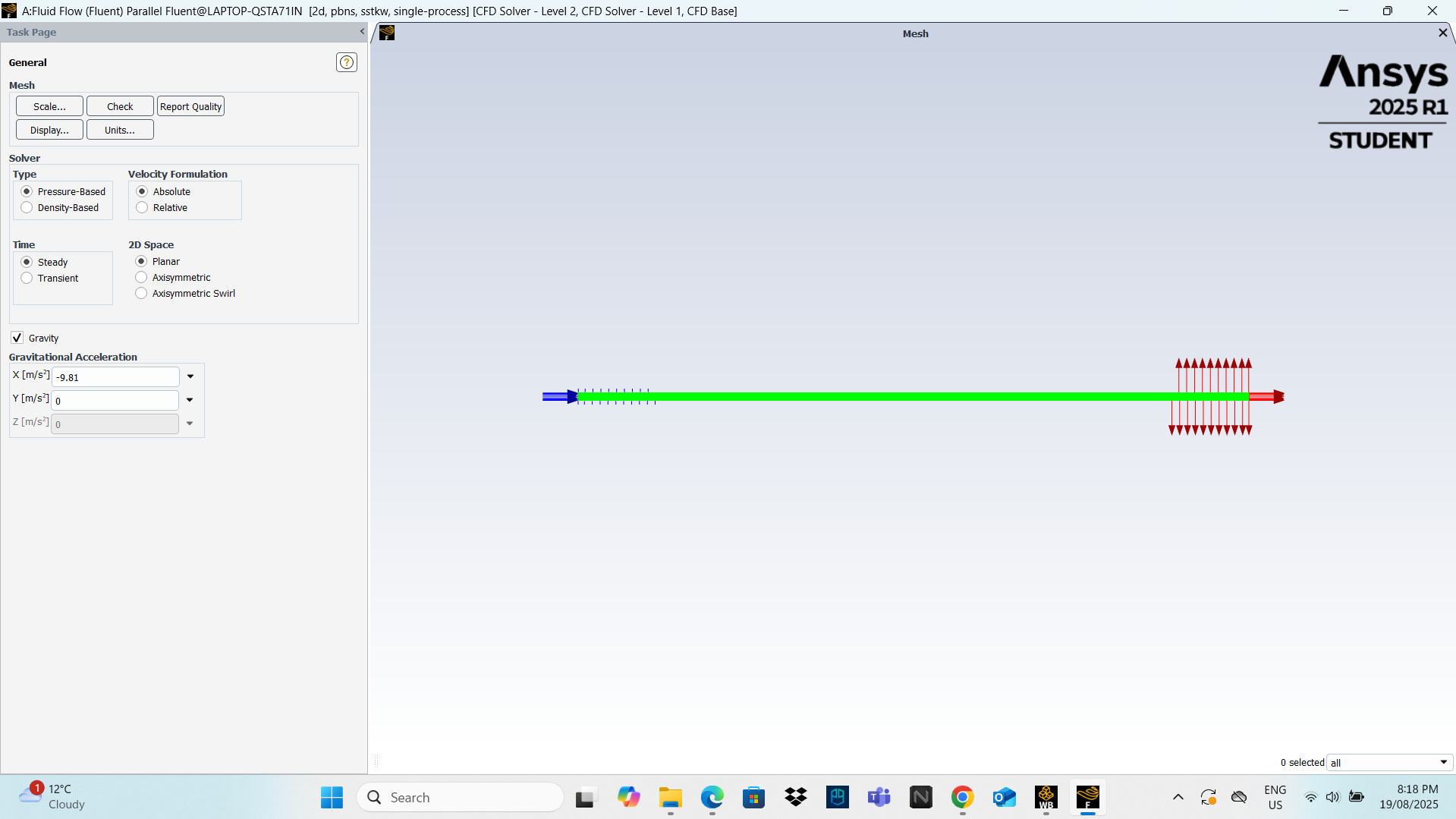
      When I launch ANSYS Fluent (2025 R1 Student) from Workbench (Setup → Edit), the interface only shows the Task Page. The usual navigation tree (General, Models, Materials, Boundary Conditions, etc.), the console window and the top ribbon are all missing. The console briefly appears on startup, then disappears. This happens both when launching Fluent through Workbench and when launching it standalone.

      I’ve tried:

      - Updating the Mesh cell in Workbench before launching Fluent

      - Trying to toggle navigation pane (no menu bar is available)

      - Launching Fluent standalone from Start Menu

      - I have fully uninstalled ANSYS (using the uninstaller), redownloaded and reinstalled.

      I recently experienced a similar problem with the meshing application which i think was due to an expired license, but reinstalling corrected this, I am not sure if it could be similar issue?

      Also should note, there is no problem importing geometry or mesh, the software is even recognising the inlet and outlet (as shown in pic).

      Any help would be greatly appreciated.

      Thanks.

    • Rob
      Forum Moderator

      Have a look at the lower left corner of the graphics, there's a set of grey dots. Can you click on those? Otherwise check the perimeter of the window for tabs. 

      • connorbrucehurst
        Subscriber

        Hi,

        The dots in the lower left hand corner only allow me to move the window around. Unfortunately no tabs around the perimeter, the windows I am missing just seem to be fully non existent.

        Thanks.

    • Rob
      Forum Moderator

      Can you check you've not lost a tab bar off the bottom of the screen. Manually resize so Fluent is smaller than the screen. You'll note the Console & Graphics tabs under the "0 Selected". 


      • connorbrucehurst
        Subscriber

        Theres no console or graphics tab when resizing the screen as you suggested.

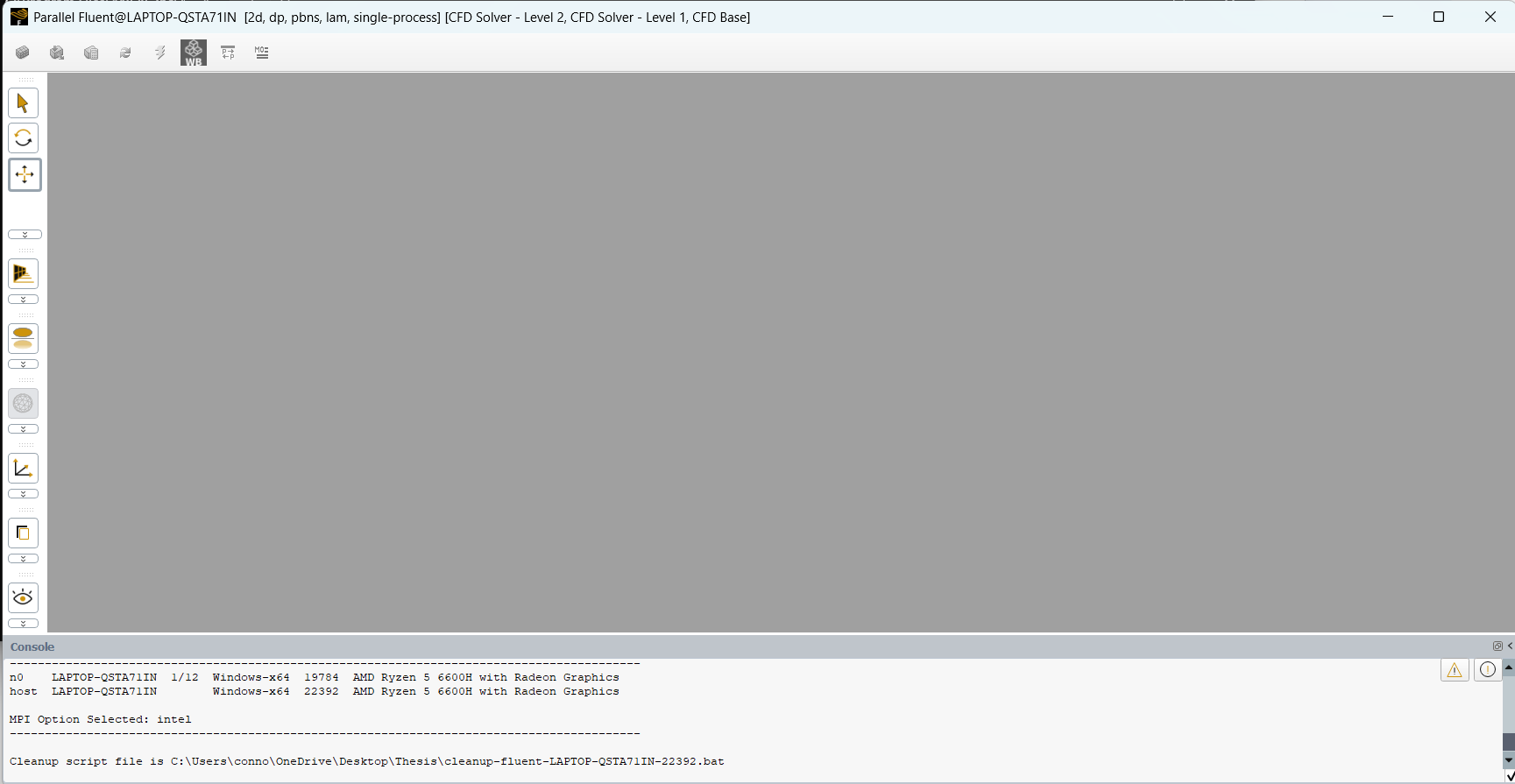
        Fluent seems to load normally to begin with (as seen in attached image) but then when fully loaded console and tree on the left dissappear and revert to the image in the original post.

    • NickFL
      Subscriber

      Three things:

      1. Did you ever have a second monitor connected? Sometimes things can be "hidden" on the second screen. Graphics cards are still that way.
      2. You have the Console there (TUI Window). Try: /display/set/reset-graphics
      3. In your %AppData% directory, delete (or simply rename) the %AppData%/Ansys/v252 directory. There are some settings in there that may be used. Note that the v252 refers to version 2025R2. You may have another directory that corresponds to your version (v241 for 2024R1, for example).
    • rounakadhikari7
      Subscriber

      same problem with me please help

    • Rob
      Forum Moderator

      https://innovationspace.ansys.com/forum/forums/topic/missing-task_bar-in-ansys-fluent/

Viewing 5 reply threads
  • The topic ‘Fluent only loading task page (missing nav. tree, top ribbon, console window)’ is closed to new replies.
[bingo_chatbox]