Ansys Assistant will be unavailable on the Learning Forum starting January 30. An upgraded version is coming soon. We apologize for any inconvenience and appreciate your patience. Stay tuned for updates.
Ansys Free Student Software

Ansys Free Student Software

Topics cover installation and configuration of our free student products.

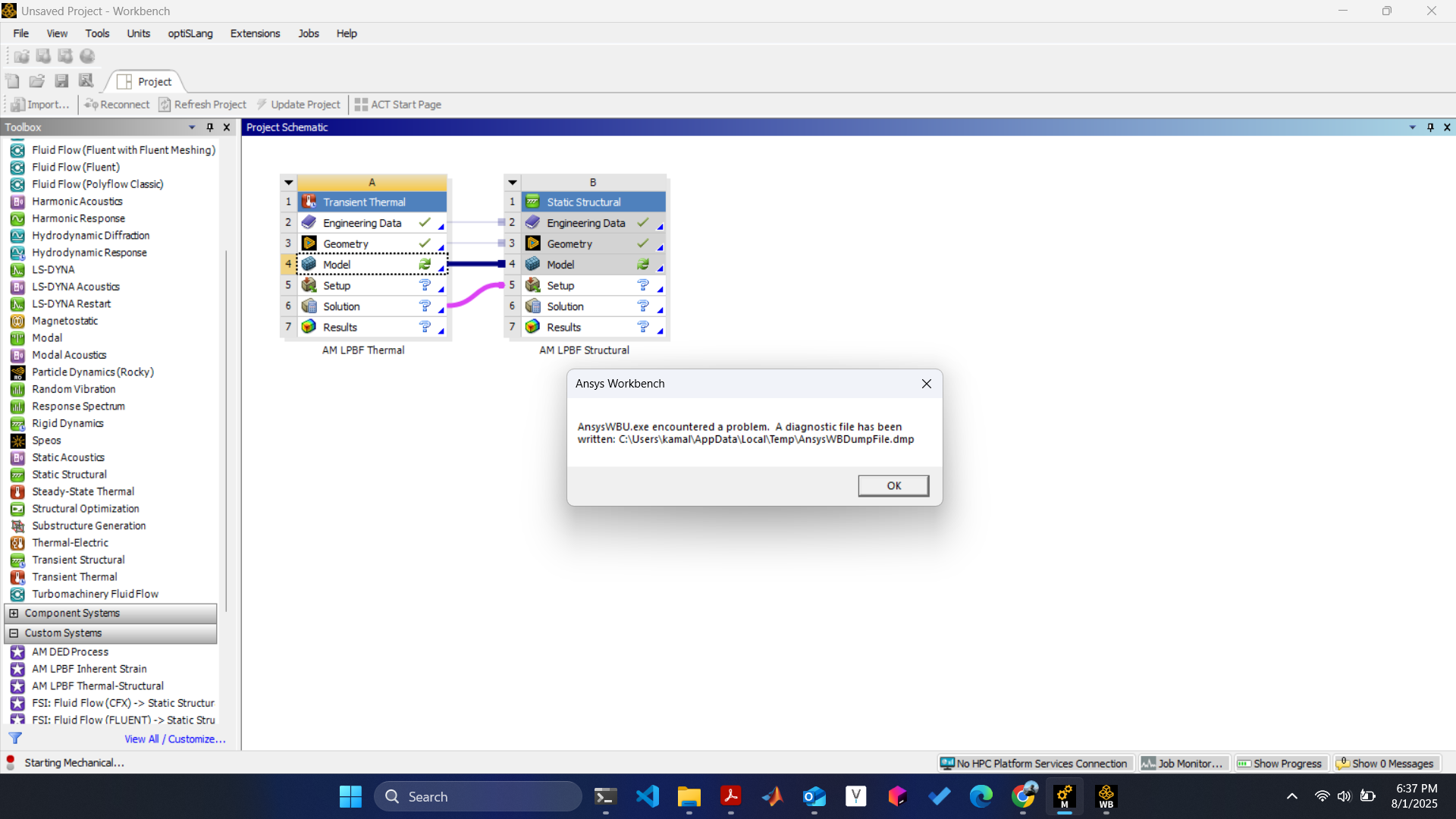
Ansys Workbench AnsysWBU.exe error encountered.

    • kamal.patel30
      Subscriber

      Everytime I try to edit model (ansys mechanical) I get the AnsysWBU.exe error. I tried the Ansys 2025 R1&R2 and 2024 R2 student version but I still get the same error. what could be causing this error ?

    • Rajeshwari Jadhav
      Forum Moderator

      Hi Kamal,

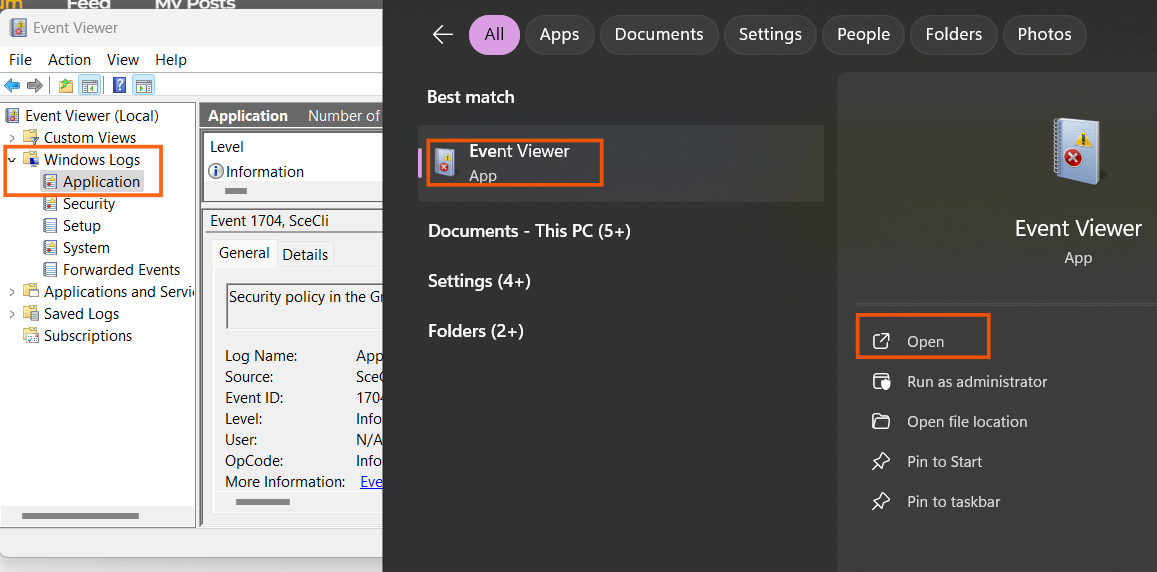
      launch the workbench and re-produce the error then goto start menu> Event Viewer> Expand Windows log> Application> check if any error is visible related to Ansys Workbench.

      The error mentioned in the screenshot is a generic error and can be caused due to multiple reasons, ex: old graphics driver, system's *.dll blocking the software or 3rd party software blocking the application.

    • kamal.patel30
      Subscriber

      Hey Rajeshwari,

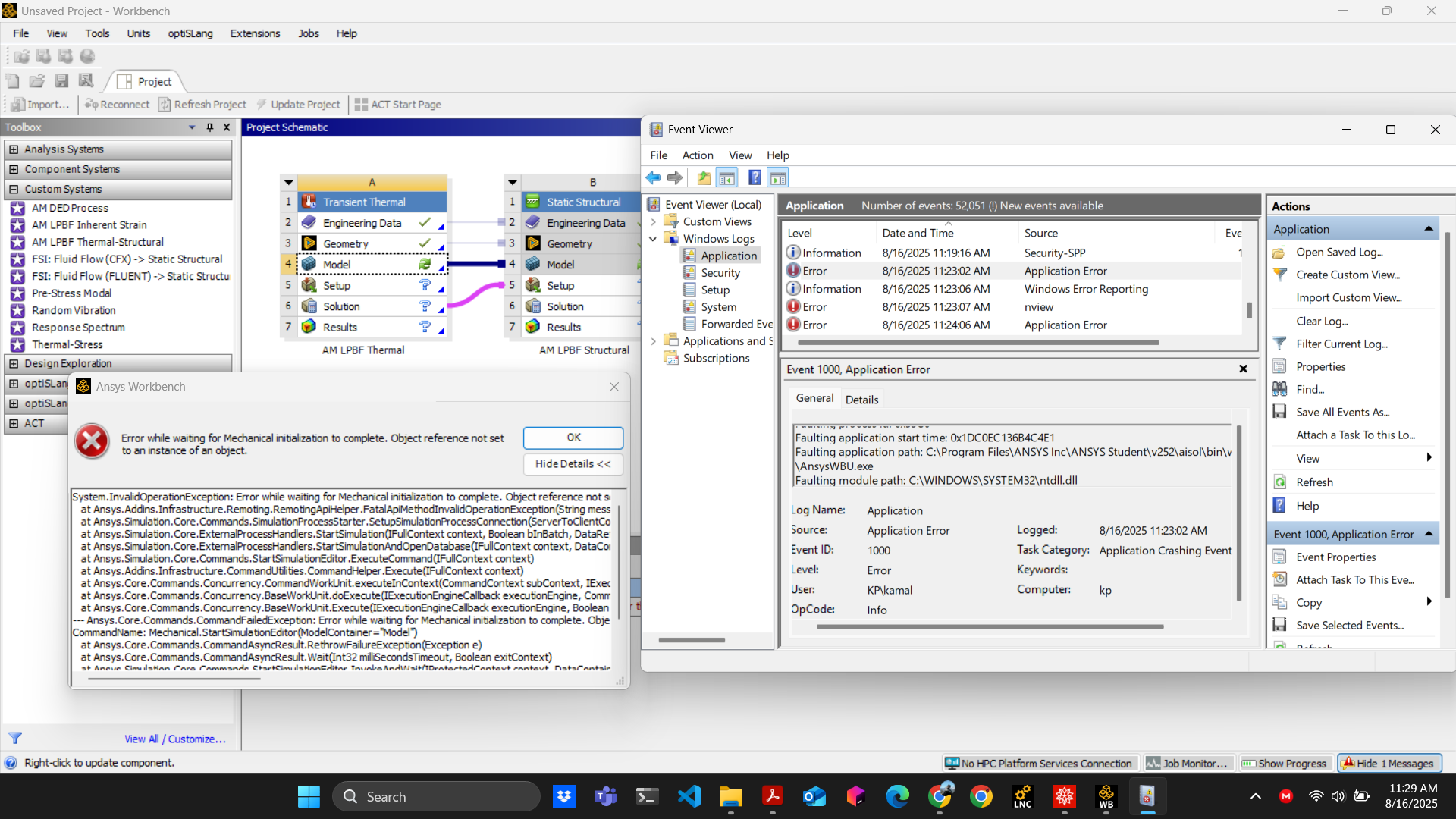
      Thank you for the reply. The message I get is "Error while waiting for Mechanical initialization to complete. Either the application crashed or Workbench lost communication with it." I tried reinstalling the software but I get the same error.


      • Rajeshwari Jadhav
        Forum Moderator

        Can you check your event logs and look for error under level column?

    • kamal.patel30
      Subscriber


      • Rajeshwari Jadhav
        Forum Moderator

        Hi Kamal,

        Rename the Ansys folder from %appdata% to Ansys.old

    • wendholk1
      Subscriber

      Hi Kamal,

      Were you able to get this fixed? I am also having this problem in some labs that I manage.

      • kamal.patel30
        Subscriber

        Hi,

        What worked for me is, first, I reinstalled the ansys software, then I analyzed the .dmp file, the core problem is a COM (Component Object Model) Exception error. (I think ANSYS Mechanical tries to find and use a specific Windows component or library that is either missing, corrupted, or not properly registered on the system.) So I followed the below commands.

        1. Run Command Prompt as Administrator:

        2. Re-register the critical DLLs: Type the following commands one by one in command prompt.

          regsvr32 vbscript.dll
          regsvr32 jscript.dll
          regsvr32 %systemroot%\system32\scrrun.dll
           
        3. Restart your computer.

        4. Try launching ANSYS Mechanical again.

          Hope its fixes your issues. 

Viewing 4 reply threads
  • You must be logged in to reply to this topic.
[bingo_chatbox]