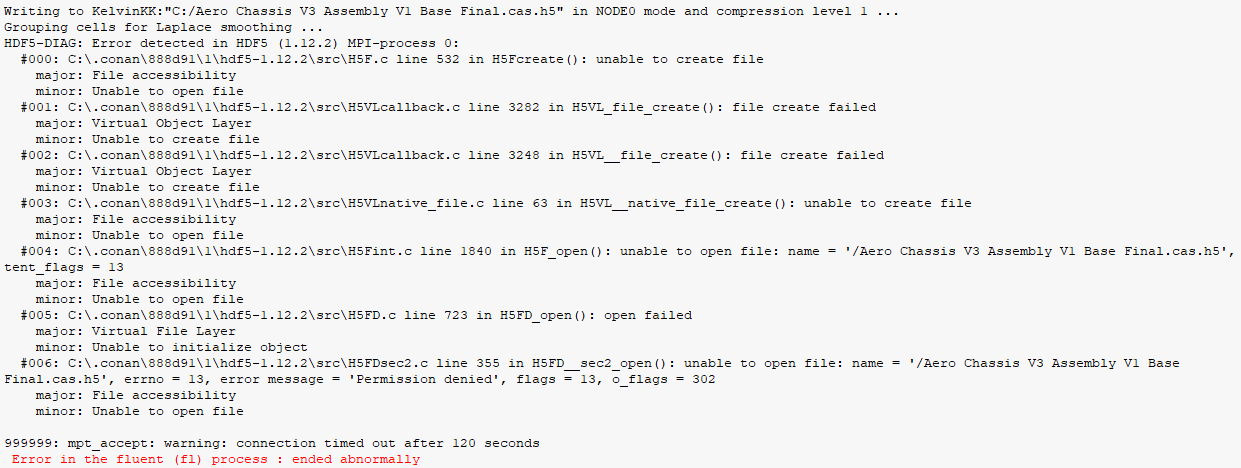
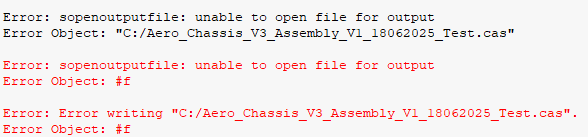
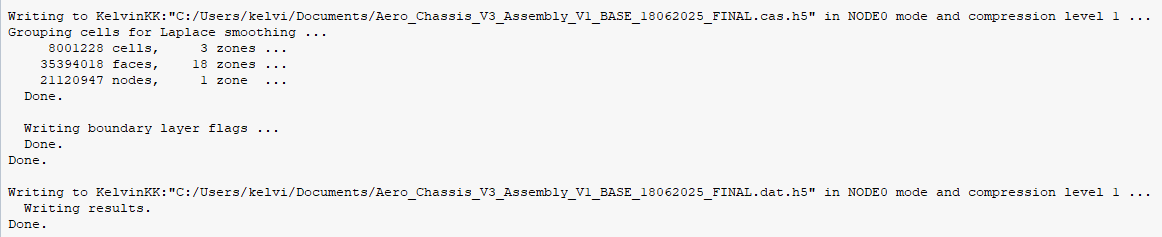
Dear staff and fellow users, After successfully ran a simulation in Fluent Solutions, I clicked on File > Write > Case & Data to save my progress.
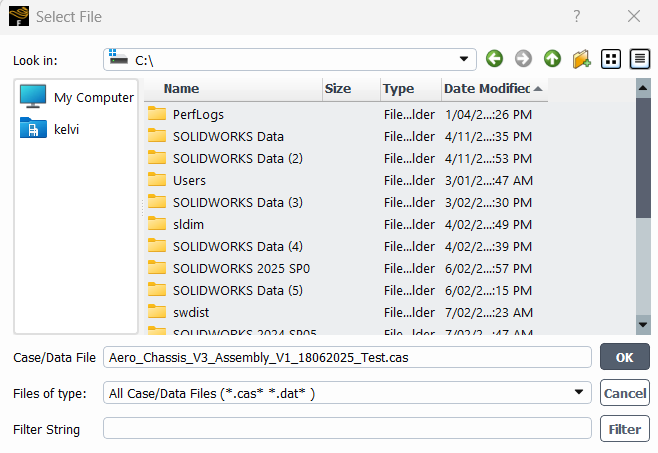
Is that the correct way of saving? Because when I tried to open it: File > Read > Case & Data:

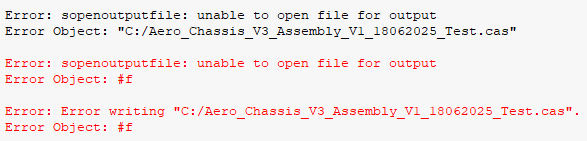
I was unable to open it, and this message popped up in the console:
> Fast-loading "C:\PROGRA~1\ANSYSI~1\v251\fluent\fluent25.1.0\addons\afd\lib\hdfio.bin"
Done.
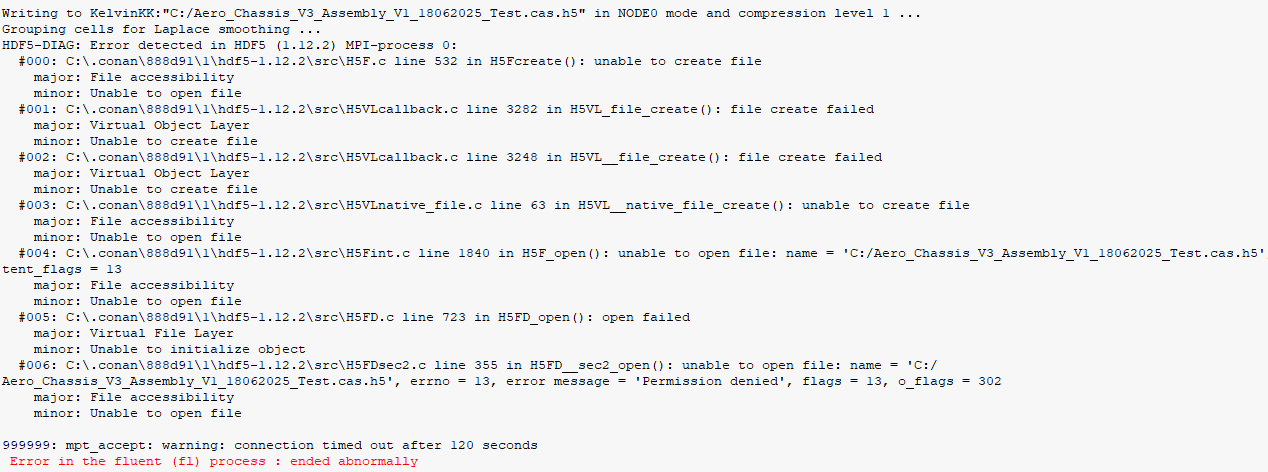
HDF5-DIAG: Error detected in HDF5 (1.12.2) MPI-process 0:
#000: C:\.conan\888d91\1\hdf5-1.12.2\src\H5F.c line 620 in H5Fopen(): unable to open file
major: File accessibility
minor: Unable to open file
#001: C:\.conan\888d91\1\hdf5-1.12.2\src\H5VLcallback.c line 3502 in H5VL_file_open(): failed to iterate over available VOL connector plugins
major: Virtual Object Layer
minor: Iteration failed
#002: C:\.conan\888d91\1\hdf5-1.12.2\src\H5PLpath.c line 579 in H5PL__path_table_iterate(): can't iterate over plugins in plugin path '(null)'
major: Plugin for dynamically loaded library
minor: Iteration failed
#003: C:\.conan\888d91\1\hdf5-1.12.2\src\H5PLpath.c line 713 in H5PL__path_table_iterate_process_path(): can't open directory
major: Plugin for dynamically loaded library
minor: Can't open directory or file
#004: C:\.conan\888d91\1\hdf5-1.12.2\src\H5VLcallback.c line 3351 in H5VL__file_open(): open failed
major: Virtual Object Layer
minor: Can't open object
#005: C:\.conan\888d91\1\hdf5-1.12.2\src\H5VLnative_file.c line 97 in H5VL__native_file_open(): unable to open file
major: File accessibility
minor: Unable to open file
#006: C:\.conan\888d91\1\hdf5-1.12.2\src\H5Fint.c line 1999 in H5F_open(): unable to read root group
major: File accessibility
minor: Unable to open file
#007: C:\.conan\888d91\1\hdf5-1.12.2\src\H5Groot.c line 228 in H5G_mkroot(): can't check if symbol table message exists
major: Symbol table
minor: Can't get value
#008: C:\.conan\888d91\1\hdf5-1.12.2\src\H5Omessage.c line 845 in H5O_msg_exists(): unable to protect object header
major: Object header
minor: Unable to protect metadata
#009: C:\.conan\888d91\1\hdf5-1.12.2\src\H5Oint.c line 1051 in H5O_protect(): unable to load object header
major: Object header
minor: Unable to protect metadata
#010: C:\.conan\888d91\1\hdf5-1.12.2\src\H5AC.c line 1426 in H5AC_protect(): H5C_protect() failed
major: Object cache
minor: Unable to protect metadata
#011: C:\.conan\888d91\1\hdf5-1.12.2\src\H5C.c line 2370 in H5C_protect(): can't load entry
major: Object cache
minor: Unable to load metadata into cache
#012: C:\.conan\888d91\1\hdf5-1.12.2\src\H5C.c line 7315 in H5C__load_entry(): incorrect metadata checksum after all read attempts
major: Object cache
minor: Read failed
#013: C:\.conan\888d91\1\hdf5-1.12.2\src\H5Ocache.c line 203 in H5O__cache_get_final_load_size(): can't deserialize object header prefix
major: Object header
minor: Unable to decode value
#014: C:\.conan\888d91\1\hdf5-1.12.2\src\H5Ocache.c line 1202 in H5O__prefix_deserialize(): bad object header version number
major: Object header
minor: Wrong version number
999999: mpt_accept: warning: connection timed out after 120 seconds
Error in the fluent (fl) process : ended abnormally
When I tried the second time:
Fast-loading "C:\PROGRA~1\ANSYSI~1\v251\fluent\fluent25.1.0\addons\afd\lib\hdfio.bin"
Done.
HDF5-DIAG: Error detected in HDF5 (1.12.2) MPI-process 0:
#000: C:\.conan\888d91\1\hdf5-1.12.2\src\H5F.c line 620 in H5Fopen(): unable to open file
major: File accessibility
minor: Unable to open file
#001: C:\.conan\888d91\1\hdf5-1.12.2\src\H5VLcallback.c line 3502 in H5VL_file_open(): failed to iterate over available VOL connector plugins
major: Virtual Object Layer
minor: Iteration failed
#002: C:\.conan\888d91\1\hdf5-1.12.2\src\H5PLpath.c line 579 in H5PL__path_table_iterate(): can't iterate over plugins in plugin path '(null)'
major: Plugin for dynamically loaded library
minor: Iteration failed
#003: C:\.conan\888d91\1\hdf5-1.12.2\src\H5PLpath.c line 713 in H5PL__path_table_iterate_process_path(): can't open directory
major: Plugin for dynamically loaded library
minor: Can't open directory or file
#004: C:\.conan\888d91\1\hdf5-1.12.2\src\H5VLcallback.c line 3351 in H5VL__file_open(): open failed
major: Virtual Object Layer
minor: Can't open object
#005: C:\.conan\888d91\1\hdf5-1.12.2\src\H5VLnative_file.c line 97 in H5VL__native_file_open(): unable to open file
major: File accessibility
minor: Unable to open file
#006: C:\.conan\888d91\1\hdf5-1.12.2\src\H5Fint.c line 1999 in H5F_open(): unable to read root group
major: File accessibility
minor: Unable to open file
#007: C:\.conan\888d91\1\hdf5-1.12.2\src\H5Groot.c line 228 in H5G_mkroot(): can't check if symbol table message exists
major: Symbol table
minor: Can't get value
#008: C:\.conan\888d91\1\hdf5-1.12.2\src\H5Omessage.c line 845 in H5O_msg_exists(): unable to protect object header
major: Object header
minor: Unable to protect metadata
#009: C:\.conan\888d91\1\hdf5-1.12.2\src\H5Oint.c line 1051 in H5O_protect(): unable to load object header
major: Object header
minor: Unable to protect metadata
#010: C:\.conan\888d91\1\hdf5-1.12.2\src\H5AC.c line 1426 in H5AC_protect(): H5C_protect() failed
major: Object cache
minor: Unable to protect metadata
#011: C:\.conan\888d91\1\hdf5-1.12.2\src\H5C.c line 2370 in H5C_protect(): can't load entry
major: Object cache
minor: Unable to load metadata into cache
#012: C:\.conan\888d91\1\hdf5-1.12.2\src\H5C.c line 7315 in H5C__load_entry(): incorrect metadata checksum after all read attempts
major: Object cache
minor: Read failed
#013: C:\.conan\888d91\1\hdf5-1.12.2\src\H5Ocache.c line 203 in H5O__cache_get_final_load_size(): can't deserialize object header prefix
major: Object header
minor: Unable to decode value
#014: C:\.conan\888d91\1\hdf5-1.12.2\src\H5Ocache.c line 1202 in H5O__prefix_deserialize(): bad object header version number
major: Object header
minor: Wrong version number
999999: mpt_accept: warning: connection timed out after 120 seconds
Error in the fluent (fl) process : ended abnormally
Note: Saved with 2025 R1. Trying to open in 2025 R1.
Thanks!





















 You are navigating away from the AIS Discovery experience