Electronics

Electronics

Topics related to HFSS, Maxwell, SIwave, Icepak, Electronics Enterprise and more.

Cable Modeling – user interface issue

    • gauravsobti
      Subscriber

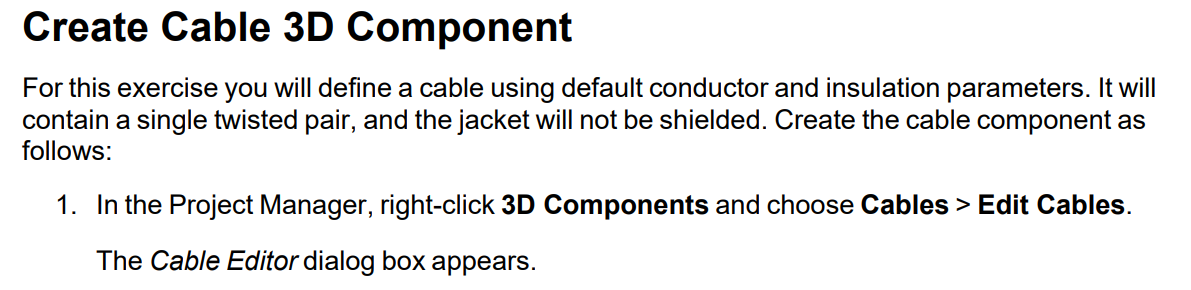
      I am following the Getting Started with HFSS: Cable Modeling guide which is part of the Help dropdown in main interface. On pg. 21 of 51, there is the following instruction:


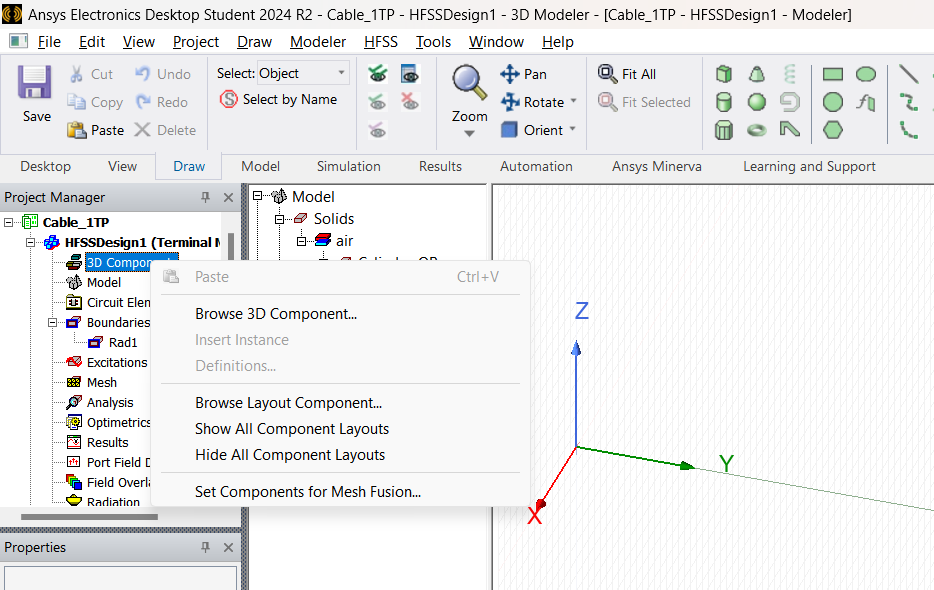
         However, the option doesn't present itself on right-clicking 3D Components in Project Manager (as shown in this screenshot):


      Please advise. I am on the Electronics Desktop Student 2024 R2 version. 

      Regards,

      Gaurav

    • Takeshi Itadani
      Ansys Employee

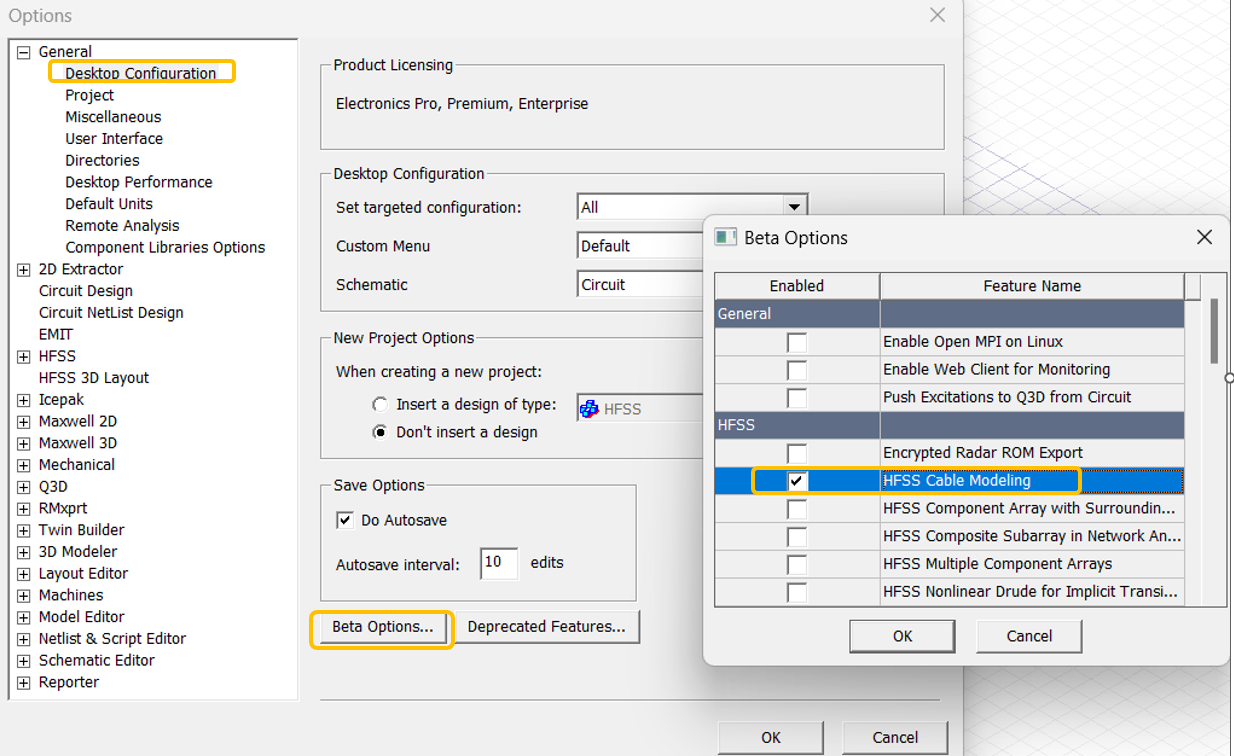
      Cable modeling is a beta feature, so you need to enable it in Beta Options.
      Select Tools > Options > General Options from the menu, and check HFSS Cable Modeling in Beta Options.

    • gauravsobti
      Subscriber

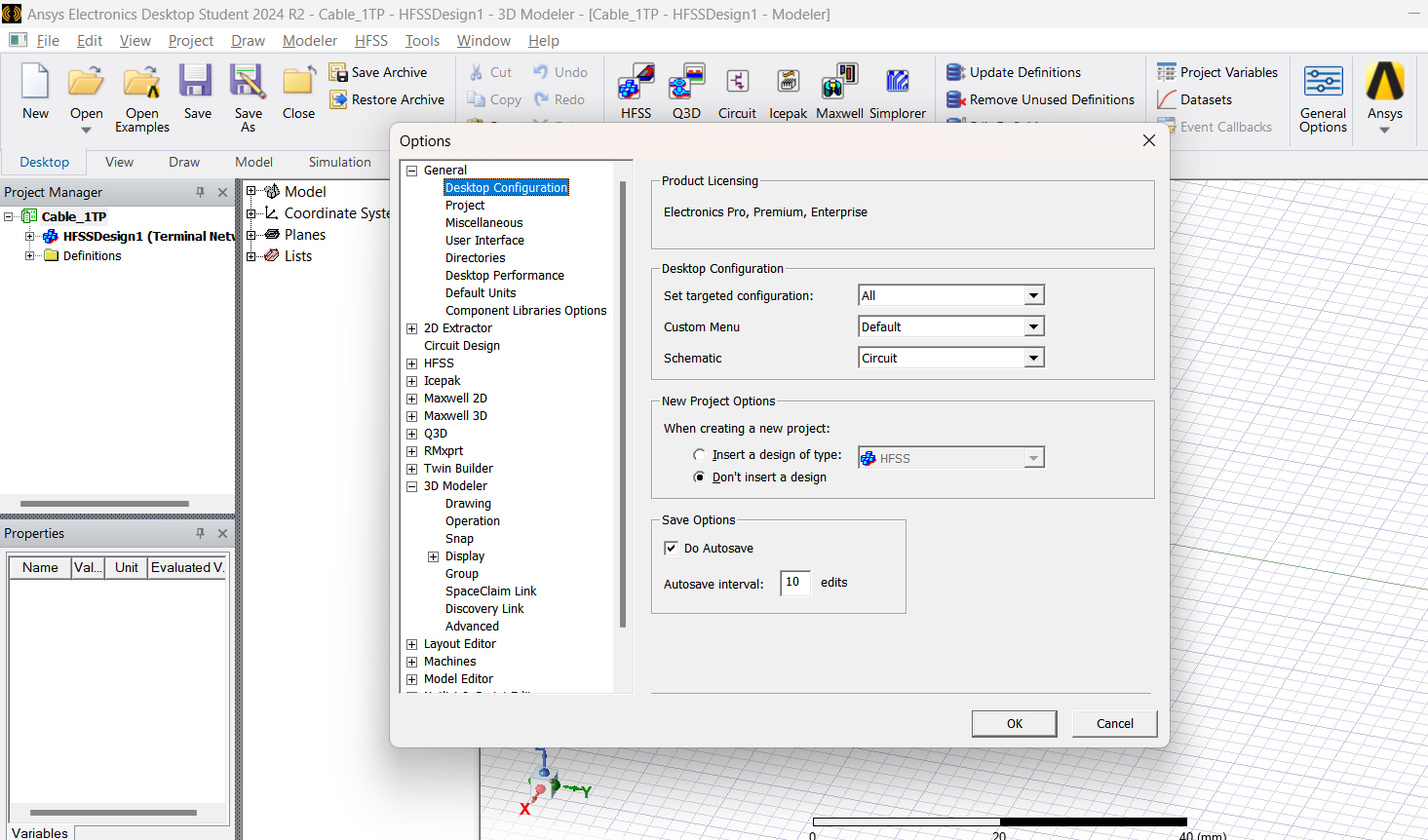
      Thank you for stopping by my post. However, this is what my Desktop Config. windows appears like - it has no Beta Options button:


      Once again, I am using Ansys Electronics Desktop Student 2024 R2. 

      Please advise.

      Regards,

      Gaurav 

    • Takeshi Itadani
      Ansys Employee

      We apologize, but the Beta Option features are not available in the Student version.

Viewing 3 reply threads
  • You must be logged in to reply to this topic.