Ansys Assistant will be unavailable on the Learning Forum starting January 30. An upgraded version is coming soon. We apologize for any inconvenience and appreciate your patience. Stay tuned for updates.
Electronics

Electronics

Topics related to HFSS, Maxwell, SIwave, Icepak, Electronics Enterprise and more.

RMxprt 1/4 symmetry motor designs: Maxwell 3D and Icepak

    • cunyi.ji
      Subscriber

      Hello,


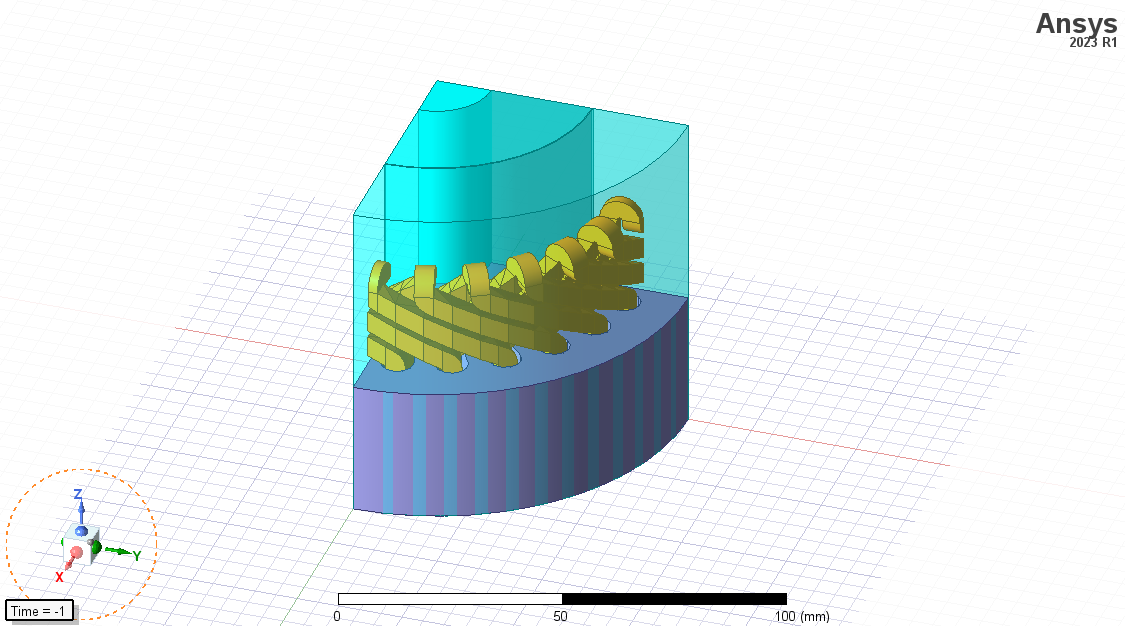
      After exporting in RMxprt a 3D motor model with the 1/4 symmetry to Maxwell 3D: how are volumetric results affected, such as ohmic loss or core loss? Is it calculated for only 1/4 of the 3D model and then multiplied by 4, or is it just calculated for 1/4 of the 3D model?

      In Icepak you can adjust EM losses to obtain the temperature distribution, so should I use the 1/4 3D model in Icepak too? Of course, this would depend does the symmetry affect to volumetric results in Maxwell 3D.

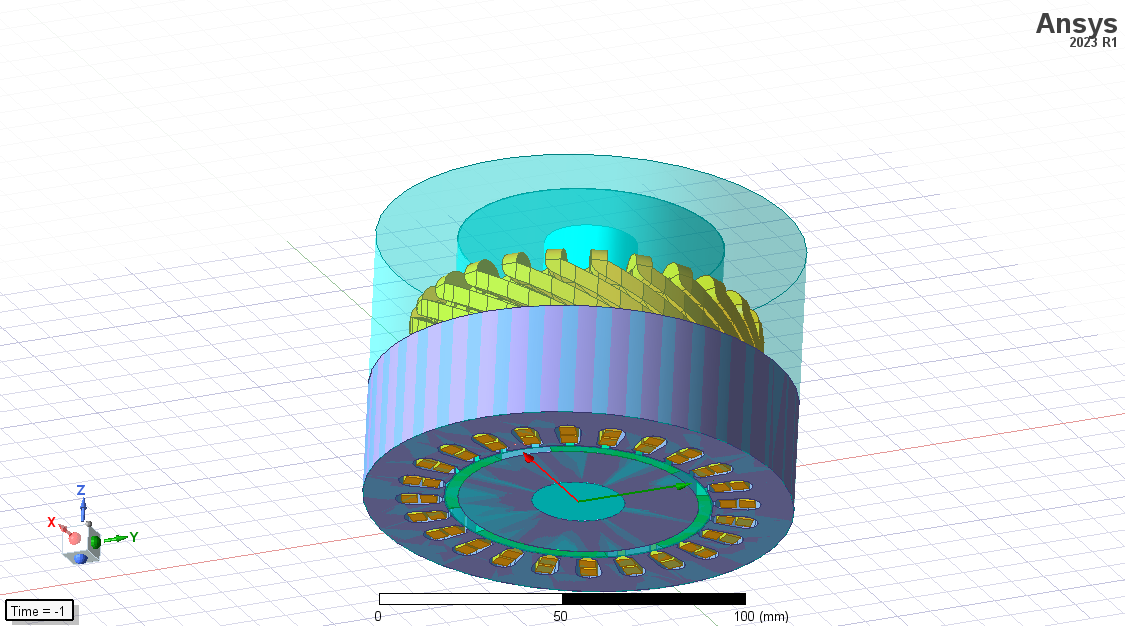
      Also, how do I get full 3D model with RMxprt, when I use "fractions 1" in design settings, I get the complete motor radially, but axially is halved.


      Additionally, when I port both the 2D and 3D models of the motor, the results are extremely different between 2D and 3D. I know that there should be differences, but I think it is too high. The B field in 2D is maximum 1.6T, while in in 3D it is 4T. The torque, currents, induced voltages, etc are considerably different (forms and values).

      Regards,

    • MirandaH
      Ansys Employee

      The calculated result in Maxwell will be the full model considerring symmetry multiplier

      • cunyi.ji
        Subscriber

        In Icepak simulations, when assigning the EM Losses, should I use the complete model or the 1/4 one?

        • MirandaH
          Ansys Employee

          You can use either, Icepak is using element based mapping from Maxwell. Full model from Maxwell to Icepak, or partial model from Maxwell to Icepak with symmetric boundary.

        • cunyi.ji
          Subscriber

          In Maxwell 3D there is symmetry boundary, but in Icepak there are no boundaries options like Maxwell 3D.

          In case I'm using the 1/4 model, should I just copy-paste it from Maxwell 3D to Icepak without assigning symmetry boundaries?

        • MirandaH
          Ansys Employee

          You will need to assign symmetric boundaries in Icepak as well.

        • cunyi.ji
          Subscriber

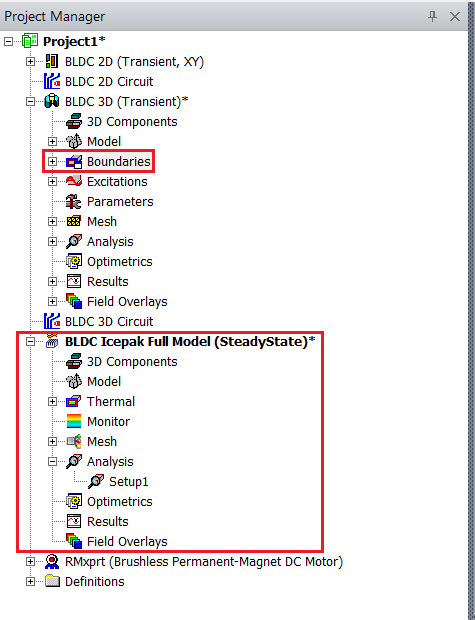
          In Icepak, as you see in the image, there are no boundaries option in project manager, how do you set symmetric boundaries?

    • MirandaH
      Ansys Employee

      "Fractions 1" should give you the full model, I would suggest to reinstall Ansys Electronics Desktop and update to the newest version 2025R1.

      • cunyi.ji
        Subscriber

        It gives the full model but radially, axially is cut in half. Should fractions 1 also give full model axially?

        My school only has the 2023 license version.

        • MirandaH
          Ansys Employee

          Yes, it should give full geometry.

    • MirandaH
      Ansys Employee

      For 2D and 3D, there are expected difference but not as high, are you comparing 2D and 3D partial model from RMxprt? Does it include the external circuit? How are the mesh looks like for both models?

      • cunyi.ji
        Subscriber

        Yes, both from RMxprt, both includes the external circuit auto-generated by RMxprt. Mesh options aren't modified, since it takes a lot to solve transient simulations. I guess that the poor mesh is causing B field concentrations in 3D?

        • MirandaH
          Ansys Employee

          Yes, mesh will affect calculation accuracy.

    • Rabindra Paul
      Ansys Employee

      Symmetry boundary option in AEDT Icepak is available for wall. User may select the appropriate face, assign thermal -->wall-->symmetry wall


      • cunyi.ji
        Subscriber


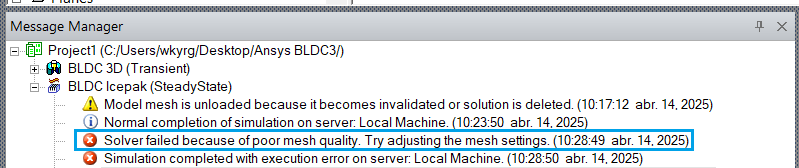
        When I applied wall symmetry I got the following error:


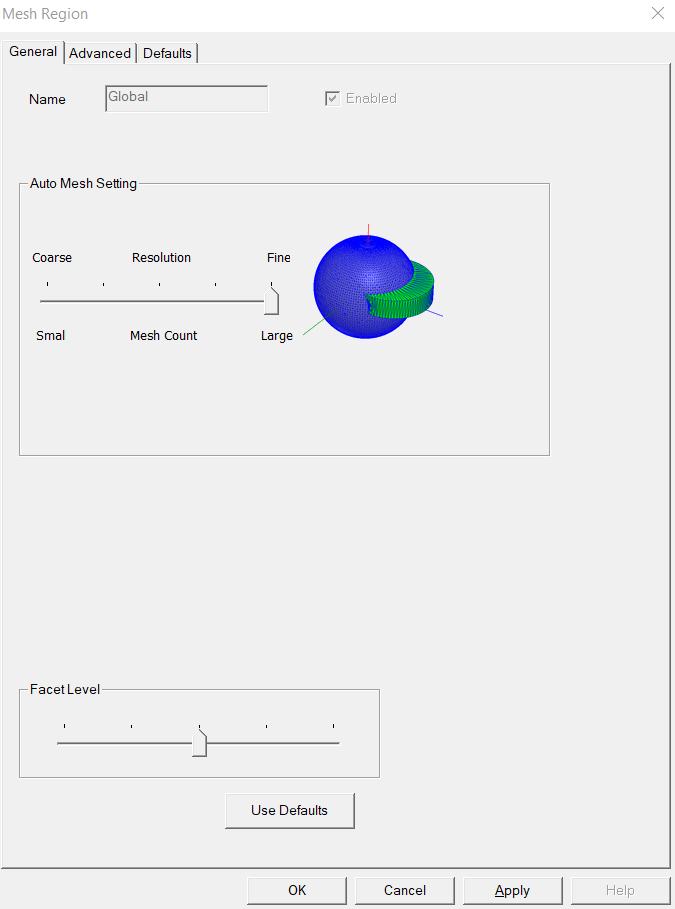
        I also tried using the finest mesh settings, but still the same error.


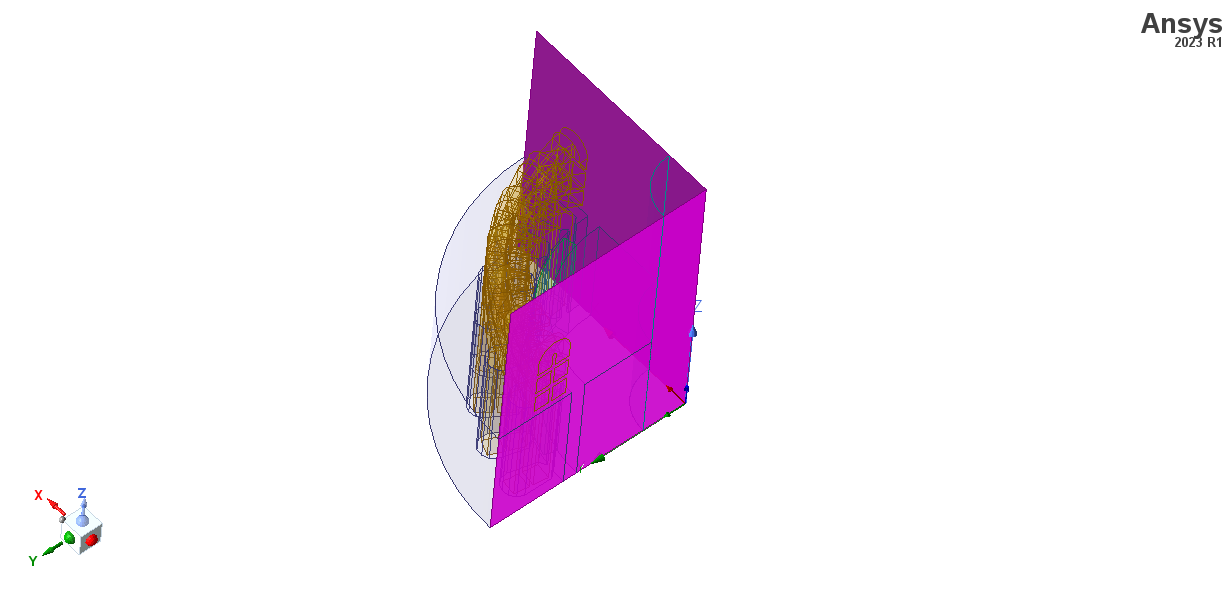
        The two symmetry planes are auto-generated by RMxprt. I also tried manually creating the symmetry planes, but still same error.

        What is causing this? I don't think it is the mesh, because without the wall symmetries the simulation runs just fine.

    • Rabindra Paul
      Ansys Employee

      Hi - Thanks for the comment. Please contact Icepak support through customer portal. The symmetry must satisfy wall bc requirement which should be at the domain boundary. We need to review the model to find out the exact cause. 

Viewing 5 reply threads
  • You must be logged in to reply to this topic.
[bingo_chatbox]