Ansys Assistant will be unavailable on the Learning Forum starting January 30. An upgraded version is coming soon. We apologize for any inconvenience and appreciate your patience. Stay tuned for updates.
3D Design

3D Design

Topics related to Ansys Discovery and Ansys SpaceClaim.

Surface deformation when importing CAD geometry to Fluent Meshing

    • jg19abu
      Subscriber

      Hi everyone,


      This specific case is regarding a winglet design but it's not the first time that happens. The process was the following:


      • It was designed in Catia V5

      • Then imported to Spaceclaim 19.2 to clean it up and create the domain

      • Finally, using "file>import>CAD", the ".sdoc" from spaceclaim was imported to Fluent Meshing 19.2


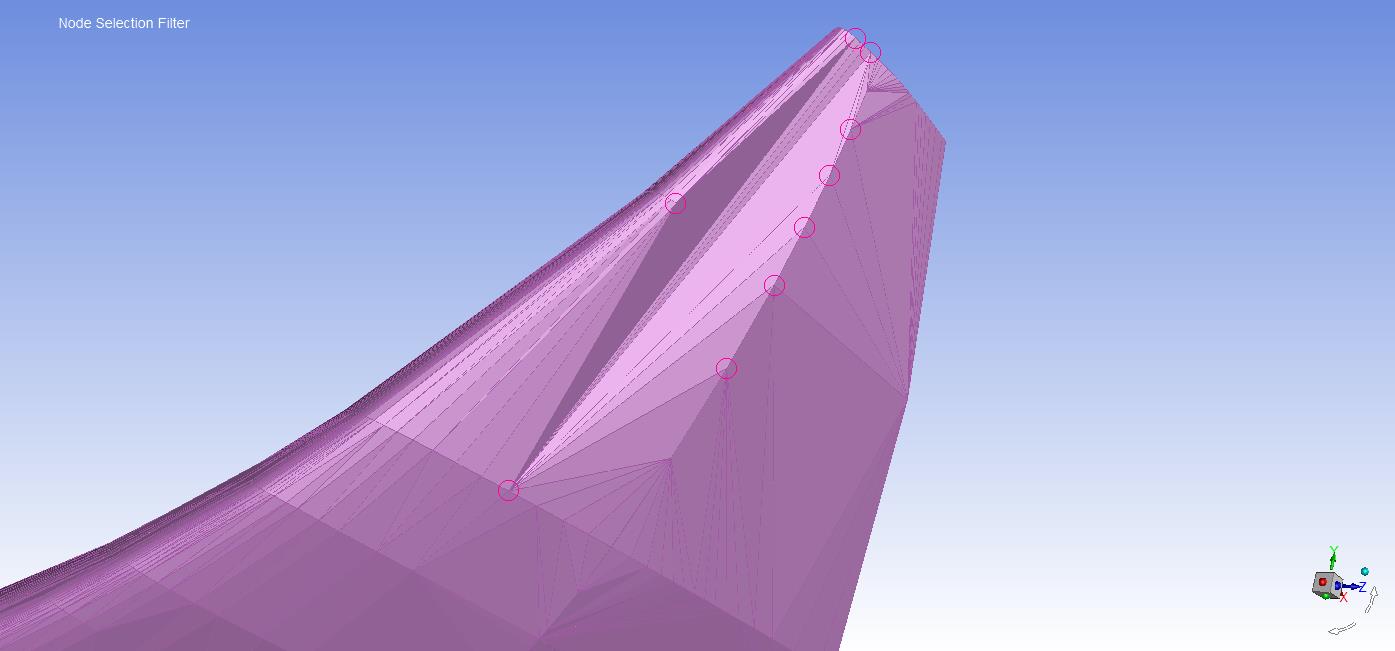
      The geometry imported from Catia to Spaceclaim was perfectly similar, but when imported to Fluent it suffers a severe deformation. My question is, how can it be avoided and why does it happen. An image is attached below to figure out the problem better.


      Thank you.


      Fluent imported geometry

    • Keyur Kanade
      Ansys Employee

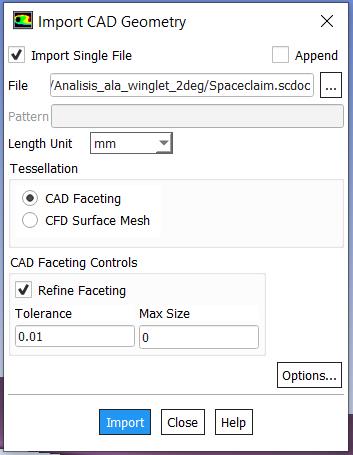
      please check tolerance while importing fluent meshing. 


      also you can use other route. 


      export .tgf file from spaceclaim. you can change options as well. 


      Regards,


      Keyur


      If this helps, please mark this post as 'Is Solution' to help others.


      Guidelines on the Student Community


      How to access ANSYS help links


    • jg19abu
      Subscriber

      Dear Keyur,


      You are completely right. The tolerance was set as "0" and it seems to work wrongly. I set the tolerance as "0.01".


      Regards


Viewing 2 reply threads
  • The topic ‘Surface deformation when importing CAD geometry to Fluent Meshing’ is closed to new replies.

[bingo_chatbox]