TAGGED: 3FDTD, bending, divergence, divergence-detected, fdtd, pml-boundary
-
-
February 11, 2025 at 8:42 pm
Shangxuan Yu
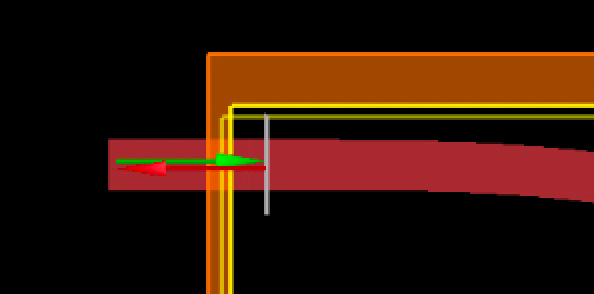
SubscriberI am simulating an 180 degree bent waveguide with 3D FDTD, the version is 2025 R1 on GPU. Mesh is 3, only using Si and SiO2 in the material library. PML on all direction except z max is symmetric. The setup is shown in the following pic:
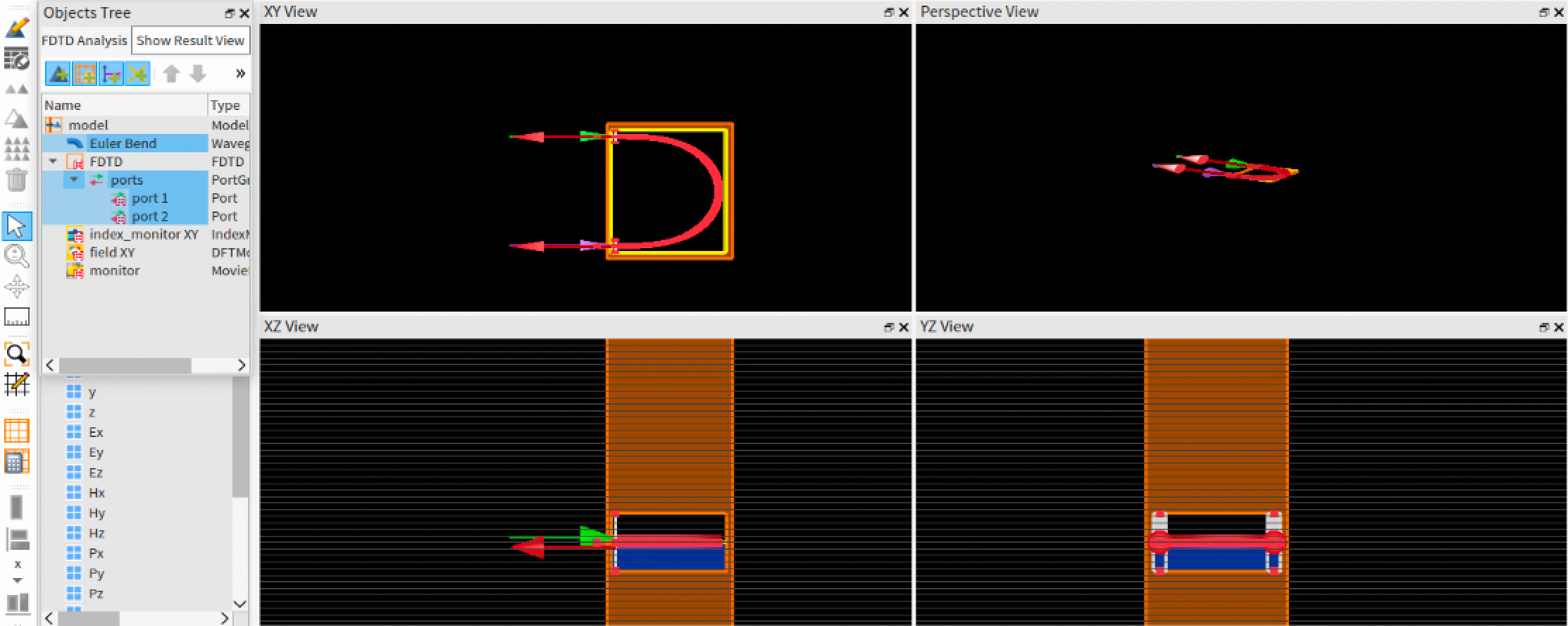
Â
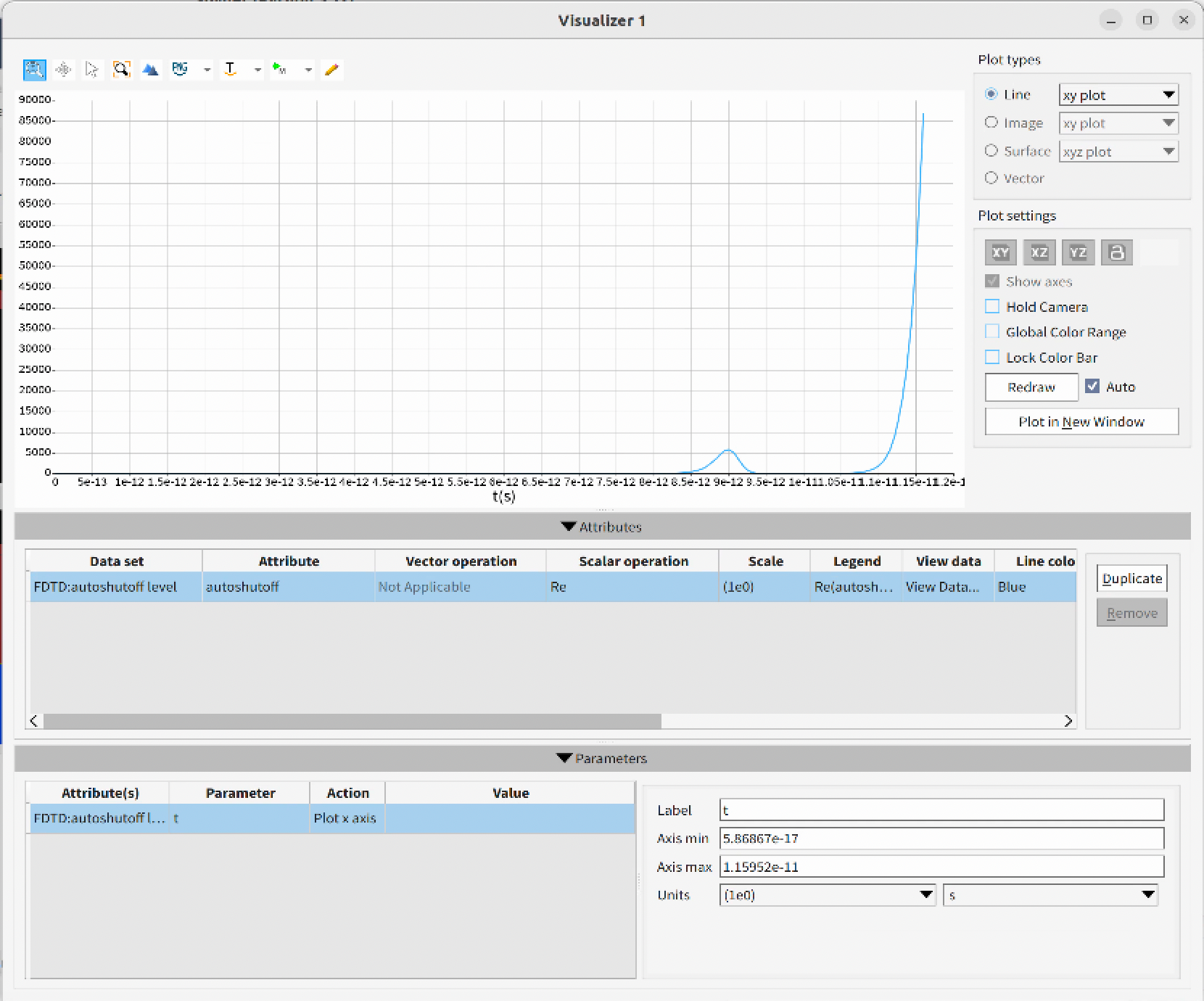
I am running a sweep from small to big bend, the size is from around 50x50x1 um to 170x170x1 um. I noticed the simulation is stable for smaller bends, and get unstable for larger bends and significantly diverged for biggest bends (I see the autoshutoff value rise much more than 1 after runing a few hours with the biggest rings), see the following summery.
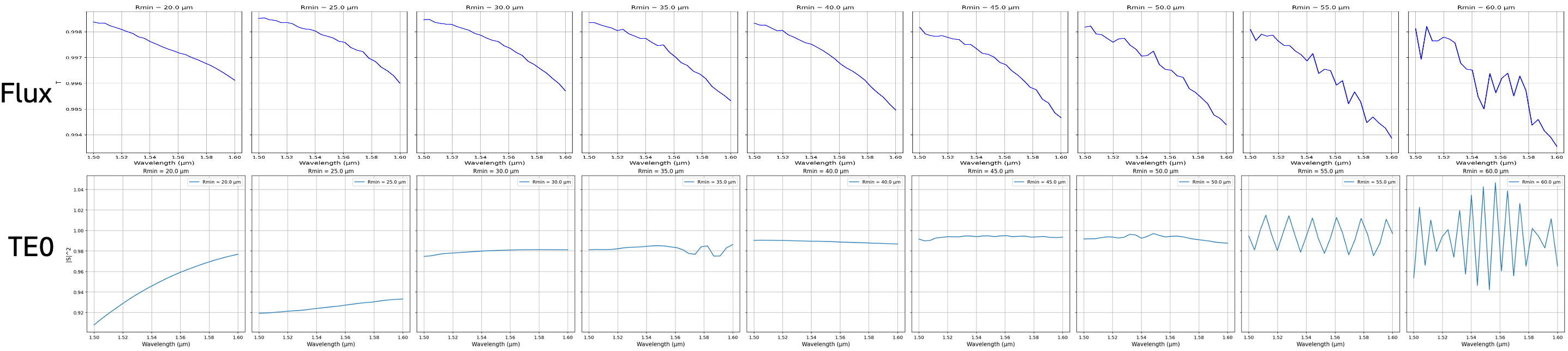
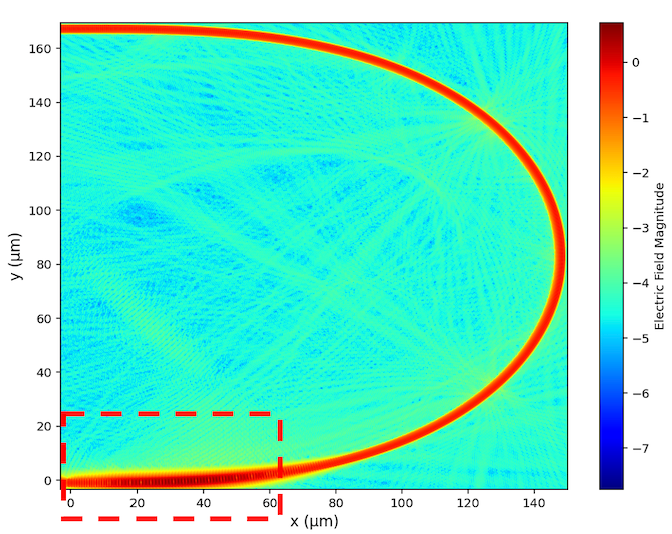
Also I noticed, for all those diverged bend simulation, there seem to be a "hot spot" on the E field plot at some part of the waveguide
I tried to debug based on the page: https://optics.ansys.com/hc/en-us/articles/11277217507603-Troubleshooting-diverging-simulations-in-FDTD#:~:text=Lumerical%20software%20has%20an%20automatic,a%20diverging%20simulation%20is%20detected.
On a 50x50um bend (small one, cuz the big ones takes too long), First I tried changing all boundaries to Metal, and there seems no divergence (the autoshufoff value is always very close to 1 even after a long simution time), thus I concluded that mine is PML type of divergence.
I first tried to change the PML profile to "stable", but interestingly, this seems lead to 0.03 percent of reflection after each time the pulse hit the PML boundary. I see the autoshutoff value go from almost 1 to ~0.03 then to ~0.0009 in a long time simulation. And the autoshufoff value is constant when the simulation was running between these three points. This is strange, cuz if I change the profile back to "standard", the there seems to be minimal reflection. the autoshutoff min reached and it triggered the early shutoff while running. I assume "stable" in theory should have much more complete absorption...
I also tried "stable" PML profile on big simulations, autoshutoff level still runs high
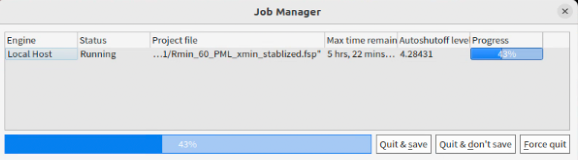
I also tried to disable "extend structure through the pml", but there is no effect on the result.
Distance between structure and boundary and simulation regions size are also varies, but no improvement observed.
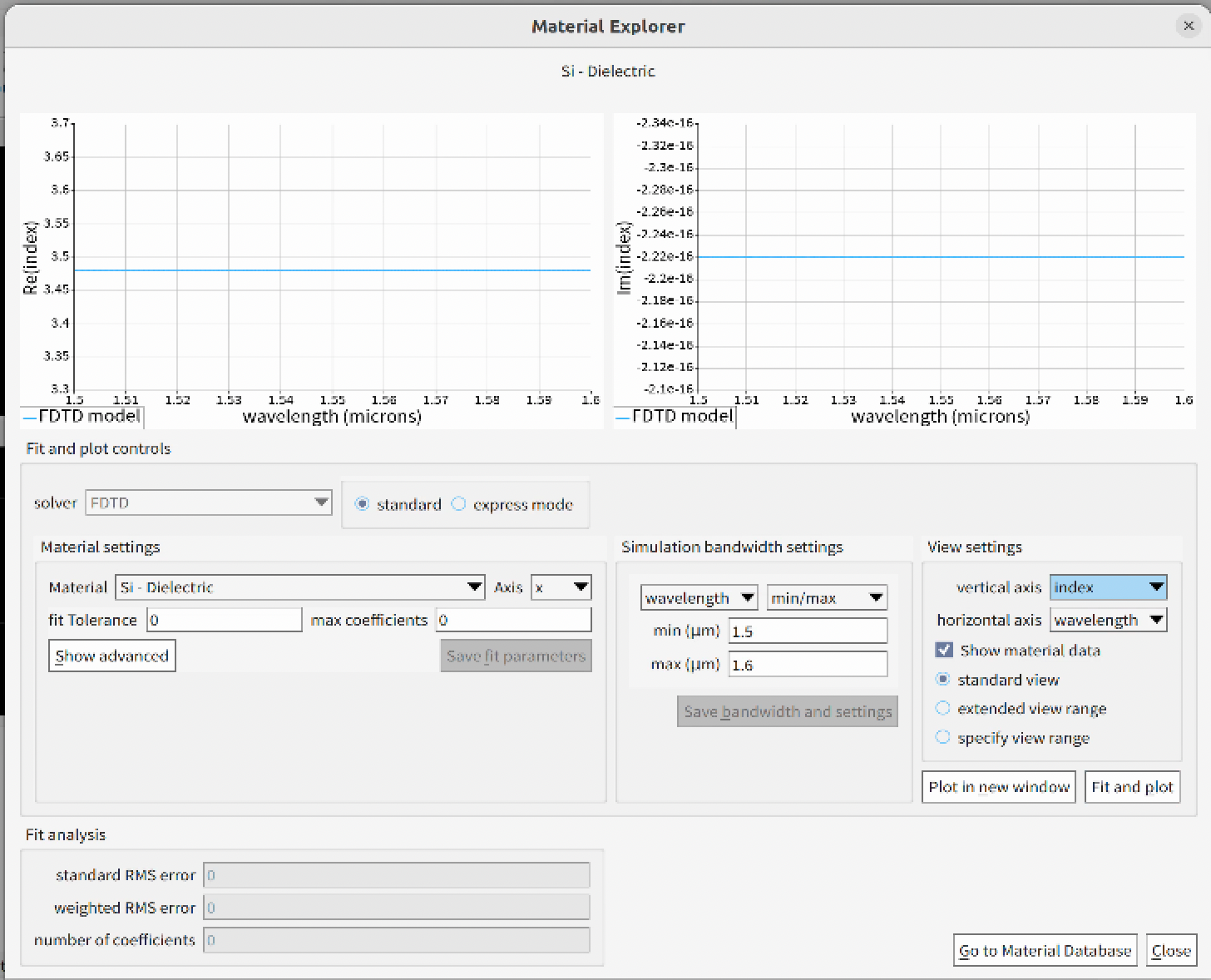
I also thought about the possibility of dispersion material, but it seems 25R1 on my computer gas issue with Visulizer. But I checked the system check, the material "Error RMS" is ~0.02 and I am just using silicon and silicon dioxide.
Could anyone comment on what might be my issue? And what else I can do to get rid of divergence? Thanks.

Â
Â
-
February 18, 2025 at 11:13 pm
Ethan Keeler
Ansys EmployeeHi Shangxuan,
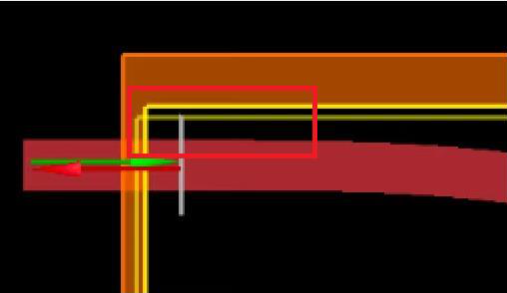
This sounds like a tricky simulation to debug, and glad you are following all the right steps. Thanks for the very detailed explanation of what you've tried so far. I am wondering if there might be an issue with the entering and exiting waveguides having a slightly non-normal incidence with the PML boundary (judging by your screenshots). Have you tried moving the PML boundary further back along -X such that you intersect where the waveguide is perfectly normal to the boundary? The reason that I ask, is that guided radiation at oblique incidence is a known issue with PML.
You could also try changing the materials to non-dispersive, where you just use "object defined dielectric" with matching index values for the primary wavelength of interest. This would make sure it isn't a dispersion or material fit issue as well.Ethan
-
February 19, 2025 at 8:33 pm
Shangxuan Yu
SubscriberHi Ethan,
Thanks for thde advice.Â
I did included straight waveguide at the end of the bend, and the straight waveguide should intercept the pml boundary. And if it is the bending waveguide causing the issue, the both smaller and bigger bends should experience the same divergence.Â
I also tried using all simple dielectric material with a single value index, I still see divergence happening:
One thing (I am suspecting but having no way to verify) I noticed is that I see warning on insufficient memory for those bigger bend. Since it also says the estimate can be inaccurate and I don't see there is a clear causality between insufficient memory and divergence, I still let the simulations run and they all finished without complaining hardware issue. Do you think the hardware could be the issue? I am kinda desperate on debugging this divergence issue...😢
-
February 21, 2025 at 1:28 am
Ethan Keeler
Ansys EmployeeHi Shangxuan,
There should be no reason that limited memory will cause your simulation to diverge. You would instead see a resource error or the simulation may not complete/pause. If there is not enough memory, the simulation will attempt to use your disk space (of course a lot slower), and this can result in the simulation pausing or slowing down significantly. However, it really shouldn't affect the outcome of the simulation result.
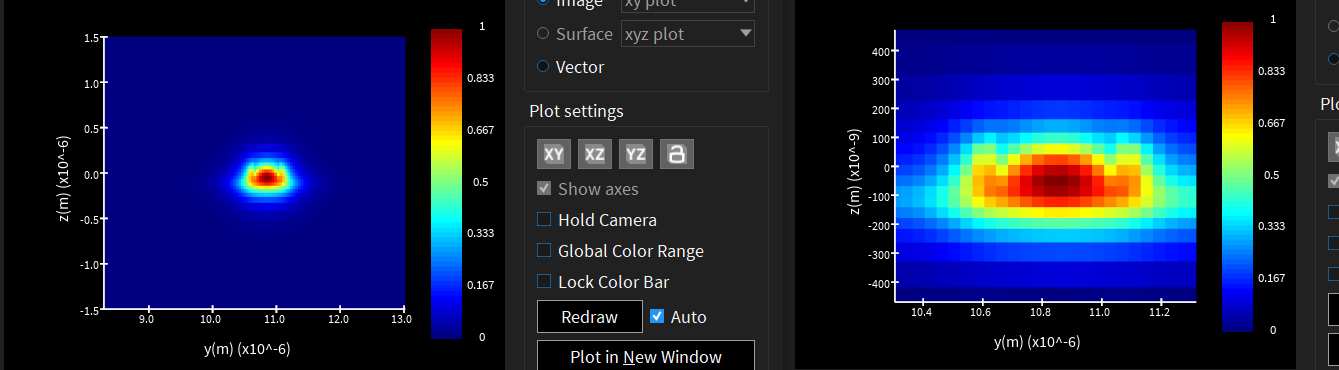
Okay, there are a few more suggestions I have. The first has to do with your source. You will want to make sure that the source is wide enough that the fields have sufficiently decayed near the edges (~1e-05) to avoid diffraction effects:
For instance, you want your injected fields to look like that shown on the left not the right.
Second, you will want to make sure that these fields are sufficiently decayed near the PML boundary.
One helpful trick that might also help us troubleshoot is using a movie monitor to observe the fields over time. You can even share the movie as a .GIF file here for us to look at. This might reveal where in the simulation the fields are diverging.
The mesh may also have an impact, but this might be harder to play around with given the size of your larger bend models. You'll want to make sure that there is nowere in your simulation that is obviously pixelated.
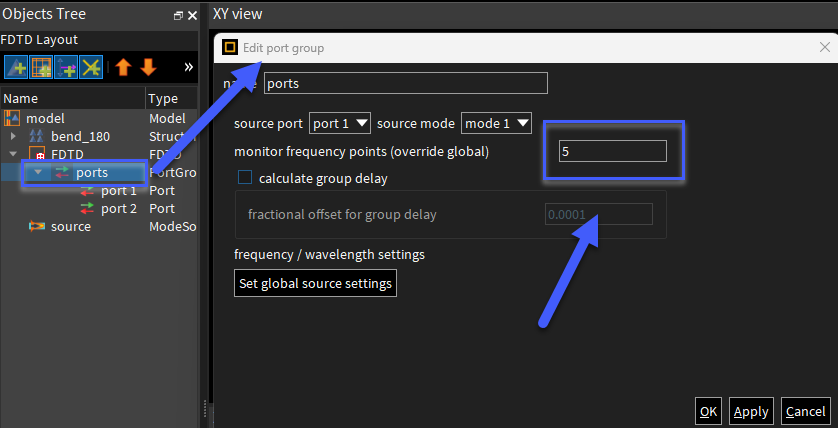
As a note about the PML stabalized setting: the stabilized profile is less efficient than the standard or the steep angle profiles, so there can be artificial reflections. You could try increasing the number of layers to see if this improves the results.
Ethan
-
February 23, 2025 at 7:23 am
Shangxuan Yu
SubscriberHi Ethan,
Thanks for the advice! I double checked the span of ports, it does seem like the fields are not fully decayed at the boundaries in z direction! After fixing this, I did eliminate the divergence issue! Thanks!
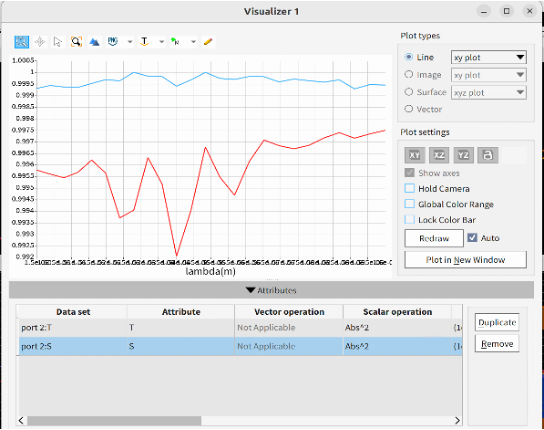
T/S^2 vs wavelength:
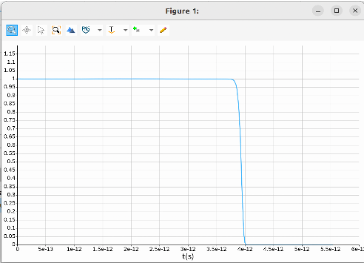
autoshutoff value:Â
One further question I have is that it seems the results (T/S^2 vs wavelength) is a not quite smooth, which I assume it is becasue of the relatively low mesh accuracy (mesh accuracy = 3), but my simulation is too big, increasing the accuracy to 4 might not be pratical. I wonder if there is any advice on improving the results further?
Since I am running it on GPU, which doesn't support movie monitor for now, but I'll keep the advice in mind!Â
Shangxuan Yu
-
February 26, 2025 at 2:17 am
-
- You must be logged in to reply to this topic.
-
5979
-
1906
-
1420
-
1307
-
1021
© 2026 Copyright ANSYS, Inc. All rights reserved.