TAGGED: mechanical, result-visualisation
-
-
January 30, 2025 at 9:50 am
jordi.marce.nogue
Subscriber -
January 31, 2025 at 6:22 am
Akshay Singh
Ansys EmployeeÂ
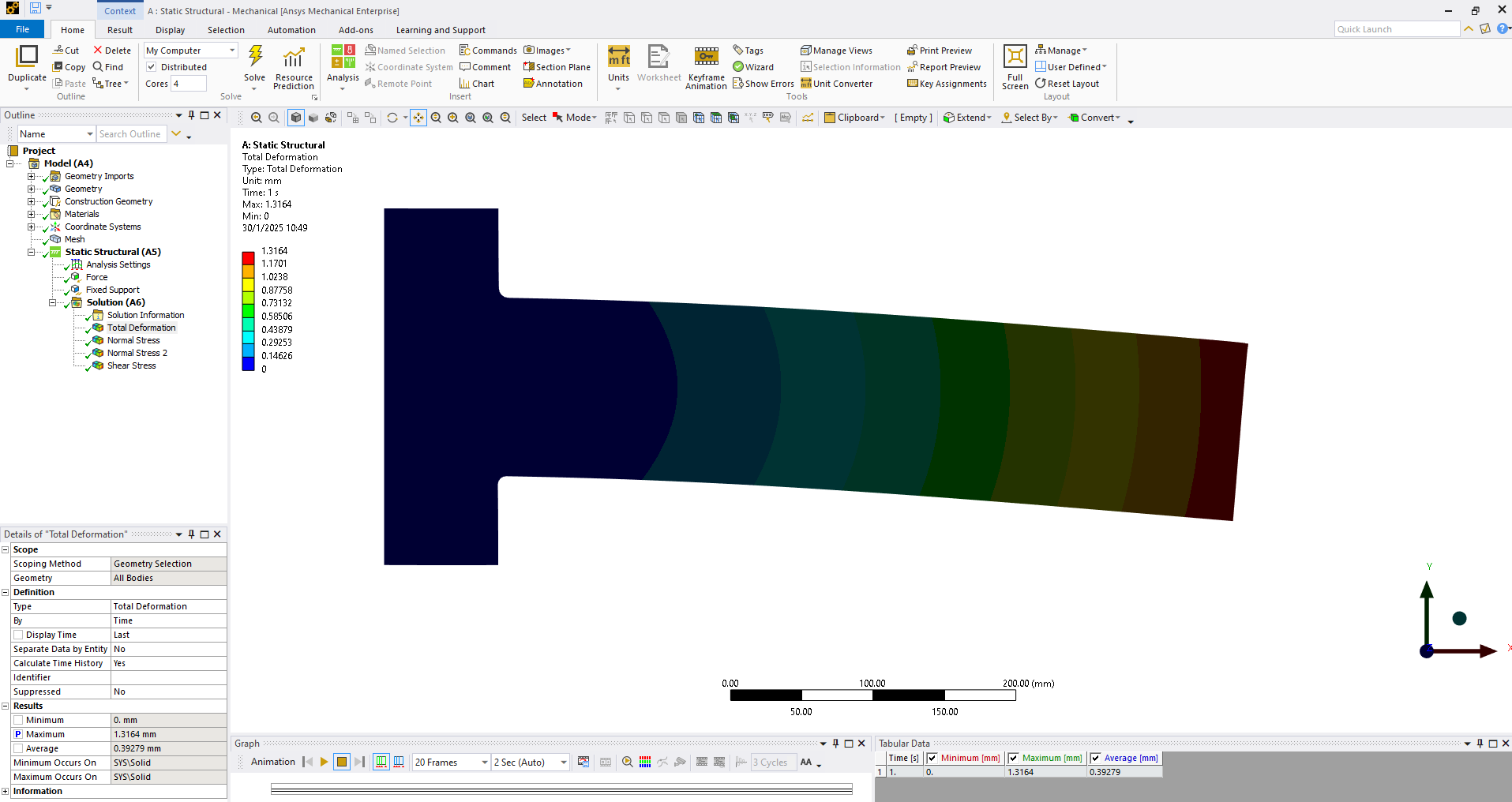
Please check the Lighting Properties under Model Details and set Ambient, Diffuse and Specular values correctly.
It is possible that Diffuse values were disturbed(reduced to near 0 value) leading to a dark image. Try to increase this value to around 0.5 or higher
Check Ansys help to better understand each settings Model
Â
-
January 31, 2025 at 7:26 am
jordi.marce.nogue
SubscriberThanks! That’s the solution!
I really didn’t know about this option, and I kept trying 'Options' and 'Preferences' in the main menus without success
-
Viewing 2 reply threads
- The topic ‘Too dark display of the results’ is closed to new replies.

Innovation Space
Trending discussions
Top Contributors
-
5899
-
1906
-
1420
-
1306
-
1021
Top Rated Tags
© 2026 Copyright ANSYS, Inc. All rights reserved.
Ansys does not support the usage of unauthorized Ansys software. Please visit www.ansys.com to obtain an official distribution.