Ansys Assistant will be unavailable on the Learning Forum starting January 30. An upgraded version is coming soon. We apologize for any inconvenience and appreciate your patience. Stay tuned for updates.
Ansys Products

Ansys Products

Discuss installation & licensing of our Ansys Teaching and Research products.

Thermal Desktop Default Planetary Data Parameters

    • Alex
      Subscriber

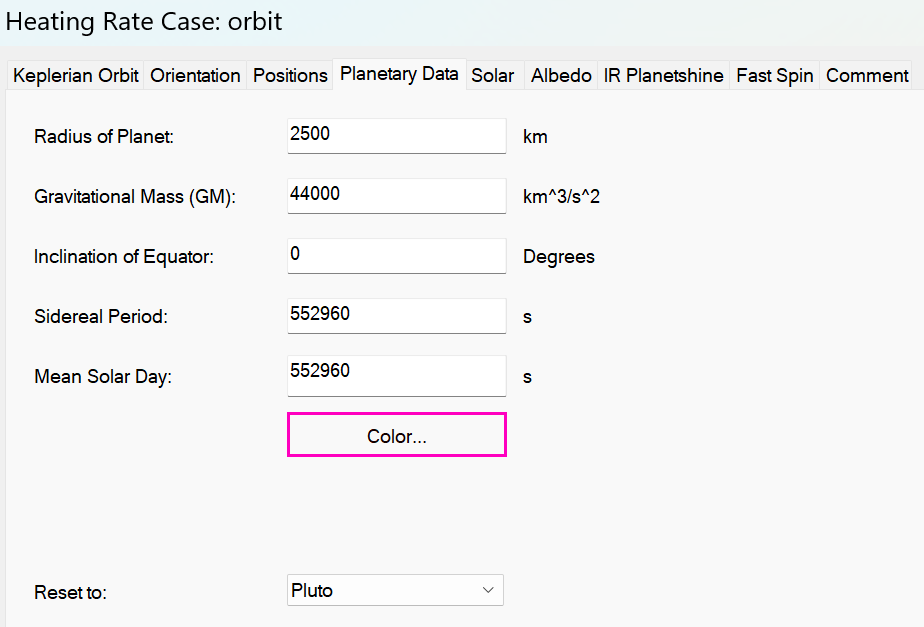
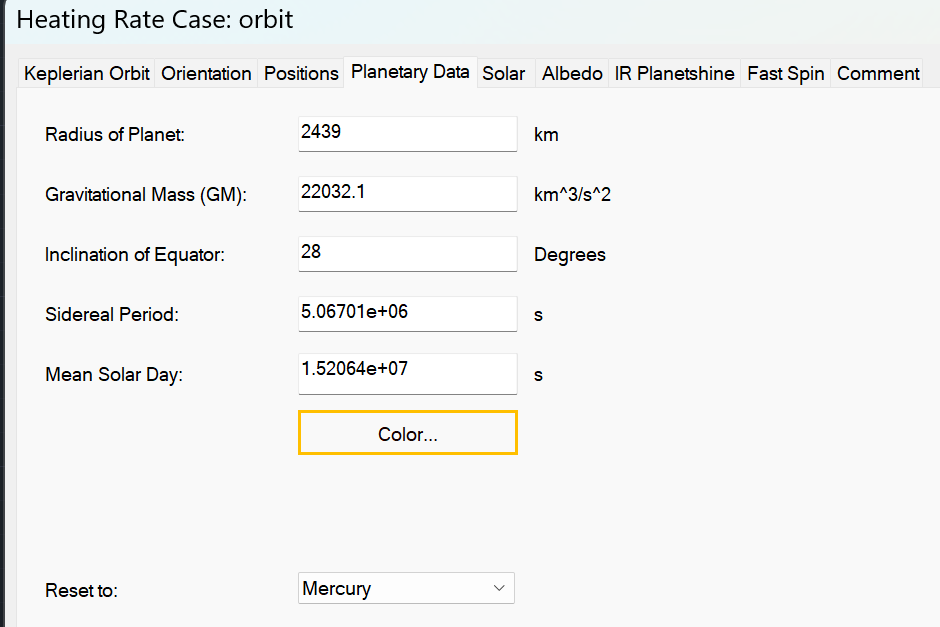
      Hello, why are the default 'Inclination of Equator' parameters for Mercury set to 28 degrees, and Pluto set to 0 degrees? The Thermal Desktop user guide states that the Inclination of Equator "is the angle between the planet’s equatorial plane and its ecliptic plane." May someone please help me understand how these values were determined?

    • Doug Bell
      Ansys Employee

      I will look into this and see why these values do not agree with the information I have found.

      You are able to set the defaults for orbits, including the planetary data. 

      Follow these steps

      1. On the Thermal ribbon tab, expand the Common panel
      2. Use the first Defaults: * drop-down to find Default: Orbits
      3. Set any values you wish to use
      4. Create a new orbit to use the new defaults

      If you perform steps 1-3 in a black drawing and save the drawing, you can start any new project with your desired defaults.


    • Doug Bell
      Ansys Employee

      Note that planetary information such as equatorial inclination can change over time. If we update the values, we will update using current information. You should ensure that you use planetary data expected when your system will be orbiting or on that planet.

Viewing 2 reply threads
  • You must be logged in to reply to this topic.
[bingo_chatbox]