Ansys Assistant will be unavailable on the Learning Forum starting January 30. An upgraded version is coming soon. We apologize for any inconvenience and appreciate your patience. Stay tuned for updates.
General Mechanical

General Mechanical

Topics related to Mechanical Enterprise, Motion, Additive Print and more.

Additive workbench – Cannot input tabular data

    • dingyangyao1995
      Subscriber

      Hello,


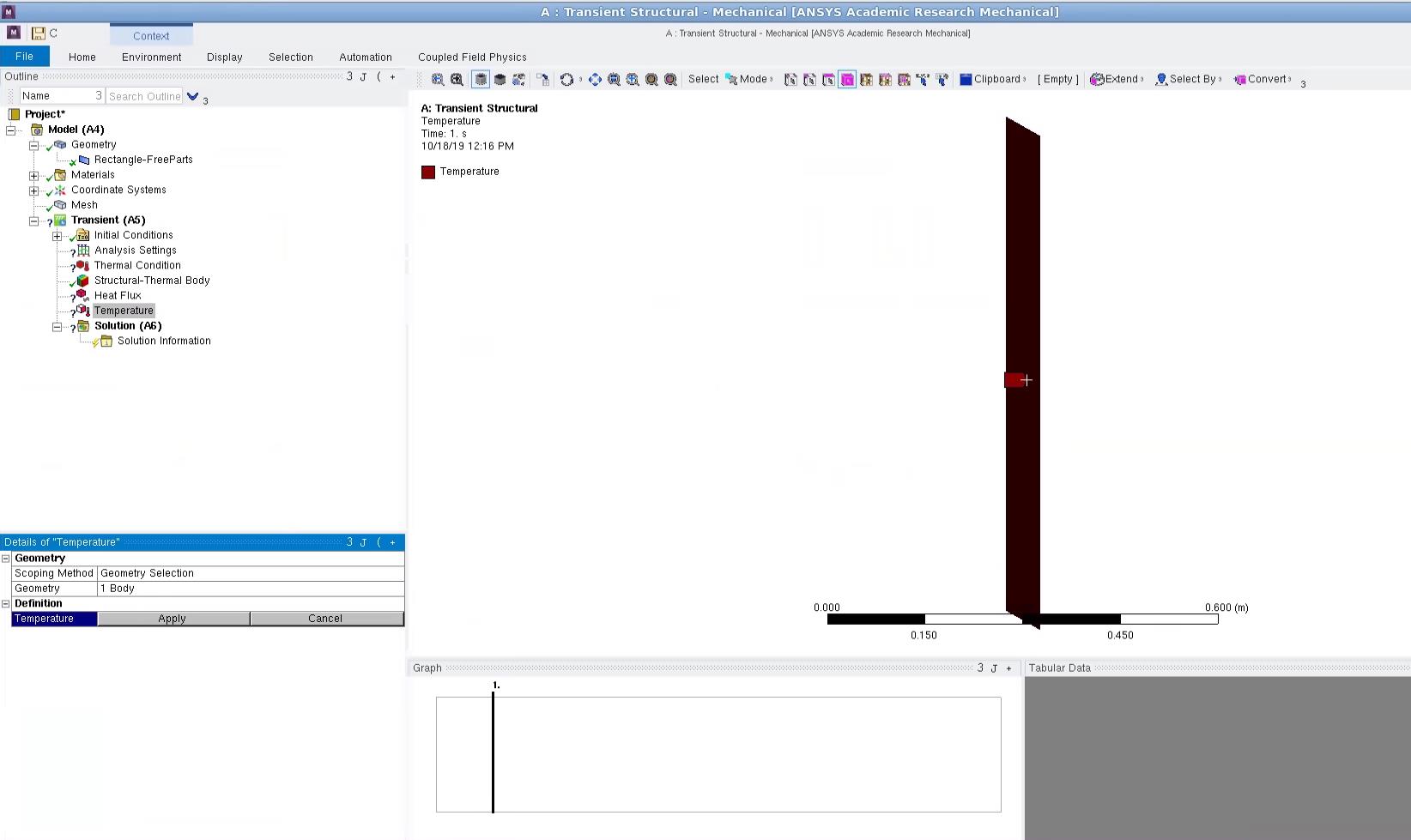
      I am working in the transient structure analysis system and I cannot input any tabular data. I have checked several tutorials and when they clicked on tabular data, a window pops up in which we can enter data. However, nothing happens on my screen. I have also tried the external load but it still does not work. 


      Thanks

    • Sandeep Medikonda
      Ansys Employee

      try resetting the application data and see if it helps...


      See this discussion

    • dingyangyao1995
      Subscriber

      It wouldn't help. I think it's some problem with the GUI

    • Sandeep Medikonda
      Ansys Employee

      please post some snapshots and provide links to what tutorials you are referring to.

    • dingyangyao1995
      Subscriber


      This is the snapshot and the tutorial i was referring to was,


      https://www.simutechgroup.com/tips-and-tricks/fea-videos/335-ansys-workbench-tips-tricks-thermal-structural-coupling

    • Sandeep Medikonda
      Ansys Employee

      Ok, 2 Issues here:


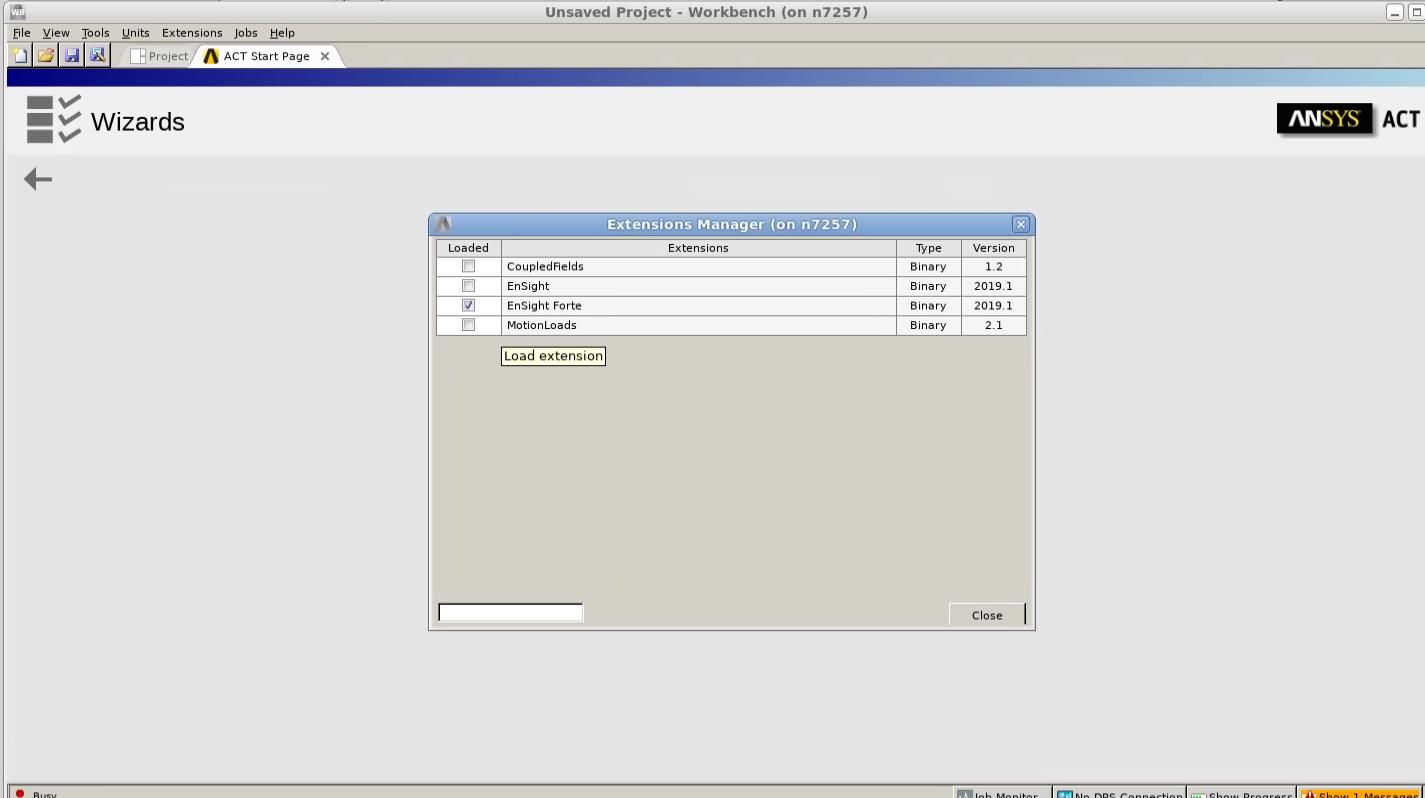
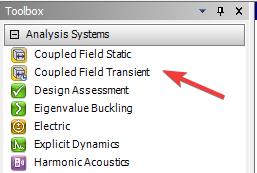
      1. You are using an the Coupled Physics ACT plugin from an older version in what looks like a newer version of ANSYS. Is it ANSYS 2019R3 (available as a beta feature in 2019R2)? If it is then you should be able to directly use the Coupled Transient Analysis system:


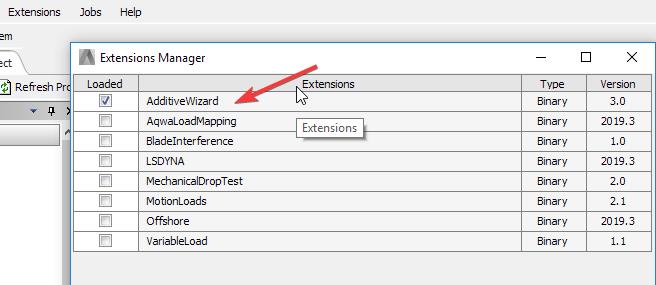
      2. Coupled Field analysis does not use the concept of EKILL/EALIVE which is a lumped layer approach to building metal parts. You might want to start off by using the AdditiveWizard which comes pre-packaged in as an extension. Refer to the help for complete details.


      It is also a linked analysis that uses weak coupling.


      Here the video you might want to follow:


      https://www.youtube.com/watch?v=eK0n7Q0IqyM


      Lastly, there is some other systems issue with you the graphics on your linux machine. The context-dependent menu isn't quite available here.


    • dingyangyao1995
      Subscriber

      Thank you for the solution. I will try that out.


      Regarding the graphics problem on linux, I wonder if mechanical offers a TUI similar to Fluent? Is there a way that thru APDL command the data could be entered? Thank you

    • Sandeep Medikonda
      Ansys Employee

      Yes, you should be able to do this from the command line (by running the job in foreground), See this:
      https://ansyshelp.ansys.com/account/Secured?returnurl=/Views/Secured/corp/v195/ans_ope/Hlp_G_OPE3_4.html%23batchcommand

    • dingyangyao1995
      Subscriber

      Also where can we find the AM wizard? We have access to the additive suite but do not know where to download the AM wizard


      Thank you

    • Sandeep Medikonda
      Ansys Employee

      It comes pre-packaged. Just activate it using Extensions>Manage Extensions as I show above

    • dingyangyao1995
      Subscriber


      Somehow we do not have it, and this is a newly installed 2019R3.

    • dingyangyao1995
      Subscriber

      Is it only available in windows?

    • Sandeep Medikonda
      Ansys Employee

      yes, it is very likely...

    • Sandeep Medikonda
      Ansys Employee

      On Linux, you might've to work without the Wizard. Please see Chapter 5 in the help to understand the general steps.

Viewing 13 reply threads
  • The topic ‘Additive workbench – Cannot input tabular data’ is closed to new replies.
[bingo_chatbox]