Ansys Assistant will be unavailable on the Learning Forum starting January 30. An upgraded version is coming soon. We apologize for any inconvenience and appreciate your patience. Stay tuned for updates.
Preprocessing

Preprocessing

Topics related to geometry, meshing, and CAD.

Taking a Surface body to a Solid body

    • adc430
      Subscriber

      Hi, first of if I am posting in the wrong fourm i do apologize. 


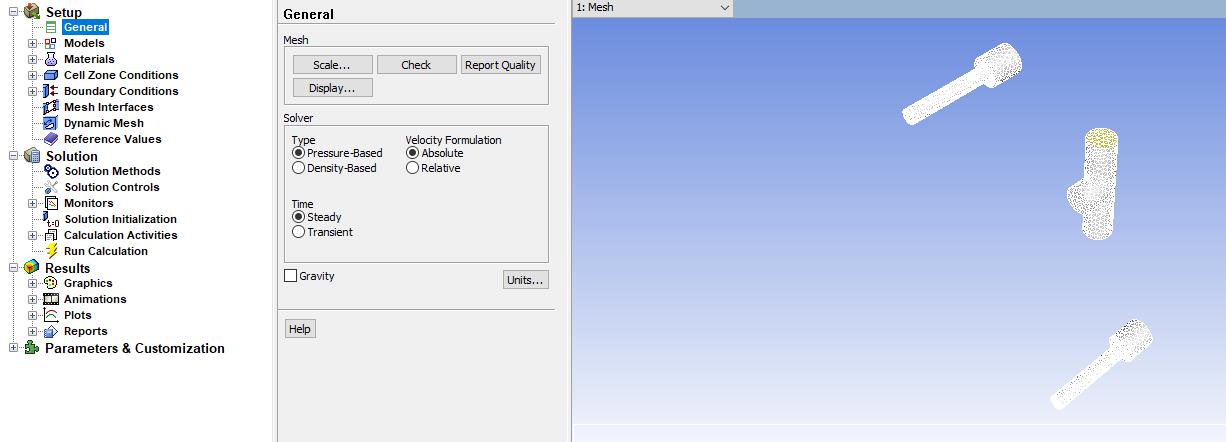
      I an very new to ANSYS (engineering student), never used the program however I have been tasked with conducting a CFD for a project. I created the model with solidworks, saved it as a IGES file and import the file to the program. When I am creating my mesh and selecting my conditions i notice that under geometry i have solids and surface bodies. Once i enter the setup phase, only the solid bodies show up. I need everything so my question is how to make those surface bodies solid or if there is any other method i can go about doing this. I'm not sure what information you may need, so please ask and I'll give. 


    • peteroznewman
      Subscriber

      Hello,


      In SolidWorks, use File, Save As and set the file type to Parasolid.


      In DesignModeler, use File, Import External Geometry File and point to the Parasolid file.


      This is more likely to result in Solids showing up in DM since both DM and SW are using Parasolid.


      When you convert from SW to IGES and then from IGES to DM, there are extra conversions of the data and something is lost in translation.


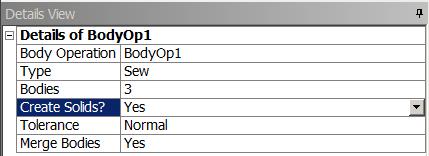
      If that doesn't work, then you can take the surfaces and in DM, Create, Body Operation, Sew, and set Create Solids? to Yes.


      This discussion would be best in the Geometry and CAD category, but you can get your answers here anyway.


    • adc430
      Subscriber

      Thanks for the advice however both methods failed. It isn't able to create the sew operation. 

    • sathya
      Subscriber
      Hi Makesure you created solid in solidworks.While saving in SW settings you can give ansys as preferred solver and save it as STEP file.try it and come back
    • peteroznewman
      Subscriber

      If you put your SolidWorks part and assembly files into one zip file, you can attach that file to your reply AFTER you post (that is when the Attach button shows up). I will take a look, I have SW 2019. What version of SW are you using? What version of ANSYS are you using?

Viewing 4 reply threads
  • The topic ‘Taking a Surface body to a Solid body’ is closed to new replies.
[bingo_chatbox]