TAGGED: .stl-to-ansys, fluent-mesh, meshing, stl, stl-to-CAD-geometry
-
-
January 16, 2024 at 9:52 pm
-
January 17, 2024 at 4:41 pm
Federico
Ansys EmployeeHello Kanta,
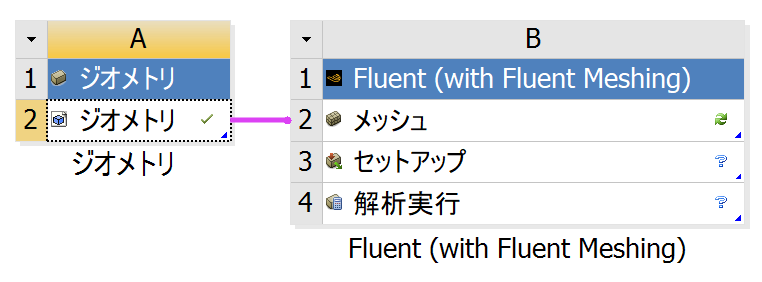
do you get an error message in the Fluent Meshing console?
-
January 17, 2024 at 11:26 pm
-
January 18, 2024 at 9:24 am
NickFL
SubscriberA couple of things I would just try for an initial sanity check.
- Can you open the STL in Ansys SpaceClaim? Depending on the geometry I would possibly do some geometry clean-up on the STL before bringing it into Fluent meshing. But that would be a different topic.
- Try importing a simple cube as an STL and see if that works. The student version has a limit on the number of triangles the STL can have.
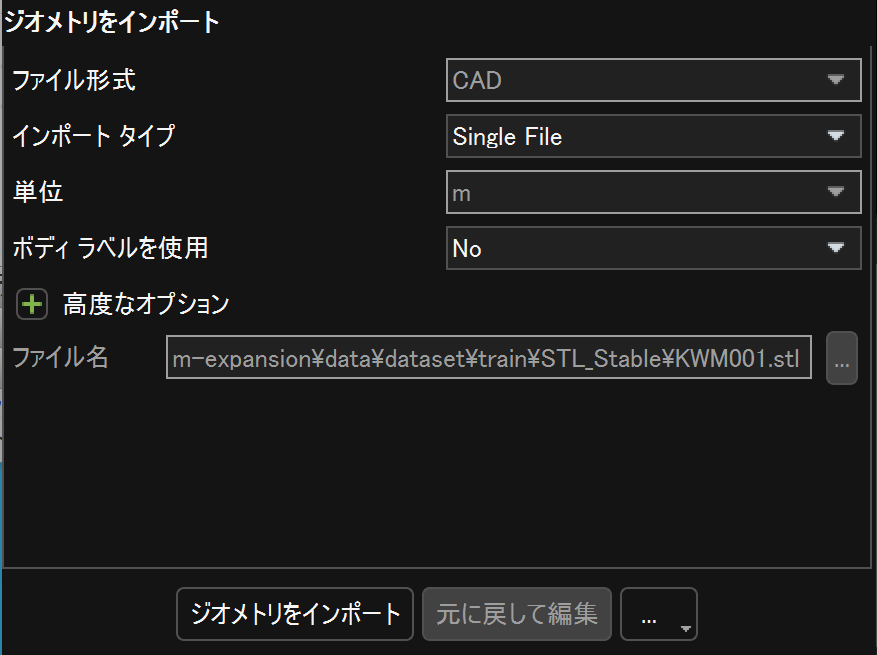
- I am not familiar with how ANSYS handles characters in Japanese, but in the German version certain characters trip up the Python. So I always use filenames containing only simple latin characters.
-
January 19, 2024 at 9:09 am
Kanta Shimizu
Subscriber- Tes, I can open it in Ansys SpaceClaim.
- The same problem occurred with a very simple geometry created in Spaceclaim. This does not seem to be a problem specific to STL files.
- Filenames are written only in English. So, I think it is not the problem.
-
January 19, 2024 at 1:06 pm
Kanta Shimizu
SubscriberMeshing> Reading "C:Path\dp0\FFF-1\Fluent\FFF.msh.h5" ...
3D mesh
nodes: 0
edges: 0
faces: 0
cells: 0
reading 0 node zones
reading 0 edge zones
reading 0 face zones
Warning: no nodes readanalyzing boundary connectivity...done.
-
January 19, 2024 at 1:50 pm
NickFL
SubscriberHave you tried the import in Stand-alone Fluent outside of Workbench? Does that work? It almost seems like a problem with installation in that one of the modules was blocked, especially if you can open it in SpaceClaim and not Fluent. Have you ever run something in Fluent before without using Fluent Meshing?
Also, did you edit out the directory name or is your working directory really C:?
-
-
January 22, 2024 at 11:14 am
Kanta Shimizu
Subscriber> Have you ever run something in Fluent before without using Fluent Meshing?
No.
> It almost seems like a problem with installation in that one of the modules was blocked, especially if you can open it in SpaceClaim and not Fluent.
Then, what should I do? Should I re-install?
Even "..." button doesn't work. I think that fluent meshing does not work at all.
-
January 22, 2024 at 11:21 am
NickFL
SubscriberI would first try a very simple problem of flow through a pipe. It doesn't matter the problem, just go through the workflow and see if you get the roadblock at the same point. Try going around Fluent meshing by using ANSYS meshing.
If you get stuck in the same point, my recommendation is to reinstall. Be sure to turn off all antivirus programs when you do the installation.
-
January 22, 2024 at 12:12 pm
Kanta Shimizu
SubscriberI installed another version 2023 R2.
However, the same problem occured. What happened?
-
January 23, 2024 at 9:12 am
NickFL
SubscriberIt does look like an installation error of some sort. I am sorry but not really sure what esle it could be. Are you making sure that all your AntiVirus software is deactivated when you install? If you can open it in SpaceClaim but cannot transfer it into Fluent, it seems like the only thing that could go wrong is in one of the translation routines. And basically these can sometimes be blocked by an Antivirus program upon installation.
-
-
-
- The topic ‘How to do CFD simulation from STL file’ is closed to new replies.
-
6385
-
1906
-
1457
-
1308
-
1022
© 2026 Copyright ANSYS, Inc. All rights reserved.