-
-
December 22, 2023 at 11:23 pm
Hasnain Muzammil
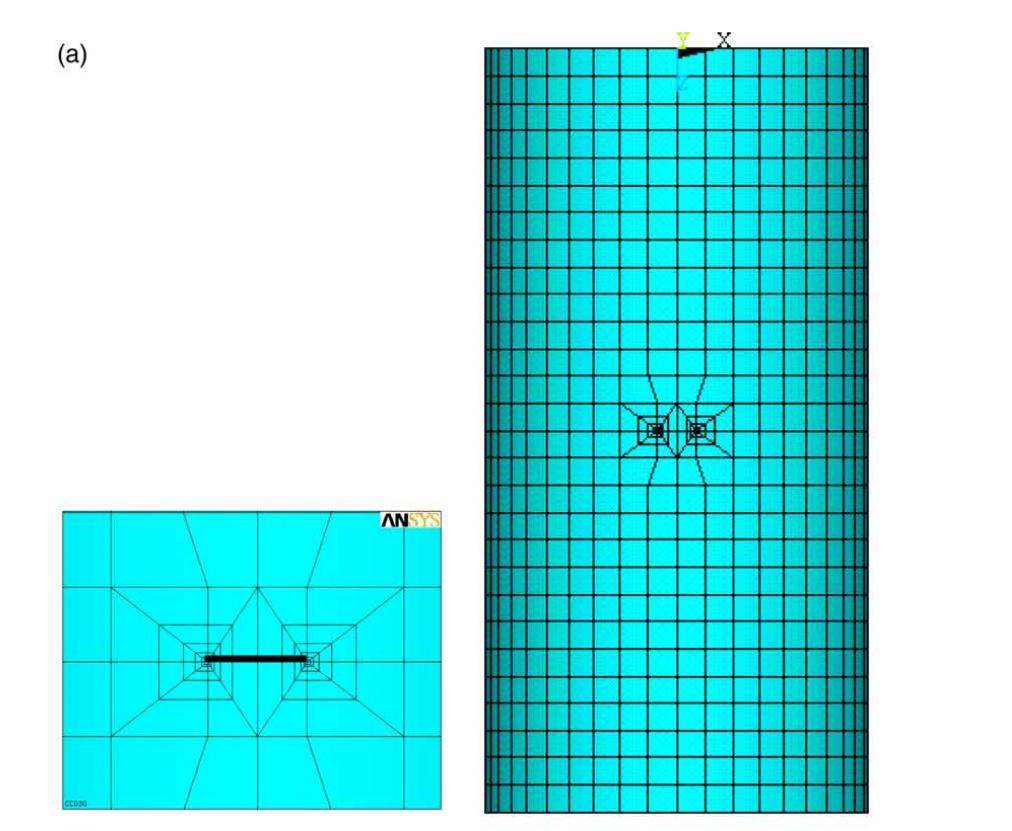
SubscriberHey all! I hope you guys are doing well. I am actually trying to replicate one of shell buckling problem from a research paper. He used ansys to assign crack seam and described crack onwards. My question is how do we assign a crack in workbench without the fracture mechaincs techniques and how do we then process Eigenvalue buckling. I am attaching the screenshot of the crack he assigned in Ansys.
I just want to simulate eigenvalue buckling for a shell with a crack. Also I dont want to introduce a crack by modelling like cutting the shell while modelling it etc type of stuff. Any kind of help would be beneficial.
-
December 27, 2023 at 6:51 am
Aurojyoti Prusty
Ansys EmployeeThe initial crack has to be modelled by fracture mechanics approach such as inserting arbitrary crack, semi-elliptical crack, ring crack, corner, edge crack etc which is available in Workbench, but for crack propagation, if you want to model the crack without any additional insertion of crack, (for arbitrary crack growth), XFEM is useful.
XFEM provides cracks and other discontinuities by enriching the degrees of freedom in the model with additional displacement functions that accounts for the jump in displacement across the discontinuity. This method models the cracks without explicitly meshing the crack surfaces.
This also includes some feature such as
• For growing cracks, the method assumes that the discontinuities cut the element fully.
• As the crack grows, newly introduced crack segments are assumed to have cohesive zone behaviour.
An Eigenvalue Buckling analysis must follow a prestressed static structural analysis. Follow the instructions in Static Structural to build a prestressed Static Structural system, and then complete the following instructions to build and link an Eigenvalue Buckling system.
To work through an Eigenvalue Buckling system:
1. From the Static Structural system, right-click the Solution cell and select Transfer Data to New > Eigenvalue Buckling.
2. A new Eigenvalue Buckling system is created, with the Engineering Data, Geometry, Model, and Setup cells linked from the static structural system.
3. To open the Mechanical application, from the Eigenvalue Buckling system, right-click the Setup cell and select Edit from the context menu or double-click the Setup cell.
4. In the Mechanical application window, complete your analysis using the application's tools and features.
5. See Eigenvalue Buckling Analysis in the Mechanical User's Guide for more information on conducting this analysis. On the Project tab toolbar, click Update Project.

-
December 29, 2023 at 8:09 pm
Hasnain Muzammil
SubscriberHey Aurojyoti ! I get your point. But it really doesnt answer my problem. We cant use fracture mechanics to insert crack in workbench since eigenvalue buckling isnt supported with it. So its typically a lost cause. What I want to do is to model the crack like we do in abaqus. Like we assign a crack seam and etc and then we can do linear buckling analysis too. But I cant find the option for such assignment of crack in workbench. Only fracture mechanics tool is available which again proposes the problem that we cannot then use eigenvalue buckling with it.
Can we model this type of crack in APDL? or run APDL commands in workbench to assign the crack length etc.
-
-
December 29, 2023 at 10:59 pm
peteroznewman
SubscriberHasnain,
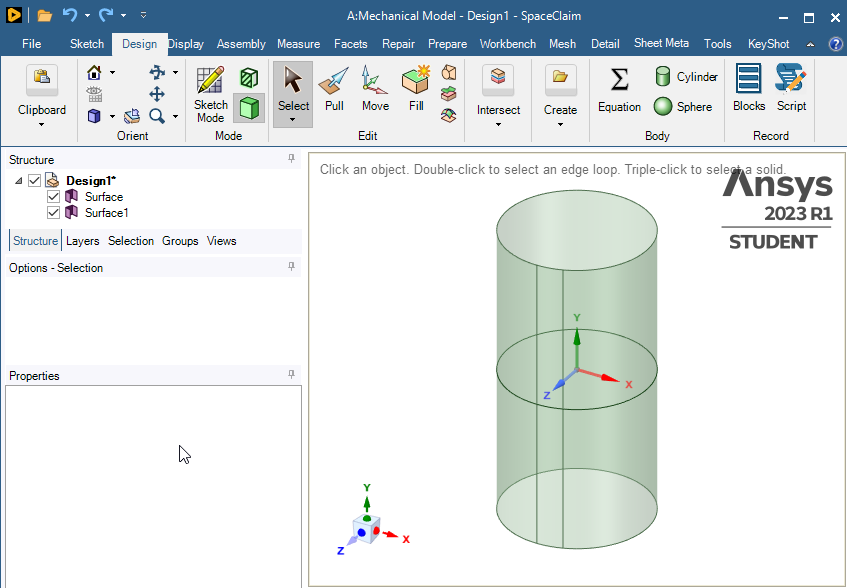
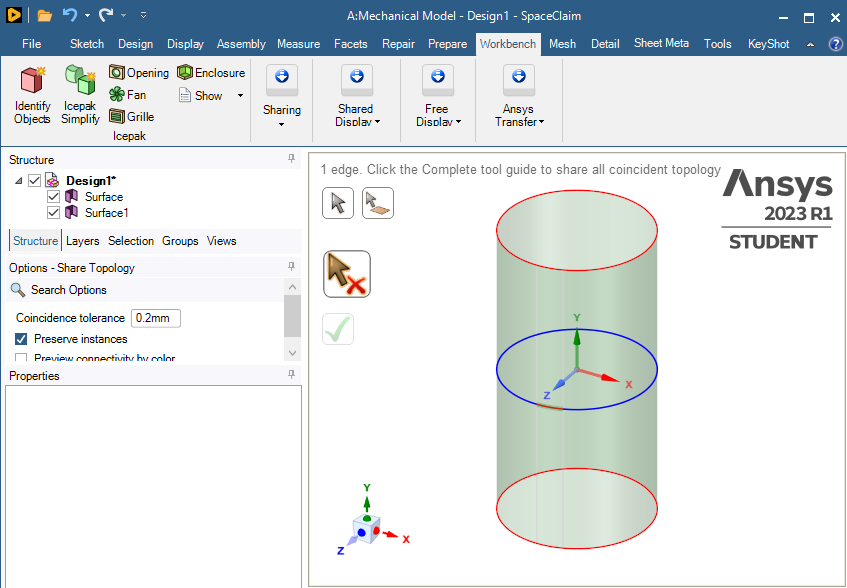
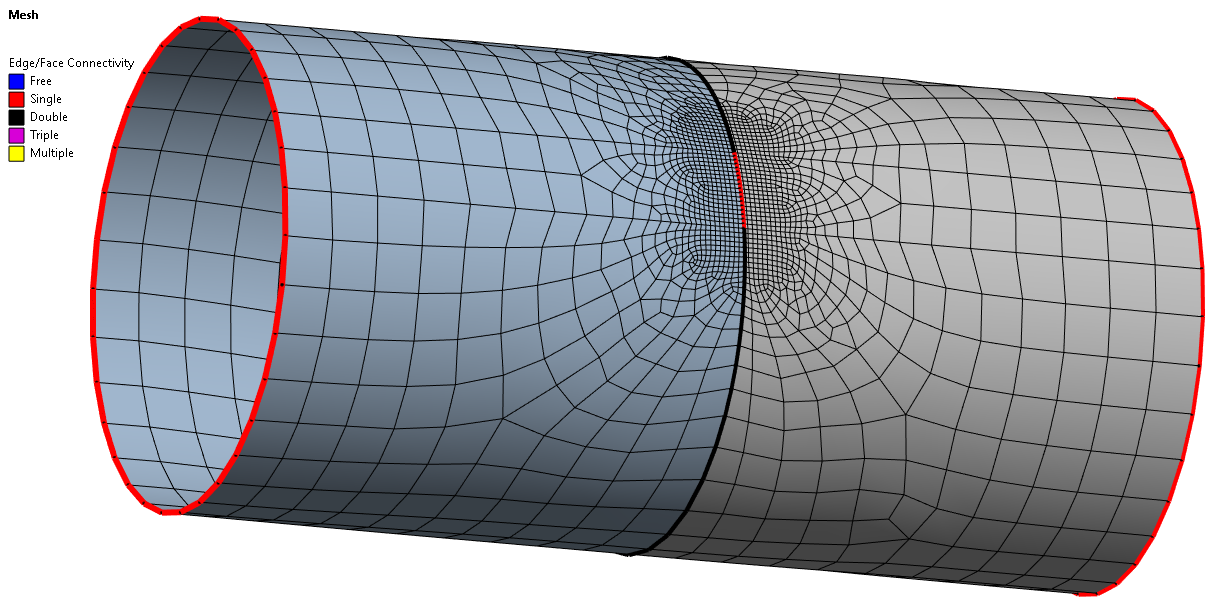
You say you don’t want to model the crack in geometry, but that is a simple way to get a pre-meshed crack. In SpaceClaim, I created a half-length tube and used 2 planes to split the face to make the crack length. I mirrored the half-tube to make the bottom half, then on the Workbench tab, used the Share button and the Exclude button to keep the crack on the surface.
In Mechanical, add a Coordinate System on each vertex of the crack length and create two Sphere of Influence type of Face Size mesh constraint on each crack tip.
-
December 29, 2023 at 11:53 pm
Hasnain Muzammil
SubscriberThank you Peter! I really think this might solve the problem.
One more thing from buckling I would love to ask.
I am doing a buckling problem which includes the effect of Internal pressure on axially compressed shells.
When I add the internal pressure the lancoz solver seems to give the error "Cannot find the eigenvalue in the specified range"
I have set the load multiplier not to include negative values because they are meaningless as for now.
When I add the internal pressure the lancoz solver seems to give the error "Cannot find the eigenvalue in the specified range"
I have set the load multiplier not to include negative values because they are meaningless as for now.
-
-
December 30, 2023 at 4:14 am
peteroznewman
SubscriberA negative pressure (partial vacuum) can buckle a tube on its own or reduce the axial compression needed to buckle the tube.
A positive pressure can increase the axial compression needed to buckle the tube.
Which type of internal pressure is in your model?
-
December 30, 2023 at 10:40 am
Hasnain Muzammil
SubscriberIts a positive pressure (internal pressure).
-
December 30, 2023 at 4:39 pm
peteroznewman
SubscriberRead the ANSYS Help chapter on Buckling.
First open ANSYS Help by clicking on the Help menu in Mechanical, Workbench or the Windows Start menu. Once the browser opens, copy the URL below and paste into the browser address bar. Don't just open a browser and paste. It has to be a browser where Ansys Help is already loaded.
https://ansyshelp.ansys.com/account/secured?returnurl=/Views/Secured/corp/v232/en/wb_sim/ds_buckling_analysis_type.html
-
- The topic ‘Shell Crack and Buckling Problem.’ is closed to new replies.
-
6455
-
1906
-
1457
-
1308
-
1022
© 2026 Copyright ANSYS, Inc. All rights reserved.