Hi. I'm having trouble generating a mesh around an airfoil. What I've done is take the approach, such as the one discussed on similar discussions for converging the numerical result.
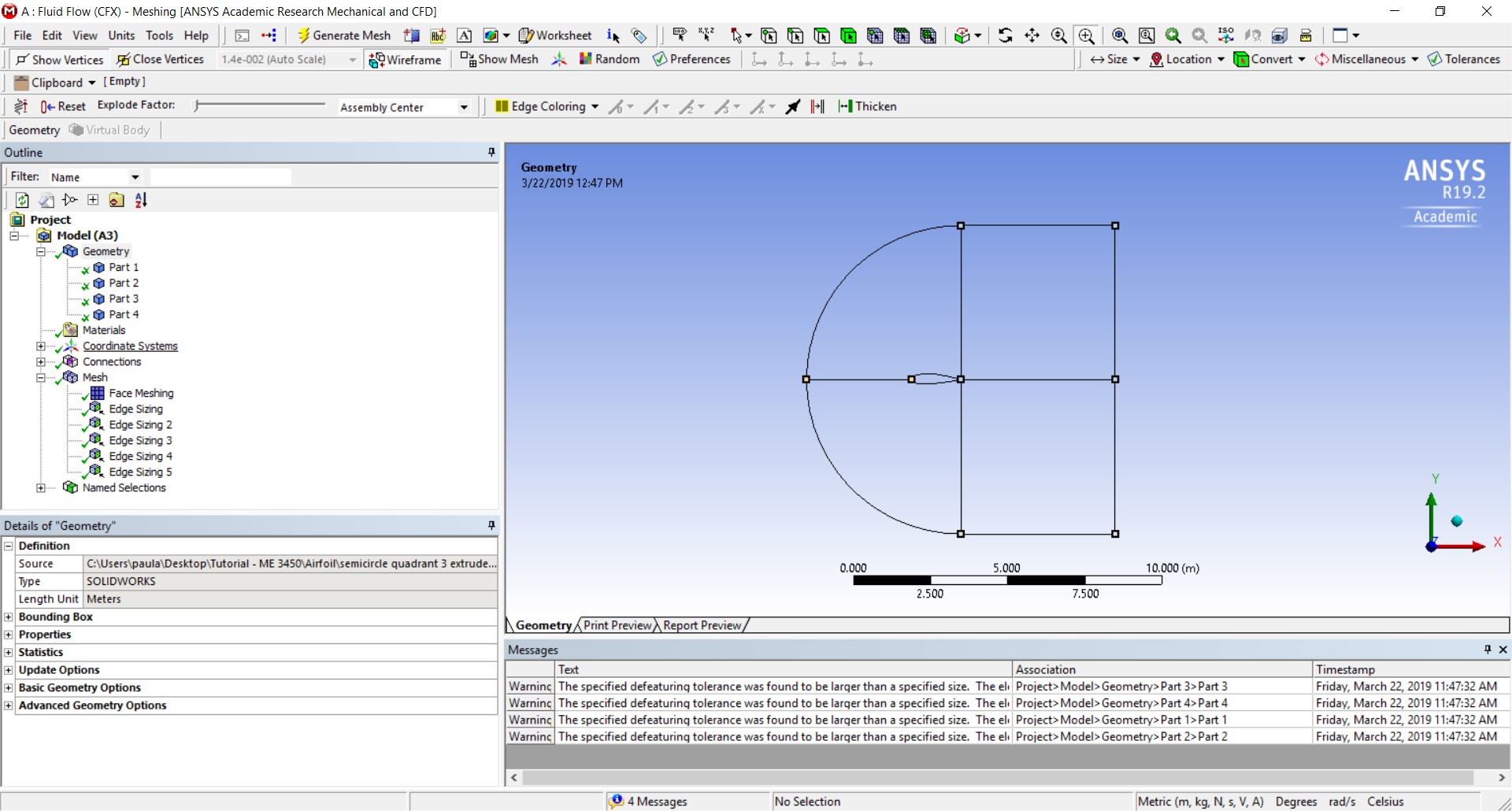
I split the region into quadrants, and used a similar approach as the referenced
/forum/forums/topic/converge-the-numerical-result/
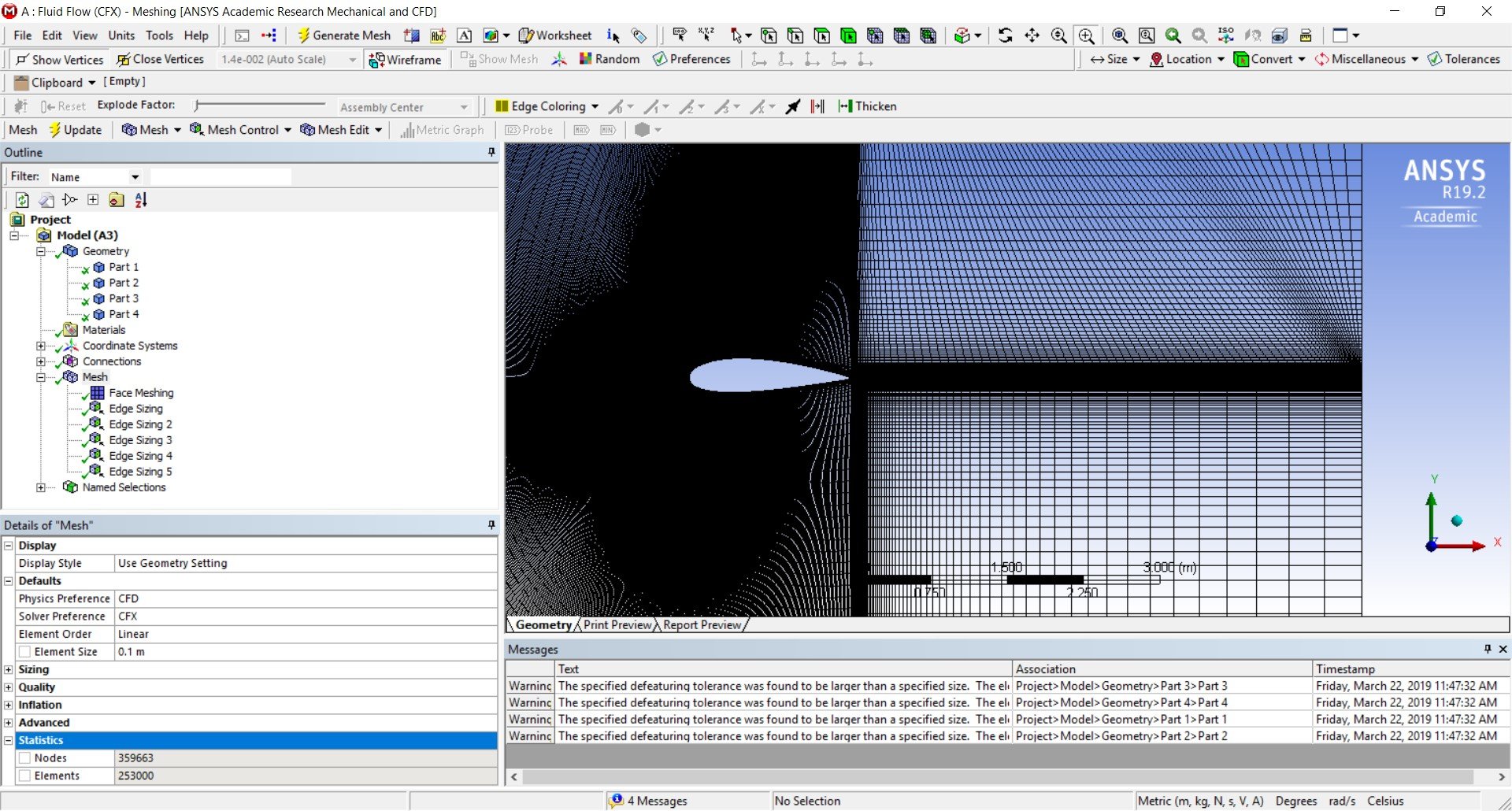
I will attach the 4 part geometry, and the resulting mesh from edge sizing. Although the mesh isn't as geometrically symmetric as the link above, I still consider the mesh I got acceptable and most likely due to the size differences between my domain and the domain referenced above.
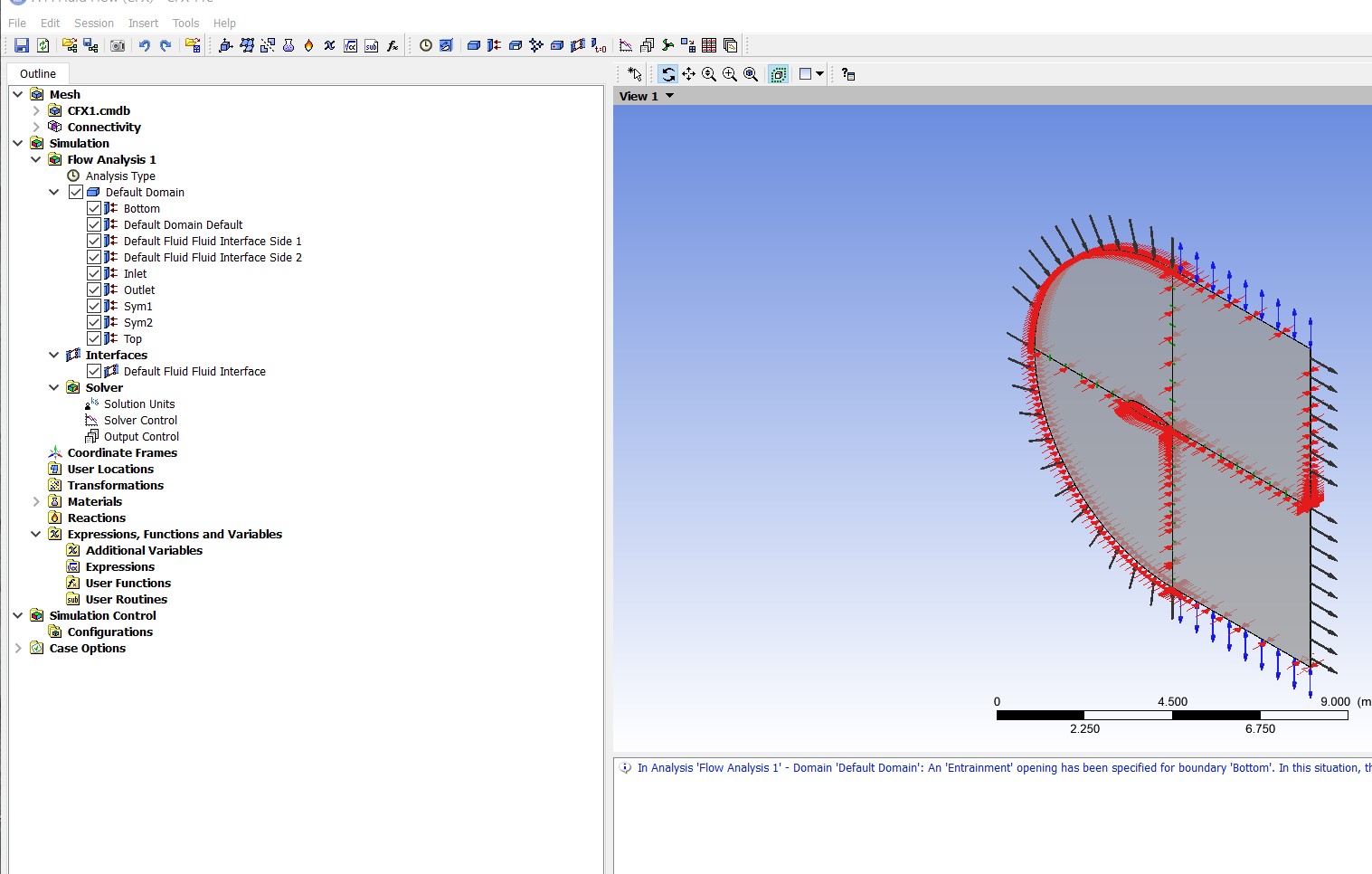
The problem comes when I try to run a solution. I've established boundary conditions as shown for the inlet, outlet, top, bottom, and front and back faces.
In Setup, it appears like the fluid interface sides were automatically created and possibly confound the solution process. When I run the solver, after three iterations I receive an error telling me no results were created.
Could the issue be with using the split feature and 4 parts into the solver - so that it doesn't recognize the proper domain and boundary conditions? Could it be my set up?





















 You are navigating away from the AIS Discovery experience