-
-
March 6, 2019 at 12:17 pm
Max4
SubscriberHi,
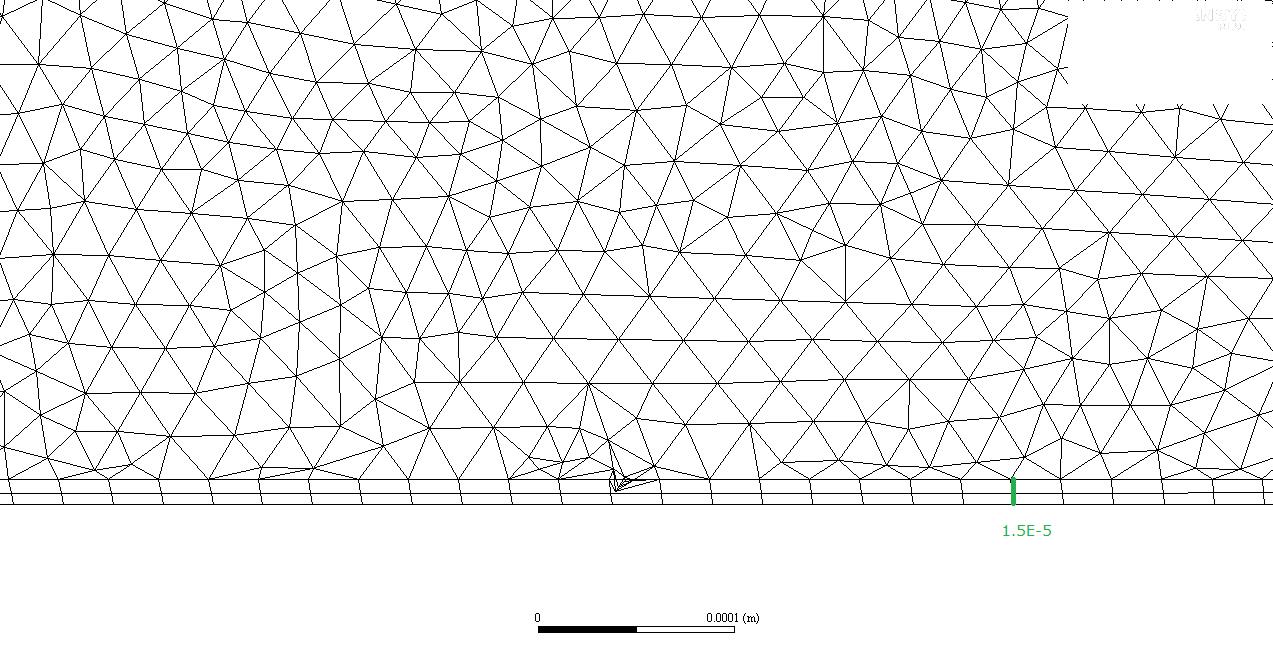
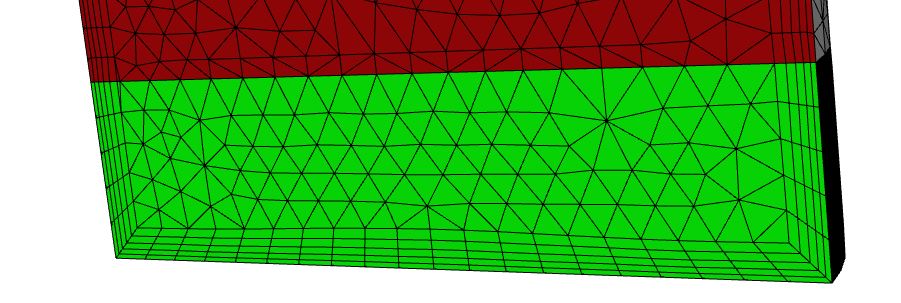
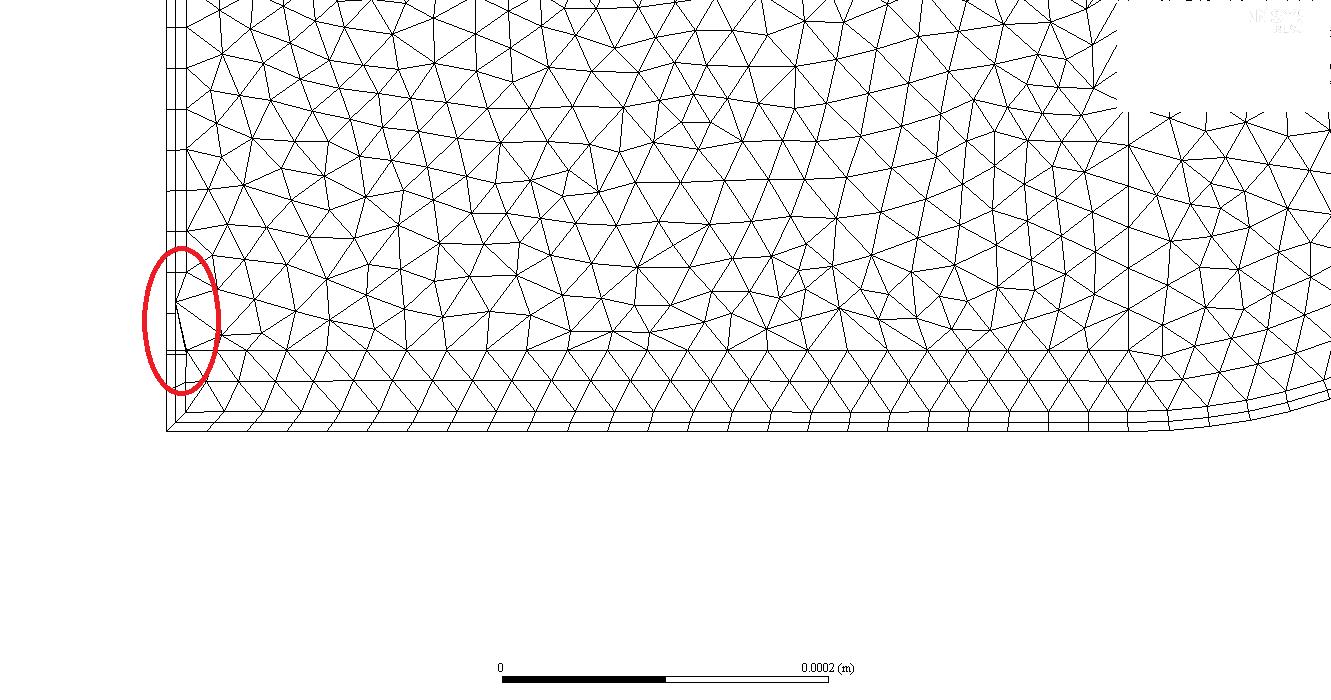
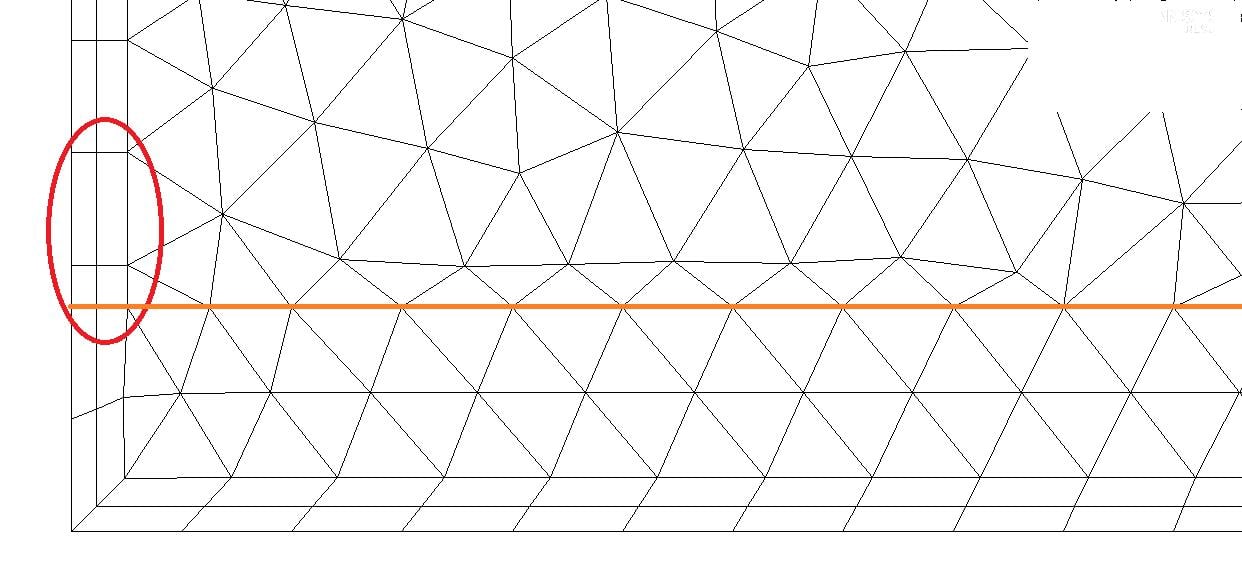
I´m running a transient simulation with dynamic mesh. The position at the beginning is as follow. There is inflation which moves according to the mouvement of a piston. The cell size is 2E-5 m and the parameter are the following. Region Face is enabled because there are moving vertical boundaries in the domain too. I have use a time step size of 7E-6 s.
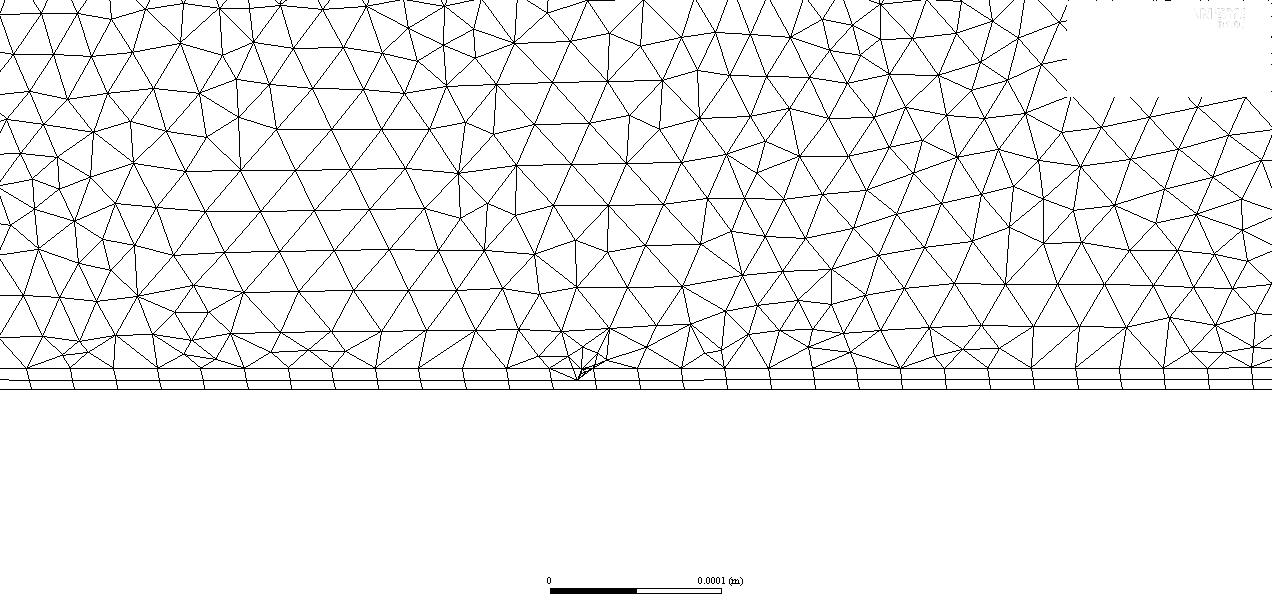
After several time steps, one cell with negative volume is detected:
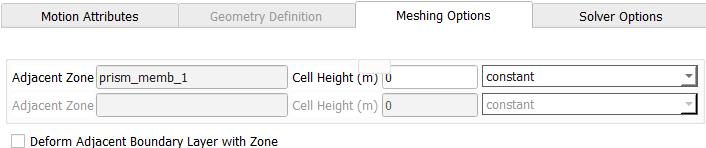
As Cell Heigt for the moving boundary "piston", I have set 1,5E-5 m. Should I just set the value of the first layer height and not the height of the inflation ? I have yet chang the Spring Constant Factor between 0 and 1, without any changes.
Regards,
Maxime
-
March 7, 2019 at 3:08 am
Keyur Kanade
Ansys Employeei assume you are moving prism layer with lower boundary.
please use cell height for tet and not for prism.
-
March 7, 2019 at 7:06 am
Max4
SubscriberYes, prism layer are moving with the lower boundary and are set as a rigid body.
I have tried it with cell height of 2,5e-5 m, but it doesn´t work. The problem occurs always at the same position.
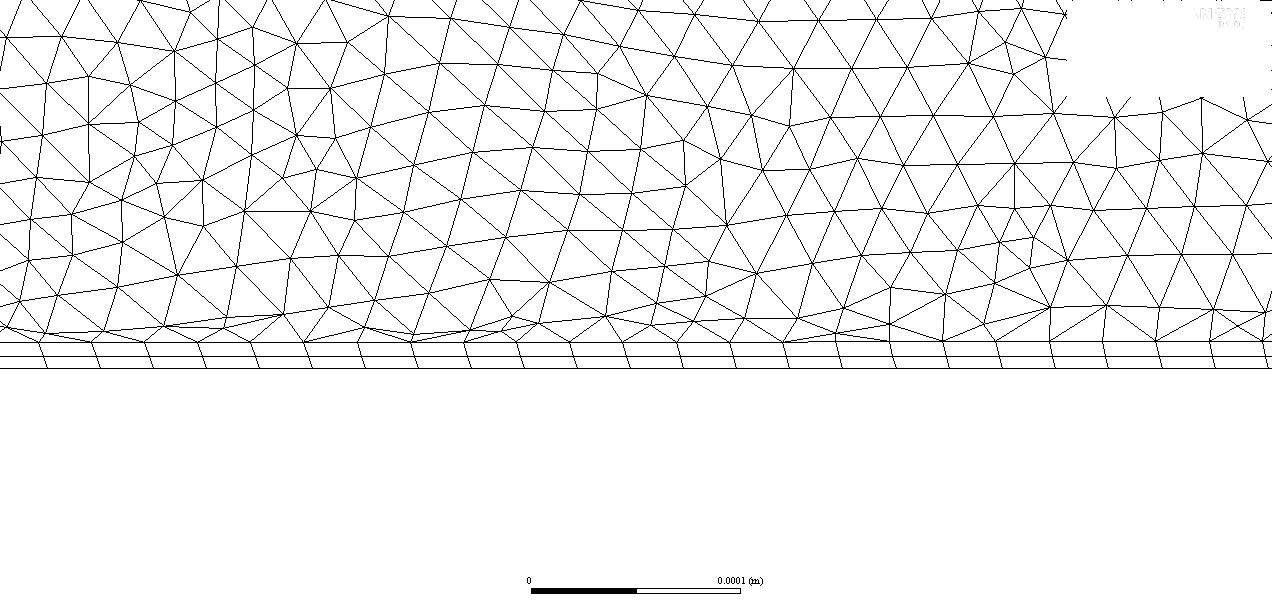
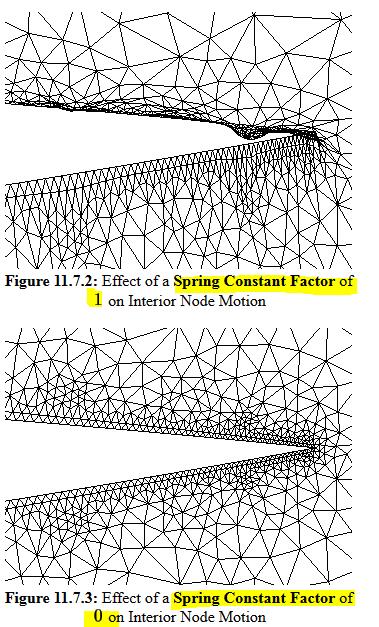
I have set the spring constant factor to 0.1, so why does the mesh deform so much around the moving boundary (compressed cells)?
The other settings seem to you okay?
Regards,
Maxime
-
March 11, 2019 at 3:24 am
Keyur Kanade
Ansys Employeein smoothing please use spring factor as zero and no. of iterations as 100. then check.
-
March 11, 2019 at 8:26 am
Max4
SubscriberIt doesn´t work. The same problem at the same position.
-
March 11, 2019 at 8:59 am
Amine Ben Hadj Ali
Ansys EmployeeYou can move the interface between prism layers and tet's rigidly lie the prism layer zones: requires domain composition. If motion is small you can try use "Deform Adjacent..."
-
March 11, 2019 at 9:46 am
Max4
SubscriberThe movement is too large for using " Deform Adjacent ".
How can I do this?
Regards,
Maxime
-
March 11, 2019 at 11:46 am
Amine Ben Hadj Ali
Ansys EmployeeDecomposing the zone into pure or nit pure inflation zone and rest. The first zone moves rigidly. The internal boundary does move rigidly too. -
March 11, 2019 at 11:53 am
Max4
SubscriberI have set yet the two prism layer (inflation) as Rigid Body with the same movement as the piston. So, I don´t understand the decomposition.
-
March 11, 2019 at 4:15 pm
Amine Ben Hadj Ali
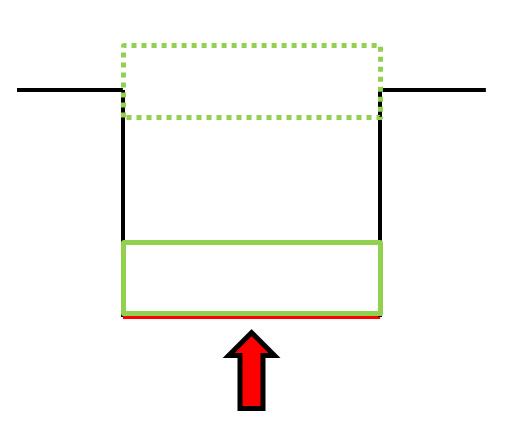
Ansys EmployeeThis region will be move as rigid body. That is what you have done. Now I am talking about the external edge of this inflation layer. It has to move rigidly too.
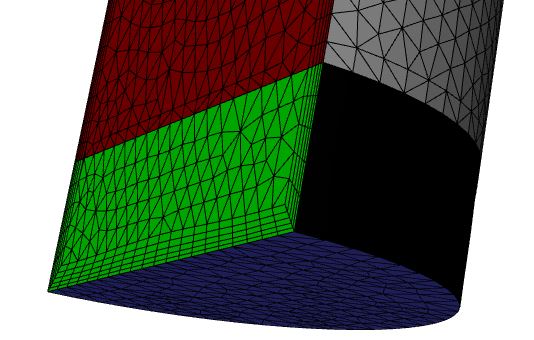
My green zone is moving rigidly. The same happens for the interior boundary between green zone and dark red zone. dark red zone is marked as deforming with local cell remeshing and region face. That is why I was meaning with domain decomposition.
-
March 12, 2019 at 7:03 am
Max4
SubscriberThank you for the answer. In order to this, I have to "substract" different domains in Ansys Meshing or do the mesh and then separate the different domains?
By "interior boundary", do you mean the "interface" between the green and dark red zone?
The fact of having inflations along the walls does not pose a problem for the remeshing?
Regards,
Maxime
-
March 12, 2019 at 8:53 am
Amine Ben Hadj Ali
Ansys EmployeeYes: it is jut defined as interior in my case as the mesh is conform. I will separate in pre-processing stage.
The inflations are not posing a problem for my small case.
-
March 12, 2019 at 9:18 am
Max4
Subscriber -
March 12, 2019 at 9:35 am
Amine Ben Hadj Ali
Ansys EmployeeI do not have corners in my example so that I cannot answer here.
The separation has been done in SpaceClaim.
-
March 12, 2019 at 9:40 am
Max4
SubscriberCan the inflations been remeshed during upward and downward movement?
-
March 12, 2019 at 11:28 am
Amine Ben Hadj Ali
Ansys EmployeeYes it does.
-
March 12, 2019 at 1:01 pm
-
March 12, 2019 at 3:11 pm
Amine Ben Hadj Ali
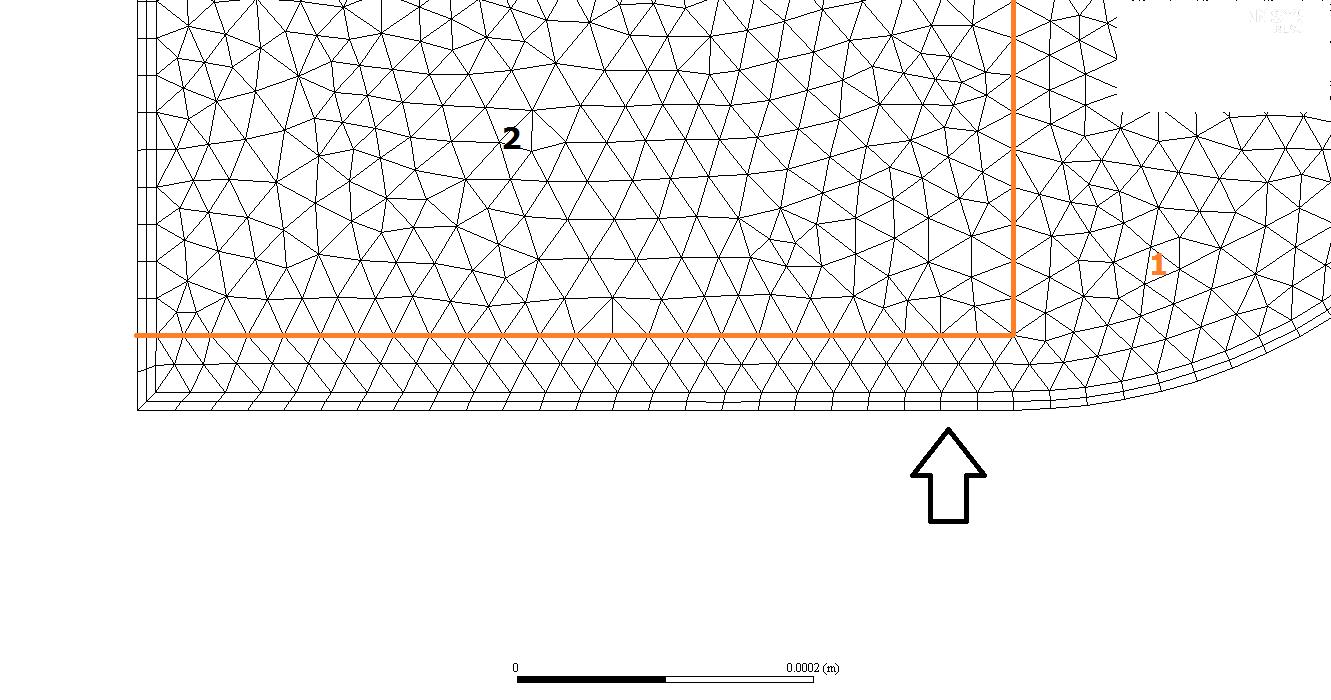
Ansys EmployeeRegion Face has to be enabled here and if the settings are correct it has to work. For the interior boundary (in orange) you need to provide the same UDF/profile as for the cell zone 1. Disable smoothing globally or locally in the related zones /walls.
-
March 13, 2019 at 2:54 pm
Max4
SubscriberHi,
Thank you for the answer. The same problem occurs with negative cells on the left boundary. Local Face and Region Face are enabled in Remeshing.
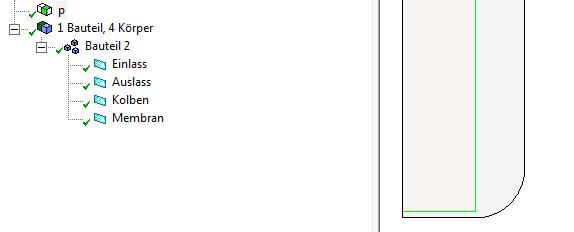
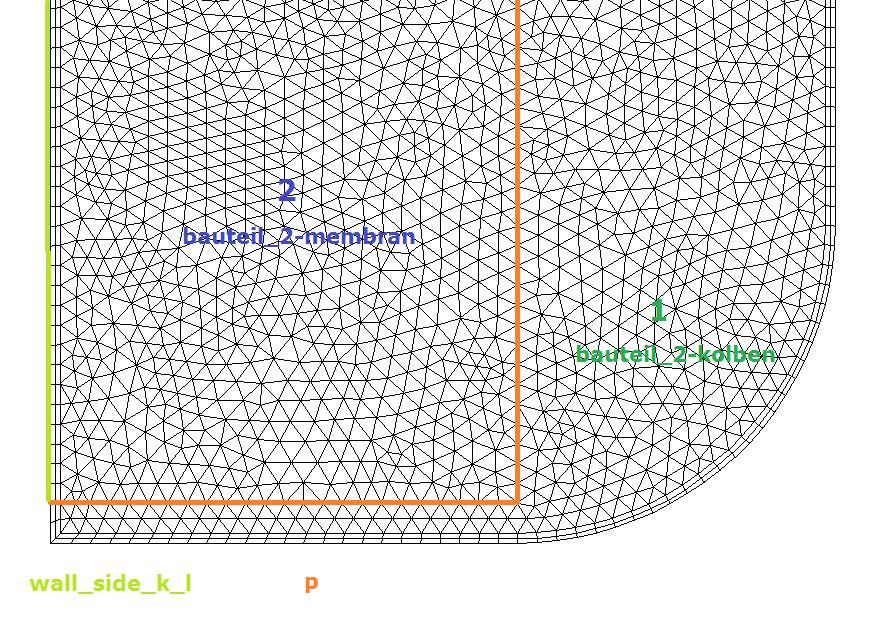
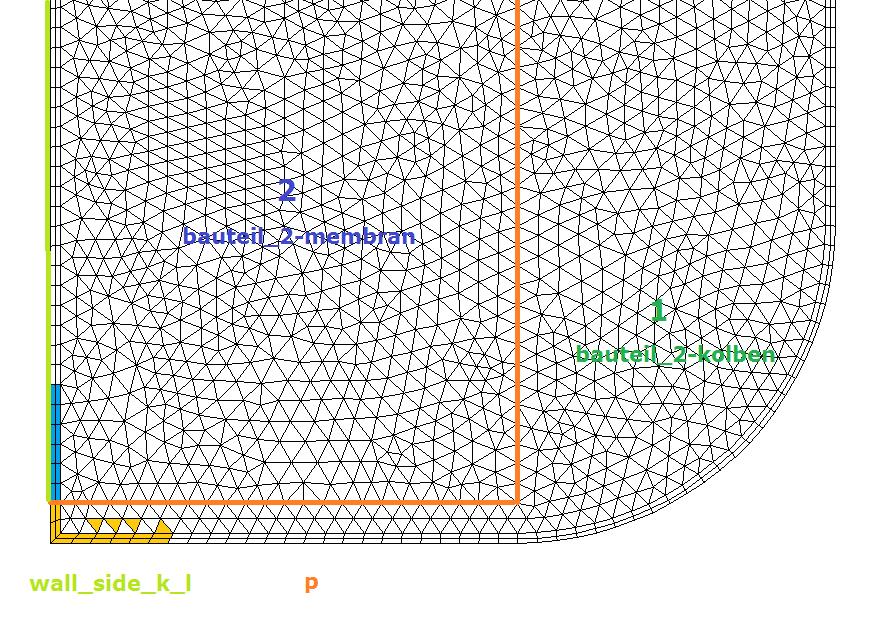
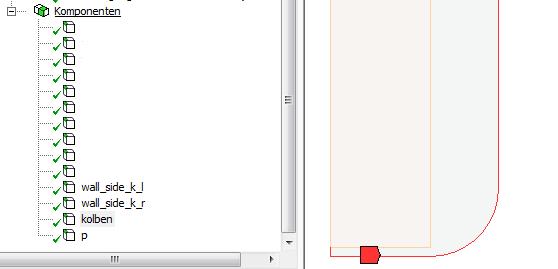
I have created a component (named p) in DesignModeler for the interior boundary in orange.
Following picture shows the different parts:
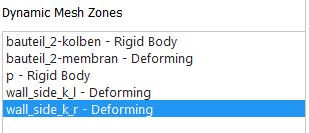
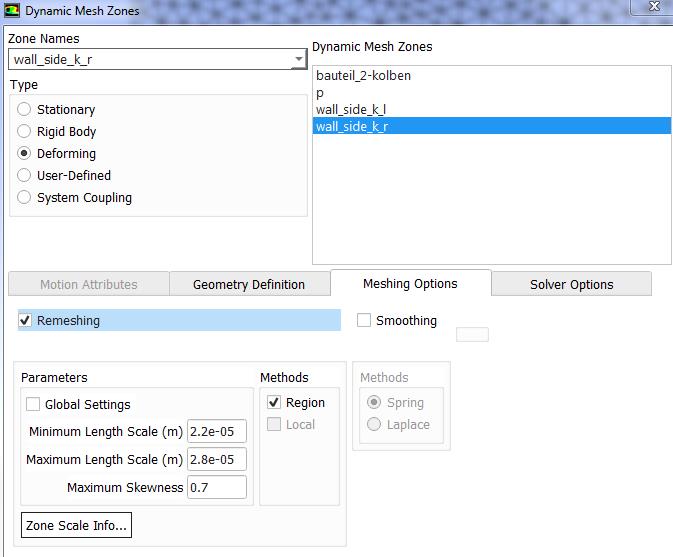
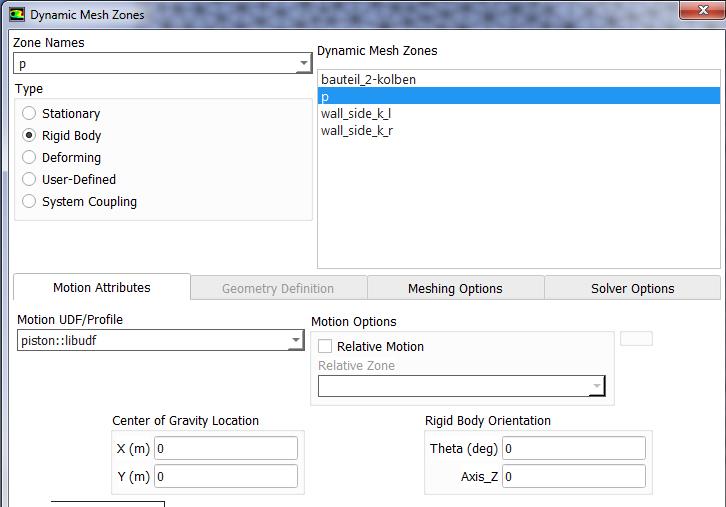
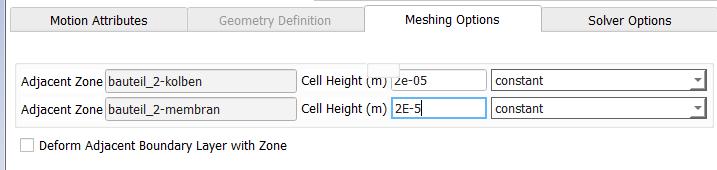
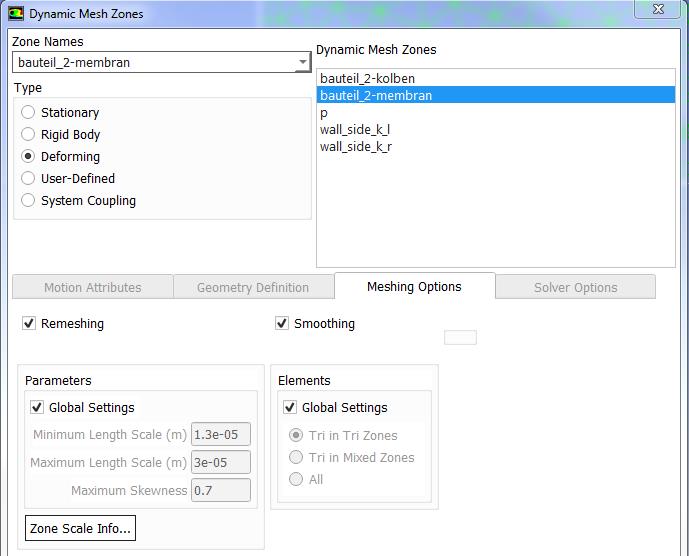
The dynamic mesh zones is as follow:
In details:
wall_side_k_r: I have disabled Smoothing (better when Region Face is used on moving boundary)
p (interior boundary)
bauteil_2-membran
bauteil_2-kolben is set as Rigid Body with the same UDF as the boundary p
Thank you in advance.
Regards,
Maxime
-
March 13, 2019 at 3:11 pm
Amine Ben Hadj Ali
Ansys EmployeeHallo Maxime,
1/For the rigid body meshing option: set 0 as mesh size. This is only relevant for layering
2/wall_side_k_l has to have the settings as wall_side_k_r
3/Wall_side_k_r is rigid and does not require explicit definition.
I see you are located in France. If you still have issues please highlight that to your supervisor (non Student) who can then contact local support. He will then steer communication with local support.
-
March 13, 2019 at 3:12 pm
Amine Ben Hadj Ali
Ansys EmployeeTo add: not forget to provide the geometry definition of the deforming wall_side_k_l to be plane
-
March 13, 2019 at 3:30 pm
Max4
SubscriberHallo,
1/ For the definition of "p", I have to set 0 for the cell height if I understood correctly?
2/ wall_side_k_l and wall_side_k_r have the same settings
3/ wall_side_k_r has to be set as Deforming, like wall_side_k_l
The deforming wall_side_k_l and r are already set as Plane, thanks.
The problem persists. How does the solver know when to merge the cell on the left boundary?
Regards,
Maxime
-
March 13, 2019 at 5:37 pm
Amine Ben Hadj Ali
Ansys EmployeeHAve you read the last part of my answer?
Where is wall_Side_k_r?
The rigidly moving cell zone encapsulates the prism layers on the moving piston so that the layers are not remeshed.
-
March 14, 2019 at 7:21 am
Max4
SubscriberHi,
The wall_side_k_r is on the opposite side, it is symmetrical.
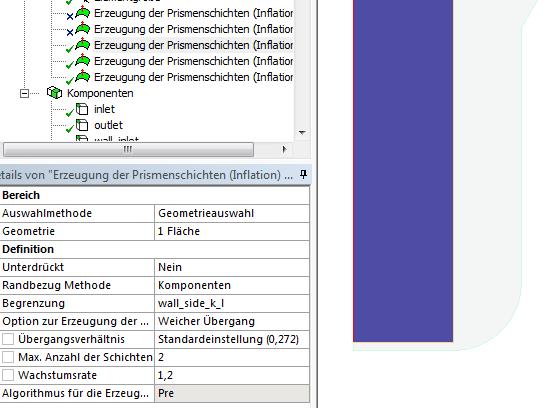
In ANSYS Meshing, I have done the inflation layer for the wall_side_k_l respectively r and for the piston (kolben) separately:
I have separate "kolben" and "wall_side_k" in order to be able to select the "wall_side_k" as Deforming (Plane as Definiton).
By upward and downward movement of the piston, how the prism layers on the "wall_side_k" behave?
Regards,
Maxime
-
March 14, 2019 at 8:05 am
Max4
SubscriberShould I enable "Deform Adjacent Boundary Layer " in the definition of p?
-
March 14, 2019 at 8:19 am
Amine Ben Hadj Ali
Ansys EmployeeThe settings are looking fine perhaps the decomposition should be done differently. At this stage we cannot provide more information without having access to the case. As ANSYS Stuff we do not do that on this open community. Please check with your supervisor if any who can contact his local support.
-
March 14, 2019 at 8:37 am
-
March 14, 2019 at 9:16 am
Amine Ben Hadj Ali
Ansys EmployeeNot necessary and lease check with your supervisor if any who can contact his local support.
-
- The topic ‘Negative Cell Volume’ is closed to new replies.
-
4698
-
1565
-
1386
-
1242
-
1021
© 2025 Copyright ANSYS, Inc. All rights reserved.