Ansys Assistant will be unavailable on the Learning Forum starting January 30. An upgraded version is coming soon. We apologize for any inconvenience and appreciate your patience. Stay tuned for updates.
3D Design

3D Design

Topics related to Ansys Discovery and Ansys SpaceClaim.

face-split circular surface

    • usama
      Subscriber

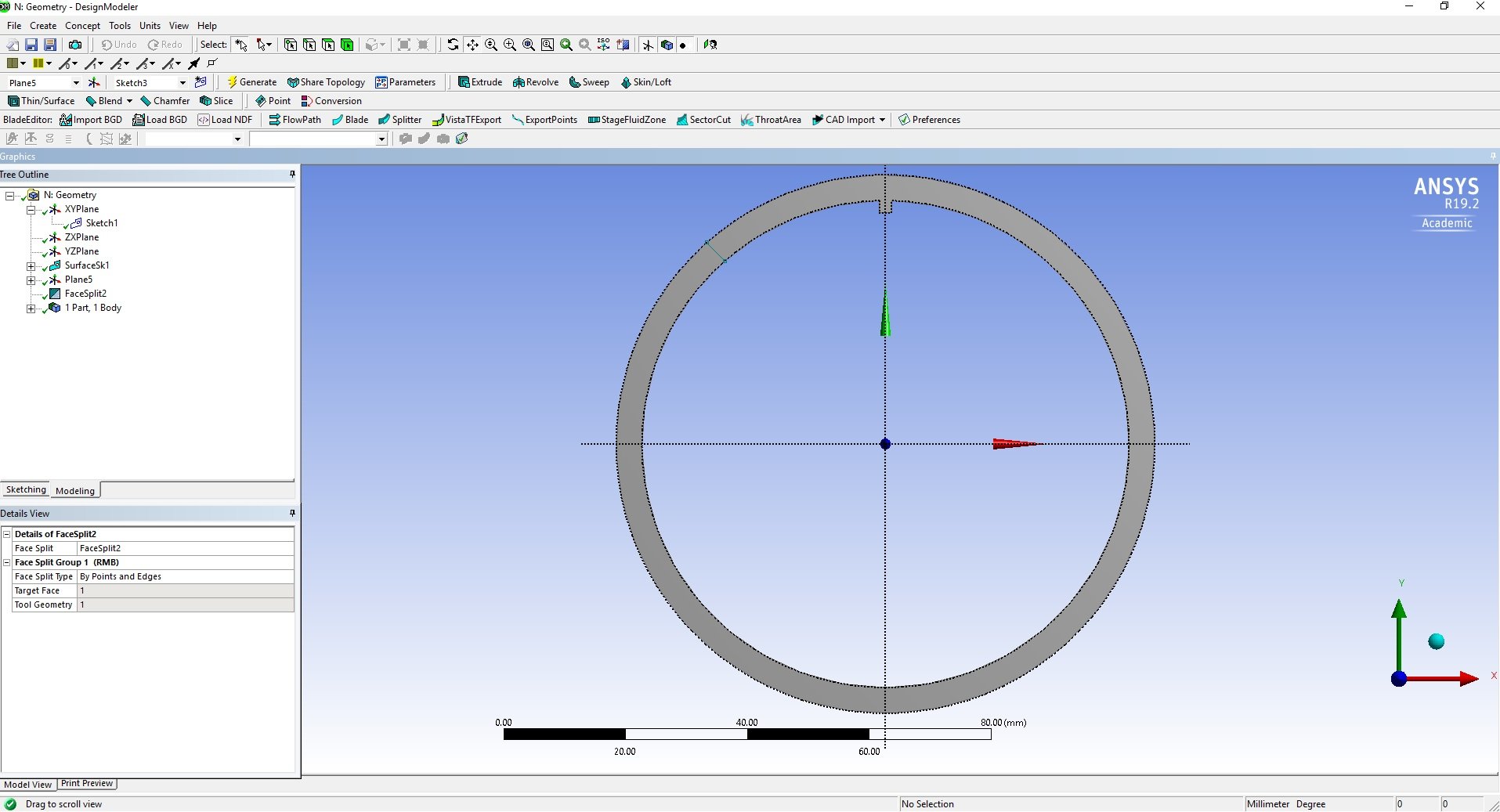
      I used a face split command on the


      circular surface but it does not split the surface into two regions please guide me in this case. see in the attached figure.

    • peteroznewman
      Subscriber

      Create a plane, and use Slice. Select the two pieces and Form New Part.

    • usama
      Subscriber

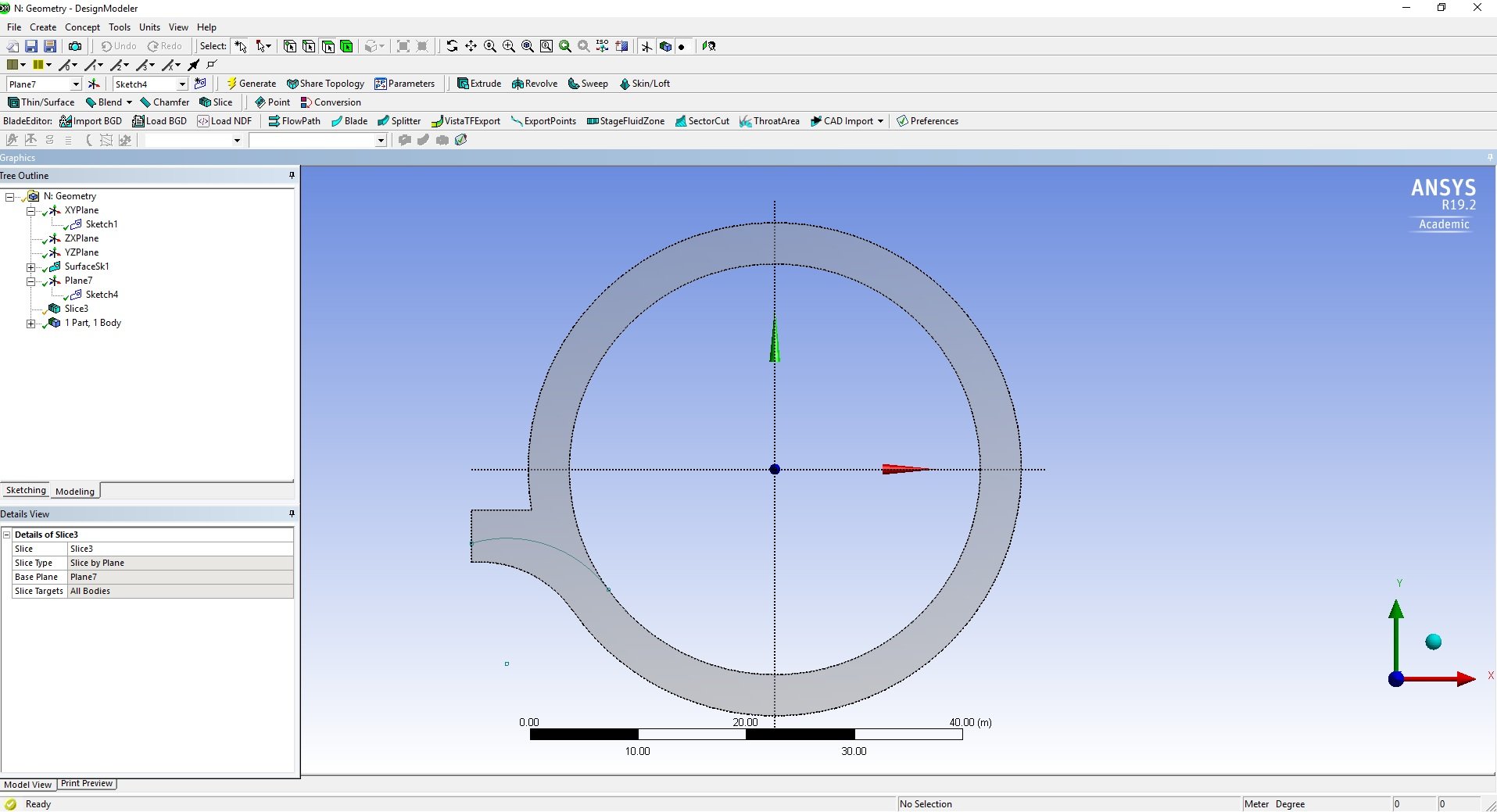
      I did the same thing as you told me but no working dear Peter. actually, I want to split the face by an arc see in the figure same process but does not work. its a surface and I want to cut it by an arc. please have a look on the figure 


    • Rob
      Forum Moderator

      Move the plane that the arc is on in the z-direction to get it off the plane. Then extrude & slice or imprint (can't remember which): make sure the arc sticks out beyond the edges of the face. 

    • peteroznewman
      Subscriber

      It is the XY plane of the Plane selected that does the slicing. If you didn't orient the XY plane to be the cutting plane through the body, then you would see no effect, but if you correctly orient the Plane, then it will slice the body in two. I have not seen it fail to slice. Please show a screen snapshot of the plane you are using to slice.

    • Keyur Kanade
      Ansys Employee

      you can create a line from from that sketch of arc. 


      then use tools - project to project this line on surface. this will split the surface. 

    • usama
      Subscriber

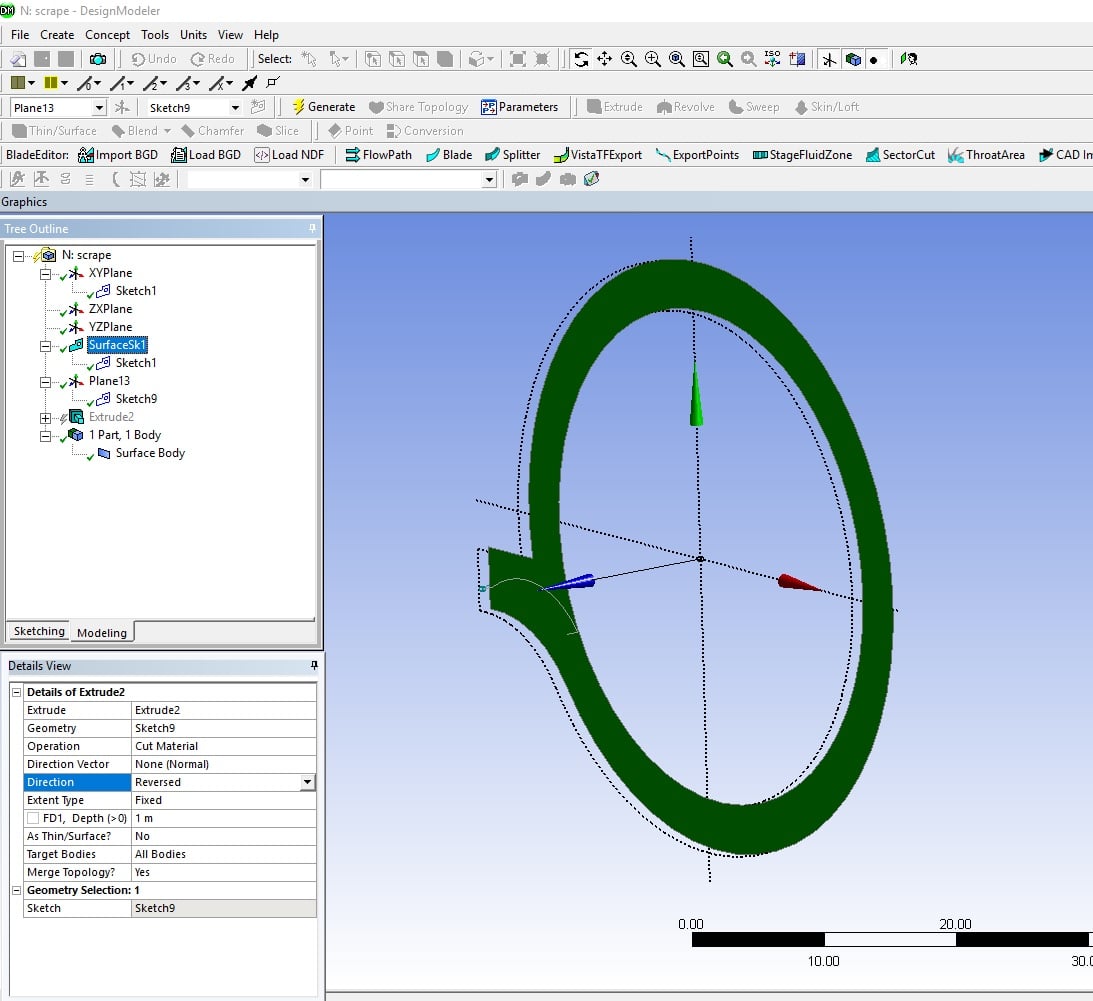
      i did this what you say but can not working and also apply peter and kkanade method may be i am missing something please guide or i can attach my geometry or tell me any video regarding this. see the attached figure. please tell me where the extruded surface go after slicing? because i need a 2D surface. please check the figure. 


    • peteroznewman
      Subscriber

      Please attach a Workbench Archive .wbpz file if you still need help.

    • usama
      Subscriber

      the file is attached in upper post because i can not be able to post it while replying you.

    • Rob
      Forum Moderator

      You may need to move Plane13 off the plane the geometry is on: I've found imprints/extrude for cuts not to work well when the planes are coincident. In the Plane13 definition there will be an option to offset in the (probably) z-direction. The offset only needs to be a few mm. 

    • usama
      Subscriber
      Dear rwool hou
      I moved the plane 13 offset in z direction then use extrude cut command in the reversed direction. I moved the plane from base plane about 1mm then use extrude cut command in reversed direction but not working. Please explain further.
    • Rob
      Forum Moderator

      The extrude+cut should slice the geometry: assuming it does pass through the surface? 

    • peteroznewman
      Subscriber

      I don't see any attached files.  It has to be a .wbpz Archive file. Don't attach the .wbpj file as that is not useful and so is not permitted to be attached.

    • usama
      Subscriber

      Dear Peter Please check the attached file in upper reply. and also guide me on how you did this.


      regards


      Usama

    • peteroznewman
      Subscriber

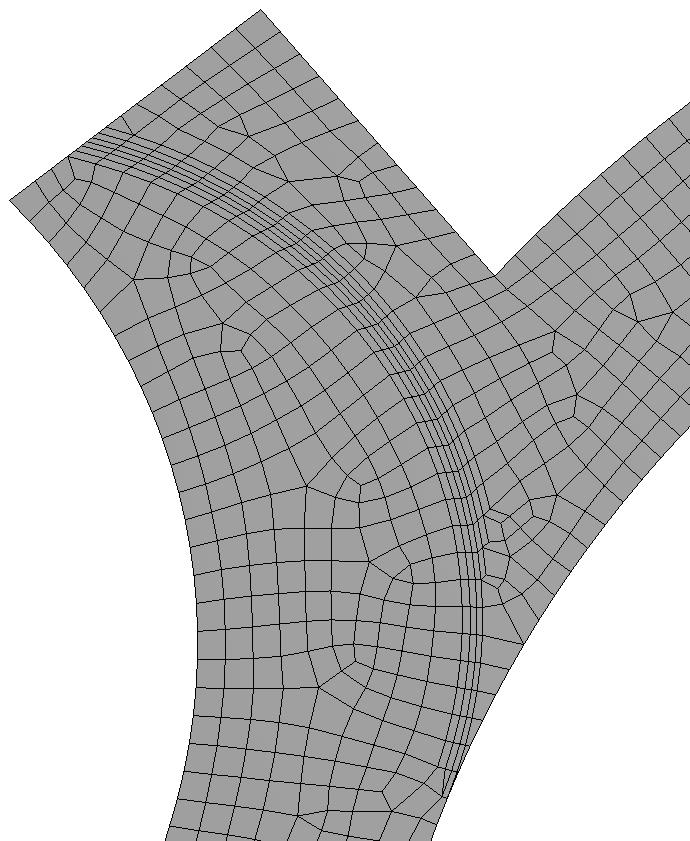
      You have successfully split the surface, I applied an inflation layer to the edge you created. What more do you want?


    • usama
      Subscriber
      But it can show as seprate faces.
      What method you used here?
      And if you used same method as the attched geometry then how to remove the offset plane on the geometry.
      If you can please attached the geometry then it will easy for me to understand.
    • peteroznewman
      Subscriber

      I did not touch the geometry you provided, I just added a Mesh. 


      Are the two attached files identical?  They have the same name. I used the second attached file.

    • usama
      Subscriber
      Dear Peter
      Both files are identical
      Regards
      Usama
    • usama
      Subscriber

      Dear Peter In reverse extruded length 1.01mm but I moved offset z plane 1mm. my question is length should be the same or reverse extruded length should be greater than the moved offset plane length? 


      thanks for help


      Regards


      Usama

    • peteroznewman
      Subscriber

      The idea when using a line or a surface to cut a body (surface or solid) is that the cutting geometry should start outside the body to be cut and extend past the body to be cut.  The line or surface should have a greater lateral extent than the body being cut, if possible.


      The idea is to avoid geometry that is just touching because small tolerances in the geometry can create gaps that hurt the downstream use of the geometry.


      If you understand these ideas, you will know what to do in any situation.  Sometimes the touching is unavoidable because you want a tangent condition. In that case, you have to hope for the best.  Most of the time it works.

Viewing 19 reply threads
  • The topic ‘face-split circular surface’ is closed to new replies.
[bingo_chatbox]