-
-
February 28, 2019 at 3:31 pm
Alberto
SubscriberHi Everybody!
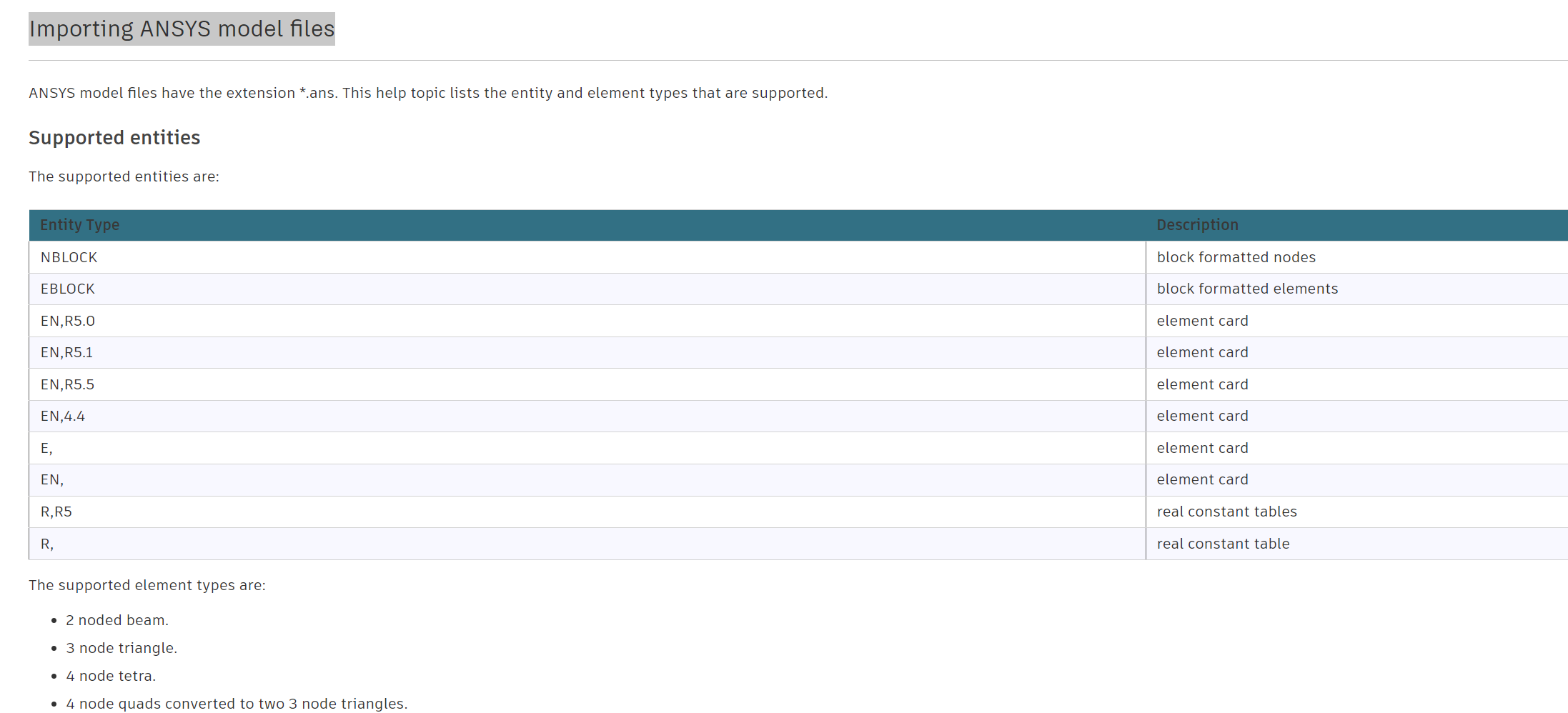
My name is Alberto, I study mechanical engineering and I am doing my bachelor thesis on Three-dimensional modelling of injection moulded micro structured components. I have to simulate filling process using Autodesk Moldflow and I am having some troubles in order to obtain acurate results. My moulded pieces have many discrepancies with the simulation and I thinck it might be because of the mesh used for the simulation. Moldflow has a very limited variety of elements which can't propertly cover the micro structured parts of a larger piece and that leads to bad results.
I have seen that it is possible to use Moldflow files for an structural analysis in Ansys and I was wondering if it could also be done the other way. Does anyone know if it's possible to generate a mesh for my piece using Ansys and then import it on Moldflow in order to do the calculus? I also know Ansys has its own Molding simulation programme but I am required to do my simulatios using moldflow.
Thank you in advance.
-
February 28, 2019 at 4:15 pm
Rob
Forum ModeratorIf you have a look at what Moldflow can read we can probably give you something that'll work. Do you need mid-side nodes (or whatever they're called)?
-
August 4, 2023 at 8:18 pm
Fardin Naqizade
SubscriberHello Rob,
I want to do exactly the same as Alberto,
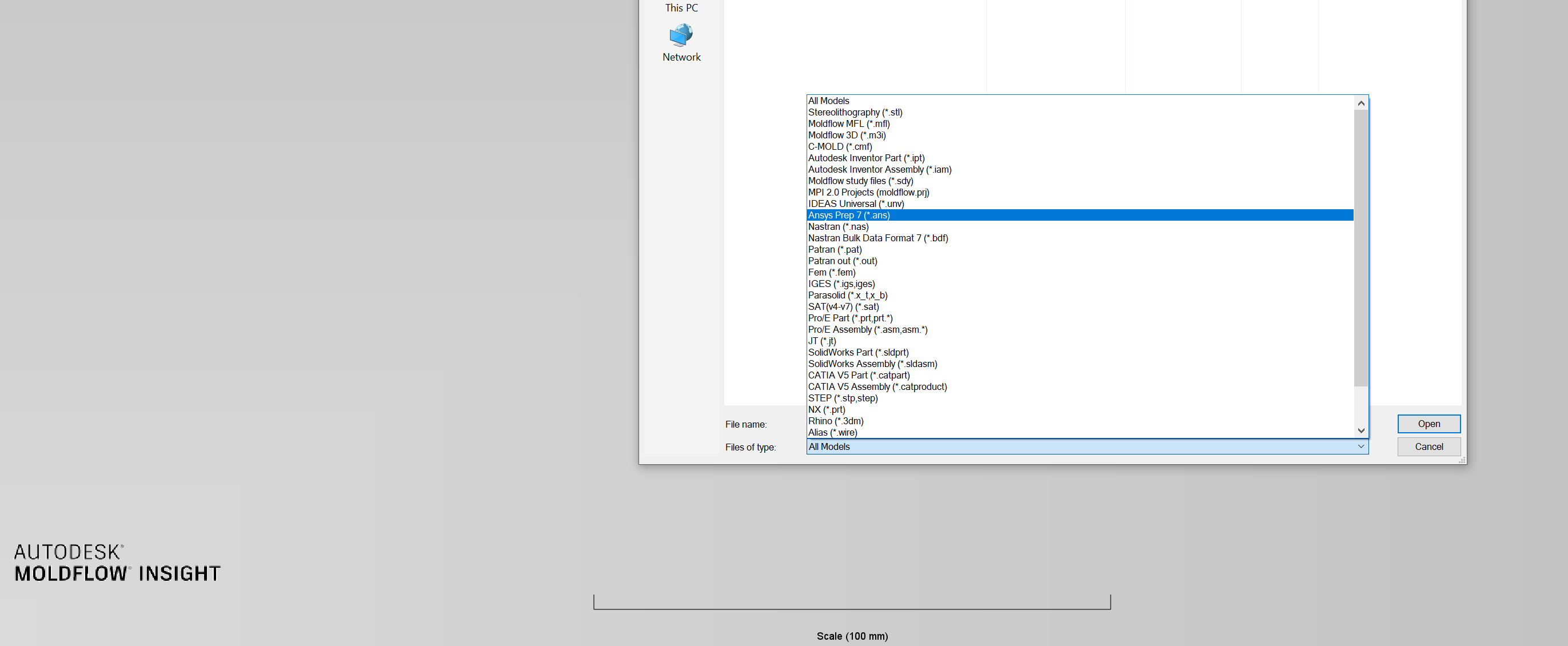
Moldflow Insight has an import option called “Ansys PREP7 (.ans) ” and
I don’t know how to get such an extension from Ansys workbench.
I need the tetrahedral mesh that I create in Ansys (with it’s nodes I think)
to import in moldflow to analyze it.
I attach a picture of all options that moldflow gives for importing geometry.
May you help me on this?
Regards,
Fardin
-
August 4, 2023 at 8:53 pm
-
-
August 5, 2023 at 3:28 pm
peteroznewman
SubscriberFardin,
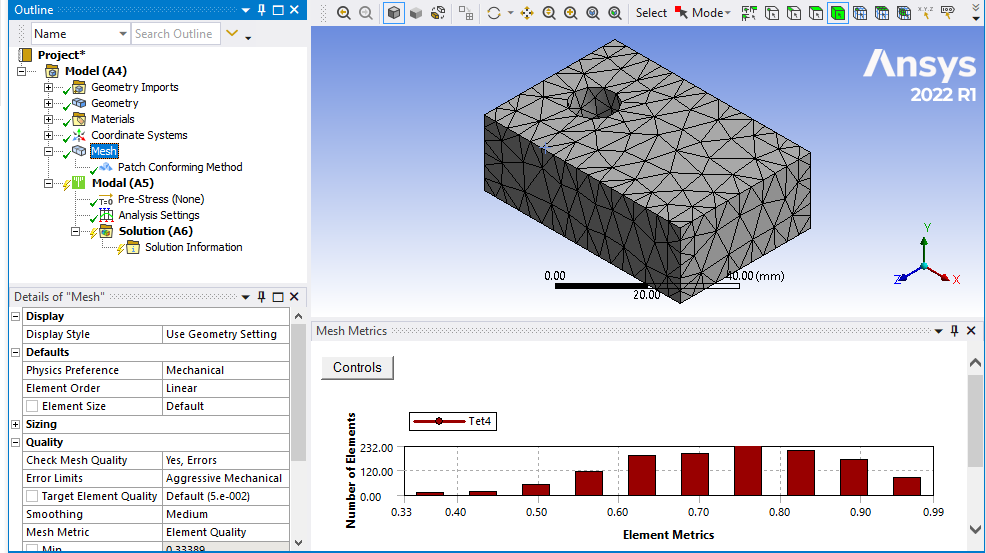
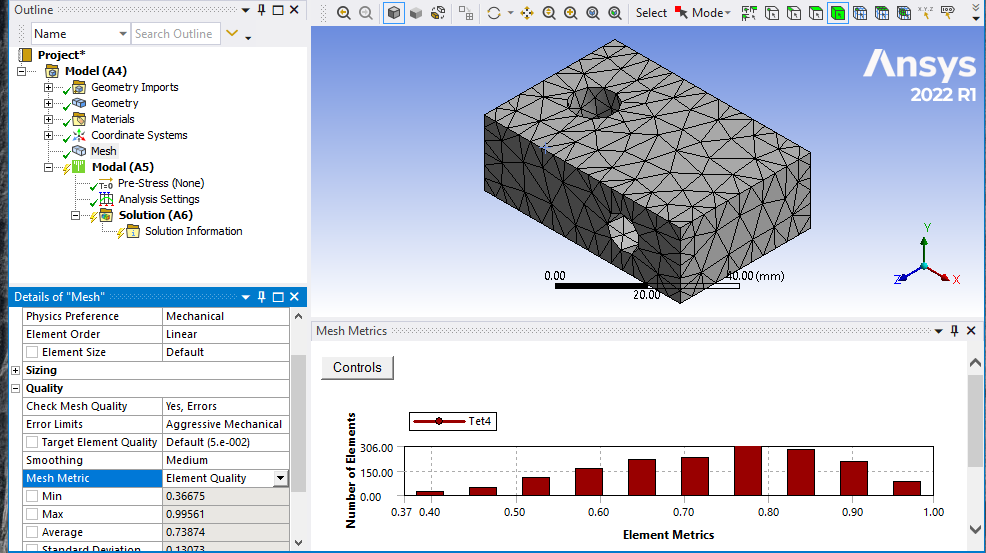
It’s not any tetrahedral mesh, only a 4 node tet element. By default, Ansys will create a 10 node tet. You must change the Element Order to Linear on the Mesh to get a 4 node tet.
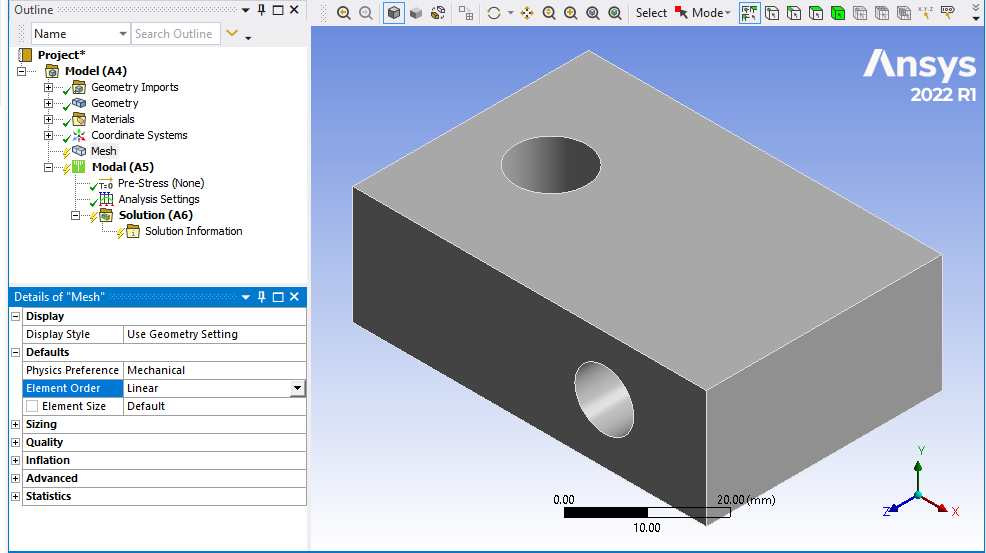
Complex shapes should deliver pure tet elements. You can turn on Mesh Quality metric to see that there are only tet elements.
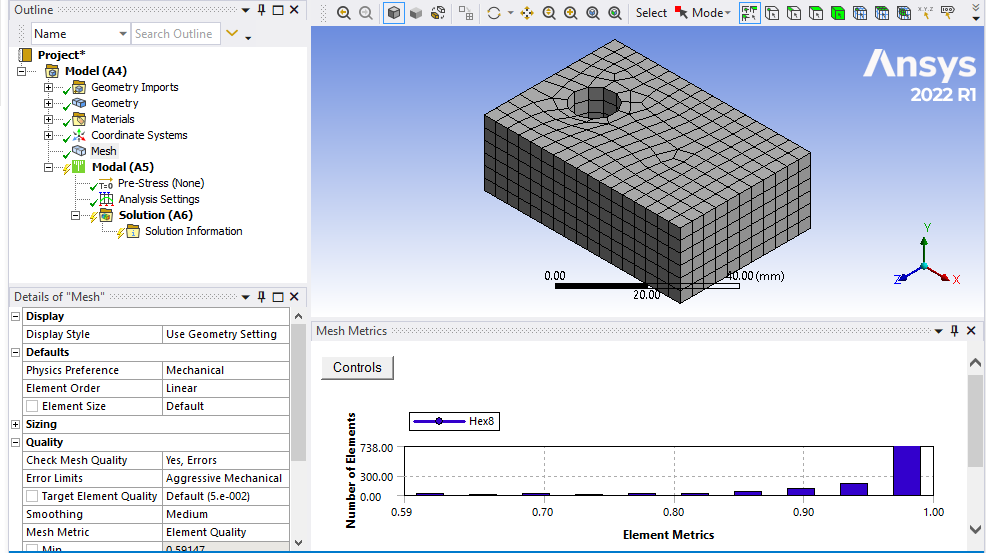
Simpler shapes may generate Hex elements.
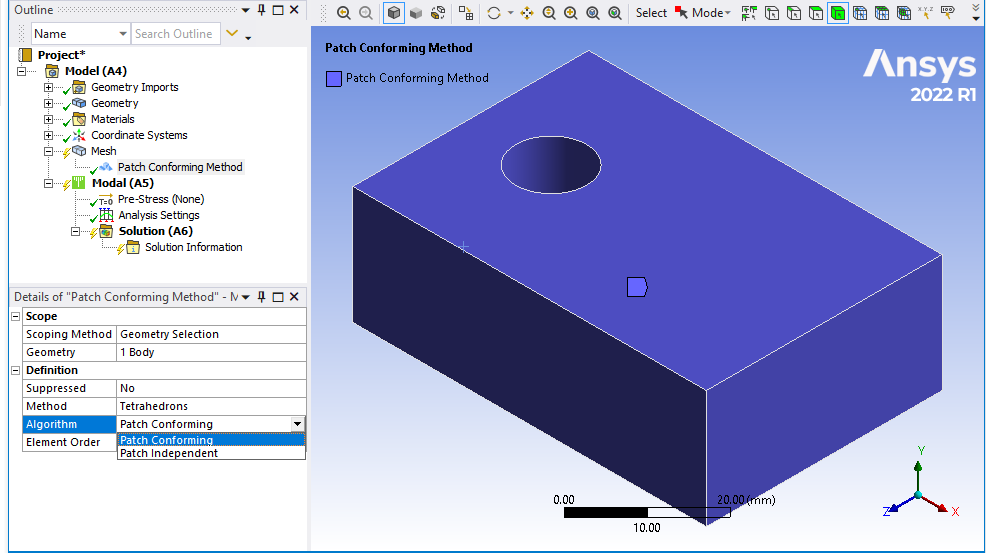
Insert a Mesh Method and select the body to force the mesh to be Tet elements. Note that there are two choices for Algorithm. Patch conforming forces the mesher to follow the edges of every face. Patch Independent allows the mesher to ignore some of face edges and generally results in fewer and better quality elements.
I used a Modal anlysis to mesh this and when I click on the Solution branch in the outline, I can click the Write Input File in the Tool section of the ribbon.
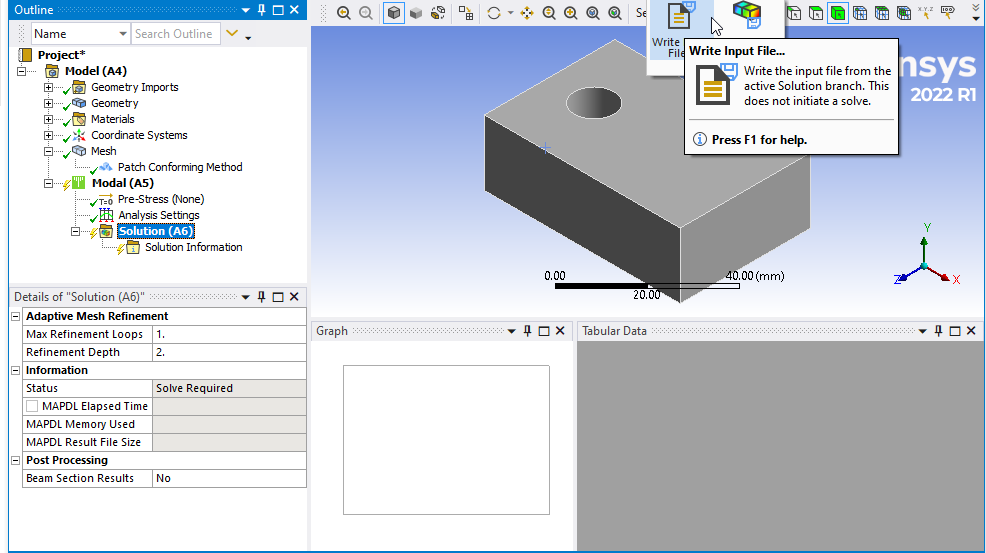
Ansys offers a choice of file extensions, either .dat or .inp but both give the same content. You can rename the file to .ans after it is written.
-
August 5, 2023 at 10:00 pm
Fardin Naqizade
SubscriberHi Peter,
Thanks so much,
I did as you said and now I have a .dat file that when I open
as text file I see the nodes data there,but when I change the
extension and import it into Moldflow Insight for some reason
it can’t load the geometry,
any way I appreciate your help and your great step by step
explanation ?.
I think I need to chase this on moldflow forum to find out
how to make this file work in moldflow.
Kindest regards,
Fardin
-
- The topic ‘Generating mesh with Ansys and exporting it to Autodesk Moldflow’ is closed to new replies.
-
6369
-
1906
-
1457
-
1308
-
1022
© 2026 Copyright ANSYS, Inc. All rights reserved.