It helped.  Thank you, but i have another problem. I cannot start Workbench. Workbench always announces unexpected error.
This:
An unexpected error has occurred: The following required addins could not be loaded: Ans.SceneGraphChart.SceneGraphAddin. The software will exit.
--- System.AggregateException: The following required addins could not be loaded: Ans.SceneGraphChart.SceneGraphAddin. The software will exit.
--- System.Reflection.ReflectionTypeLoadException: Unable to load one or more of the requested types. Retrieve the LoaderExceptions property for more information.
Detail:
Method not found: 'Boolean Ans.SceneGraphChart.Components.ISchema.FindColormap(System.String, Ans.ComponentSystem.IListCpp ByRef)'.
Call stack:
at System.Reflection.RuntimeModule.GetTypes(RuntimeModule module)
at System.Reflection.Assembly.GetTypes()
at Ansys.Core.Commands.Core.Registry.FindAllCommandTypesInAssembly(Assembly assembly, Boolean includeInternal)
at Ansys.Core.Commands.Core.Registry.RegisterTypesFrom(Assembly assembly, Boolean includeInternal)
at Ansys.Core.Commands.CommandManager.RegisterAllFromExecutingAssembly()
at Ans.SceneGraphChart.SceneGraphAddin.Load(AddinLoadContext context)
at Ansys.Core.Addins.AddinManager.setupAddin(String path, String name, AddinBase addin)
at Ansys.Core.Addins.AddinManager.LoadAddin(String name, String path)
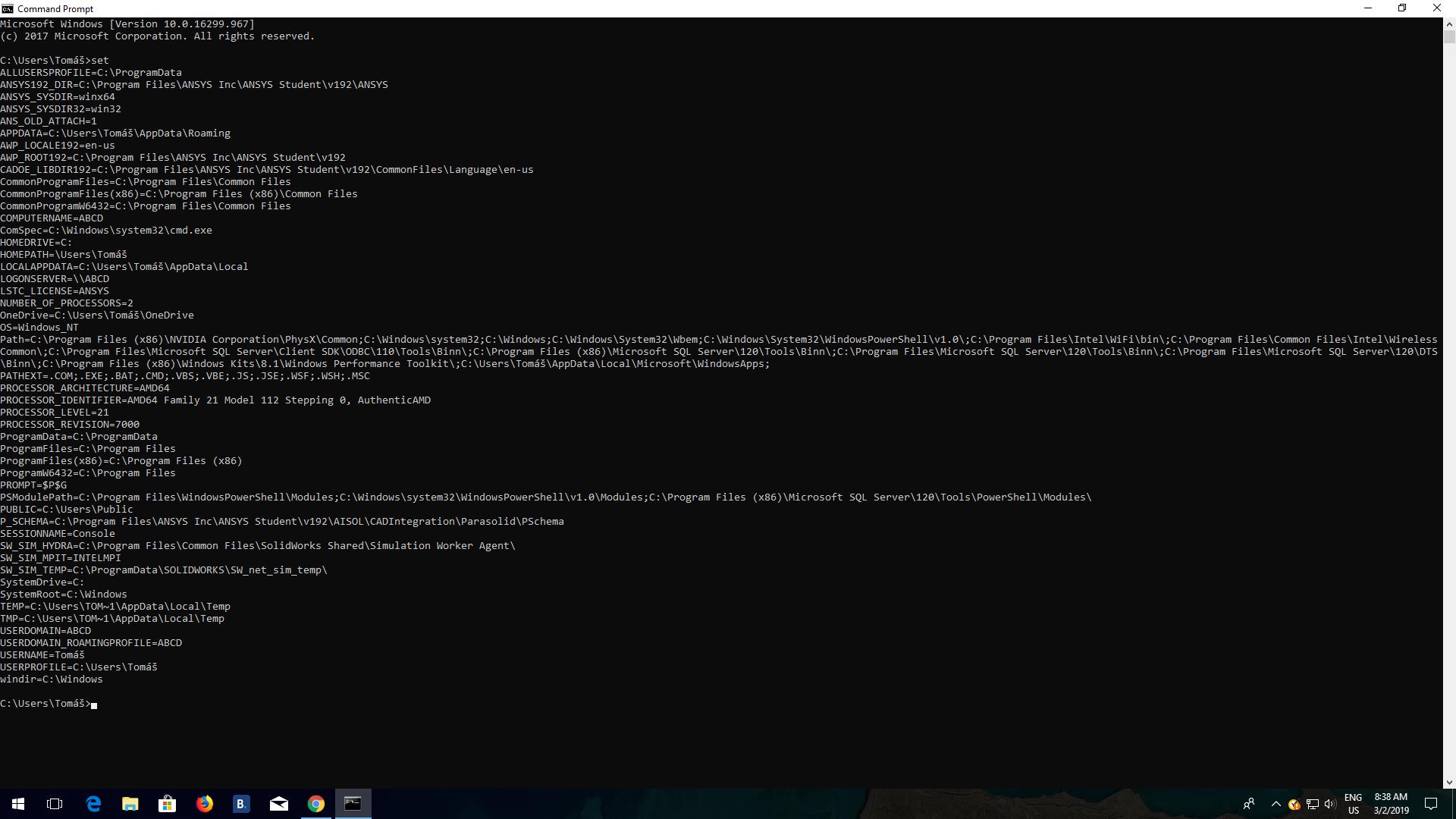
I tried some your tips from old discussions and it didnt work. 
Thank you for tips and advices
TP


















 You are navigating away from the AIS Discovery experience