TAGGED: fluid-dynamics, fluid-flow, udf, udf-fluent
-
-
December 12, 2018 at 2:14 pm
abd fs
SubscriberHello everyone!
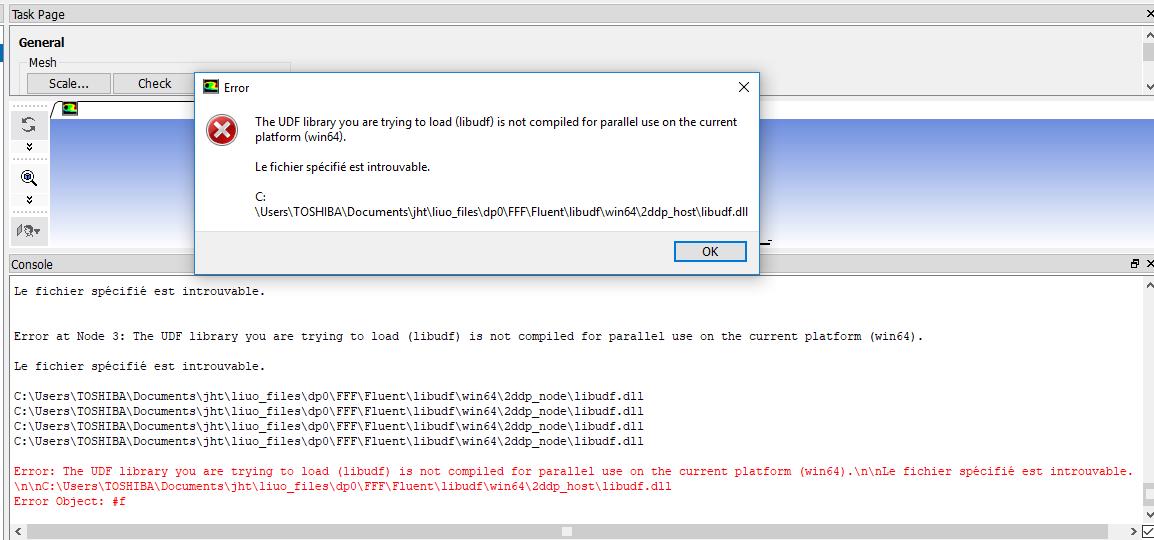
when I want to use UDF for as an input condition of a turbulent flow with a model K-w SST I received this message.
In your opinion how can I solve this problem ?
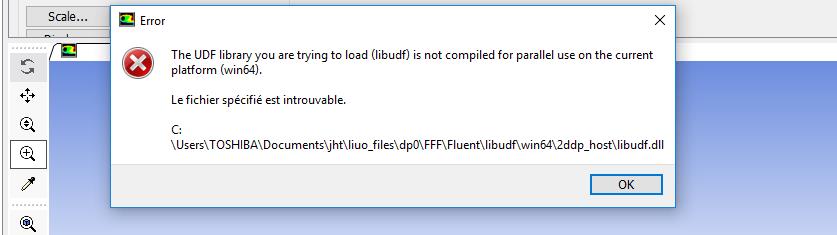
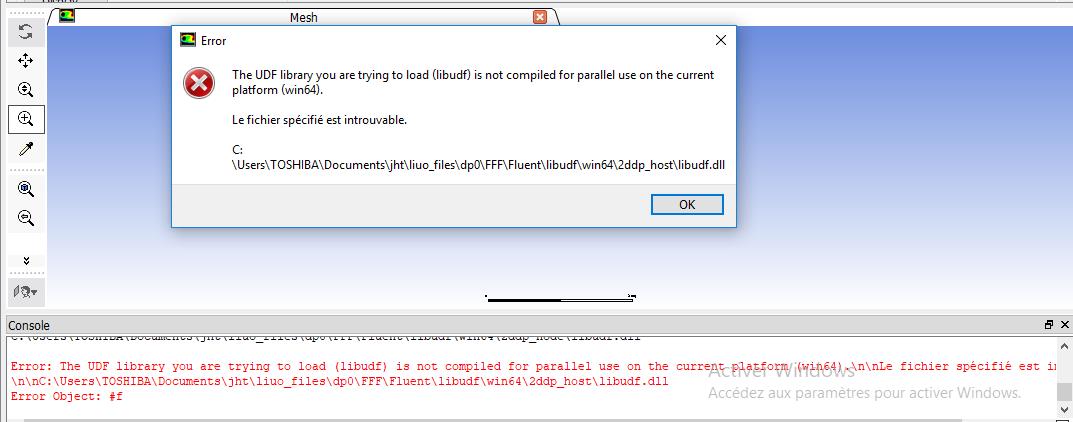
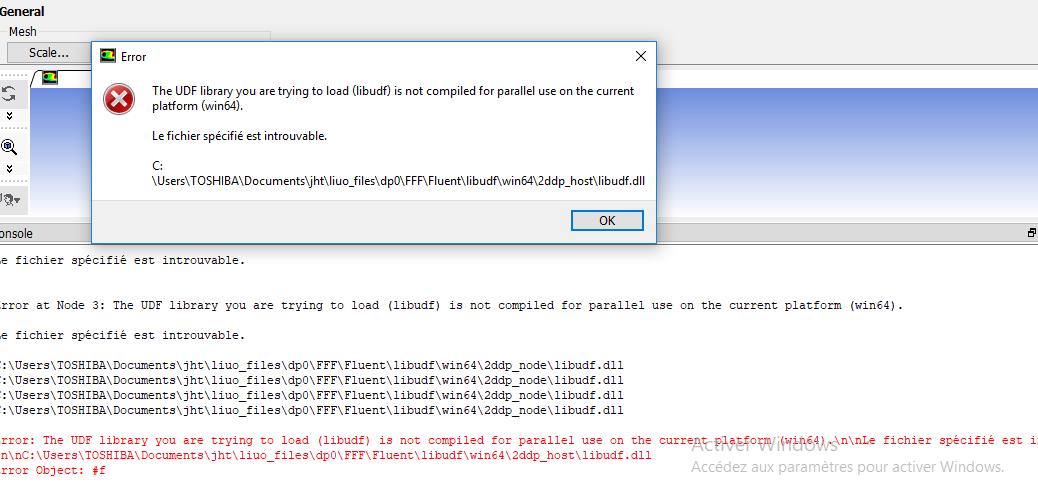
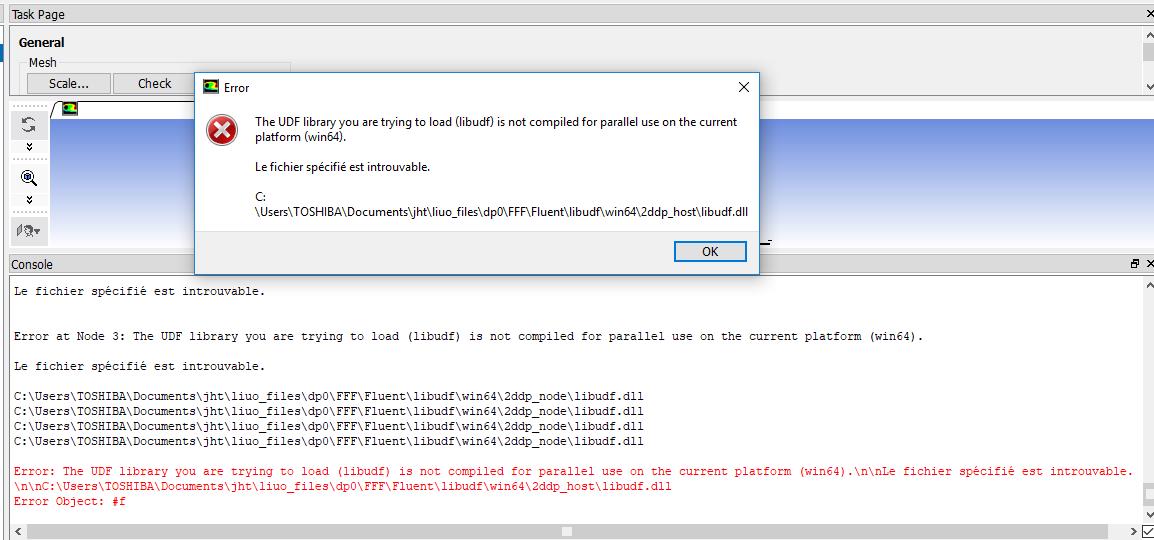
Error: The UDF library you are trying to load (C:UsersTOSHIBADocumentsmoiliuo_filesdp0FFFFluentlibudf) is not compiled for 2ddp on the current platform (win64).nnLe chemin d?accès spécifié est introuvable.
nnC:UsersTOSHIBADocumentsmoiliuo_filesdp0FFFFluentC:UsersTOSHIBADocumentsmoiliuo_filesdp0FFFFluentlibudfwin642ddplibudf.dll
Error Object: #f
Best regards,
SER
-
December 12, 2018 at 3:50 pm
Amine Ben Hadj Ali
Ansys EmployeeDo you have a compiler installed? If Yes try to compile at first from Standalone Fluent.
If you have already compiled the UDF and loaded it then please unload first, compile it again and try again.
-
December 12, 2018 at 4:41 pm
abd fs
SubscriberDear AMINE,
Thank you for sharing these information here.
what's this Standalone Fluent and how can I found this technique
If it is possible, can ou give me an explain about the schema ?
Best regards,
SER
-
December 12, 2018 at 4:56 pm
Rob
Forum ModeratorStand alone Fluent is launched from the Start menu in Windows and is nearly identical to the Workbench variant. The reason for testing the compiler there is it's easier to make sure the .c file is in the right place. You will need a C compiler, and that compiler has to be configured.
If it's just setting turbulence values you can probably interpret the code into Fluent. There are a few threads covering compilers on here, please have a look in
/forum/forums/topic/ansys-19-0-visual-studio-intel-parallel-studio-xe-version-required-for-upfs/
As a starting point.
-
December 20, 2018 at 5:32 pm
Amine Ben Hadj Ali
Ansys EmployeePlease review the already posted answers. -
December 20, 2018 at 5:44 pm
-
December 20, 2018 at 6:18 pm
Amine Ben Hadj Ali
Ansys EmployeeThere are a few threads covering compilers on here, please have a look in
/forum/forums/topic/ansys-19-0-visual-studio-intel-parallel-studio-xe-version-required-for-upfs/
I am not sure if codeblock will work and it is not supported
Or try to interpret in Fluent. -
December 22, 2018 at 4:02 pm
abd fs
SubscriberDear friend,
I installed Visual studio 2013 for ANSYS 17.0 but the problem remains the same.
Best regards,
SER
-
January 3, 2019 at 9:51 am
Amine Ben Hadj Ali
Ansys EmployeePlease compile from the visual studio command prompt and check again (drag the fluent launcher icon into vs command prompt). Perhaps the three environment variables (path , include and lib) are not set properly.
-
January 4, 2019 at 7:57 pm
-
January 5, 2019 at 8:21 am
Amine Ben Hadj Ali
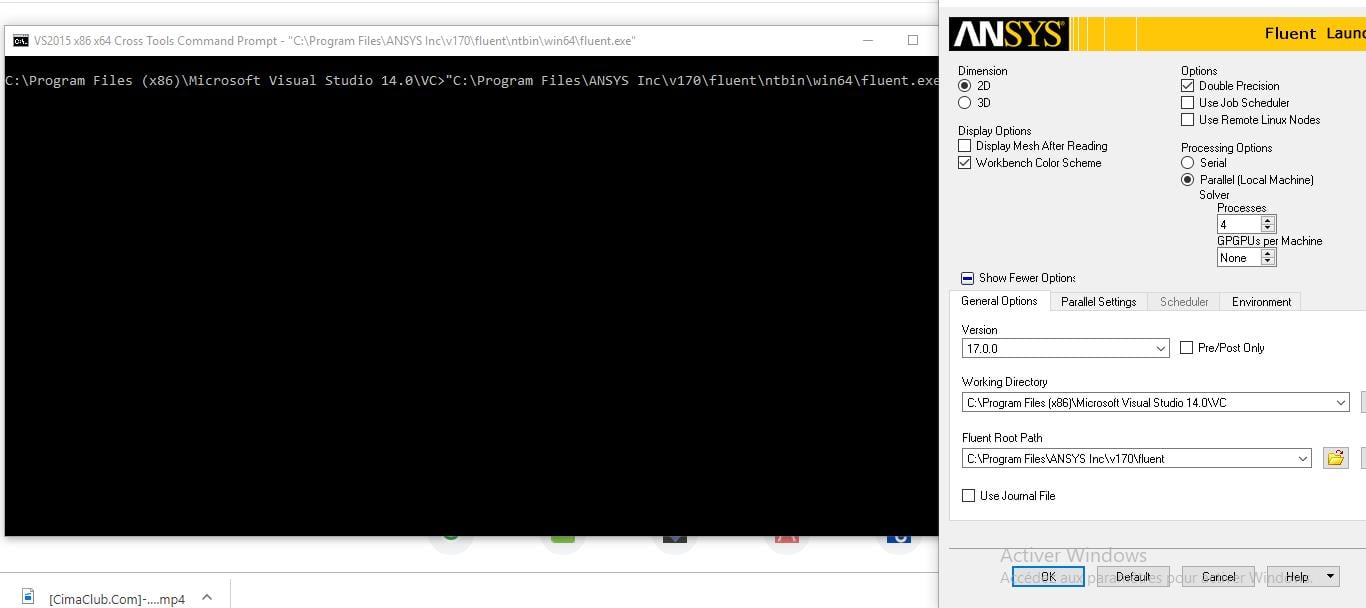
Ansys EmployeeStart Fluent from the VS command prompt and try compiling.
-
January 5, 2019 at 9:29 pm
abd fs
SubscriberDear Amine,
is it necessary to install studio SDK ?
Best regards,
SER
-
January 6, 2019 at 4:15 pm
Amine Ben Hadj Ali
Ansys EmployeeActually not for x64 VS versions . I installed some weeks ago the developer builds of vs 2017 and it worked like a charm. Please check my last post as well as this discussion /forum/forums/topic/ansys-19-0-visual-studio-intel-parallel-studio-xe-version-required-for-upfs/ -
January 6, 2019 at 4:20 pm
Amine Ben Hadj Ali
Ansys EmployeeCheck if you have x64 command prompt in your VS start programmes and start Fluent from it -
January 9, 2019 at 4:39 pm
abd fs
SubscriberDear Amine,
When i tried to compile the program with visual studio the compiler declares a lack of library udf.h so do i have to create a library? If yes, how ? and how can I share this library between Fluent and VS?
Best regards,
SER
-
January 9, 2019 at 4:45 pm
Amine Ben Hadj Ali
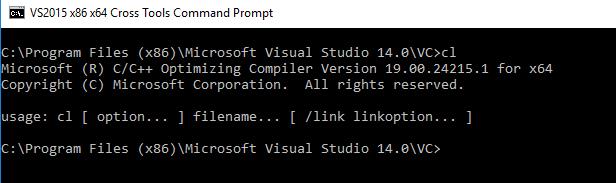
Ansys EmployeeYou need to start Fluent out of the VS command prompt (x86_x64 Cross Tools Command Prompt). You will compile from ANSYS Fluent.
-
January 10, 2019 at 10:24 am
abd fs
SubscriberDear Amine,
What is libudf ? how do I create ?
Best regards,
SER
-
January 12, 2019 at 4:02 pm
abd fs
SubscriberDear friends,
I'm using :
Windows 10 64bit
ANSYS17.0 64bit
en_visual_studio_community_2015_with_update_3_x86_x64_web_installer_8922963
en_visual_studio_2015_sdk_x86_x64_6846633
environment variables:
include
C:Program Files (x86)Microsoft Visual Studio 14.0VCinclude ; C:Program Files (x86)Microsoft SDKsWindowsv7.0A
lib
C:Program Files (x86)Microsoft Visual Studio 14.0VClibamd64 ; C:Program Files (x86)Microsoft SDKsWindowslibx64
Path
C:Program Files (x86)Microsoft Visual Studio 14.0VCbinamd64 ; C:Program Files (x86)Microsoft Visual Studio 14.0Common7IDE ; C:Program FilesANSYS Incv170fluentntbinwin64
but unfortunately the problem remained the same
are these environments correct?
-
January 13, 2019 at 6:16 pm
Amine Ben Hadj Ali
Ansys EmployeeOnce again start Fluent from x86_64 command prompt of VS and try to compile the UDF there (in the ANSYS Fluent started from the x_86_64 prompt).
-
January 13, 2019 at 6:26 pm
abd fs
SubscriberDear Amine,
Thank you for your answer, but I have already followed your advisor(start Fluent from x86_64 command prompt) but the error remains the same.
if you can, is the environment that I have already indicated correct?
Best regards,
SER
-
January 14, 2019 at 7:16 am
Amine Ben Hadj Ali
Ansys EmployeeIf you still have problems running from the x86_64 then it means that you still have compiler issues. Make a clear uninstall and install once again with explicit admin rights. For VS 2015 you do not require to install the SDK.
VS will input what it requires into lib, include and path. If compilation is successful then you just append lib, path and include from the CMD of x86_64 into the lib, include and path from windows env variables under control panel.
-
January 14, 2019 at 8:58 am
abd fs
SubscriberHello Amine
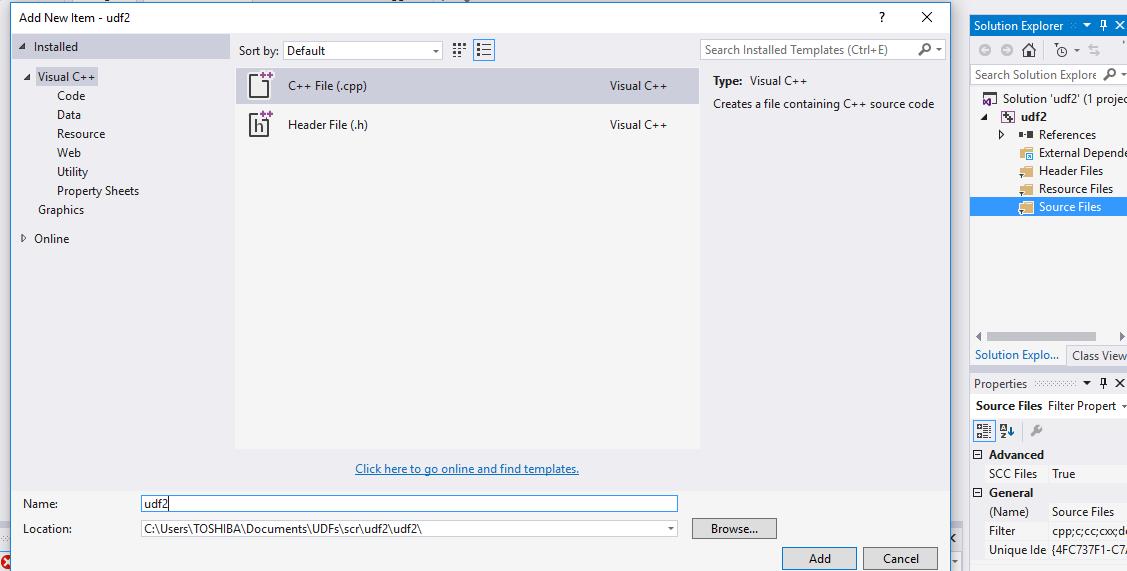
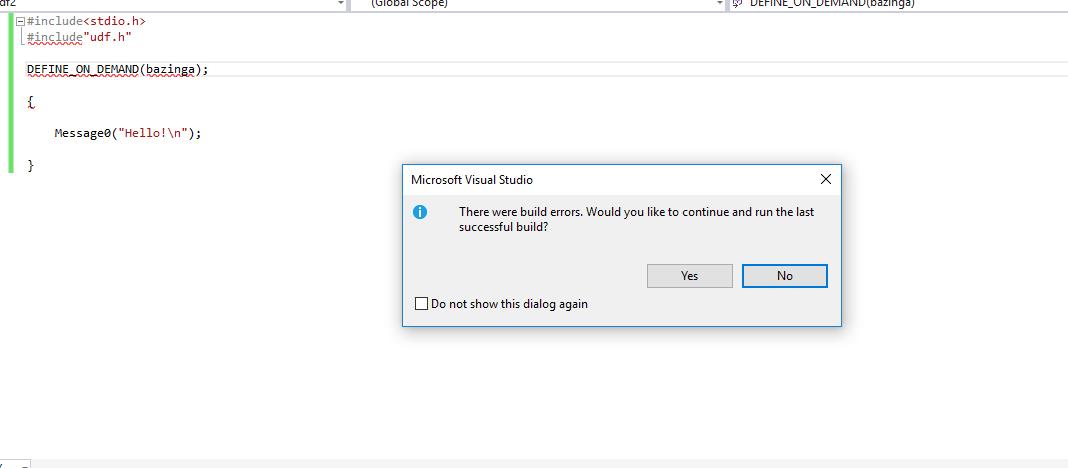
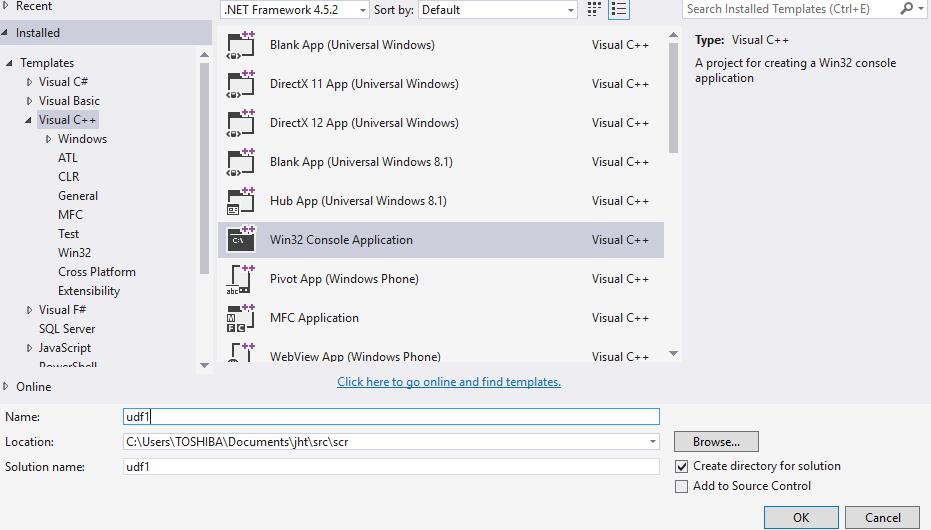
I already uninstalled and installed VS, and I tested "Hello" in the VS and showed it. VS is well installed, but the problem remains the same.
My environment variables:
include
C:Program Files (x86)Microsoft Visual Studio 14.0VCinclude ; C:Program Files (x86)Microsoft SDKsWindowsv7.0A
lib
C:Program Files (x86)Microsoft Visual Studio 14.0VClibamd64 ; C:Program Files (x86)Microsoft SDKsWindowslibx64
Path
C:Program Files (x86)Microsoft Visual Studio 14.0VCbinamd64 ; C:Program Files (x86)Microsoft Visual Studio 14.0Common7IDE ; C:Program FilesANSYS Incv170fluentntbinwin
I found this environment recommended by people who had the same problem as me
As I noticed there is a difference. Are there solutions?
Best regards,
SER
-
January 14, 2019 at 9:21 am
Amine Ben Hadj Ali
Ansys EmployeeThe worakround is to type env from x86_64 CMD of VS and then append the include, lib and path here to the include, lib and path in the control panel env. variables. You need to check if the latter do contain similar things as this might lead to inconsistency.
That is why check at first what do the env variables from control panel contain.
-
January 14, 2019 at 10:19 am
abd fs
SubscriberDear Amine,
In the program files, I can not find include and lib in C:Program Files (x86)Microsoft SDKsWindowsv7.0A(....) I think the problem comes from here.
Best regards,
SE
-
January 14, 2019 at 12:01 pm
Amine Ben Hadj Ali
Ansys EmployeeSDK is actually not required whenever VS 2015 is used. However in the some instances the 65-bit SDK must be installed separately. After you install the compiler, open up Control Panel, Programs and Features. Select your 2015 compiler to modify the installation. Select Visual C++, Common Tools…, etc.
-
January 14, 2019 at 4:57 pm
abd fs
SubscriberDear Amine,
If possible what is a libudf.dll file? What does this file contain? And how can I create this file?
I think the problem comes from this file !
I think all files are well installed
Best regards,
SE
-
January 14, 2019 at 6:03 pm
Amine Ben Hadj Ali
Ansys EmployeePlease answer the questions so that we might help.
Did you start FLUENT from the VS prompt? Did you compile the UDF? Which messages are you now receiving? -
January 14, 2019 at 7:07 pm
-
January 14, 2019 at 7:46 pm
Amine Ben Hadj Ali
Ansys EmployeeFirst of all to avoid any misunderstanding issues:
My compiling process for Fluent UDFs with an existing library loaded:
1) Define > User-Defined > Functions > Manage...
2) Select existing library and click "Unload"
3) Define > User-Defined > Functions > Compiled...
4) Click "Add..." if there are other source files required (Fluent reads in a new version of the file regardless of whether or not you delete then add the same source file)
5) Build then Load
If this is not working then there are still issues regarding environment variables and /or installation. Please check with your IT as the procedure is straightforward.
1/Clean-up everything: uninstall all VS distribution you have.
2/Run as admin VS installation
3/Start Fluent from VS x86_64 prompt. Here Fluent would compile.
4/Step 3 can be avoided by just appending the output of include, path and lib variables from "env" in the VS prompt into the control panel env. variables.

-
January 14, 2019 at 7:48 pm
abd fs
Subscriberok
-
January 14, 2019 at 8:08 pm
abd fs
SubscriberDear Amine,
if you allow, you said this sentence
My compiling process for Fluent UDFs with an existing library loaded:
how did you create this library ?
Best regards,
SE
-
January 15, 2019 at 11:57 am
Rob
Forum ModeratorIn Fluent go to User Defined -> Functions -> Compiled
Then look in the text Window in Fluent. Chances are if the compiler is not installed you'll get an error with something like "nmake" is unknown.
-
January 15, 2019 at 12:11 pm
-
January 15, 2019 at 12:24 pm
Amine Ben Hadj Ali
Ansys EmployeeThe library got created after succful compilation of my UDF which is not the case for you. Please then stick to the second part of my last reply:
1/Clean-up everything: uninstall all VS distribution you have.
2/Run as admin VS installation
3/Start Fluent from VS x86_64 prompt. Here Fluent would compile.
4/Step 3 can be avoided by just appending the output of include, path and lib variables from "env" in the VS prompt into the control panel env. variables.

Your Windows wants to tell you that it needs to be activated.
-
January 15, 2019 at 12:42 pm
abd fs
Subscriberok
-
January 15, 2019 at 2:12 pm
Rob
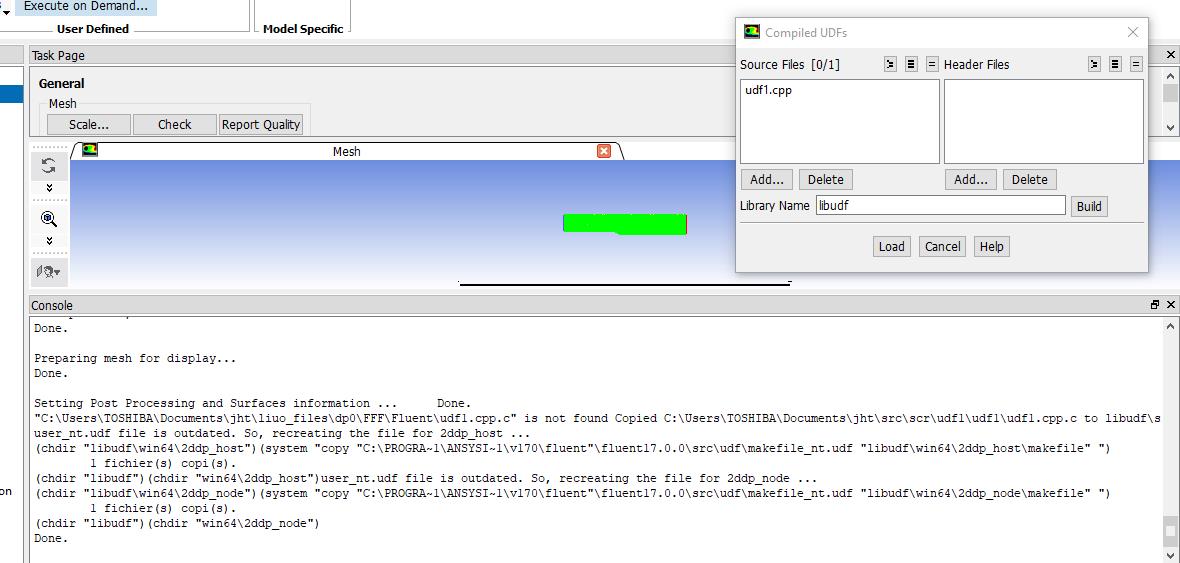
Forum ModeratorCan you also show the whole error: that's just the bit where it's failed to load as the UDF failed to compile.
-
January 15, 2019 at 2:46 pm
abd fs
SubscriberOK sir
-
January 16, 2019 at 9:13 am
abd fs
Subscriber
Dear Amine,
I did all the steps, as you asked me to do,but I received the same message !
That's what I do :
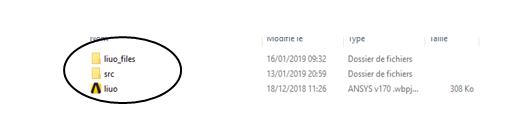
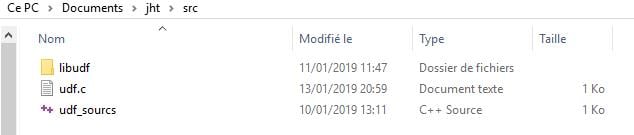
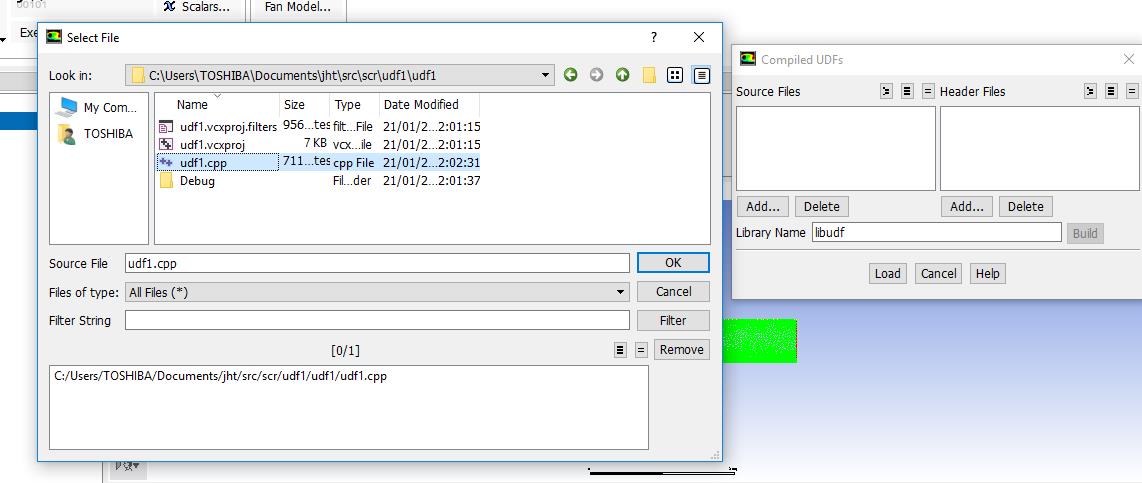
the three files in the same folder, with SRC contains the UDF file
Environment
include - C:Program Files (x86)Microsoft Visual Studio 14.0VCinclude;C:Program Files (x86)Microsoft SDKsWindowsv7.1AInclude; lib - C:Program Files (x86)Microsoft Visual Studio 14.0VClibamd64;C:Program Files (x86)Microsoft SDKsWindowsv7.1ALibx64; path - C:Program Files (x86)Microsoft Visual Studio 14.0Common7Tools;C:Program Files (x86)Microsoft Visual Studio 14.0VCbin;C:Program FilesANSYS Incv170fluentntbinwin64 What can I do more ? please
Best regards,
SE
-
January 16, 2019 at 12:49 pm
Amine Ben Hadj Ali
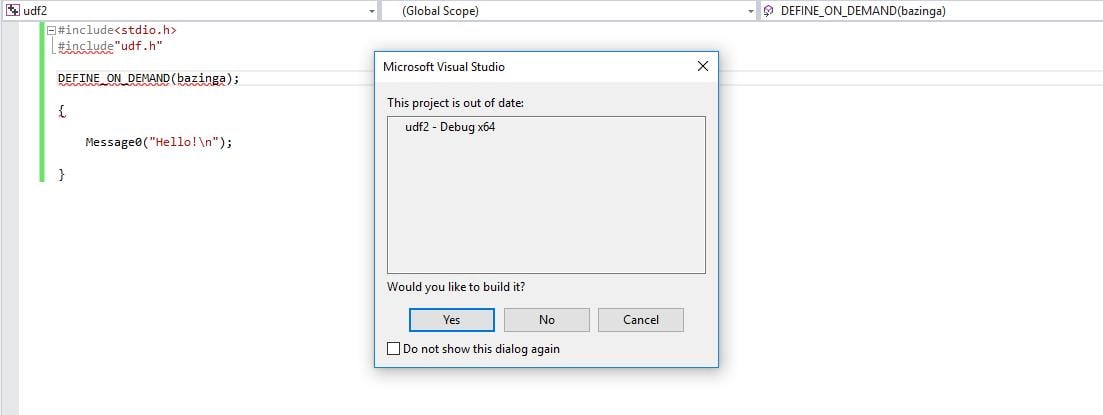
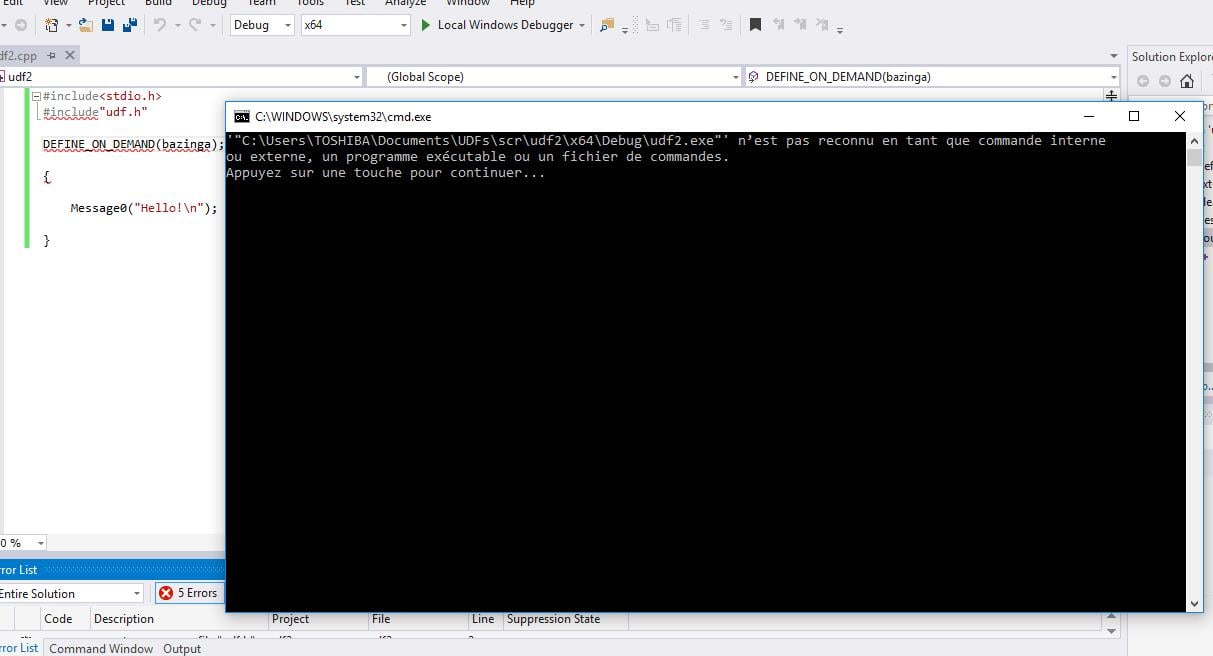
Ansys EmployeePlease start Fluent from the VS prompt and just compile:
DEFINE_ON_DEMAND(bazinga)
{
Message0("Hello!n);
}
-
January 16, 2019 at 2:05 pm
-
January 16, 2019 at 3:18 pm
kadimtalebe
Subscriberfor my case, I solved the problem:
"Set the correct environment variables. Browse your way through the Windows system control to 'System'. There you will find a section 'Advanced system settings'. In the following dialog go to the 'Advanced' tabulator and click on 'Environment variables' (lower right corner). Go through the 'System variables' list and search for the 'Path' entry. Add the following to the variable: C:Program Files (x86)Microsoft Visual Studio 10.0Common7Tools;C:Program Files (x86)Microsoft Visual Studio 10.0VCbin;C:Program FilesANSYS Incv120fluentntbinwin64"
In my system it is like this: C:Program Files (x86)Microsoft Visual Studio 14.0Common7Tools;C:Program Files (x86)Microsoft Visual Studio 14.0VCbin;C:Program FilesANSYS Incv180fluentntbinwin64
Than, problem is solved.
-
January 16, 2019 at 3:33 pm
abd fs
SubscriberDear Kadimtabebe,
thank you for your help. It's the same job I did. However, the problem is not solved
Best regards,
SE
-
January 16, 2019 at 3:50 pm
Amine Ben Hadj Ali
Ansys EmployeeIf you follow the procedures mentioned a couple of times here by launching FLUENT from VS prompt and trying to compile and you still have erros, I recommend letting your IT to check your Windows, ANSYS and MS VS installations.
-
January 16, 2019 at 4:53 pm
abd fs
SubscriberDear Amine,
I think ANSYS well installed, the VS installed because I did the test HELLO.
In your opinion are there any other cause of this problem
Best regards,
SE
-
January 17, 2019 at 8:09 am
Amine Ben Hadj Ali
Ansys EmployeePerhaps your env. variables contain dissimilar content referring to conflicting versions. That is why the recommendation to uninstall everything related to VS and all old releases of it. Moreover Windows needs to be activated I assume. Please check with your IT.
-
January 18, 2019 at 9:53 am
-
January 18, 2019 at 1:40 pm
Rob
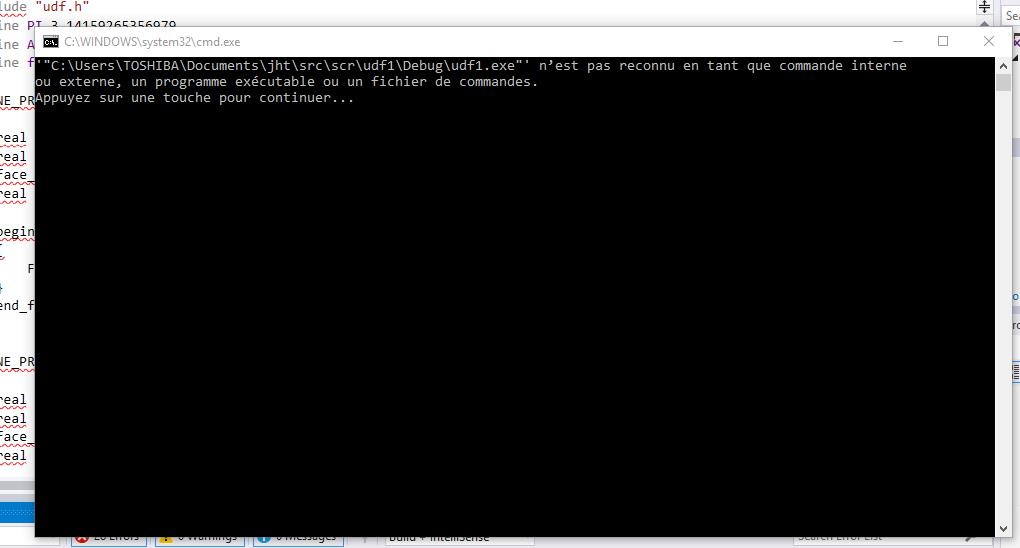
Forum ModeratorThe Load error either means it's not compiled or the file doesn't exist. If you scroll up is there an error message with "nmake" in it?
-
January 18, 2019 at 7:42 pm
-
January 21, 2019 at 10:48 am
Rob
Forum ModeratorPlease can you post all of that message? There are two parts to compiling, the first relates to you code (is it correct) and the second to the compiler (have you installed it): the load error means one or both have failed but we're struggling to figure out what you've (not) done to be able to help.
-
January 21, 2019 at 11:15 am
-
January 21, 2019 at 11:53 am
Rob
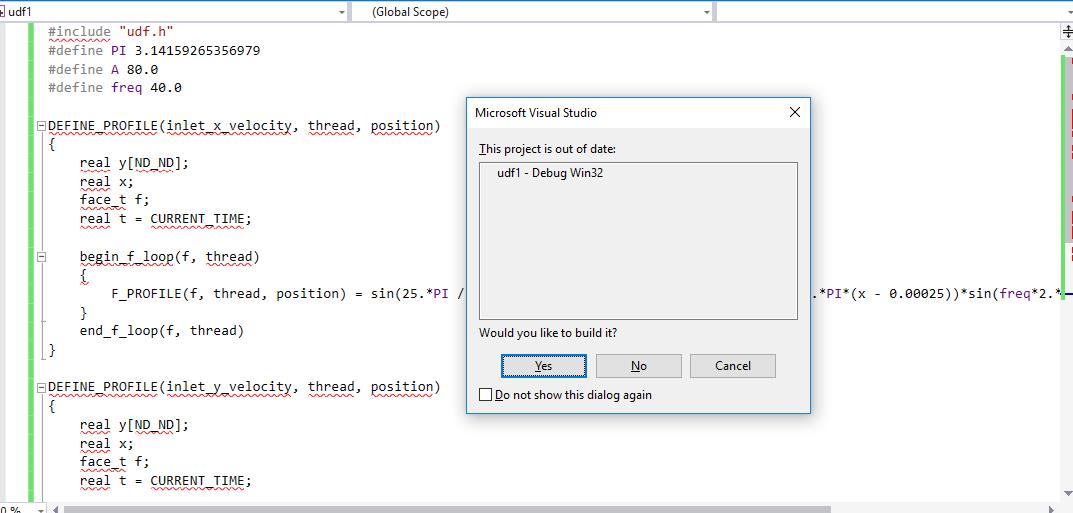
Forum ModeratorWhat happens if you read the udf1.c file into the Fluent compiler process?
-
January 21, 2019 at 12:11 pm
-
January 21, 2019 at 12:19 pm
Amine Ben Hadj Ali
Ansys EmployeeSo now you are directly trying compiling the *.c file? Have you activated your Windows?
-
January 21, 2019 at 12:27 pm
abd fs
SubscriberDear Amine,
Yes
Best regards,
SE
-
January 21, 2019 at 1:22 pm
Amine Ben Hadj Ali
Ansys EmployeeLet me summarize all points:
1/Windows i activated: Yes
2/Installed everything and compiling from VS prompt does not work
We cannot help more here. Please recheck every single step, cleanup every single VS distribution on your computer, check the env. variables are remove old content from there (pointing to some VS or SDK things..). Re-Install with explicit admin rights and try again.
That is the procedure which would work.
By the way I recommend to update your ANSYS version and use the developer tools 2017 which are enough to get started
-
October 7, 2019 at 1:09 am
Ananth Narayan
SubscriberHello Sir, I too have problem of not compiling UDF. I get message as UDF.dll is not found and also while building I get XCOPY is not recognized as internal or external command. What shall I do?
-
October 7, 2019 at 5:06 am
Ananth Narayan
SubscriberWow, I got result. Here are the steps what I have done:
1. Install VS 2017 C++ compiler (around 2 GB)
2. Create/alter the environment variable XCOPY to path "C:Windowssystem32" and create a value "Path" and for value "C:Program Files (x86)Microsoft Visual Studio2017CommunityCommon7Tools;C:Program Files (x86)Microsoft Visual Studio2017CommunityVC;C:Program FilesANSYS Incv182fluentntbinwin64;"
Note: Make sure to paste your directory root of your fluent.
3. Now run fluent via x86_x64 command prompt VS 2017
4. Now no error, successfully compiled. Is error pertains restart your computer.
Refer This.
-
- The topic ‘udf’ is closed to new replies.
-
4693
-
1565
-
1386
-
1242
-
1021
© 2025 Copyright ANSYS, Inc. All rights reserved.