-
-
December 11, 2018 at 5:09 pm
Mbakwa
SubscriberHi,
I am currently working on a model with just three solid elements. ANSYS student 2019 automatically assigns SOLID186 of which I doing a coupled structural-thermal analysis and need to use SOLID226. So far, I have used the following commands to change the element and when I observe the solution file, I see that the degrees of freedom for heat have been introduced but the element types remain SOLID186. Please help me with a way I could change this in the simulation.
-
December 11, 2018 at 8:38 pm
Sandeep Medikonda
Ansys EmployeeHello Mbakwa,
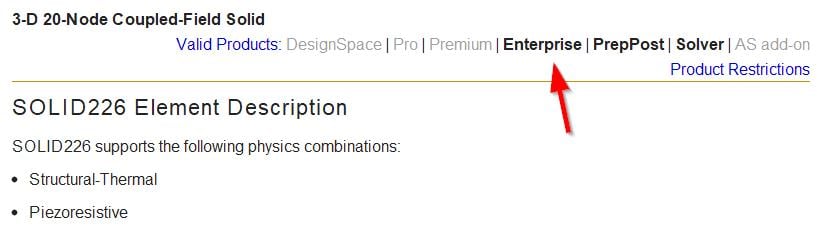
 It is not clear what commands you have used? But once you have selected the the part or using command snippets under the geometry of interest, you can use the ET command. Please see here.
Regards,
Sandeep
Guidelines on the Student Community -
December 12, 2018 at 5:17 am
peteroznewman
Subscriber@Sandeep, I tried inserting this command snippet under the solid in the Geometry tree.
ET,matid,SOLID226
I also made sure to have the mesh set to quadratic elements. But when I wrote out the input.dat file, it did not use that element type.
Â
-
December 12, 2018 at 9:16 pm
-
December 12, 2018 at 9:30 pm
desouzadacosta
SubscriberHey Guys
please see my post within structural . /forum/forums/topic/apdl-script-within-structural-workbench/ My best shot is they are sort of related.
best
alex
-
December 13, 2018 at 1:20 am
peteroznewman
Subscriber@Sandeep,
Sorry, my mistake, at the top of the element creation section in the input.dat file is the native element for a thermal model: a solid90. I should have looked toward the end of the input.dat file where the command snippet is included and the element type is overwritten by solid226. It does work after all.
Regards,
Peter
-
- The topic ‘Element type’ is closed to new replies.
-
5869
-
1906
-
1420
-
1306
-
1021
© 2026 Copyright ANSYS, Inc. All rights reserved.