-
-
December 10, 2018 at 2:15 pm
MarkusP
SubscriberDear community members,
I intend to use a geometry created in DesignModeler for mesh generation in Fluent Meshing.
- Is there a possibility in Workbench to directly transfer a DesignModeler geometry to Fluent Meshing (e.g., by drawing a connection between cells)?

- If not, is there any other way to transfer a DesignModeler geometry into Fluent Meshing?
Thanks,
Markus -
December 10, 2018 at 2:39 pm
Karthik Remella
AdministratorHello Markus,
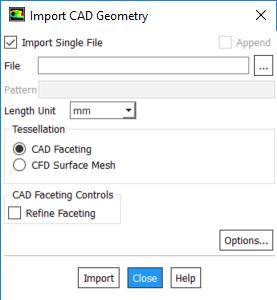
Are you using R19.2? If you are, you should be able to generate your CAD in DM and import it directly to Fluent meshing. Please see the following screenshot.
Another way to import a geometry file to Fluent Meshing would be to open Fluent meshing as a standalone package. You should be able to use File -> Import -> CAD. You should be able to locate the Design Modeler geometry fileÂ
Does this answer your question?
Thanks.
Best Regards,
Karthik
Â
-
December 11, 2018 at 3:30 am
Keyur Kanade
Ansys Employeejust to add what Karthik said -Â
please export your geometry from DM using File - Export. you can use agdb or step format which you can import in fluent meshing.Â
as these posts answers your question, please mark this as 'is solution' to help others on forum.Â
-
December 11, 2018 at 4:22 pm
MarkusP
SubscriberThanks for your answers!
Â
Â
Â
Â
-
- The topic ‘Transfer of DesignModeler geometry to Fluent Meshing’ is closed to new replies.

-
6344
-
1906
-
1457
-
1308
-
1022
© 2026 Copyright ANSYS, Inc. All rights reserved.