-
-
November 13, 2018 at 6:29 am
sunil
SubscriberMy problem is related to an unsteady shock, which I'm simulating in ANSYS fluent version 16.0. After completion of the calculation I'm trying to check contours only velocity contours are displayed rest of all contours are displayed as unknown. But I can visualize all the contours in other post-processing software i.e Tecplot, as Tecplot is not that much user-friendly compared to Ansys CFD post to analyze the results.
-
November 13, 2018 at 1:33 pm
Rob
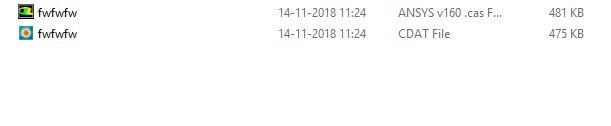
Forum ModeratorOdd. What surfaces did you use for the contour? Also, what type of file did you read into CFD Post (.dat or .cdat)? The alternative is to post process in Fluent, that way you can also quickly access data that's not normally saved in the data file.Â
As an aside, please can you add image in line. As ANSYS staff we're not supposed to download files: by all means add as an attachment too for the wider community.Â
-
November 13, 2018 at 1:44 pm
Keyur Kanade
Ansys EmployeeAlso can you please try by installing latest version i.e. R19.2.Â
-
November 14, 2018 at 5:03 am
-
November 14, 2018 at 5:35 am
Keyur Kanade
Ansys EmployeeHow did you read fluent files in CFD Post?
Is it through workbench? Did you read only data files? Did you read cdat file?
if you are using workbench and connecting CFD Post to Fluent then you should be able to see density there.Â
If you are just reading data file in CFD Post then it may not give you all variables.Â
The best way is to use File - Export - During Solution - Solution data and then use those files in CFD post.Â
-
November 14, 2018 at 6:05 am
-
November 14, 2018 at 9:25 am
Keyur Kanade
Ansys EmployeeWhich quantities did you select while exporting into cdat?
Please select required quantities for export and then check if they come in CFD Post.Â
-
November 15, 2018 at 6:12 am
-
November 15, 2018 at 7:10 am
sunil
SubscriberI have been doing this kind of data export. But still, it's same.
-
November 15, 2018 at 7:12 am
Keyur Kanade
Ansys EmployeeDid you select any quantities in list of quantities?
-
November 15, 2018 at 7:14 am
-
November 15, 2018 at 7:18 am
Keyur Kanade
Ansys EmployeeYou are using Workbench, right?
Make sure that all files are in the correct directory. Make sure that there are no special characters or spaces used in names.Â
Also request you to upgrade to R19.2.Â
Officially we do not support version below R17.0Â
-
March 20, 2021 at 9:54 pm
rashid
Subscriber
hello sir, i have 2021 R1 version and i want to export the animation files as .dat or .dat.gz format but all what i can get is .cdat format so i can create the animation video, i know that i can use the cdat to do so but .dat are smaller in memory size which is betternni used to make it auto save every 1 step without creating and export file as in the imagen
-
- The topic ‘Unable to read data in post processing’ is closed to new replies.
-
4673
-
1565
-
1386
-
1231
-
1021
© 2025 Copyright ANSYS, Inc. All rights reserved.