Ansys Assistant will be unavailable on the Learning Forum starting January 30. An upgraded version is coming soon. We apologize for any inconvenience and appreciate your patience. Stay tuned for updates.
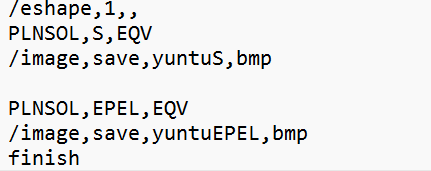
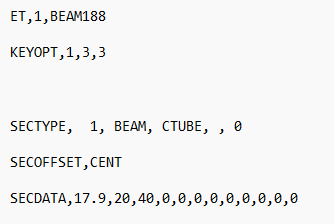
In matlab, I use statements like this "s1="E:ANSYS2022ANSYSv221ansysbinwinx64ANSYS221.exe -b -i C:UsersLYDesktoptesttxt write to override experimenttest01 (test).txt -o C:UsersLYDesktoptesttxt to write override experiment"; "to call ansys and execute the command stream I've written.Now I hope that in this way I can save the calculated stress contour diagram, I don't know if this way is possible, I hope you can help me achieve this requirement. I've used a statement like this in the picture in the command flow, but I can't save the stress contour diagram. However, I opened ansys APDL and imported the written command stream (.txt) text, which saved the stress contours
November 3, 2023 at 2:09 pm
mrife
Ansys Employee
Hi Yinzhong
In Batch mode (the -b flag on the command line) there is no graphics window to capture. Instead use the /SHOW command to redirect a plot to a file:
/eshape,1,,
/show,png
plnsol,s,eqv
/show
November 6, 2023 at 4:19 am
Yinzhong Hu
Subscriber
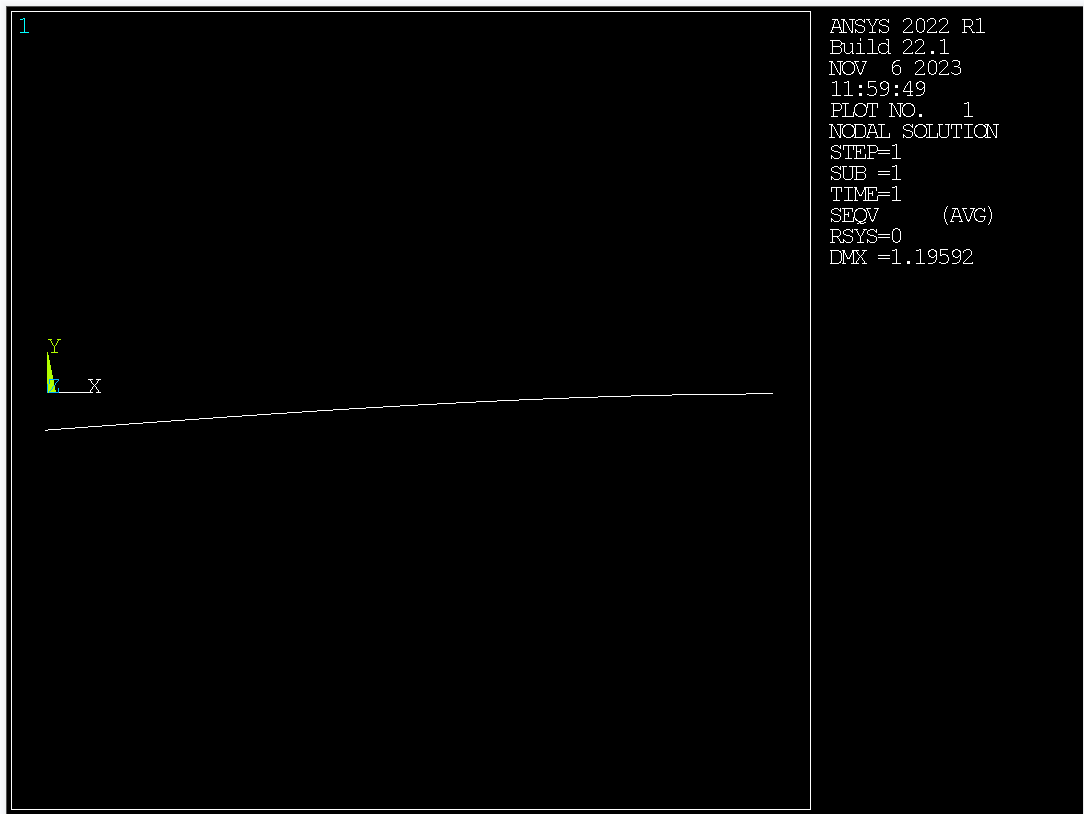
Thank you very much, I managed to save the picture, but it didn't meet my expectations, I want to be able to save the 3D model, not a line. That's how I modeled it .
November 6, 2023 at 3:26 pm
mrife
Ansys Employee
Looks like the /eshape,1 is missing
November 6, 2023 at 3:48 pm
Yinzhong Hu
Subscriber
The command I used was: /eshape,1,,
/show,png
plnsol,s,eqv
/show I used the /eshape,1 command, and now I'm confused
November 6, 2023 at 4:32 pm
mrife
Ansys Employee
Hi Yinzhong
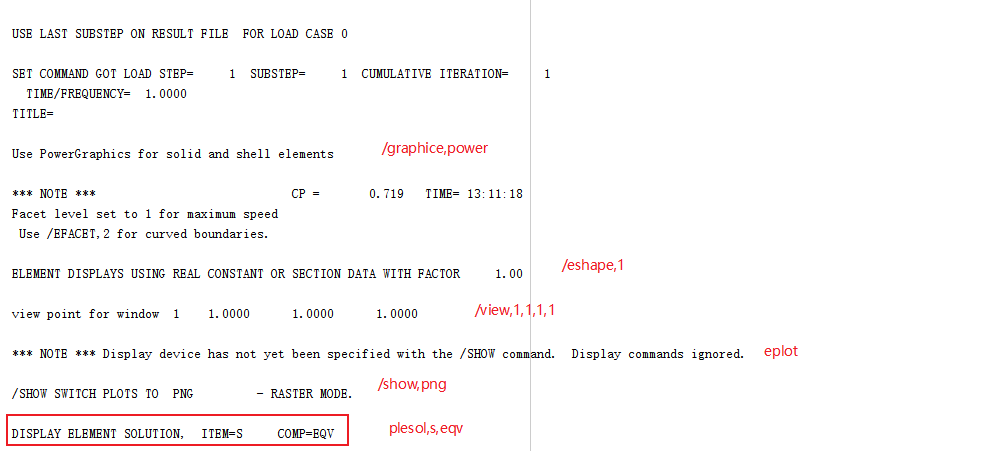
Sorry, I forgot about the /GRAPHICS command! We need to change the graphics display as well to Power Graphics. So try:
Thank you, this way I open Mecheanical APDL Product Launcher, and then read the file I wrote in advance (.dat) can meet the requirements. But I use matlab invoking ansys (" s1 = "E: ANSYS2022ANSYSv221ansysbinwinx64ANSYS221. Exe - b - C: I UsersLYDesktoptesttxt write to override experimenttest01 (test).txt -o C:UsersLYDesktoptesttxt to write override experiment";) There are still problems. As you can see from the result file, the program will stop at this step (plnsol,s,eqv), and eventually the program will stop running. I wonder if there is something wrong with my ansys setup?
Viewing 4 reply threads
The topic ‘Use MATLAB to call ANSYS’ is closed to new replies.
The Ansys Learning Forum is a public forum. You are prohibited from providing (i) information that is confidential to You, your employer, or any third party, (ii) Personal Data or individually identifiable health information, (iii) any information that is U.S. Government Classified, Controlled Unclassified Information, International Traffic in Arms Regulators (ITAR) or Export Administration Regulators (EAR) controlled or otherwise have been determined by the United States Government or by a foreign government to require protection against unauthorized disclosure for reasons of national security, or (iv) topics or information restricted by the People's Republic of China data protection and privacy laws.
Please Login to Report Topic
Please Login to Share Feed
Edit Discussion
You are navigating away from the AIS Discovery experience
The Ansys Learning Forum is a public forum. You are prohibited from providing (i) information that is confidential to You, your employer, or any third party, (ii) Personal Data or individually identifiable health information, (iii) any information that is U.S. Government Classified, Controlled Unclassified Information, International Traffic in Arms Regulators (ITAR) or Export Administration Regulators (EAR) controlled or otherwise have been determined by the United States Government or by a foreign government to require protection against unauthorized disclosure for reasons of national security, or (iv) topics or information restricted by the People's Republic of China data protection and privacy laws.


















 You are navigating away from the AIS Discovery experience